Select First Column In Pandas Dataframe How To Replace Values In Column Based On Another DataFrame In Pandas Intro To Pandas How To Add Rename And Remove Columns In Pandas Pandas Select First N Rows Of A DataFrame Data Science Parichay How To Slice Columns In Pandas DataFrame Spark By Examples Worksheets For Print First Column In Pandas Dataframe My XXX Hot Girl Web 11 jun 2021 nbsp 0183 32 You can use the following syntax to get the first column of a pandas DataFrame df iloc 0 The result is a pandas Series If you d like the result to be a pandas DataFrame instead you can use the following syntax df iloc 1 The following examples show how to use this syntax in practice
Web 12 mrt 2013 nbsp 0183 32 gt gt gt import pandas as pd gt gt gt df pd DataFrame x 1 2 3 4 y 4 5 6 7 gt gt gt df x y 0 1 4 1 2 5 2 3 6 3 4 7 gt gt gt s df ix 0 gt gt gt type s lt class pandas core series Series gt gt gt gt UPDATE Web A callable function with one argument the calling Series or DataFrame and that returns valid output for indexing one of the above See more at Selection by Position Advanced Indexing and Advanced Hierarchical
Worksheets For Print First Column In Pandas Dataframe My XXX Hot Girl Dataframe Visualization With Pandas Plot Kanoki Python Pandas Dataframe Stack Overflow Adding A New Column In Pandas Dataframe From Another Dataframe Mobile Creating Columns With Arithmetic Operations And NumPy Real Python Dataframe Visualization With Pandas Plot Kanoki How To Check The Dtype Of Column s In Pandas Dataframe Vrogue Intermediate Python Pandas YouTube How To Exclude Some Columns From A Pandas Dataframe With Python Stack
Select First Column In Pandas Dataframe
 Select First Column In Pandas Dataframe
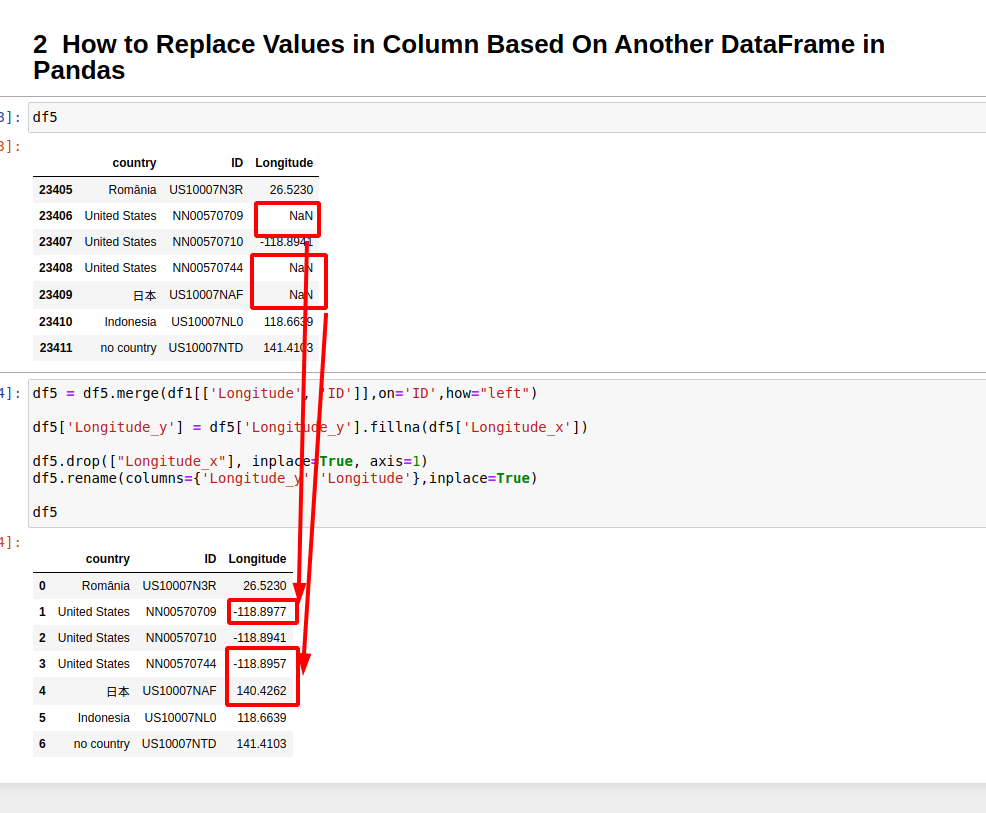
https://datascientyst.com/content/images/2021/08/replace-values-column-based-another-dataframe-pandas.png
Web To select a single column use square brackets with the column name of the column of interest Each column in a DataFrame is a Series As a single column is selected the returned object is a pandas Series We can verify this by checking the type of the output In 6 type titanic quot Age quot Out 6 pandas core series Series
Pre-crafted templates provide a time-saving solution for creating a diverse range of documents and files. These pre-designed formats and layouts can be used for various personal and expert jobs, consisting of resumes, invitations, flyers, newsletters, reports, discussions, and more, simplifying the material production process.
Select First Column In Pandas Dataframe
Worksheets For How To Drop First Column In Pandas Dataframe
Dataframe Visualization With Pandas Plot Kanoki
Python Pandas Dataframe Stack Overflow
Adding A New Column In Pandas Dataframe From Another Dataframe Mobile
Dataframe Visualization With Pandas Plot Kanoki
How To Check The Dtype Of Column s In Pandas Dataframe Vrogue
Web 31 jan 2017 nbsp 0183 32 df take 0 axis 1 select first column df take 0 select first row You can verify that for any df df take 0 axis 1 equals df iloc 0 returns True

Web 3 aug 2019 nbsp 0183 32 10 Answers Sorted by 800 To select the ith row use iloc In 31 df test iloc 0 Out 31 ATime 1 2 X 2 0 Y 15 0 Z 2 0 Btime 1 2 C 12 0 D 25 0 E 12 0 Name 0 dtype float64 To select the ith value in the Btime column you could use In 30 df test Btime iloc 0 Out 30 1 2

Web 19 mei 2020 nbsp 0183 32 Now for example if we wanted to select the first two columns of our dataframe we could write Selecting a Range of Columns with iloc print df iloc 2 Returns Name Age 0 Joe 28 1 Melissa 26 2 Nik 31 3 Andrea 33 4 Jane 32

Web 12 feb 2023 nbsp 0183 32 Use head to select the first column of pandas dataframe We can use the dataframe T attribute to get a transposed view of the dataframe and then call the head 1 function on that view to select the first row i e the first column of original dataframe
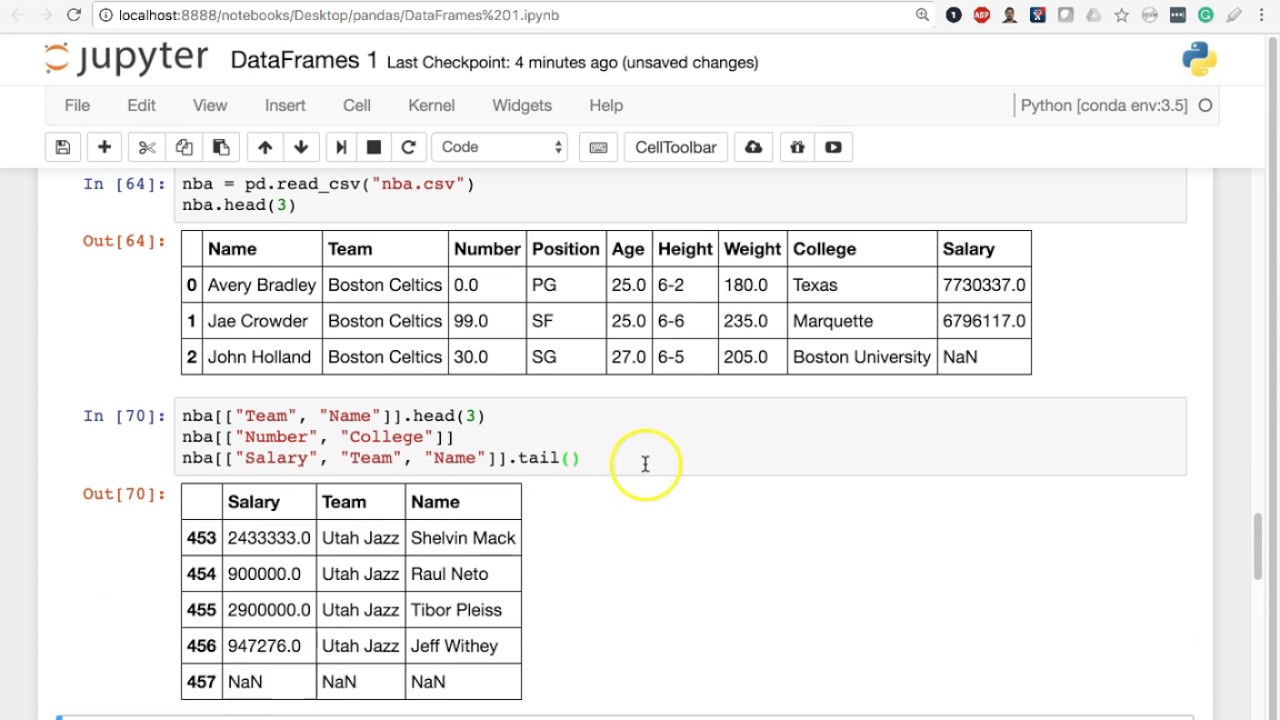
Web To select columns a and b from dataframe df and save them into a new dataframe df1 you can use the following methods in Python Method 1 Using column indexing df1 df a b Method 2 Using the loc accessor df1 df loc a b Method 3 Using the iloc accessor df1 df iloc 1 2 Method 4 Using the filter function
[desc-11] [desc-12]
[desc-13]