Run Sql Script From Command Line Mac Download Execute SQL Script From Command Prompt How To Run Sql Script In Sqlplus Command Line In Linux YouTube Download And Install SQL Command Line YouTube Solved Execute SQL Script From Command Line 9to5Answer Execute SQL Server Script Files With The Sqlcmd Utility Web You can execute SQL statements in a script file batch file like this mysql db name lt script sql gt output tab On Unix the mysql client logs statements executed interactively to a history file
Web Dec 9 2019 nbsp 0183 32 Learn how to connect to MySQL from the command line under macOS OSX and Linux operating systems This video is from my online course SQL Beginner to Guru Web Aug 15 2023 nbsp 0183 32 Use sqlcmd to run a Transact SQL script file A Transact SQL script file is a text file that can contain a combination of Transact SQL statements sqlcmd commands and scripting variables Create a script file To create a Transact SQL script file by using Notepad follow these steps
Execute SQL Server Script Files With The Sqlcmd Utility Sql Server How To Run The Scripts From A Sql Solution In Vs Stack Www Run MySQL SQL Commands From Command Line A Step by Step Guide MySQL YA Run R Script From Linux Command Line With Arguments Input And Output How To Create User Using SQL Command Line YouTube How To Run Oracle Multiple sql Script Files Using Single sql File Python Command Line Applications With Click YouTube Python Source Command Windows The 21 Detailed Answer Barkmanoil How To Close A Database In Access Mysql Command Cmd Connect Database
Run Sql Script From Command Line Mac
 Run Sql Script From Command Line Mac
https://i.ytimg.com/vi/o_lyG-KPNtk/maxresdefault.jpg
Web Feb 2 2024 nbsp 0183 32 With the exception that you add the MySQL path to bash profile Now open your terminal and do the following First export the MySQL path to bash profile echo export PATH quot PATH usr local mysql bin quot gt gt bash profile Next use the source command to load bash profile into the current shell
Pre-crafted templates provide a time-saving solution for producing a varied range of files and files. These pre-designed formats and layouts can be made use of for numerous individual and professional projects, consisting of resumes, invitations, flyers, newsletters, reports, presentations, and more, enhancing the material creation procedure.
Run Sql Script From Command Line Mac

How To Run Oracle SQL Script From Command Line In Windows
Sql Server How To Run The Scripts From A Sql Solution In Vs Stack Www

Run MySQL SQL Commands From Command Line A Step by Step Guide MySQL YA
Run R Script From Linux Command Line With Arguments Input And Output
How To Run Oracle Multiple sql Script Files Using Single sql File
Python Command Line Applications With Click YouTube

Web Create a script to run the specific path for you lets call it connect to my sql c include lt stdlib h gt int main system quot usr local mysql bin mysql u root quot Compile your C script gcc o mysql connect to my sql c Move your binary file i e your mysql file to a folder in your path

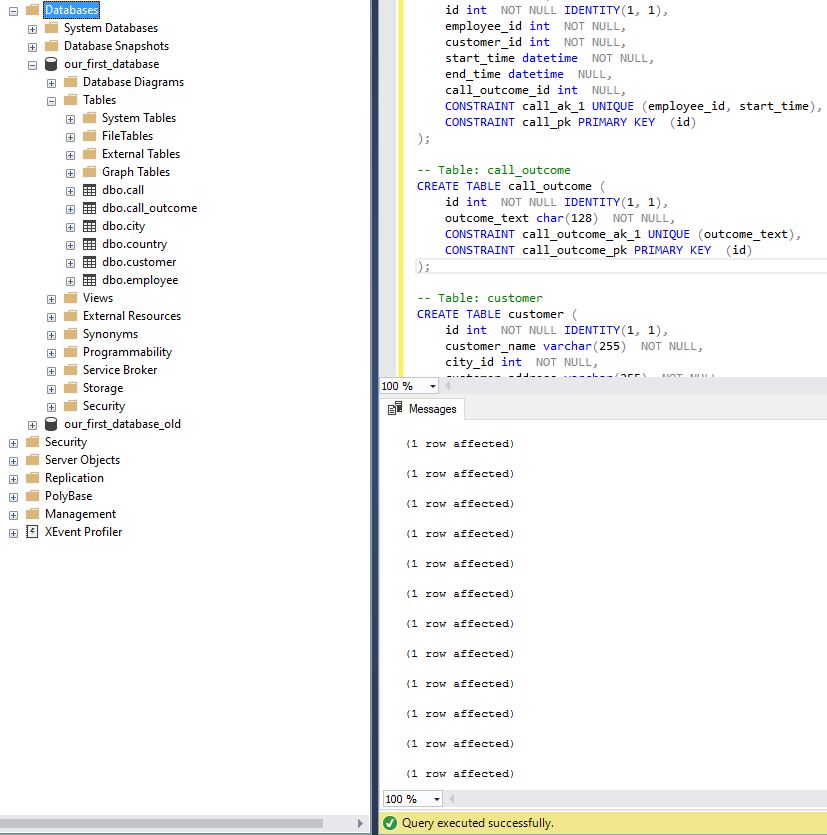
Web Firstly create an empty database in SQL server then run this command sqlcmd s ServerName d CreatedDatabaseName i ScriptFileName sql ScriptFileName should be with a complete path like quot D Folder Name ScriptFileName sql quot You can also use u and p if you have userName and password in your sql server Share

Web Jun 28 2023 nbsp 0183 32 Here are the steps to run an SQL script using the command line Open a terminal or command prompt Navigate to the folder where your SQL script is located Connect to MySQL by entering mysql u username p and pressing Enter Type your password when prompted Run your SQL script by entering source script name sql

Web Jul 7 2023 nbsp 0183 32 1 Open the shell terminal in Mac Linux or command prompt in Windows 2 If the MySQL shell path is added to the environment variable you can execute the command directly else you can first navigate to the

Web May 16 2017 nbsp 0183 32 We are delighted to share the production ready release of the SQL Server Command Line Tools sqlcmd and bcp on macOS El Capitan and Sierra The sqlcmd utility is a command line tool that lets you submit T SQL statements or batches to local and remote instances of SQL Server
Web Apr 3 2017 nbsp 0183 32 We are excited to announce the availability of the preview for SQL Server Command Line Tools sqlcmd and bcp on Mac OS The sqlcmd utility is a command line tool that lets you submit T SQL statements or batches to local and remote instances of Web Mar 11 2023 nbsp 0183 32 In this article we discussed how to execute a sql script for MySQL from the Bash command line First we looked at the steps to connect to a MySQL server and also explored its various options After that we executed the sql script using the native method and the source command
Web Jan 20 2012 nbsp 0183 32 use the MySQL command line client mysql h hostname u user database lt path to test sql Install the MySQL GUI tools and open your SQL file then execute it Use phpmysql if the database is available via your webserver