Revert Multiple Commits In Git How To Revert Multiple Commits In Git Git Revert Multiple Commits Delft Stack Git Revert File Reverting A File To A Previous Commit How To Undo Pushed Commits With Git Sciencx How Do I Revert A Git Repo To A Previous Commit O Reilly Web Oct 5 2023 nbsp 0183 32 The initial action in reversing several commits in Git involves pinpointing the exact commit hash you re intending to revert to By keying in the git log command into your terminal you will be presented with a comprehensive listing of all prior commits with their respective hashes included
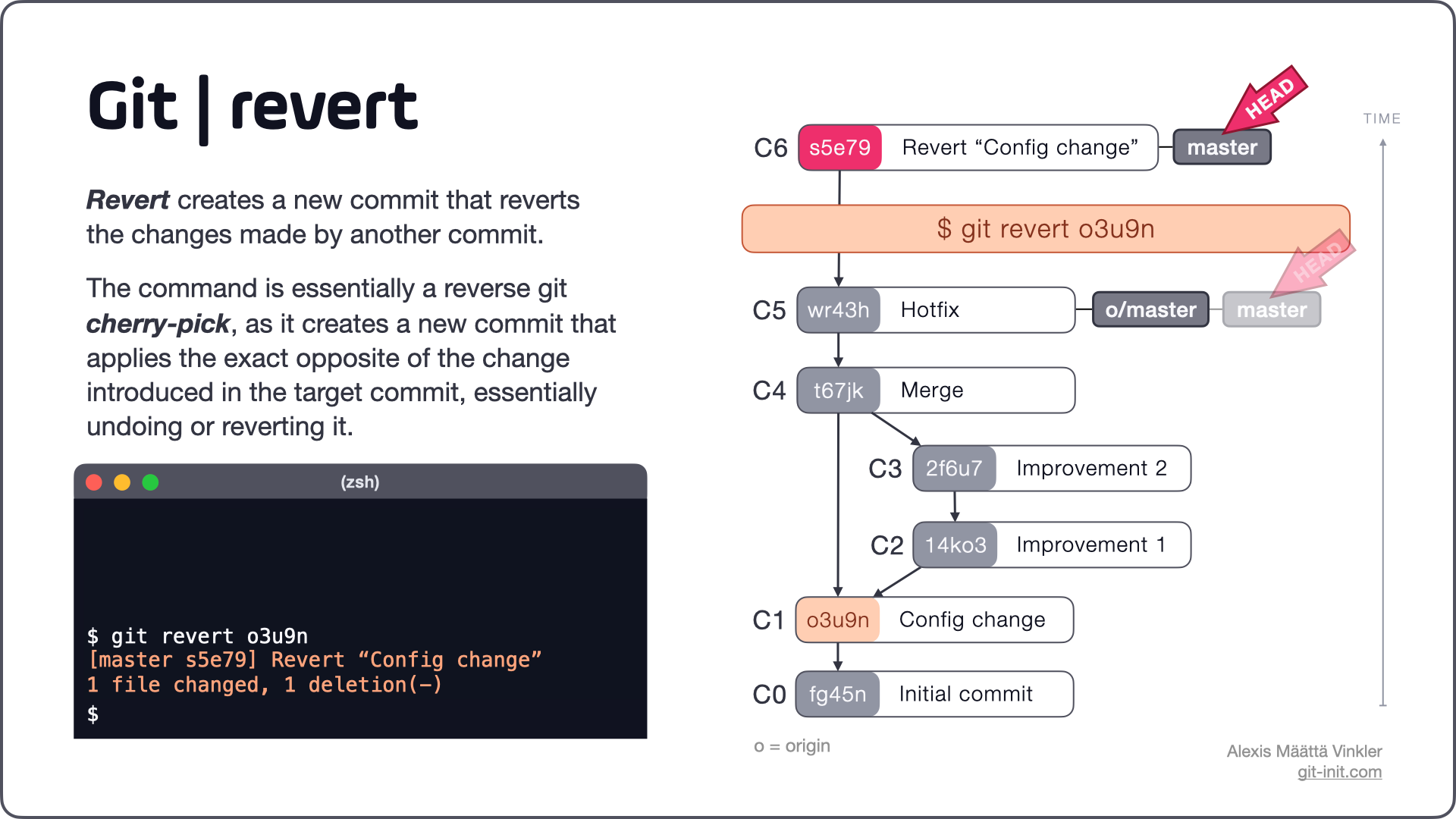
Web Alternative 1 git revert First create a scratch branch at the point where you started your adventure git checkout b tmp revert faada93 By specifying a commit range git revert will undo multiple commits git revert da8b496 faada93 Alternative 2 git commit tree Web git revert makes a new commit git revert simply creates a new commit that is the opposite of an existing commit It leaves the files in the same state as if the commit that has been reverted never existed For example consider the following simple example
How Do I Revert A Git Repo To A Previous Commit O Reilly Git Revert Multiple Commits At A Time Grow Together By Sharing Knowledge Git Revert File Reverting A File To A Previous Commit How To Revert Single Multiple Commits In GIT Revert Pushed Commit Git Revert Studytonight How To Undo Changes In Git reset Vs Revert Vs Restore Visualize Your Commits In Realtime With Ably And GitHub Webhooks How To Revert To Last Commit In Git YouTube How To Revert A Git Commit The Git Revert Command YouTube
Revert Multiple Commits In Git
 Revert Multiple Commits In Git
https://timmousk.com/wp-content/uploads/2022/06/cover2.png
Web Jul 7 2015 nbsp 0183 32 A C1 C2 C3 C4 O1 O2 O3 where the four C commits are the ones I want to revert and the O commits were made by other authors later How can I revert the four C s in one commit R which can be reverted later to have all C s in effect again git revert Share Improve this question Follow edited Jul 7 2015 at 3 24 user663031
Pre-crafted templates use a time-saving solution for developing a diverse series of documents and files. These pre-designed formats and layouts can be made use of for numerous personal and expert jobs, consisting of resumes, invitations, leaflets, newsletters, reports, discussions, and more, simplifying the material production process.
Revert Multiple Commits In Git
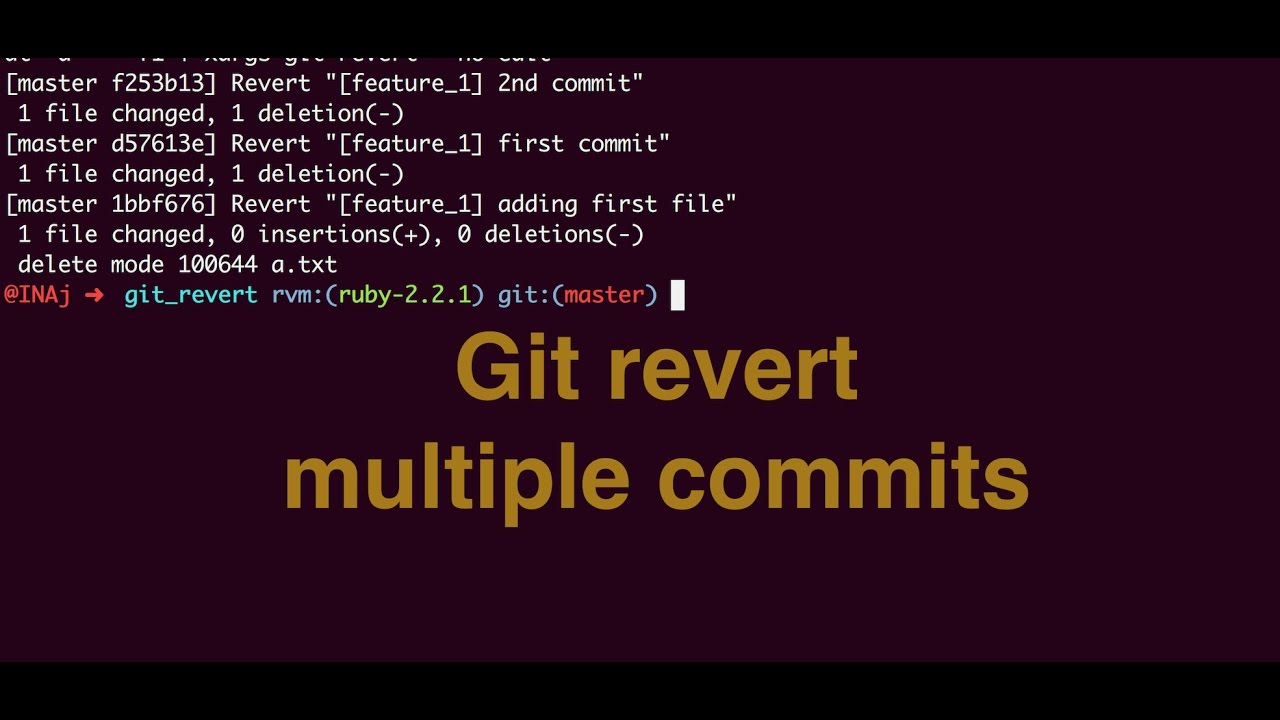
Git Revert Multiple Commits Ajit Singh YouTube

Git Revert Multiple Commits At A Time Grow Together By Sharing Knowledge

Git Revert File Reverting A File To A Previous Commit

How To Revert Single Multiple Commits In GIT Revert Pushed Commit
How To Undo Changes In Git reset Vs Revert Vs Restore

Visualize Your Commits In Realtime With Ably And GitHub Webhooks

Web Aug 30 2016 nbsp 0183 32 Hashes are the simplest way to specify the commit range but there are other notations For example if you ve pushed 5 bad commits you could revert them with Revert a series using ancestor notation git revert no edit dev 5 dev Revert a series using commit hashes git revert no edit ffffffff 12345678

Web Jun 1 2022 nbsp 0183 32 1 To revert the last two commits type bash git reset hard HEAD 2 Note HEAD refers to the lastest commit of the active branch 2 To revert the last three commits type bash git reset hard HEAD 3 3 For reverting to a specific commit s hash type bash git reset hard lt hash gt

Web 2 days ago nbsp 0183 32 Method 2 Using the git reset command 1 Identify the commits you want to revert Similar to the previous method you need to identify the commits you want to revert using the git log command 2 Create a new branch It is recommended to create a new branch before using the git reset command to avoid any potential loss of work

Web Given one or more existing commits revert the changes that the related patches introduce and record some new commits that record them This requires your working tree to be clean no modifications from the HEAD commit

Web Jan 21 2011 at 20 23 3 If you have already published the commit you should not use reset to roll it back If some other developer unkown to you has pulled this will cause pain Instead use revert and make a new commit that brings you to the state that you want
Web Dec 10 2021 nbsp 0183 32 Another way of reverting multiple commits is to use the git reset command We will now illustrate both of them with an example Using git revert to Revert Multiple Commits in Git Suppose we have done multiple commits for a few bug fixes We can see those commits in the log of Git as follows Web If you want to revert the last commit you can use git revert head head refers to the most recent commit in your branch The reason you use head 1 when using reset is that you are telling Git to quot remove all changes in the commits after quot reset hard quot the commit one before head quot head 1
Web Jul 14 2022 nbsp 0183 32 A simple way to summarize the two methods is that git revert is safe and git reset is dangerous As we saw in our example there s a possibility of losing our work with git reset With git revert we can safely undo a public commit whereas git reset is tailored toward undoing local changes in the working directory and staging index