Revert Last Commit Pushed To Remote Git Revert Older Pushed Commit YouTube Git Revert Commit How To Undo The Last Commit Git Git How To Revert Pushed Commit In Git YouTube How To Revert The Last Commit Locally And Remote In Git Become A Simply remove or fix the bad file in a new commit and push it to the remote repository This is the most natural way to fix an error always
Scenario 4 Reverting a commit that has been pushed to the remote Go to the Git history Right click on the commit you want to revert Select How to revert a git commit from a remote repository Easy step by step tutorial git log oneline git checkout commit hash git revert
How To Revert The Last Commit Locally And Remote In Git Become A How To Undo Pushed Commits With Git DEV Community Git Git Scenarios Revert Pushed Commit Git Revert no commit Git Revert Commit Already Pushed To A Remote Repository 5 Undo Wrong Git Changes Git Revert Studytonight Git Revert File Reverting A File To A Previous Commit Undo Pushed Commits In Git With Reset And Revert Delft Stack Revert Changes Workflow Help GitLab
Revert Last Commit Pushed To Remote
 Revert Last Commit Pushed To Remote
https://i.ytimg.com/vi/WIyAMEW4vbs/maxresdefault.jpg
To do this first reset the branch to the parent of the current commit then force push it to the remote as follows
Templates are pre-designed files or files that can be utilized for various functions. They can conserve effort and time by supplying a ready-made format and design for developing various kinds of content. Templates can be utilized for personal or professional jobs, such as resumes, invitations, leaflets, newsletters, reports, presentations, and more.
Revert Last Commit Pushed To Remote

Git Revert Git Revert Commit Revert Last Commit StormIT pl
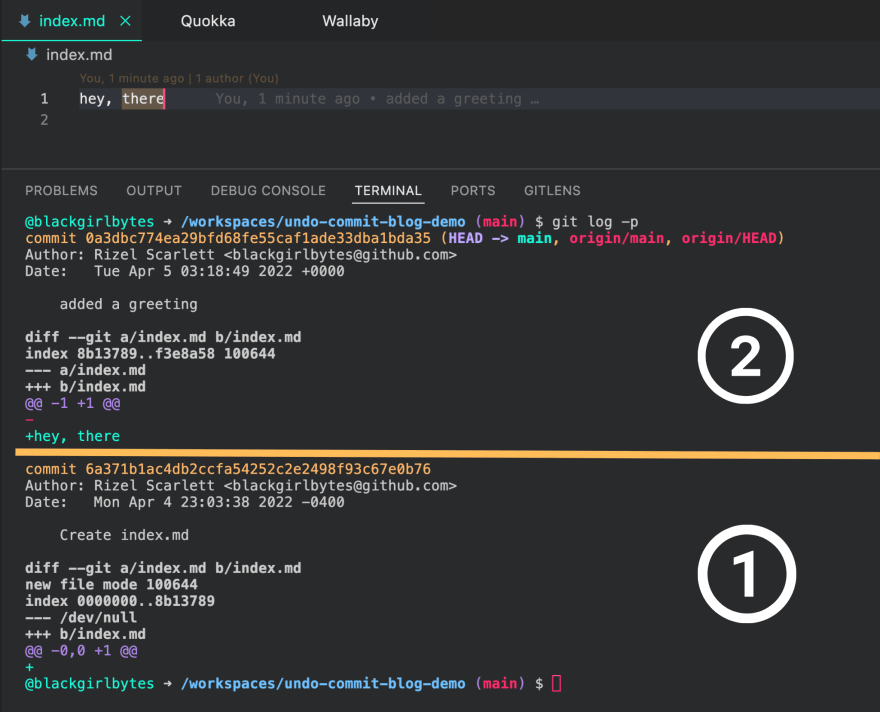
How To Undo Pushed Commits With Git DEV Community

Git Git Scenarios Revert Pushed Commit Git Revert no commit

Git Revert Commit Already Pushed To A Remote Repository 5
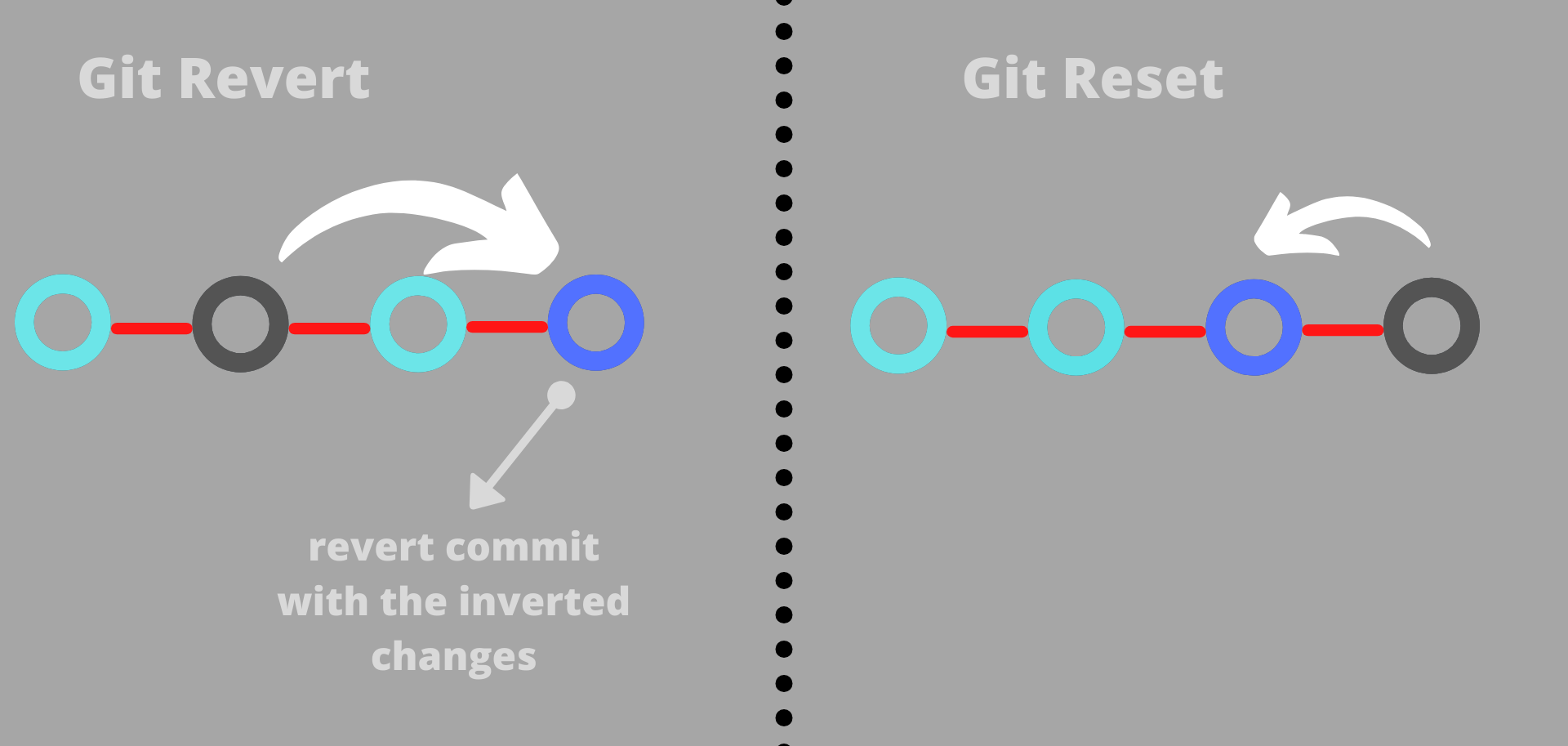
Git Revert Studytonight

Git Revert File Reverting A File To A Previous Commit

If you want to revert the last commit just do git revert unwanted commit hash then you can push this new commit which undid your previous

Undo Pushed Commits With the git reset Command Undo Pushed Commits With the git revert Command Undo Pushed Commits With the git checkout

Instead of going through all the changes manually you can simply tell git to revert a commit which does not even have to be the last one Reverting a commit

Revertpushedcommit git gitrevert0 00 0 35 Intro 0 38 1 30 Option 1 git revert public
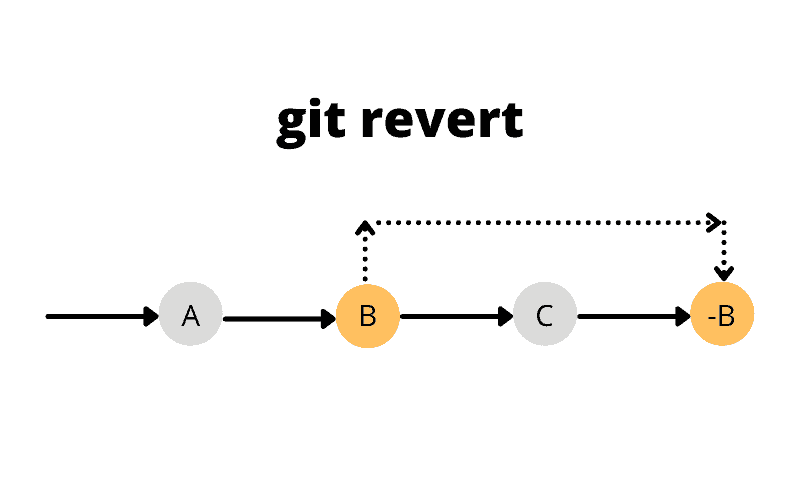
The git revert command is considered as an undo command and reverts the changes introduced by the commit and adds a new commit with resulting reversed content
Well that when we git reset to a previous commit and push to a remote repository no trace of the undone commits are published That s in stark It takes a particular commit and reverses its changes but will not return your project to its previous state Run it with the hash of the particular commit you
Undo Commits Undo last commit putting everything back into the staging area git reset soft HEAD Add files and change message with git commit amend m