Restore Packages In Visual Studio Install Nuget Package In Visual Studio Mobile Legends Use Project lock json To Troubleshoot Dotnet Restore Problems DevsDay ru Install A Nuget Package In Visual Studio Mobile Legends Visual Studio Nuget Microsoft Learn Studio 2017 Package Install Nuget Package In Visual Studio Mobile Legends Web Jul 19 2023 nbsp 0183 32 Description A NET project typically references external libraries in NuGet packages that provide additional functionality These external dependencies are referenced in the project file csproj or vbproj When you run the dotnet restore command the NET CLI uses NuGet to look for these dependencies and download them if necessary
Web Jun 30 2016 nbsp 0183 32 Solution A Structure Project A If I open and build Solution A I see the dialog box that shows the nuget package restore progress and the solution builds successfully Solution B Structure Project A Project B Web You can restore packages manually with nuget restore dotnet restore msbuild t restore or through Visual Studio The dotnet build and dotnet run commands automatically restore packages and you can configure Visual Studio to restore packages automatically when it builds a project
Install Nuget Package In Visual Studio Mobile Legends Install And Manage Packages In Visual Studio Using The NuGet Package Grunt Using Grunt In Visual Studio 2015 Level Up Grunt Using Grunt In Visual Studio 2015 Level Up How To Add Install And Use NuGet Packages In Visual Studio Codes YouTube Compile And Build TypeScript Code Using NuGet Visual Studio Windows Grunt Using Grunt In Visual Studio 2015 Level Up Enable Nuget Package Restore C How To Install Packages In Visual Studio Python Riset
Restore Packages In Visual Studio
 Restore Packages In Visual Studio
https://learn.microsoft.com/en-us/nuget/consume-packages/media/update-package.png
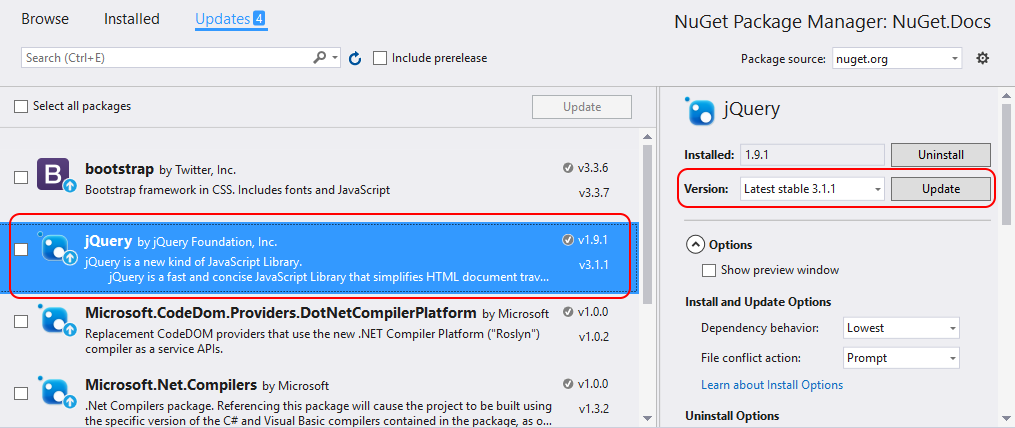
Web The NuGet Package Manager Console in Visual Studio provides flexible options for updating and reinstalling packages To reinstall a package under development you can use the Update Package reinstall command
Templates are pre-designed files or files that can be used for different purposes. They can save time and effort by supplying a ready-made format and design for creating different sort of material. Templates can be used for personal or professional tasks, such as resumes, invitations, flyers, newsletters, reports, discussions, and more.
Restore Packages In Visual Studio
Install And Manage Packages In Visual Studio Using The NuGet Package
Install And Manage Packages In Visual Studio Using The NuGet Package

Grunt Using Grunt In Visual Studio 2015 Level Up

Grunt Using Grunt In Visual Studio 2015 Level Up
Compile And Build TypeScript Code Using NuGet Visual Studio Windows

Grunt Using Grunt In Visual Studio 2015 Level Up
Web Nov 6 2023 nbsp 0183 32 You can access the Package Manager Console under Tools gt NuGet Package Manager gt Package Manager Console To update a package the Package Manager Console provides the Update Package command To reinstall a package you can use the same command with the reinstall parameter

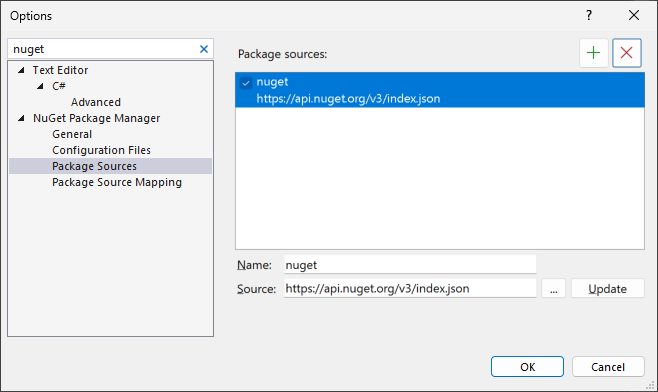
Web Aug 2 2020 nbsp 0183 32 1 open Package Source under Tools gt Options gt NuGet Package Manager gt Package Source and then uncheck other feeds except nuget Please retain the Please retain the Also check whether you have a nuget config file under the solution folder or above folder and if so please check if it has a key called globalPackagesFolder
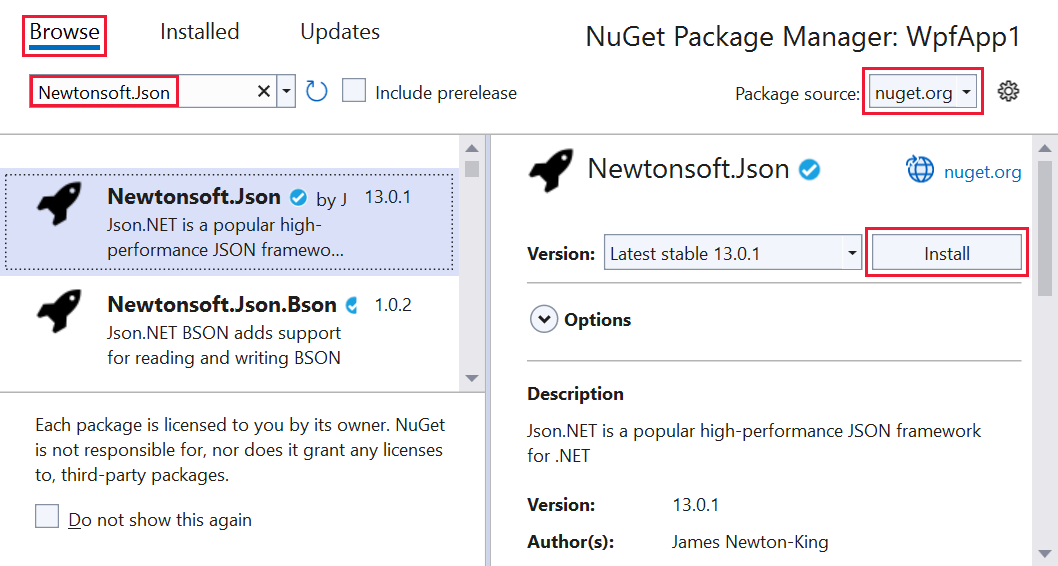
Web Jan 12 2015 nbsp 0183 32 MSBuild use the msbuild t restore command which restores packages packages listed in the project file PackageReference only Available only in NuGet 4 x and MSBuild 15 1 which are included with Visual Studio 2017

Web Jun 17 2021 nbsp 0183 32 Use one of the following methods to restore the packages If you ve moved the project file edit the file directly to update the package references Visual Studio automatic restore or manual restore dotnet CLI nuget exe CLI MSBuild Azure Pipelines Azure DevOps Server After a successful restore the package should be present in the
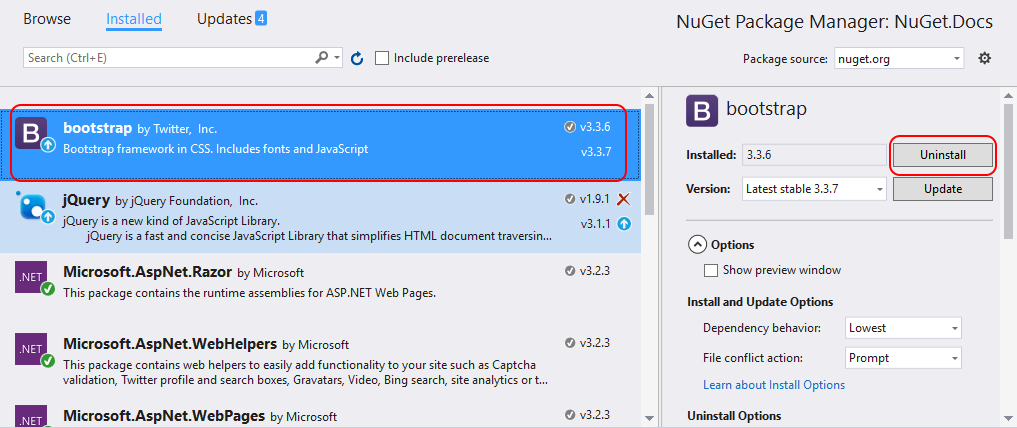
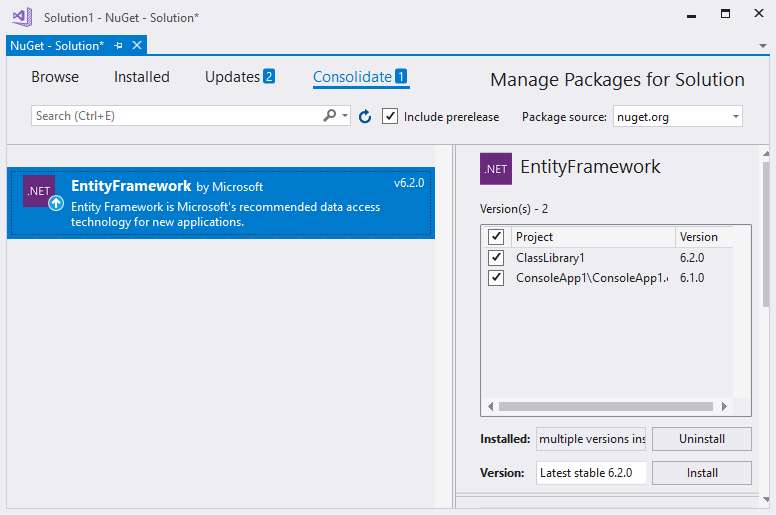
Web Aug 21 2023 nbsp 0183 32 To install it individually in Visual Studio Installer select the Individual components tab and then select NuGet package manager under Code tools For Visual Studio 2015 if you re missing the NuGet Package Manager check Tools gt Extensions and Updates and search for the NuGet Package Manager extension
Web Oct 3 2016 nbsp 0183 32 Visual Studio will still use the nuget folder if you create one you can put a nuget config in there for example but it s not created by default any more And yes as you ve noticed Visual Studio will now try to restore packages before it builds On your build server you ll need to run nuget restore in a build step before you build the solution Web Automatic NuGet restore For a NET project a package restore happens automatically when you create a project from a template build load or make changes to an SDK style project For projects that use lt PackageReference gt you can see the package references in the Solution Explorer section of Visual Studio Code
Web Aug 1 2022 nbsp 0183 32 According to your description I think the problem is that you used PackageReference and use nuget exe to restore the packages We can see from this link that For projects migrated to PackageReference use msbuild t restore to restore packages instead