Restore From Restore Point What Is Driver Restore Windows 10 Coolofil Use Sony Vaio Recovery Disk On Windows 10 Lanarich Create A System Restore Point In Case Something Goes Wrong Resuelta Windows 10 Activar Restaurar Sistema Y Ajustar El Create A System Restore Point In Case Something Goes Wrong Web Jan 26 2018 nbsp 0183 32 Restore Windows 10 To A Restore Point From Within the Operating System Turn your Windows 10 computer on and log on with an administrator account On the desktop window right click the Start
Web Mar 1 2023 nbsp 0183 32 To use a restore point click quot System Restore quot above quot Protection Settings quot and select a restore point System Restore is a Windows feature that can help fix some crashes and other computer problems Here s how System Restore works how to set it up and how to use it to fix PC problems on Windows 10 and Windows 11 Web Jun 11 2022 nbsp 0183 32 In a nutshell what the Windows System Restore tool lets you do is revert to a previous software registry and driver configuration called a restore point It s like quot undoing quot the last major change to Windows taking your computer back to the way it was when the restore point was created
Create A System Restore Point In Case Something Goes Wrong System Restore In Windows 10 Easily Restore A System Restore Point In How To Turn On And Create A System Restore Point In Windows 10 Next Windows 10 How To Restore Windows From A Restore Point How To Enable And Create System Restore Point In Windows 10 Restore Free Of Charge Creative Commons Post It Note Image Restore Point March Du Film How To Do A System Restore with Pictures WikiHow RESTORE POINT FILM KOLEKTIV
Restore From Restore Point
 Restore From Restore Point
https://cdn.mos.cms.futurecdn.net/pTJCGqtBSkWuamiUGi3ppb.jpg
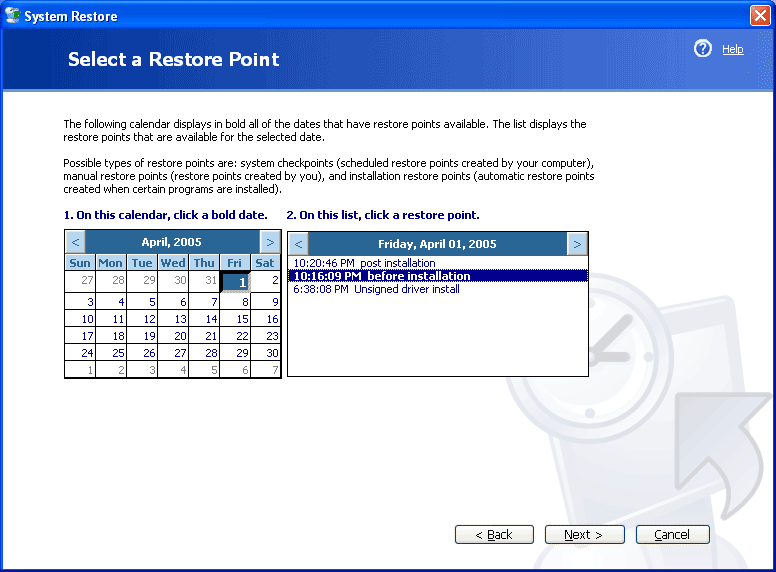
Web May 18 2023 nbsp 0183 32 A restore point sometimes called a system restore point is the name given to the collection of important Windows system files stored by System Restore on a given date and time What you do in System Restore is revert to a saved restore point
Templates are pre-designed files or files that can be utilized for various functions. They can save time and effort by supplying a ready-made format and layout for producing various sort of material. Templates can be used for individual or professional projects, such as resumes, invites, leaflets, newsletters, reports, discussions, and more.
Restore From Restore Point

How To Create System Restore Point On Windows 10 YouTube

System Restore In Windows 10 Easily Restore A System Restore Point In
How To Turn On And Create A System Restore Point In Windows 10 Next
Windows 10 How To Restore Windows From A Restore Point

Restore Free Of Charge Creative Commons Post It Note Image

Restore Point March Du Film
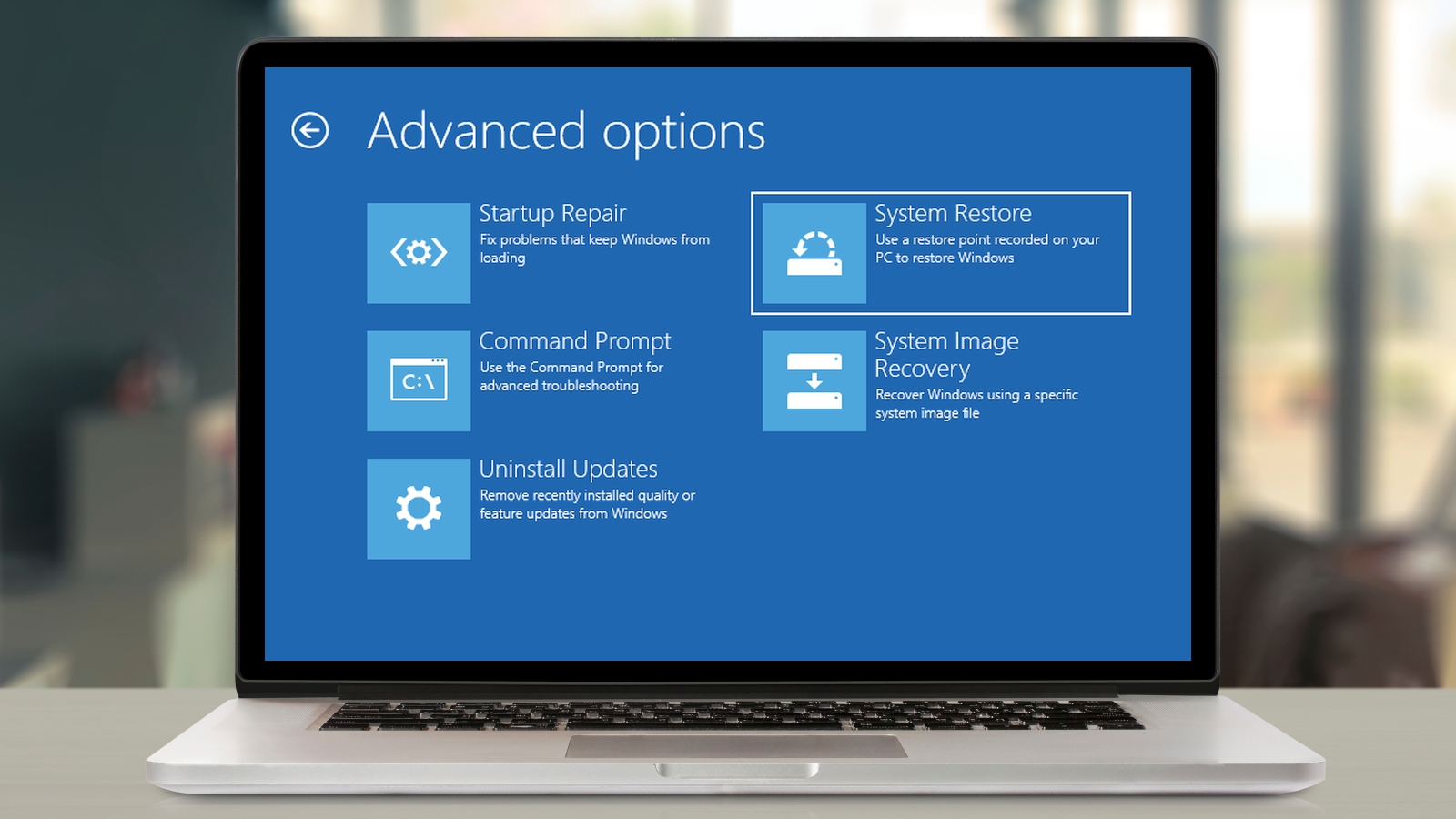
Web To restore from a system restore point select Advanced Options gt System Restore This won t affect your personal files but it will remove recently installed apps drivers and updates that might be causing your PC problems

Web Oct 20 2022 nbsp 0183 32 Here are three ways From This PC Right click This PC on your computer desktop select Properties and System protection From Control Panel Search Control Panel and select it Then select View by Large icons or Small icons gt System gt From search result Type system restore in the search box
Web Sep 6 2018 nbsp 0183 32 1 Turn your Windows 10 computer on and log on with an administrator account 2 On the desktop window right click the Start button 3 Click Control Panel from the context menu 4 When the

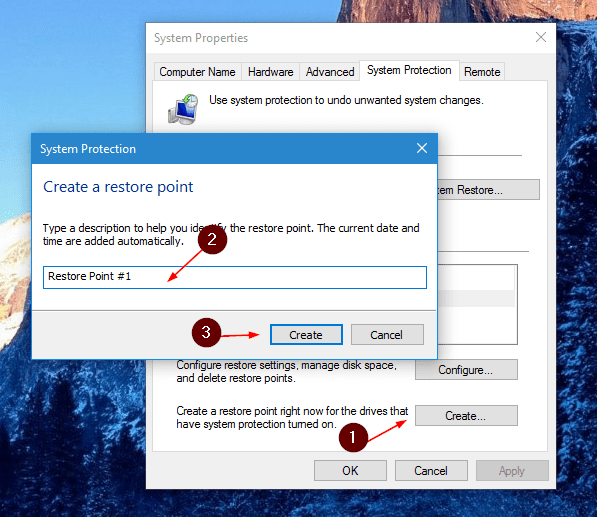
Web May 10 2022 nbsp 0183 32 To get started open the Start Menu and type quot Restore Point quot In the results that appear select quot Create a Restore Point quot A System Properties window will open with the quot System Protection quot tab selected This is the main interface for managing restore points within Windows Click the quot Create quot button toward the bottom of the window
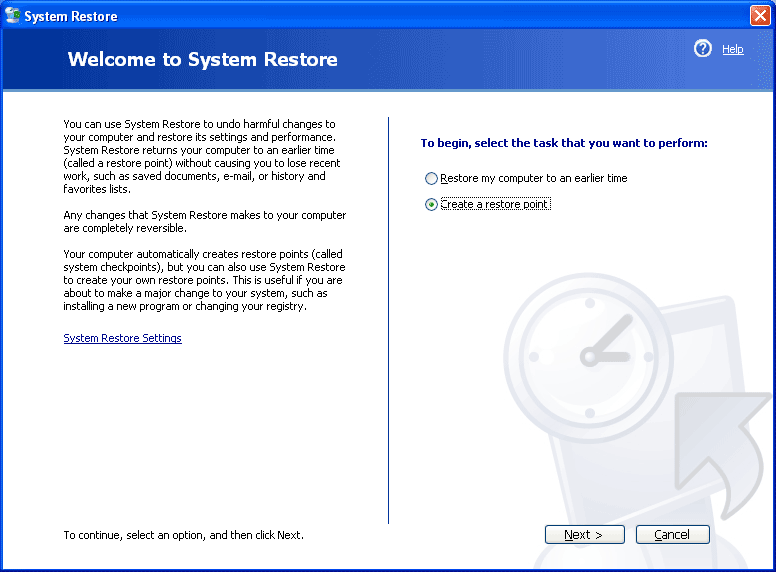
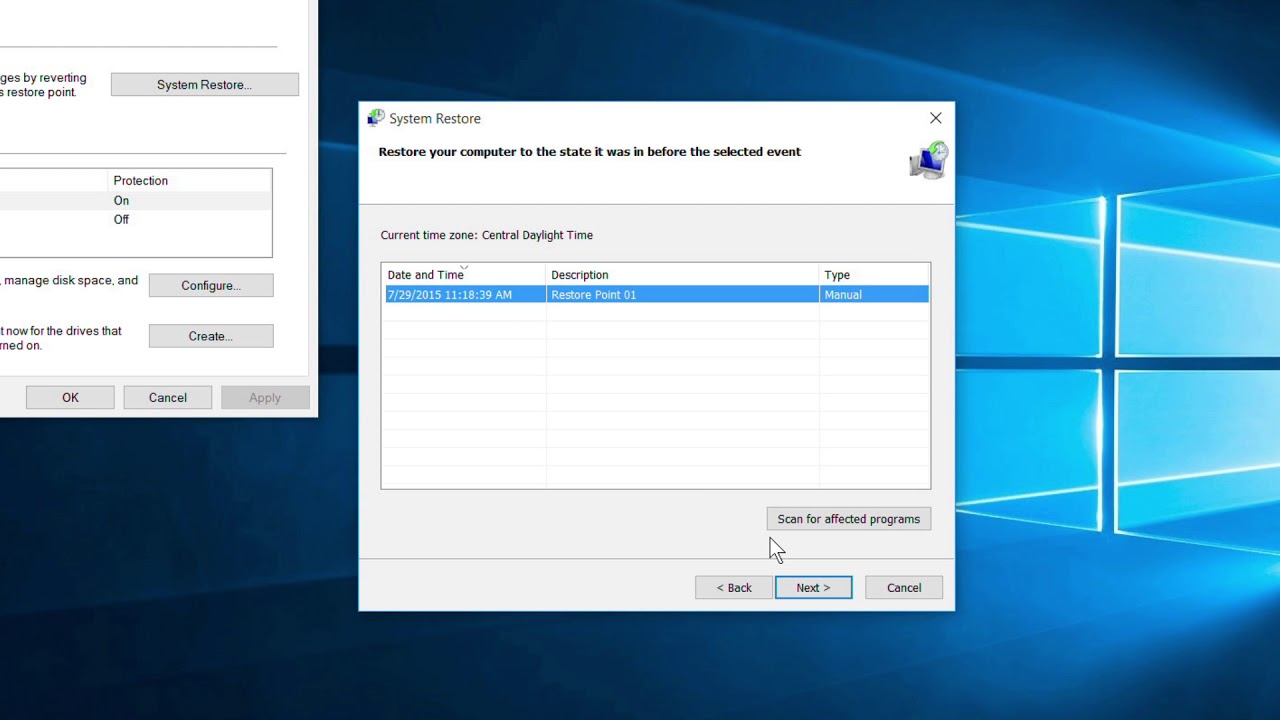
Web Jan 25 2022 nbsp 0183 32 Click the Next button Select the restore point to revert changes and fix problems with the computer
Web Aug 16 2018 nbsp 0183 32 Open Start Search for Create a restore point and click the top result to open the experience Under quot Protection Settings quot if your device system drive has quot Protection quot set to quot Off quot click the Web A system restore point is a backup copy of important Windows operating system files and settings that can be used to recover the system to an earlier point of time in the event of system failure or instability It is a part of Windows XP Vista 7
Web Jul 7 2023 nbsp 0183 32 The Max Usage will remain the disk space you set and is used for System Restore Point As space fills up older restore points will be deleted to make room for new ones Back to Table of Contents Manually create a System Restore Point Type and search Create a restore point in the Windows search bar then click Open