Restart Dns Server Windows How To Fix DNS Server Windows 10 Error Simple Guide Custom DNS Server Is Not Working Fix DNS Server Is Not Responding Problem In Windows 7 8 10 Best Dns Server For Fast Internet Encycloall Kwetsbaarheid In Windows DNS Server SigRed Prodicom Jun 7 2021 nbsp 0183 32 This new Restart apps setting has been separated from the old Use my sign in info to automatically finish setting up my device and reopen my apps after an update or restart setting
Nov 28 2021 nbsp 0183 32 How to Start Stop Restart Enable and Disable Services in Windows 10 Services are an application type that runs in the system background without a user interface Services Aug 1 2022 nbsp 0183 32 How to Do a System Restore of Windows 10 Information If you re having problems with Windows 10 on your PC you can try to refresh reset
Kwetsbaarheid In Windows DNS Server SigRed Prodicom How Do You Reset The DNS Server Apa Itu Dns Server Cara Kerja Fungsi Dns Soscilla Vrogue How To Change Dns In Microsoft Edge Vrogue Configure DNS Server On Ubuntu IT FROM ZERO How Do I Find The DNS Server Used By My PC Ask Leo 3 Ways To Enable Or Disable DNS Client Service In Windows 10 How To Check Your DNS Server Address On Windows 10 How To Set The Dns Server Search Order On Windows With Powershell
Restart Dns Server Windows
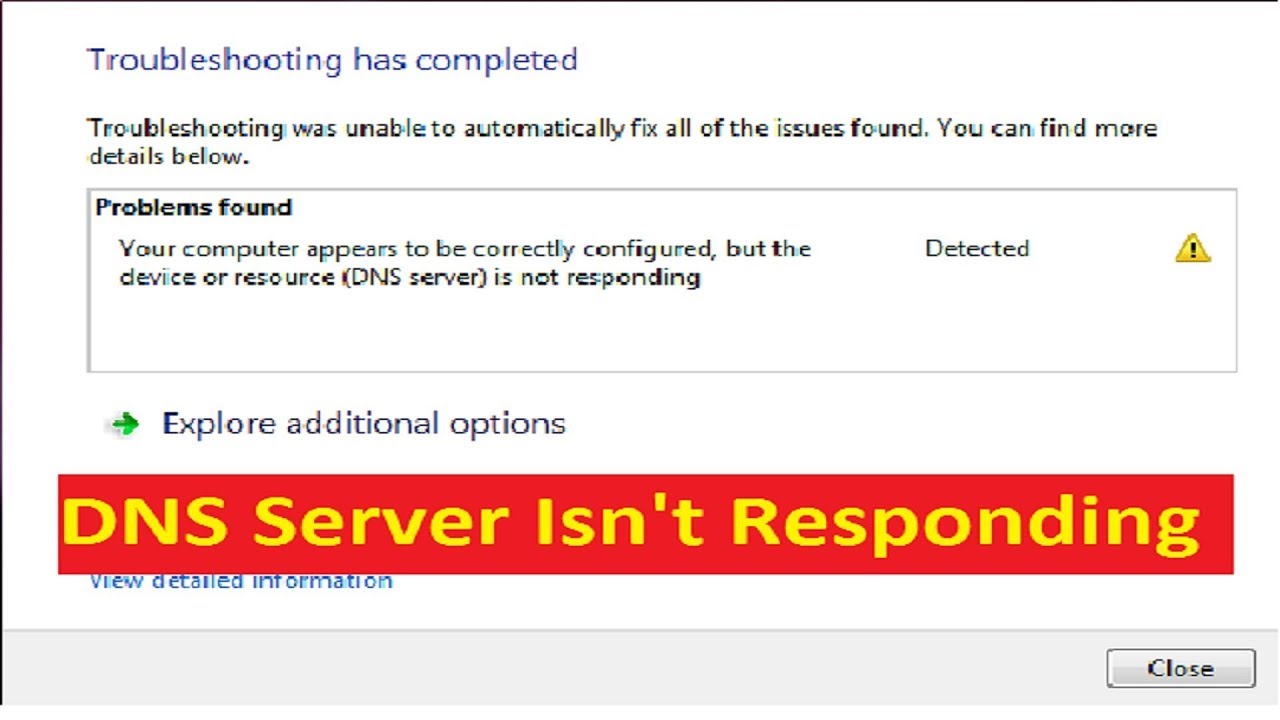 Restart Dns Server Windows
https://lettoknow.com/wp-content/uploads/2019/02/maxresdefault.jpg
May 31 2017 nbsp 0183 32 My system keeps telling me I need to restart my system to finish installing software for my device I have already restarted multiple times Microsoft Answer Desk used DriverPack
Pre-crafted templates offer a time-saving option for developing a diverse range of documents and files. These pre-designed formats and layouts can be used for various individual and expert tasks, consisting of resumes, invites, leaflets, newsletters, reports, presentations, and more, improving the content creation process.
Restart Dns Server Windows

How To Fix DNS Lookup Failed Error In Windows 10 8 7
How Do You Reset The DNS Server
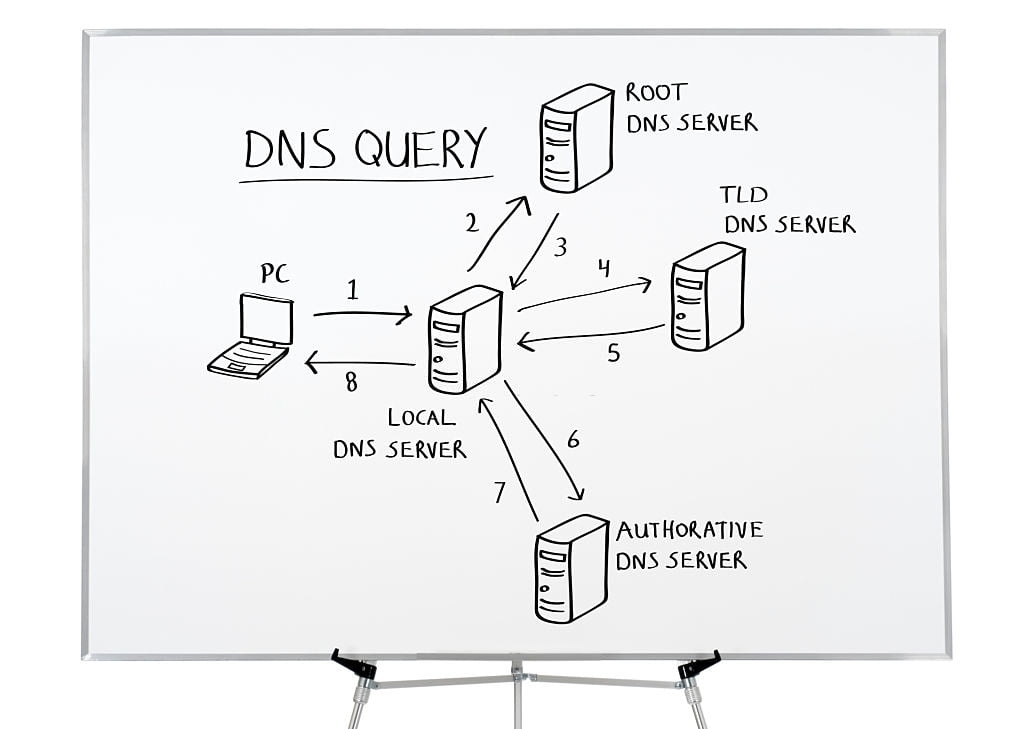
Apa Itu Dns Server Cara Kerja Fungsi Dns Soscilla Vrogue
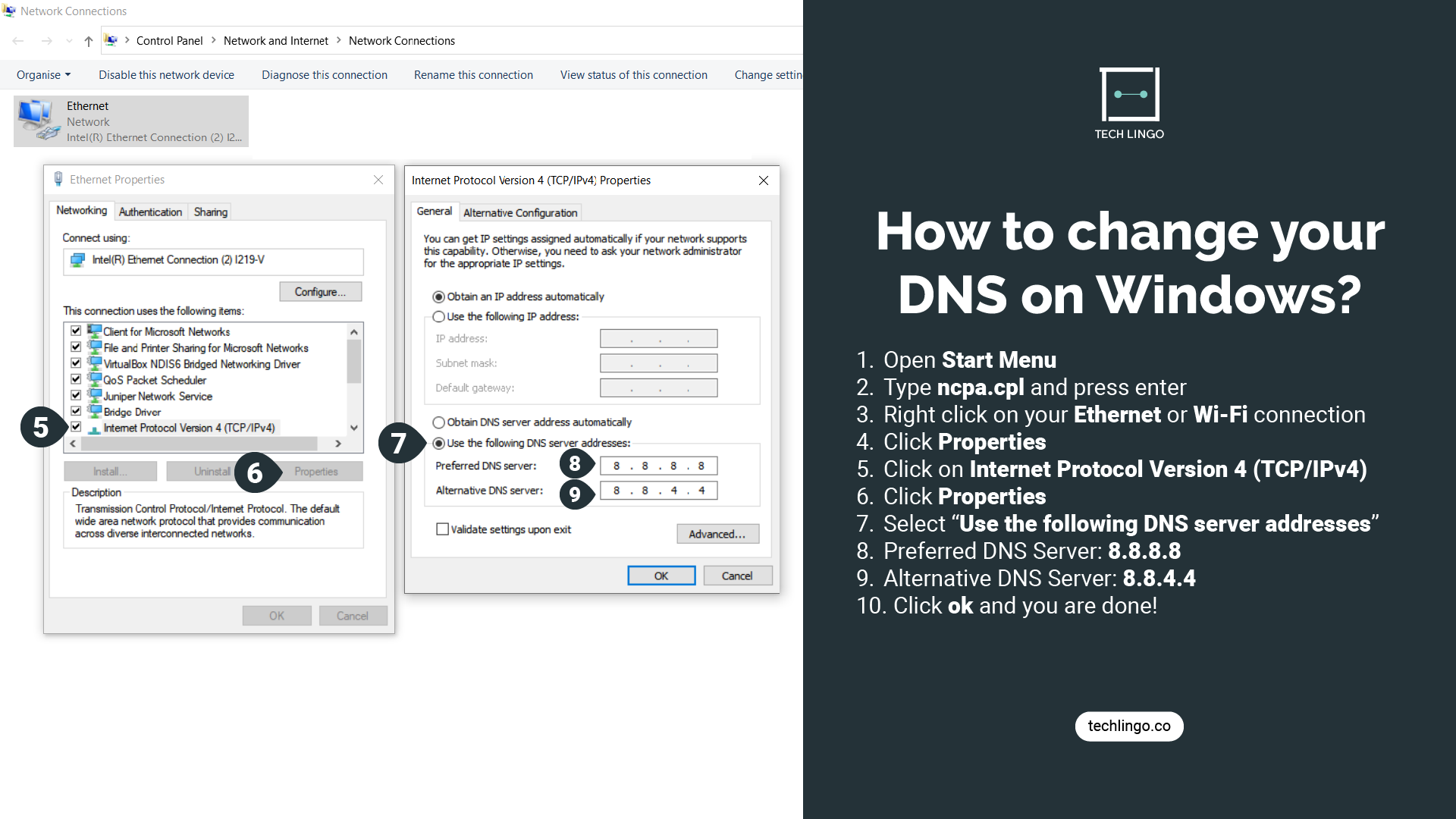
How To Change Dns In Microsoft Edge Vrogue

How Do I Find The DNS Server Used By My PC Ask Leo

3 Ways To Enable Or Disable DNS Client Service In Windows 10

Sep 19 2020 nbsp 0183 32 Enable or Disable Shut Down Restart Sleep and Hibernate in Power Menu for All Users in Local Group Policy Editor The Local Group Policy Editor is only available in the

Feb 10 2024 nbsp 0183 32 How to Boot to Advanced Startup Options in Windows 10 Advanced startup enables you to perform these actions Start recovery aka Windows RE or WinRE

Aug 7 2022 nbsp 0183 32 When a restart is necessary to finish installing an update Windows won t automatically restart your device during active hours When a restart is scheduled you can use

Apr 11 2024 nbsp 0183 32 How to Read Shutdown and Restart Event Logs in Windows You can use Event Viewer to view the date time and user details of all shutdown events caused by a shut down

Dec 1 2019 nbsp 0183 32 How to Restart explorer exe Process in Windows 10 The explorer exe process is the user shell for Windows and is used by such items as the desktop File Explorer Start menu
[desc-11] [desc-12]
[desc-13]