Restart Bluetooth Mac Terminal 2021 Restart Bluetooth Mac Terminal Catalina Coub PATCHED Webwork Answers Calculus 1 How To Reset Bluetooth On A Mac Cleaner One Blog Free Photo Mini Bluetooth Speaker Bluetooth Mini Portable Free Bluetooth Won t Turn ON On Mac In MacOS Monterey Fixed To reset the Bluetooth module on a Mac running macOS 12 Monterey or macOS 13 Ventura open Terminal Next copy and paste sudo pkill bluetoothd into the Terminal window then hit Enter on your
Remove all devices reset Bluetooth module Have a dongle Whether you ve got an Apple Silicon Mac or are having trouble with Bluetooth on an Intel machine we ll cover multiple approaches Open Terminal on your Mac Go to the Applications Utilities folder and double click the Terminal icon 2 Enter the following command and hit enter and then enter your computer password sudo pkill bluetoothd 3 Then restart your Mac Method 2 The second method is to delete your Bluetooth preference files Here is how 1
Bluetooth Won t Turn ON On Mac In MacOS Monterey Fixed Waterproof JBL Charge 4 Speaker Doubles Up As A Portable Battery How To Reset A Blackweb Bluetooth Speaker 2022 Datalogic RIDA DBT6420 Bluetooth Pocket 2D Imager USB Healthcare Kit Should I Buy The Kitsound BoomBar Portable Bluetooth Speaker TechRadar Linux Mac Terminal Tutorial How To Use The Rsync Command Sync Files Mac Terminal Cheat Sheet Codetorial How To Reset Mac Bluetooth Module And Fix Potential Issues C ch M V S D ng Terminal Tr n Mac CamNang tv
Restart Bluetooth Mac Terminal
 Restart Bluetooth Mac Terminal
https://coub-attachments.akamaized.net/coub_storage/story/cw_image_for_sharing/bc052041258/c592f783d2d6ab24ece5f/1641890803_share_story.png
4 minute read Jul 25th 2023 9 12 AM EDT Quick Tip Bluetooth peripherals help get rid of wires and offer you the freedom to move around Sadly if these devices do not connect or keep
Templates are pre-designed files or files that can be used for numerous purposes. They can conserve effort and time by providing a ready-made format and design for creating different type of material. Templates can be used for individual or professional tasks, such as resumes, invites, flyers, newsletters, reports, discussions, and more.
Restart Bluetooth Mac Terminal
Bluetooth Not Available On Mac Here s How To Reset It

Waterproof JBL Charge 4 Speaker Doubles Up As A Portable Battery
How To Reset A Blackweb Bluetooth Speaker 2022

Datalogic RIDA DBT6420 Bluetooth Pocket 2D Imager USB Healthcare Kit

Linux Mac Terminal Tutorial How To Use The Rsync Command Sync Files

Mac Terminal Cheat Sheet Codetorial

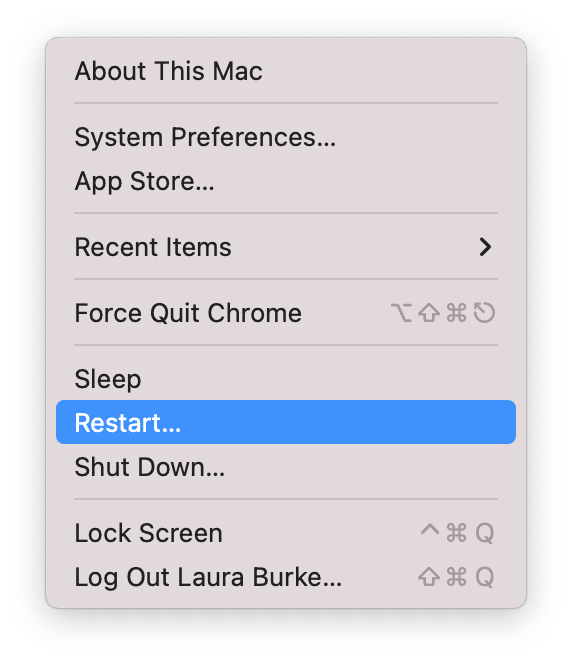
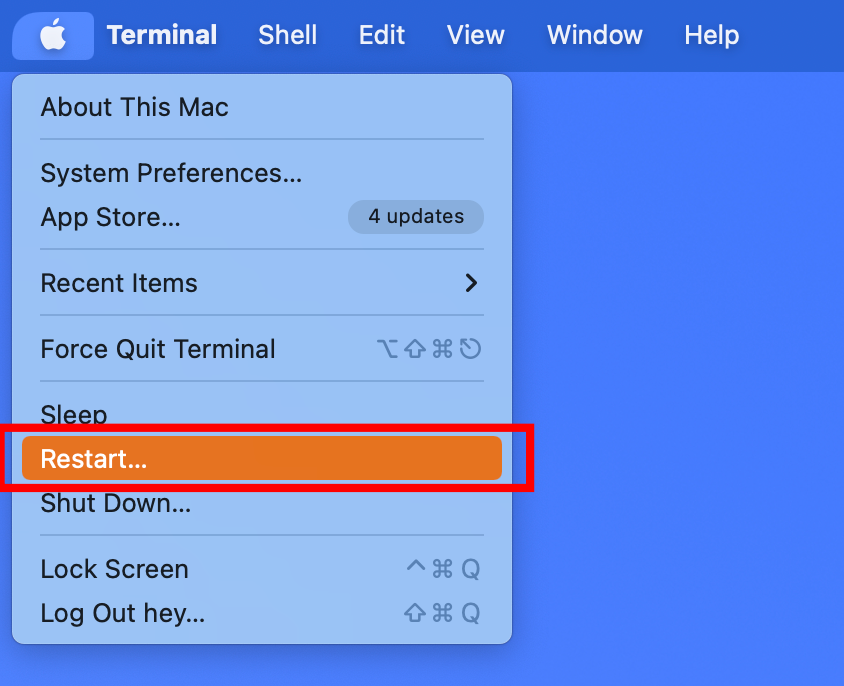
Hold Down shift key option key simultaneously Click the Bluetooth symbol on menu bar Screenshot 2 Hover Cursor over the word Debug Click Reset the Bluetooth module Screenshot 3 III Restart the Mac Go to Apple menu Select Restart Uncheck Reopen windows when logging back in Click Restart button
1 Click on the Bluetooth icon in the menu bar on your Mac Image credit Future 2 Toggle the button next to Bluetooth to the Off position Then click it again to turn it back again
Click Reset the Bluetooth module Now restart your Mac You ll notice a couple of other potentially useful options in the Debug submenu Factory reset all connected Apple devices does
Click the Bluetooth icon in the menu bar while holding the Shift and Option keys Choose the hidden option labeled with the text Reset the Bluetooth module On macOS Catalina and earlier choose Debug Reset the Bluetooth module Click OK to confirm the operation Restart your Mac

Step 01 Open the Terminal app from your Mac s Applications Utility folder Step 02 Now copy paste the below command in the terminal to reset Bluetooth on your mac 1 sudo pkill bluetoothd Step 03 Success Hope it helps Thanks Regards Mandar Apte Published by Mandar Apte
Prepare to reset Bluetooth Click on the Control Center icon in your Mac s menubar Drag the Bluetooth section to your menubar That s the quickest way to get the Bluetooth icon in your 5 control F8 activates the status menu upper right corner If bluetooth button is enabled in the status menu you can select the bluetooth menu option using the and return to activate bluetooth Depending on your keyboard preference settings you may need to press ctrl fn F8 Share
Step 1 Launch Terminal from the Launchpad or by going to Applications Utilities folder Step 2 After launching Terminal enter the following command into it You can also copy and paste this command from below sudo pkill bluetoothd Step 3