Reset Network Adapter Settings Windows 10 How To Enable Disable Or Restart Network Adapter Action1 How To Fix Any Wi Fi Issue On Windows 10 Pureinfotech How To Restore Network Adapters Heightcounter5 How To Manually Reset Your Wireless Adapter In Windows 6 Steps Change Network Adapter Settings Without Admin Rights Windows 10 On your home router Try these things first to help you fix or narrow down the connection problem Check the Ethernet cable and connection Make sure the Ethernet cable is securely plugged into the Ethernet port on both your router and Windows 11 PC
Press Run the Troubleshooter This will load the troubleshooting tool which will begin checking your adapters and active connections for issues In the Troubleshoot window Windows will begin scanning your devices and network configuration Select the Status tab Scroll to the bottom and select the Network Reset button Restart your computer when prompted to When you re back on your desktop give Windows 10 time to reinstall everything and then try to connect to your network Device Manager You can manually reset the network adapter by uninstalling the drivers for it
Change Network Adapter Settings Without Admin Rights Windows 10 How To Uninstall Network Adapter In Windows 10 How To Uninstall Windows 10 Pro Change Adapter Settings Not Showing In Network And How To Reset Or Reinstall Wi Fi Ethernet Network Adapter On Windows How To Reset Network Settings On Windows 11 Mashtips Photos Enable And Disable Network Adapters In Windows 7 Trust Grandmother Moronic Change Network Settings Mastermind Refugees Stall Wireless Networking Windows 10 Wifi Issue Can t Connect To This How To Reset Network Adapter WiFi Ethernet Using Command Prompt Batch
Reset Network Adapter Settings Windows 10
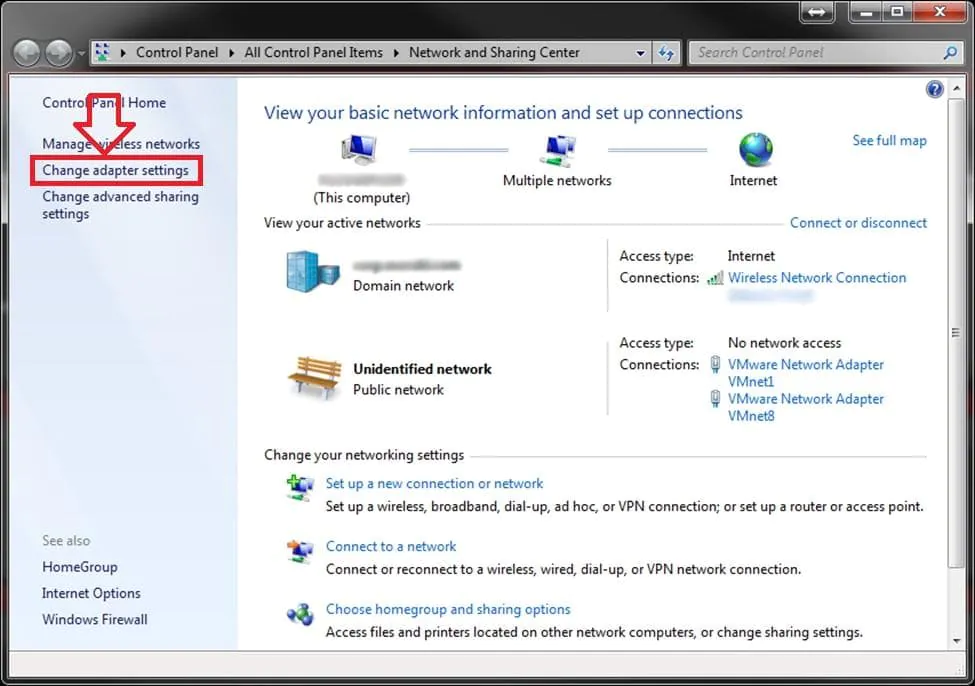 Reset Network Adapter Settings Windows 10
https://www.action1.com/wp-content/webp-express/webp-images/doc-root/wp-content/uploads/2021/09/Change-adapter-settings.jpg.webp
Open settings by pressing the Windows I keys fastest way Or you can also click on the Windows Start menu and click on Settings from there Once you re in settings go to Network and Interne t scroll to the bottom and click Advanced network settings This section is where you ll find the Network Rese t option
Templates are pre-designed files or files that can be utilized for different purposes. They can conserve effort and time by supplying a ready-made format and layout for producing different kinds of material. Templates can be used for personal or professional tasks, such as resumes, invites, flyers, newsletters, reports, presentations, and more.
Reset Network Adapter Settings Windows 10
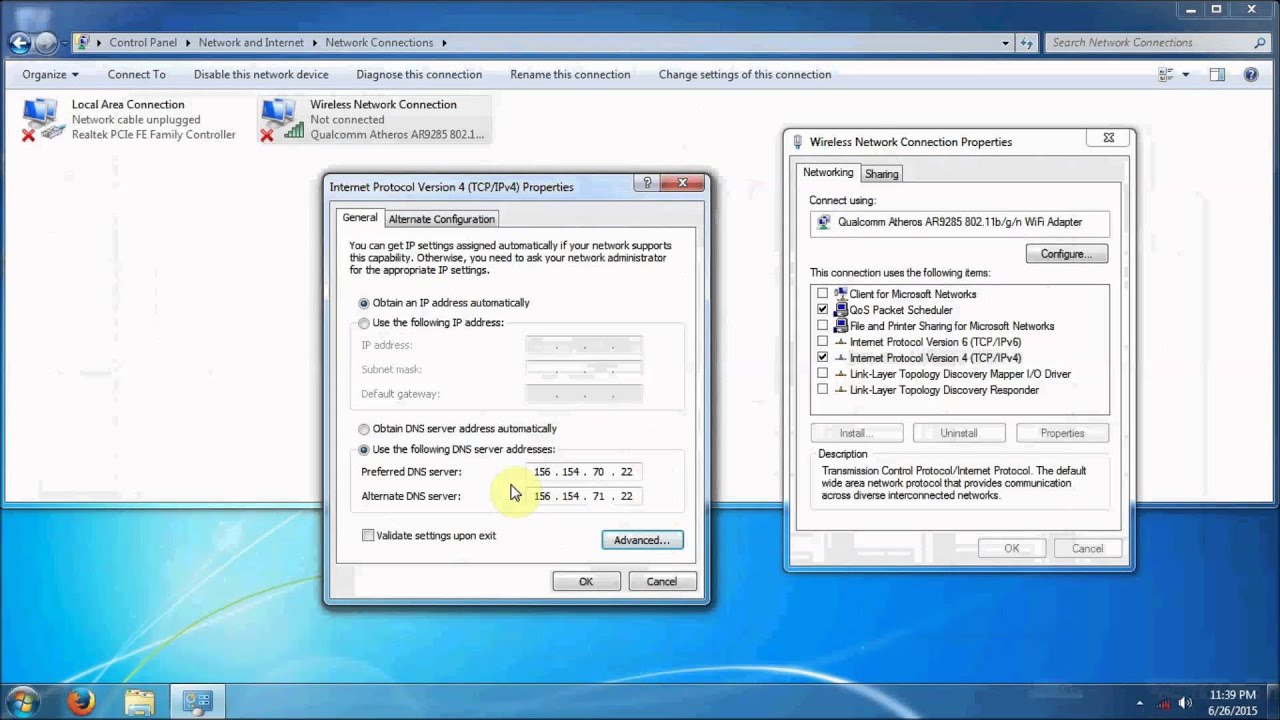
How To Change Network Adapter Settings In Windows 7 Adapter View Vrogue

How To Uninstall Network Adapter In Windows 10 How To Uninstall

Windows 10 Pro Change Adapter Settings Not Showing In Network And
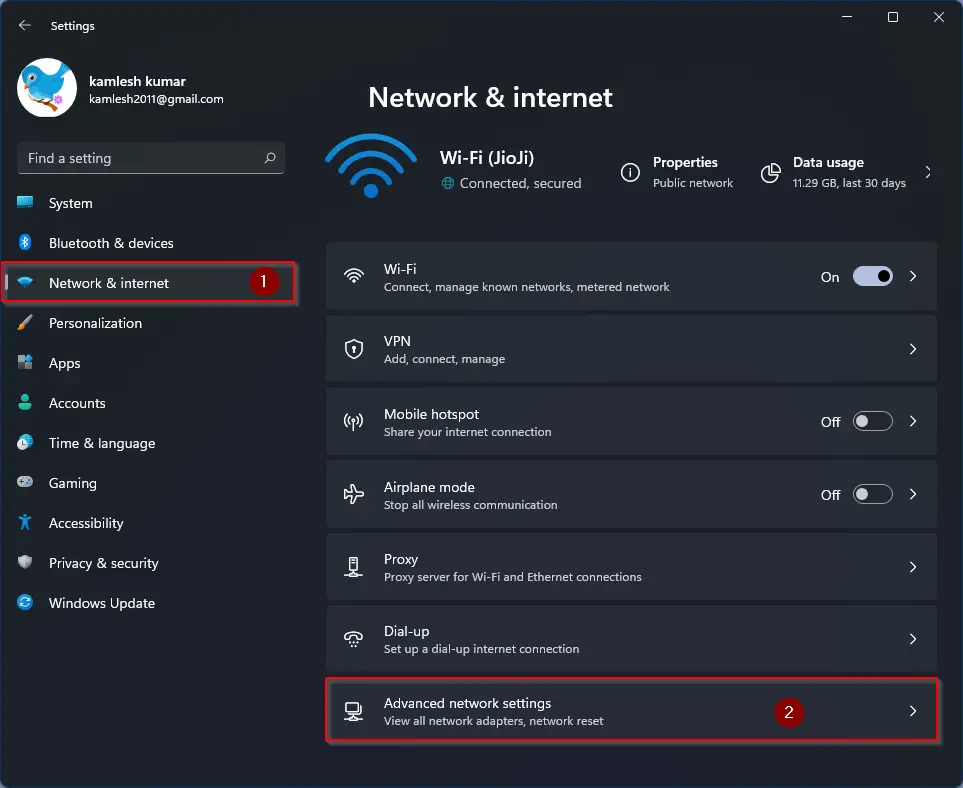
How To Reset Or Reinstall Wi Fi Ethernet Network Adapter On Windows
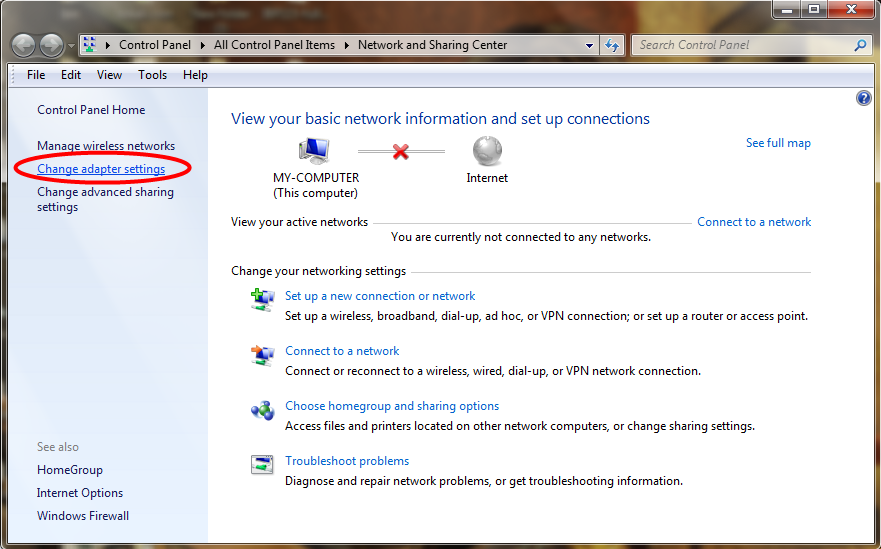
Enable And Disable Network Adapters In Windows 7

Trust Grandmother Moronic Change Network Settings Mastermind Refugees Stall
If you re using Windows 10 you can reset all network adapters and their settings by opening the Settings app Windows I Then click or tap Network Internet You should see the Status section selected on the left and your network status on the right like in the screenshot below

How do you reset network adaptors using command promt Open PowerShell or Command Prompt and run as administrator type the following commands by pressing enter at the end of each command line netsh int ip resetnetsh advfirewall reset English United States

To reset network settings go to Start menu Settings Network and Internet Status Network Reset If you have a VPN or a proxy server it may need to be reconfigured following the reset Resetting network settings removes and reinstalls every network adapter installed on your system

1 Open Settings and click tap on the Network Internet icon 2 Click tap on Status on the left side and click tap on the Network reset link on the right side see screenshot below 3 Click tap on the Reset now button see screenshot below 4 Click tap on Yes to confirm see screenshot below

1 Make sure Wi Fi is enabled first If you re resetting your wireless adapter because you can t access your wireless network first make sure you haven t accidentally disabled Wi Fi To check open your Windows Settings click Network and Internet and toggle on the Wi Fi switch
Click Network reset Making sure you re in the Status tab in the left sidebar scroll until you see the Network reset text Click it to begin the process Press Reset now To check and enable a network adapter on Windows 10 use these steps Open Settings Click on Network Internet Click on Status Under the Advanced network settings section click the Change
That takes only 10 seconds total and solves the issue consistently Right click the icon chose Open Network and Sharing Center there chose Change Adapter Settings right click Disable and then right click Enable Share Improve this answer Follow