Reset Display Settings Windows 10 Reset Display Settings Windows 10 My XXX Hot Girl How To Reset Display Settings To Default In Windows 10 Moyens I O Archeology Class Way How To Reset Display Settings Windows 10 Breakdown Use Windows 10 s Individual Display Scaling To Perfect Your Multi How To Reset Display Settings To Default On Windows 10 How can I restore my display settings in windows 10 Ask Question Asked 6 years 4 months ago Modified 6 years 4 months ago Viewed 19k times 13 A kid pressed some keys possibly some hot keys while I was away It caused the display to turn to a reddish tint I want to change it back to default I don t seem to find any simple
To reset the display settings to default you need to go to personalization settings on your PC Here there is a default setting option available for every element like the taskbar start menu desktop icon themes brightness contrast etc On Windows 10 11 the option to reset display settings is available under the Advanced Display Settings you can access it by going to Settings System Display Advanced Display Settings then scroll down to the bottom of
How To Reset Display Settings To Default On Windows 10 Archeology Class Way How To Reset Display Settings Windows 10 Breakdown Cane Mash Yours How To Reset Display Settings Windows 10 Hug Carve Queen How To Reset Display Settings To Default On Windows 10 YouTube How To Reset Display Settings To Default On Windows 10 How To Reset Display Settings Windows 10 OS Today How To Reinstall Windows Like A Pro PCWorld How To Reset Display Settings In Windows 10 Duplantis Lifehout Windows 10
Reset Display Settings Windows 10
 Reset Display Settings Windows 10
https://www.hoppingeek.com/wp-content/uploads/2021/01/reset-display-settings-windows-10-9gh85fs.png
How to By Mauro Huculak published 23 December 2022 You can reset your PC to the factory default settings to fix problems and improve performance and in this guide we ll show you how on
Pre-crafted templates use a time-saving service for developing a varied range of files and files. These pre-designed formats and layouts can be used for various personal and expert tasks, consisting of resumes, invitations, leaflets, newsletters, reports, presentations, and more, simplifying the material creation process.
Reset Display Settings Windows 10
Cane Mash Yours How To Reset Display Settings Windows 10 Hug Carve Queen
Archeology Class Way How To Reset Display Settings Windows 10 Breakdown
Cane Mash Yours How To Reset Display Settings Windows 10 Hug Carve Queen

How To Reset Display Settings To Default On Windows 10 YouTube

How To Reset Display Settings Windows 10 OS Today
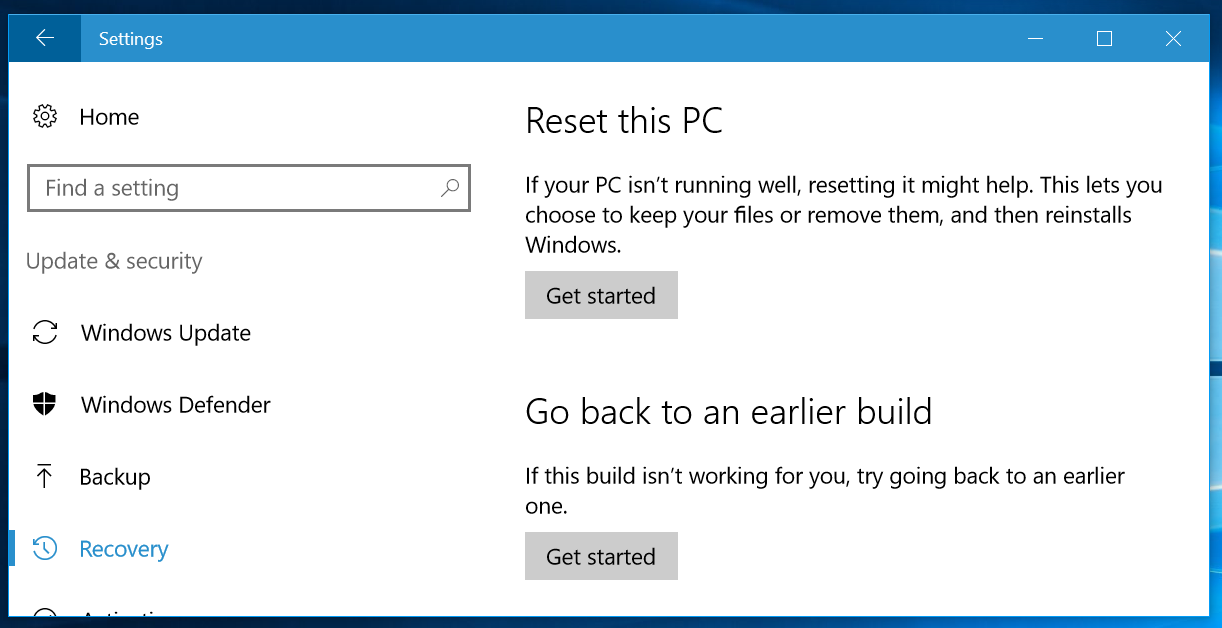
How To Reinstall Windows Like A Pro PCWorld
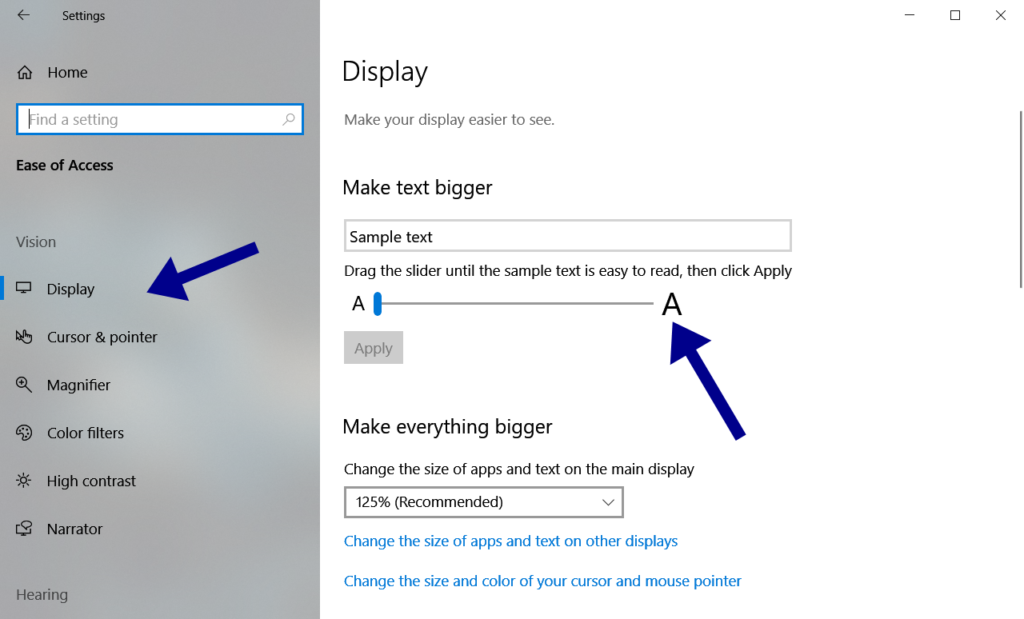
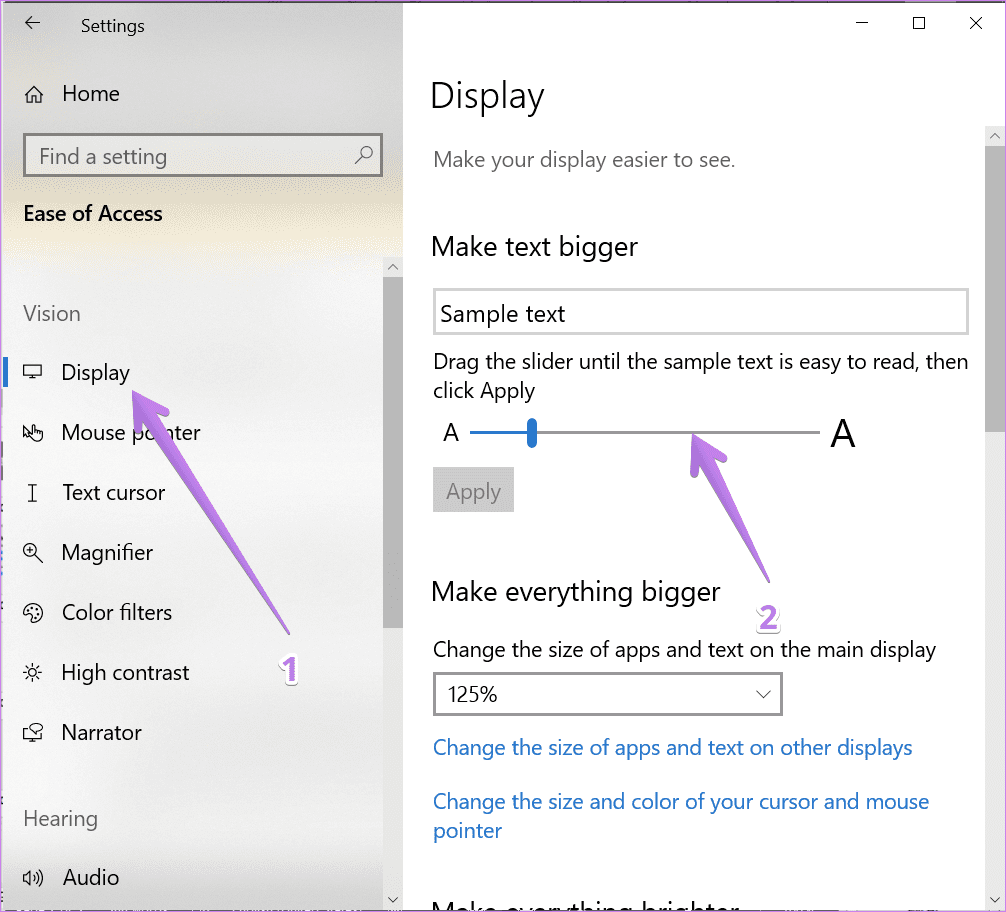
1 Go to settings 2 Click on system under the display option click on advanced display settings 3 Then click on advanced sizing of text and items and check whether the text and font size settings Step 2 To check the color contrast follow the below steps and check 1 Press Windows X and go to control panel

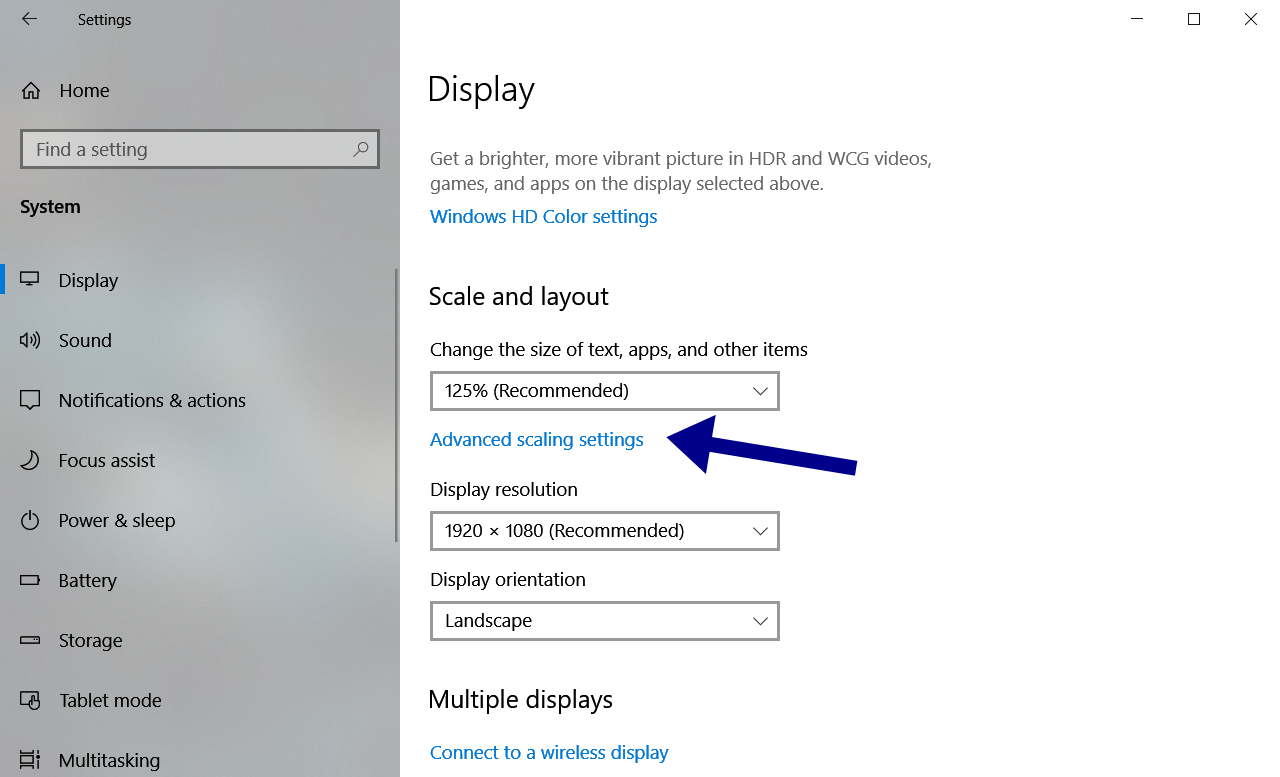
Step 1 Open Settings and go to System Step 2 Under Display from the left sidebar select an appropriate scaling percentage under Scale and layout Do try all the available options and see

1 Open settings by pressing windows key I 2 Select System 3 On the left pane select Display 4 Under Scale and layout click the drop down menu and select the Recommended scale 5 Under Display Resolution click the drop down menu and select the Recommended resolution 6
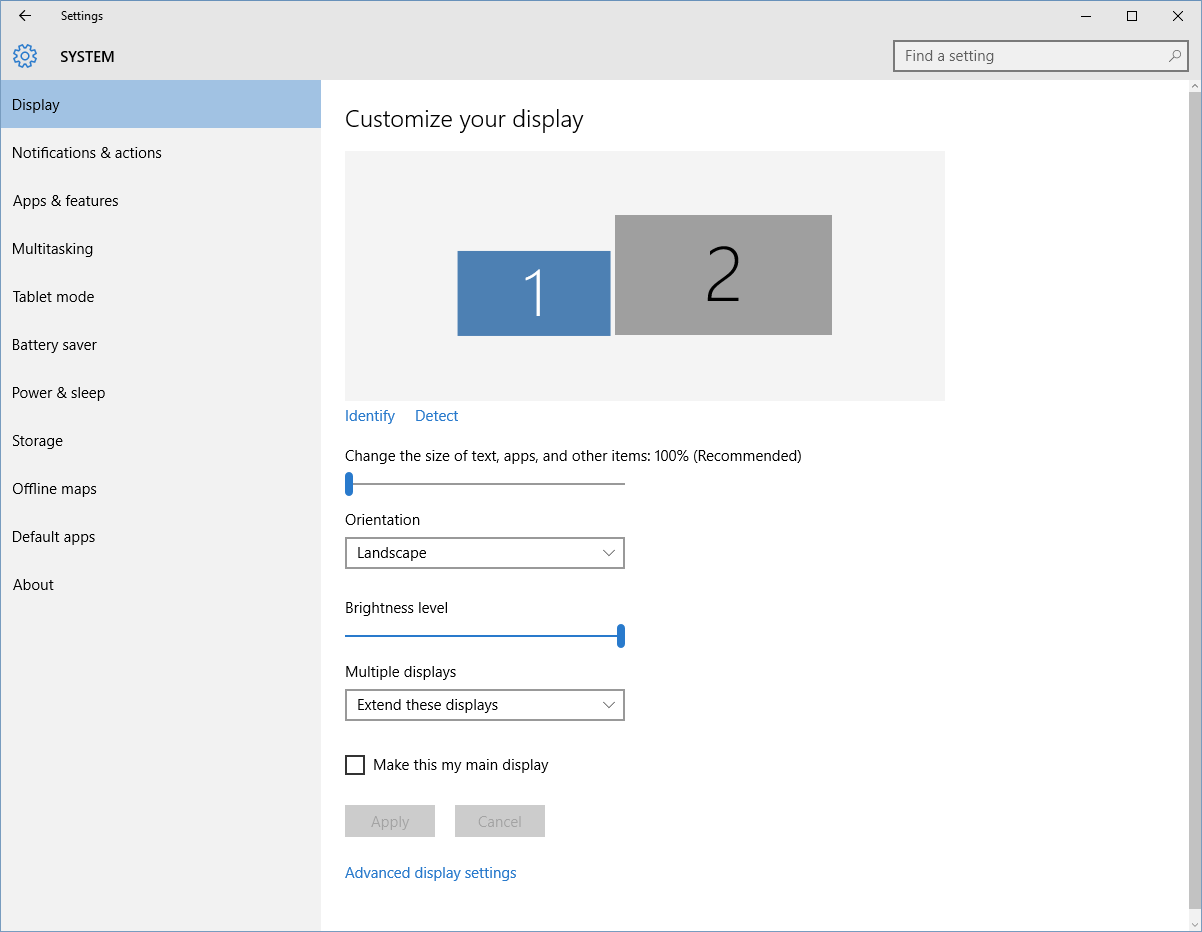
21 Share 9 2K views 5 months ago Windows 10 Welcome to our comprehensive guide on how to reset display settings to default on your Windows 10 PC or laptop If you ve encountered

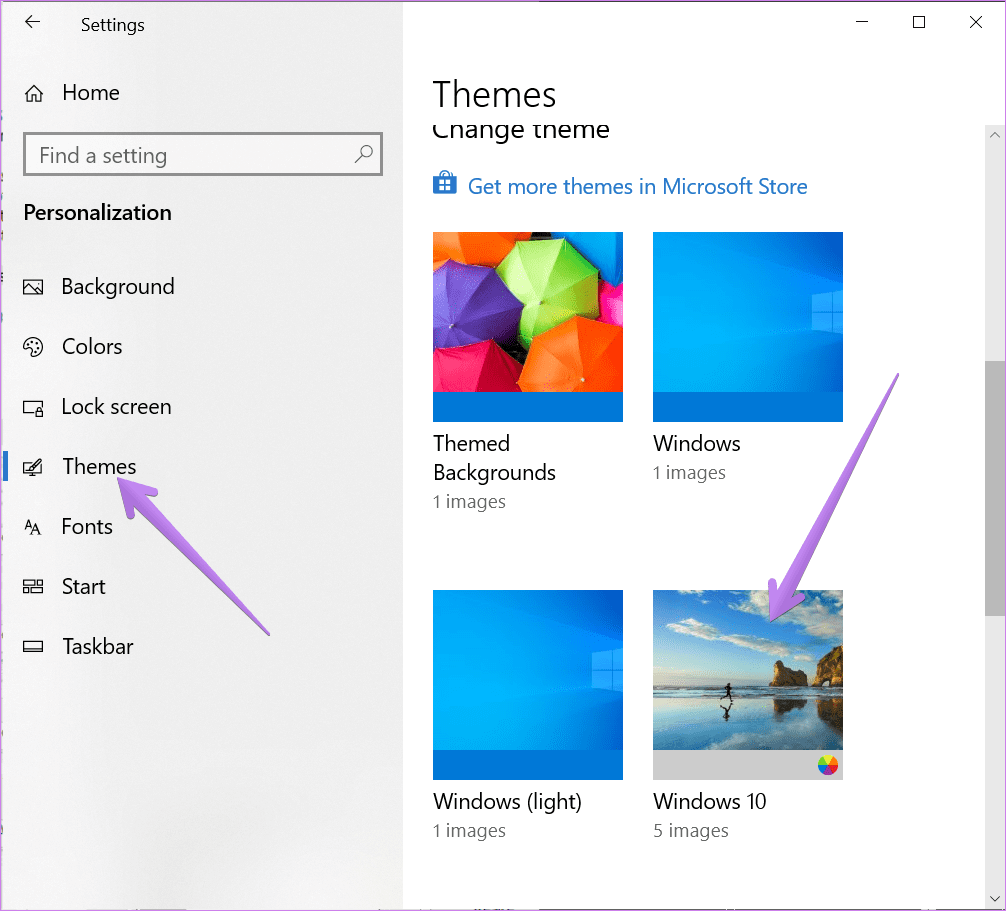
Open Settings from the start menu and move to the Personalization tab Here select Colors Now from the Choose your mode option select Light This will reset your display color scheme Display Scaling Undoubtedly display scaling is a helpful feature that lets you zoom your screen in or out
[desc-11] [desc-12]
[desc-13]