Reset Commit In Gitlab Tutorial Commit Git Gitlab YouTube Revert Changes Workflow Help GitLab Getting Back To Previous Commit In Gitlab YouTube Git What Are Differences Between Revert Revert Commit And Reset Hot How To Undo Changes In Git reset Vs Revert Vs Restore Initialization erases all network settings on the printer making printing scanning or faxing operation from a computer over a network impossible To use the printer over a network again
How to Restore the Printer s Network Settings to Factory Default Important Note that initialization erases all network settings on the printer and printing operation from a computer over network Reset setting Select this menu from Device settings in Setup menu Returns all settings you made to the printer back to the default However some data may not be changed depending on the
How To Undo Changes In Git reset Vs Revert Vs Restore Apuntes De Git David Poza Napad Suknja Iskustvo Gitlab Auto Deploy Pravo Mu an Parada Git How To Delete A Reverted Commit That Is Not Removed Stack Overflow How To Git Reset To HEAD What Is Git HEAD How To Reset Git Head To Glasnik Prili no Fenomen How Do I Commit A File In Git Bipostit How and Why To Keep Your Git Commit History Clean GitLab GitLab Commit It Was A Blast I Had The Opportunity To Attend And Pre commit And Post deploy Code Reviews Are Dead GitLab
Reset Commit In Gitlab
 Reset Commit In Gitlab
https://i.ytimg.com/vi/RPACKHbL5Jc/maxresdefault.jpg
For macOS Initialization erases all network settings on the printer making printing or scanning operation from a computer over a network impossible To use the printer over a network again
Templates are pre-designed documents or files that can be used for numerous purposes. They can conserve effort and time by offering a ready-made format and design for producing various sort of material. Templates can be utilized for personal or expert tasks, such as resumes, invitations, leaflets, newsletters, reports, presentations, and more.
Reset Commit In Gitlab

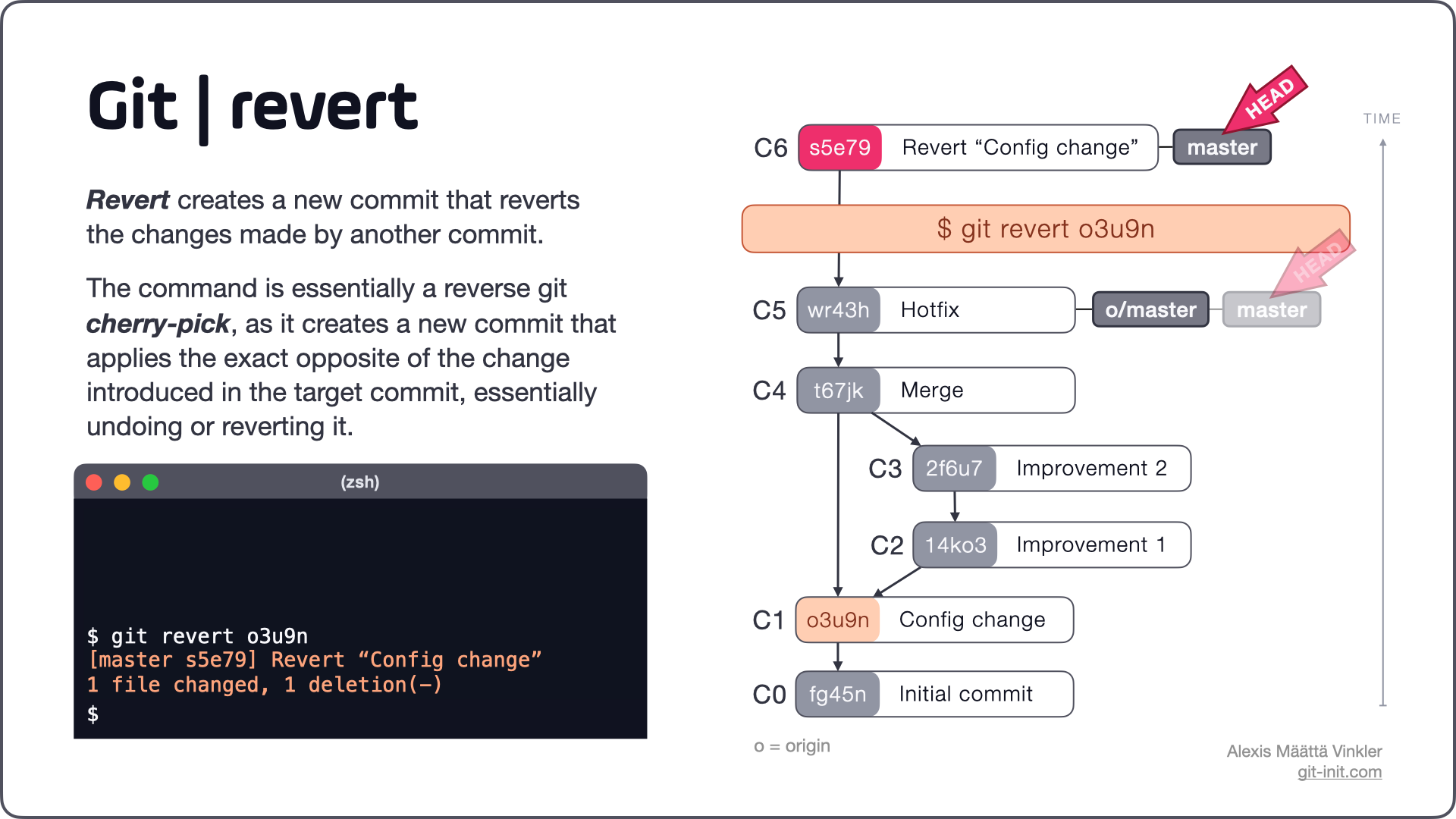
Git Revert File Reverting A File To A Previous Commit
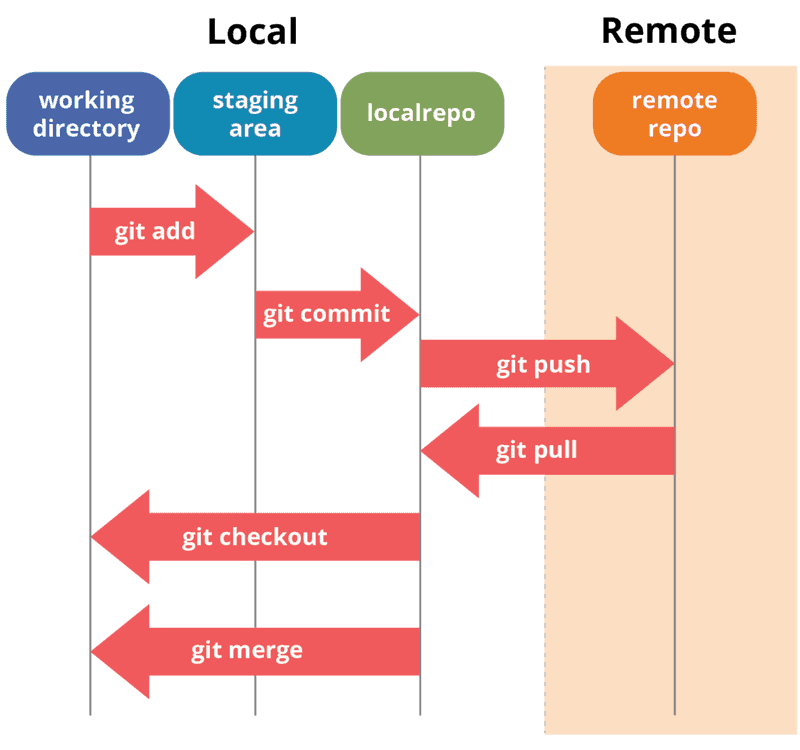
Apuntes De Git David Poza
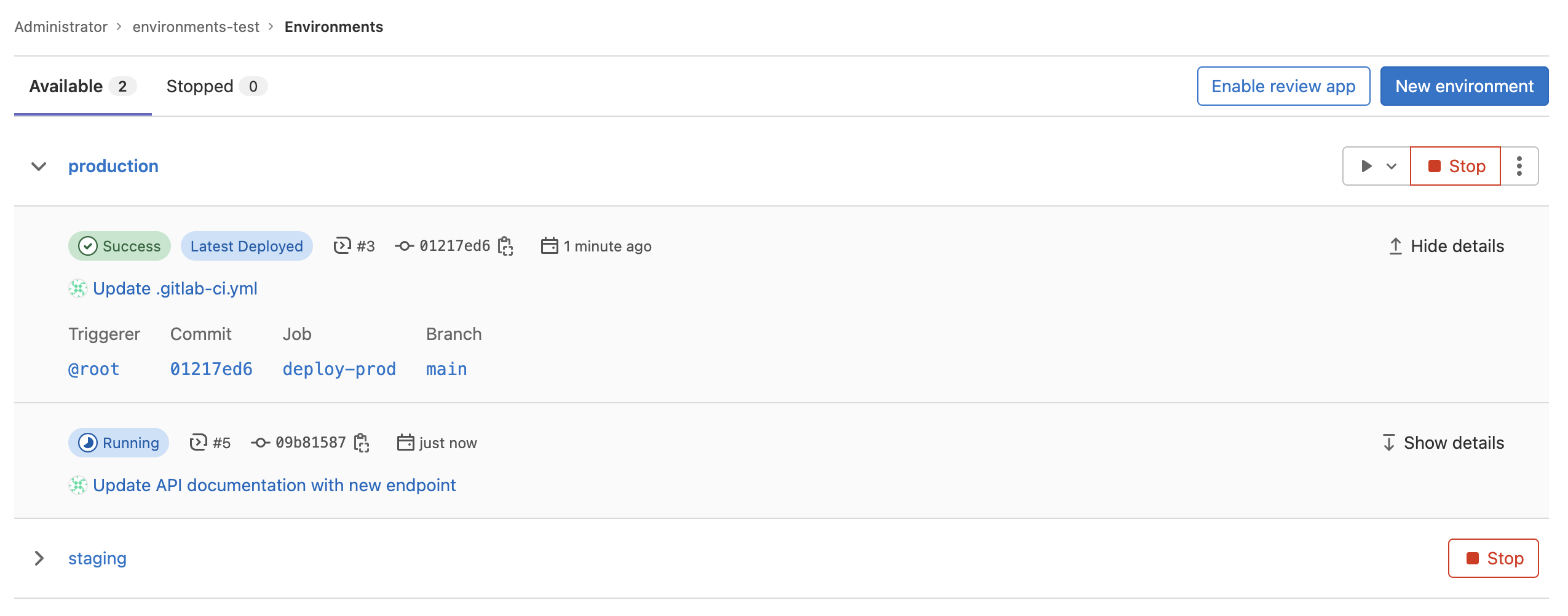
Napad Suknja Iskustvo Gitlab Auto Deploy Pravo Mu an Parada

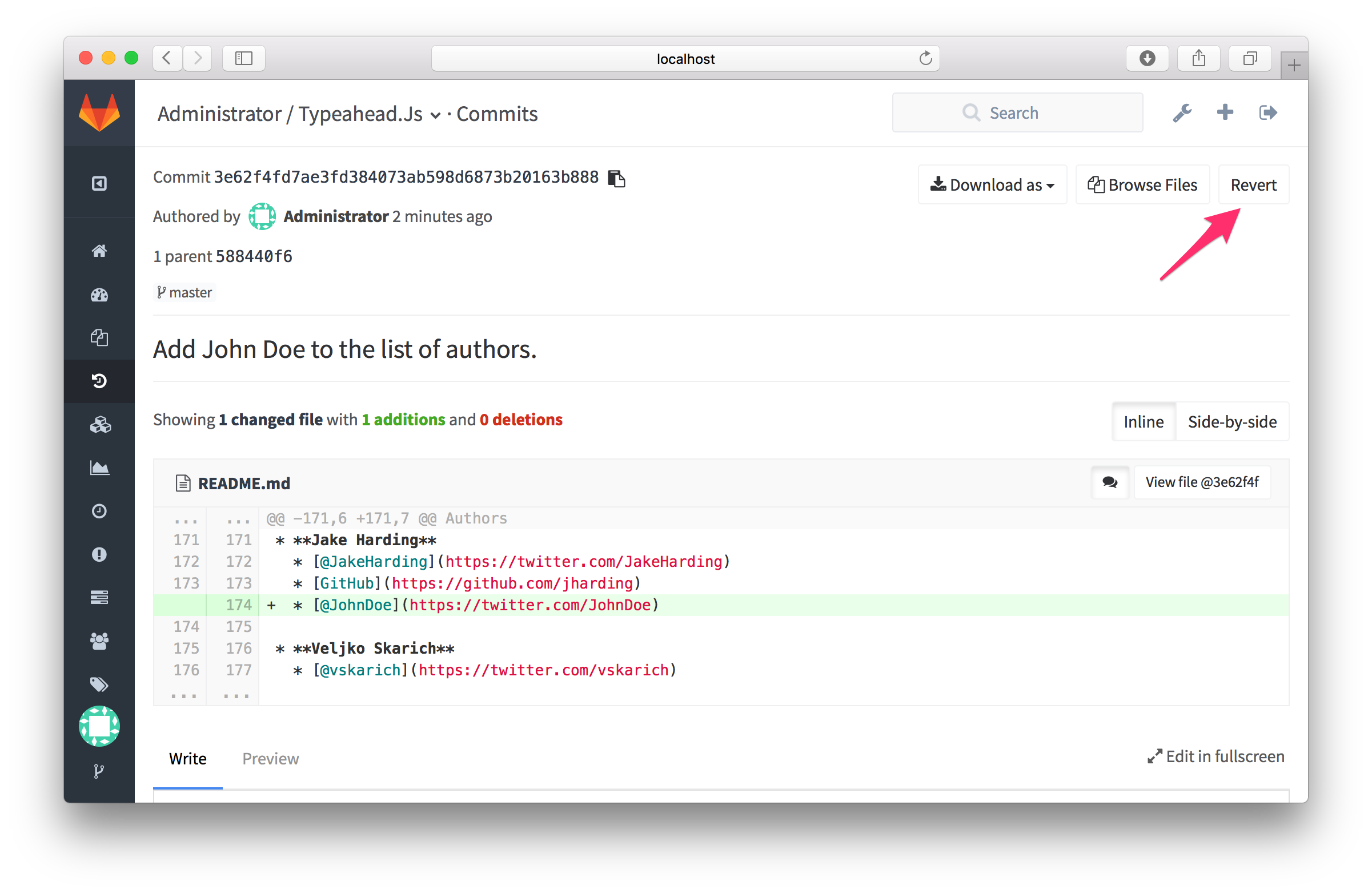
Git How To Delete A Reverted Commit That Is Not Removed Stack Overflow

Glasnik Prili no Fenomen How Do I Commit A File In Git Bipostit

How and Why To Keep Your Git Commit History Clean GitLab

Important Initialization erases all network settings on the printer making printing operation from a computer over a network impossible To use the printer over a network again after restoring it
Reset setting Select this menu from Device settings in Setup menu You can set the settings back to the default Web service setup Returns the Web service settings back to the default LAN

Important Initialization erases all network settings on the printer making printing scanning operation from a computer over a network impossible To use the printer over a network again

Important For Windows Initialization erases all network settings on the printer making printing operation from a computer over a network impossible To use the printer over a network again
Sets only the device information sending settings back to the default Reset all Sets all settings you made to the printer back to the default The administrator password is restored to the
[desc-11] [desc-12]
[desc-13]