Reset Branch And Delete Local Changes How To Delete A Branch Using Git Command ItSolutionStuff How To Delete A Git Branch Locally And Remotely Remove Delete Git Branch Local And Remote Updated 2023 How To Reset Your Git Branch To A Previous Commit both Local And How To Delete A Local Branch In GIT These options include hard to reset the commit being pointed to in the repository populate the working directory with the contents of the commit and reset the staging area soft to only reset the pointer in the repository and mixed the default to reset the pointer and the staging area
01 Sep 2023 Remove uncommitted changes in Git Git offers you several commands to discard local changes in your working directory These include the following The git stash command which saves uncommitted changes and reset your workspace The git reset command which only touches tracked files TLDR The Solution We can fetch the remote changes from upstream main using git fetch and reset the local branch using git reset Git Reset resets the current branch to the specified state There are several configurations but we ll be using the hard flag hard resets the index and working tree
How To Delete A Local Branch In GIT Unaltered Reset Branch 02 Chap 02 Cover By Oennarts On DeviantArt How To Delete Local And Remote Git Branches Refine Git reset Current Branch To Here Git Tutorial 28 How To Undo All Local Commits In A Branch To Reset To How To Perform A Git Delete On A Local Branch Kinsta Git Delete Local Branch How To Delete A Local Branch With Git Git Delete Local Branch And Remote Branch With Force Delete How To Locate And Delete Local User Catalog File
Reset Branch And Delete Local Changes
 Reset Branch And Delete Local Changes
https://www.itsolutionstuff.com/upload/github-delete-branch-1.png
Git reset hard HEAD resets your changes back to the last commit that your local repo has tracked If you made a commit did not push it to GitHub and want to throw that away too see absiddiqueLive s answer git clean df will discard any new files or directories that you may have added in case you want to throw those away
Templates are pre-designed files or files that can be utilized for numerous purposes. They can conserve time and effort by offering a ready-made format and layout for creating different sort of content. Templates can be used for individual or expert projects, such as resumes, invitations, leaflets, newsletters, reports, presentations, and more.
Reset Branch And Delete Local Changes
GIT Branch And GIT Merge

Unaltered Reset Branch 02 Chap 02 Cover By Oennarts On DeviantArt

How To Delete Local And Remote Git Branches Refine
Git reset Current Branch To Here

How To Perform A Git Delete On A Local Branch Kinsta

Git Delete Local Branch How To Delete A Local Branch With Git
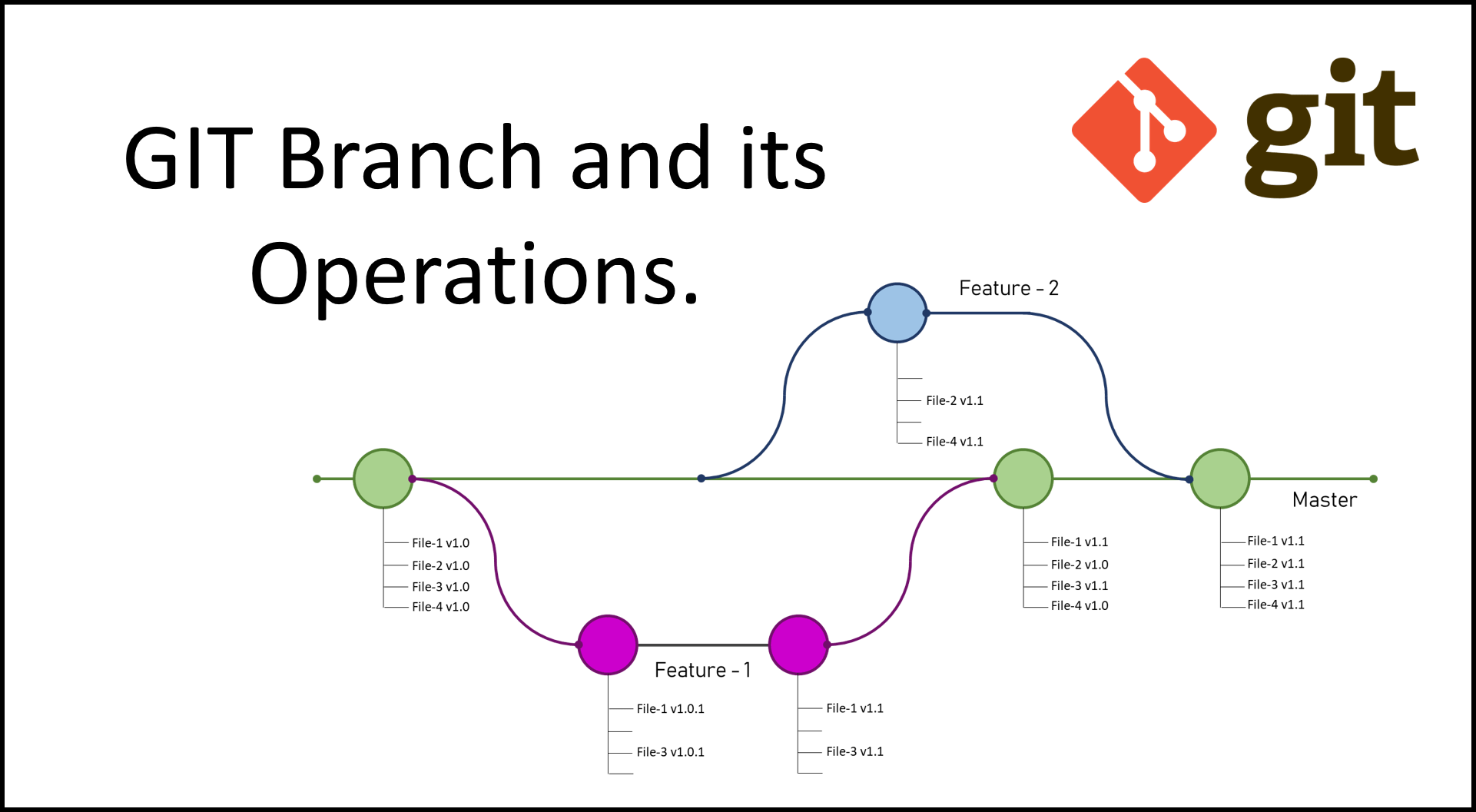
How to reset a local Git branch to remote Save the current state of your local branch Do a git checkout Fetch origin Reset local repository Clean up any untracked changes Conclusion What is A Branch in Git Git Branches in a Nutshell for Beginners Branching is a core aspect of version control and an important concept to learn

To review git reset is a powerful command that is used to undo local changes to the state of a Git repo Git reset operates on The Three Trees of Git These trees are the Commit History HEAD the Staging Index and the Working Directory There are three command line options that correspond to the three trees

Reset a single file in the index Suppose you have added a file to your index but later decide you do not want to add it to your commit You can remove the file from the index while keeping your changes with git reset git reset frotz c 1 git commit m Commit files in index 2 git add frotz c 3
In the History tab for the current branch right click the commit you want to reset and then choose Reset Delete Changes hard to reset the branch to the selected commit and delete all changes to all branch files since that commit and so local and remote branch histories continue to match Visual Studio 2022 Visual Studio 2019 Git

Reset a specific commit On the commit level resetting is a way to move the tip of a branch to a different commit This can be used to remove commits from the current branch For example the following command moves the hotfix branch backwards by two commits git checkout hotfix git reset HEAD 2
To do this let s follow the following 2 steps 1 Remove untracked directories in addition to untracked files git clean fd This git clean command will remove all new directories 2 Reset all changes in your project files git reset hard origin branch name Don t forget to change branch name to your working branch 1 Photo by Yancy Min on Unsplash Sometimes you can get into a situation when you realise that you pushed something wrong and you want to erase it from your commit history Maybe you misunderstood
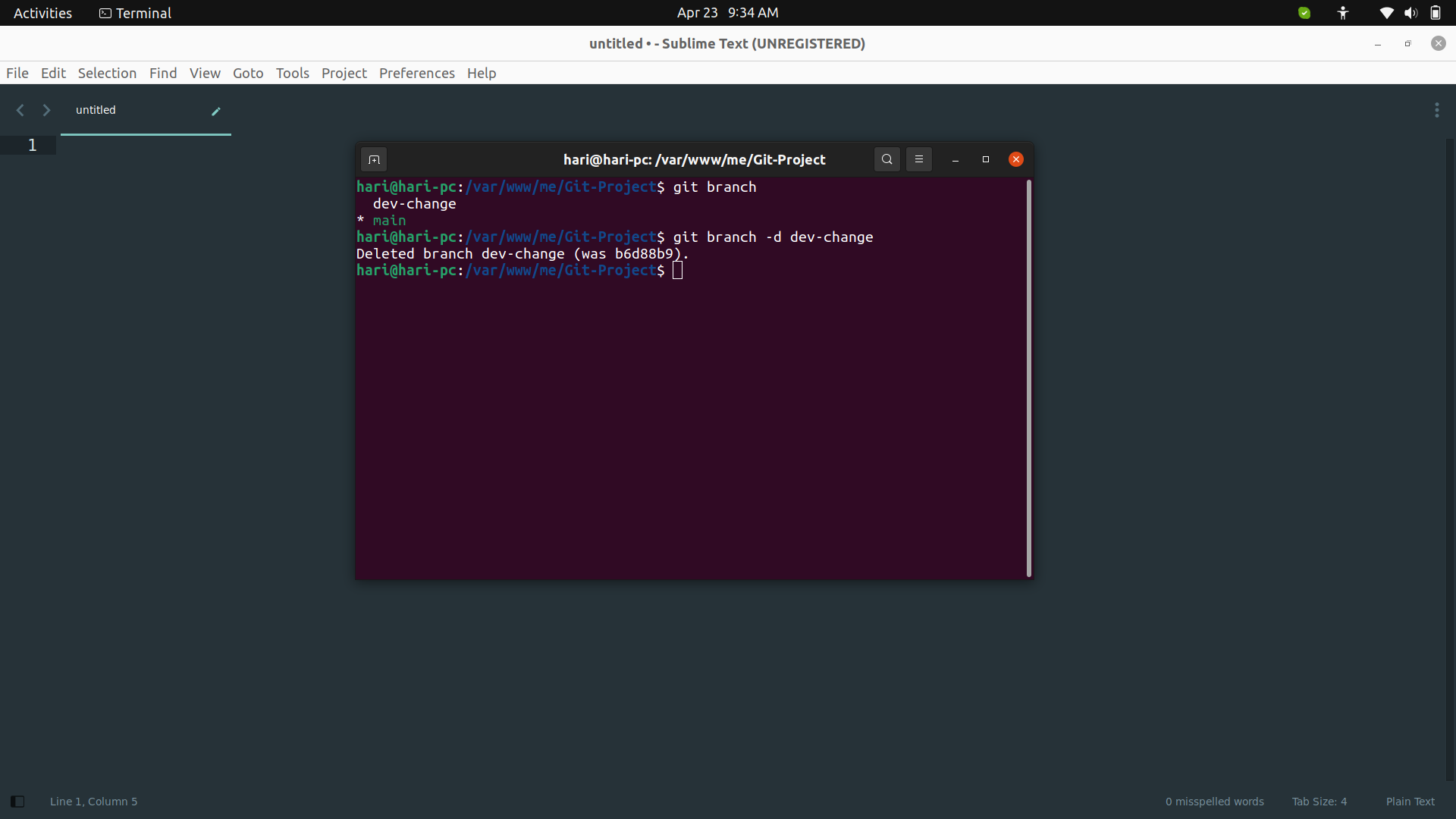
Local branches are branches on your local machine and do not affect any remote branches The command to delete a local branch in Git is git branch d local branch name git branch is the command to delete a branch locally d is a flag an option to the command and it s an alias for delete It denotes that you want to delete something as