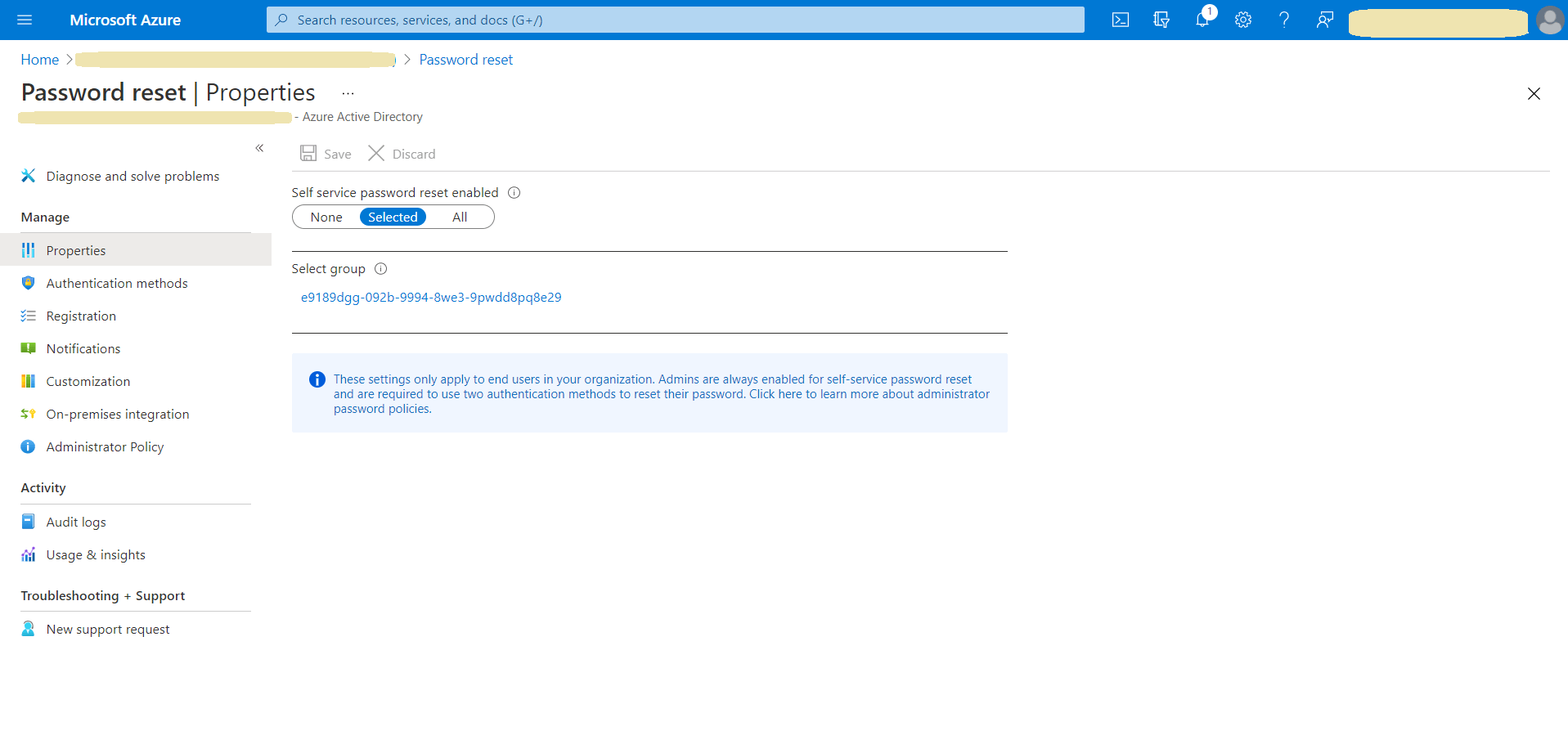
Reset Azure Ad Password Asp Core Reset Azure AD Password Through Web API Instead Of Graph API Win Mundo How To Reset Users Password In Azure Active Directory Password Reset In Azure AD YouTube Deployment Considerations For Azure Active Directory Self service Password Reset Microsoft How To Enable Azure AD Self Service Password Reset SSPR How To Enable Password Reset Account Unlock Using Azure Active Directory SSPR ADSelfService Plus Web Jun 5 2023 nbsp 0183 32 Step 1 Login to https portal azure Step 2 Search for the Azure Active Directory and click on that Step 3 From the Azure Active Directory page select the Password reset option under Manage from the left side menu Step 4
Web Description The Set AzureADUserPassword cmdlet sets the password for a user in Azure Active Directory AD Examples Example 1 Set a user s password PowerShell PS C gt Set AzureADUserPassword ObjectId quot df19e8e6 2ad7 453e 87f5 037f6529ae16 quot Password password This command sets the specified user s password Parameters Web Feb 13 2015 nbsp 0183 32 Reset an Azure Active Directory User Password and Set to Never Expire Blog Microsoft Azure Post In this easy Ask the Admin I ll show you how to reset passwords for Azure
How To Enable Password Reset Account Unlock Using Azure Active Directory SSPR ADSelfService Plus Azure AD Password Policy Complete Guide LazyAdmin Reset A User s Password Microsoft Entra Microsoft Learn Azure AD Password Reset On Login Screen Mindcore Techblog Step By Step Implementing Azure AD Password Protection On Premises Password Protection Ads How To Reset Your Password Mass gov Set Up A Password Reset Flow Azure AD B2C Microsoft Learn How To Enable Self Service Password Reset SSPR In Azure AD Create Reset Azure AD Password Functionality Stack Overflow
Reset Azure Ad Password
 Reset Azure Ad Password
https://i.stack.imgur.com/YKgmf.png
Web Self service password reset is always turned on for admins and two authentication methods are required to reset their password What to expect from this guide This guide will help you deploy SSPR in your environment
Templates are pre-designed files or files that can be used for different purposes. They can conserve time and effort by supplying a ready-made format and layout for developing different kinds of content. Templates can be utilized for individual or professional tasks, such as resumes, invitations, flyers, newsletters, reports, discussions, and more.
Reset Azure Ad Password

Customize Self service Password Reset Azure Active Directory Microsoft Entra Microsoft Learn
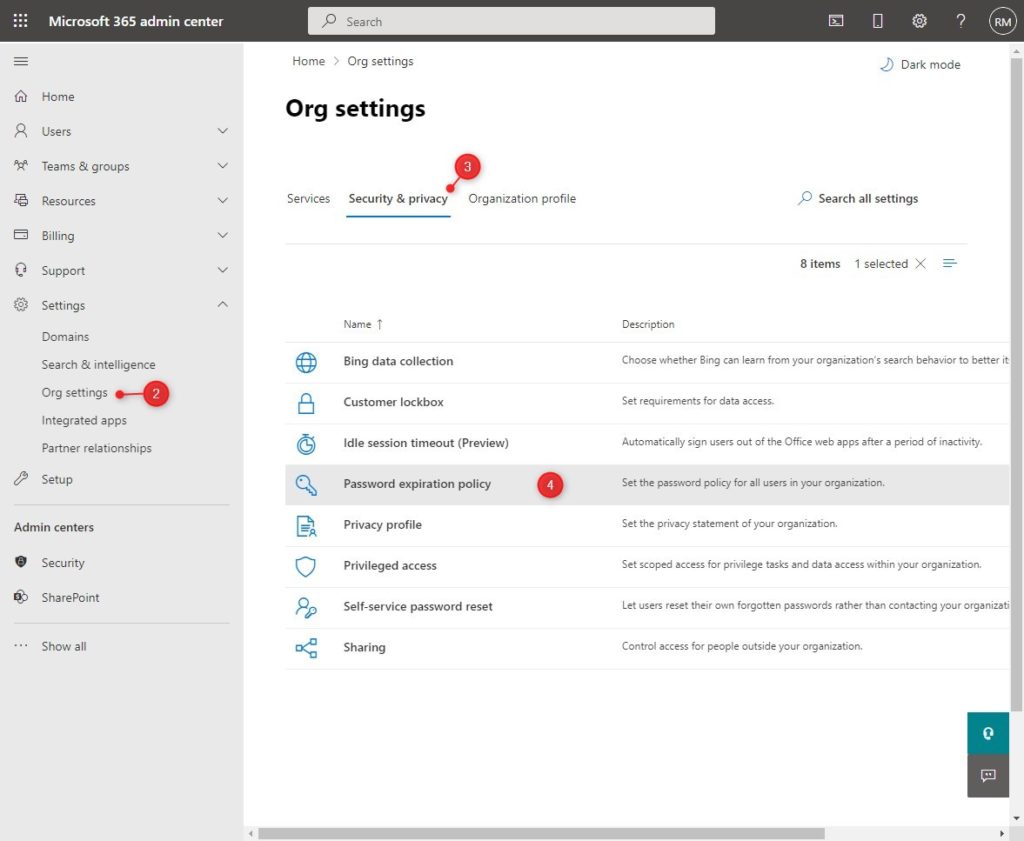
Azure AD Password Policy Complete Guide LazyAdmin
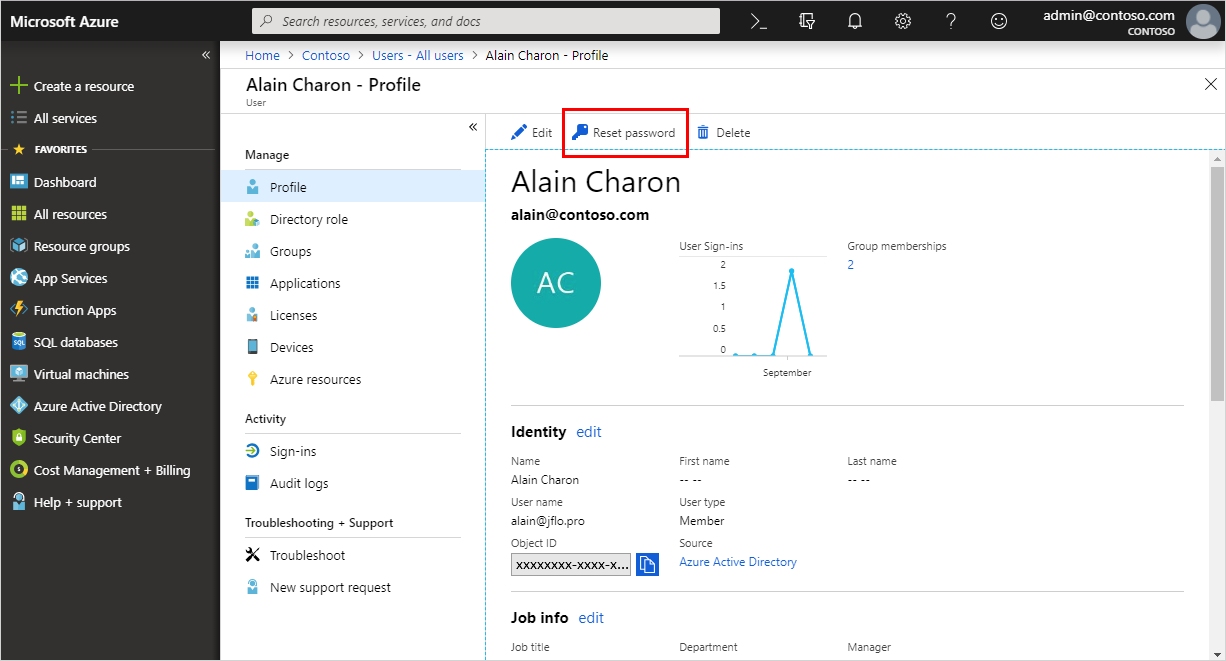
Reset A User s Password Microsoft Entra Microsoft Learn
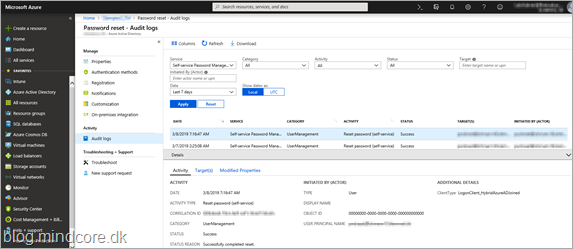
Azure AD Password Reset On Login Screen Mindcore Techblog
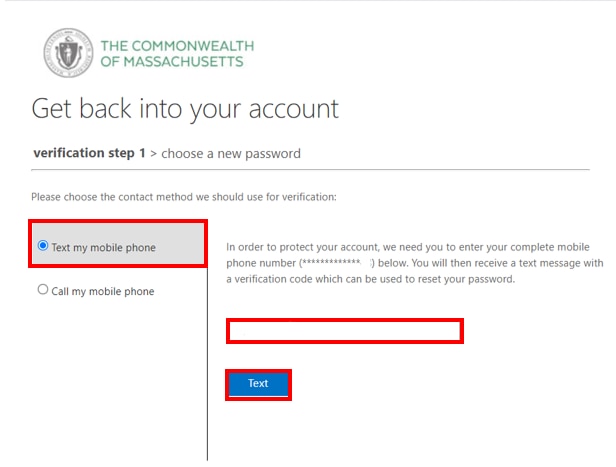
How To Reset Your Password Mass gov

Set Up A Password Reset Flow Azure AD B2C Microsoft Learn

Web To register through the Access Panel they need to select their profile picture select Profile and then select the Register for password reset option If you enable combined registration users can register for both SSPR and Azure AD Multi Factor Authentication at

Web Sep 19 2023 nbsp 0183 32 Use the SSPR Test Group and provide your own Microsoft Entra group as needed Sign in to the Microsoft Entra admin center as at least an Authentication Policy Administrator Browse to Protection gt Password reset from the menu on the left side From the Properties page under the option Self service

Web Sep 19 2023 nbsp 0183 32 This conceptual article explains to an administrator how self service password reset works If you re an end user already registered for self service password reset and need to get back into your account go to https aka ms sspr

Web Sep 15 2023 nbsp 0183 32 Self service password reset SSPR gives users in Azure Active Directory Azure AD the ability to change or reset their password with no administrator or help desk involvement Typically users open a web browser on another device to
Web Apr 15 2022 nbsp 0183 32 You can use the Azure AD module to reset a user s password Connect to your Azure tenant Connect AzureAD Set a new password and convert it to SecureString see the article on how to use passwords in PowerShell scripts newPass ConvertTo SecureString Str0ngNewPa 1 AsPlainText Force
[desc-11] [desc-12]
[desc-13]