Replace Words In Intellij How To Find And Replace Words In Multiple Files Visual Studio 2019 Dark Theme IntelliJ IDEs Plugin Marketplace UiPath Replace Words In Text Document How To Replace Words In A How To Replace Words In Excel Riset How To Get Word And Excel For Free Kopbureau We can use the following find replace regex The find regex finds the pattern 2020 10 10 The year is matched using d 4 which matches exactly four digits and groups them because the d 4 is put between parenthesis We can use this group in the replace field Note that 1 references the first group 0 matches the entire regular expression
Replace text in the current file Press Ctrl 0H or choose Edit Find Replace from the main menu The search and replace pane appears on top of the active editor If necessary specify the search and replace options In the search field start typing the search string As you type the matching occurrences are highlighted in the editor The Main Window In IntelliJ the Find and Replace interface is straightforward After initiating a search Ctrl F or Cmd F a small window appears at the bottom of the editor This is where you input the search query If you press Ctrl R or Cmd R an additional field appears for the replacement text
How To Get Word And Excel For Free Kopbureau Find And Replace Intellij Lasopawear Placing Comma After Words In IntelliJ IDEA not By Coding Stack Overflow Find And Replace Multiple Words In Word Document YouTube Find And Replace Intellij Vseraindian 36 Replace Word In String Javascript Javascript Overflow Regex Find Text In IntelliJ With Case Sensitive Replace Stack Overflow Structural Search And Replace Updates In IntelliJ 2022 1 I j nspector How To Find And Replace Words In Multiple Files Together PCs Place
Replace Words In Intellij
 Replace Words In Intellij
https://static1.makeuseofimages.com/wordpress/wp-content/uploads/2017/05/Replace-Words-Featured.jpg
Use this text area to specify the template based on which IntelliJ IDEA performs the search process You can type the template code in the field or click and select the Existing Templates option to see a list of existing templates Both Match case Select this checkbox if you want IntelliJ IDEA to match the case of the code you are searching
Templates are pre-designed documents or files that can be utilized for different functions. They can save time and effort by providing a ready-made format and layout for creating various sort of content. Templates can be utilized for individual or expert jobs, such as resumes, invites, flyers, newsletters, reports, presentations, and more.
Replace Words In Intellij

Replace Words In A Text File Studio UiPath Community Forum

Find And Replace Intellij Lasopawear

Placing Comma After Words In IntelliJ IDEA not By Coding Stack Overflow
Find And Replace Multiple Words In Word Document YouTube
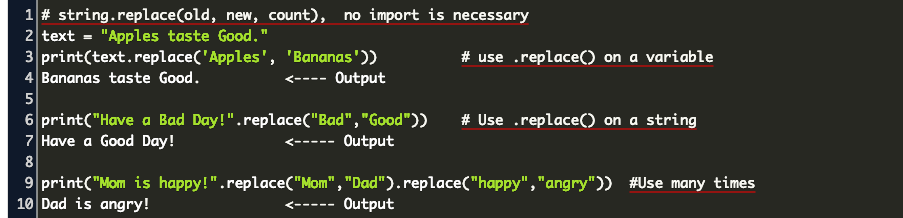
36 Replace Word In String Javascript Javascript Overflow

Regex Find Text In IntelliJ With Case Sensitive Replace Stack Overflow

1 Answer Sorted by 29 if it is in one file ctrl r check the tick box Regex and look for Name String this should match what you want Then replace it with whatever you want If it is in multiple file use ctrl shift r Share
Enter a search string in the top field and a replace string in the bottom field Click to enable regular expressions If you want to check the syntax of regular expressions hover over and click the Show expressions help link When you search for a text string that contains special regex symbols IntelliJ IDEA automatically escapes them with

IntelliJ IDEA handles replacing in the multi line selection the same way Select a multi line fragment and press Ctrl 0F Click and type your search string IntelliJ IDEA will search for the target inside the selected fragment first If you release IntelliJ IDEA will switch the search process back to the whole file Gif

You can quickly find and replace text strings in the current document Using different options you can narrow your search process IntelliJ IDEA highlights the results of your search in the file Alternatively in the editor highlight the string you want to find and press Control F IntelliJ IDEA places the highlighted string into the
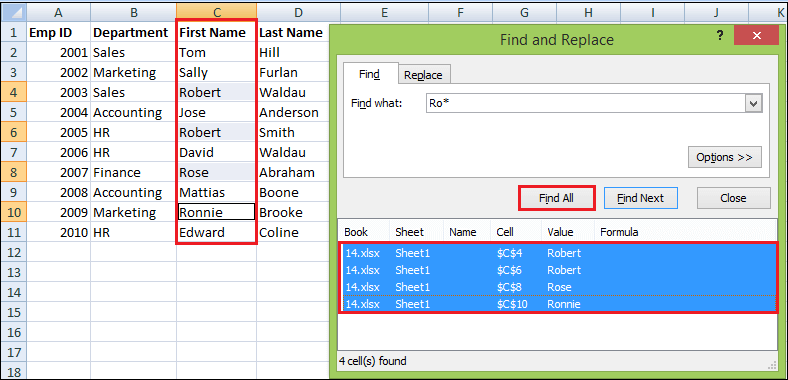
findandreplace intellij searchandreplaceThis video is a visual representation of replacing any word with other words in an IntelliJ IDE project Replacing
Since IntelliJ IDEA supports all the standard regular expressions syntax you can check https www regular expressions info for more information about the syntax Tips and Tricks IntelliJ IDEA provides intention actions to check validity of the regular expressions and edit regular expressions in a scratchpad Place the caret at a regular expression and press Alt Enter We can give the new method a name such as getWeather and IntelliJ IDEA will replace the original logic with a call to our new method public class PlanetExtractions public static final int NUMBER OF DAYS IN A YEAR 365 Planet myPlanet new Planet earth private String theWeatherIs The weather is I m using PlanetExtractions to
Created January 10 2022 15 53 VSCode has an awesome plugin Symbol Complete that auto replaces phrases with symbols based on regular expression rules For example if I type lambda it gets replaced by as soon as I type the last character a I d like to have this same functionality in IntelliJ but I can t seem to find a similar plugin