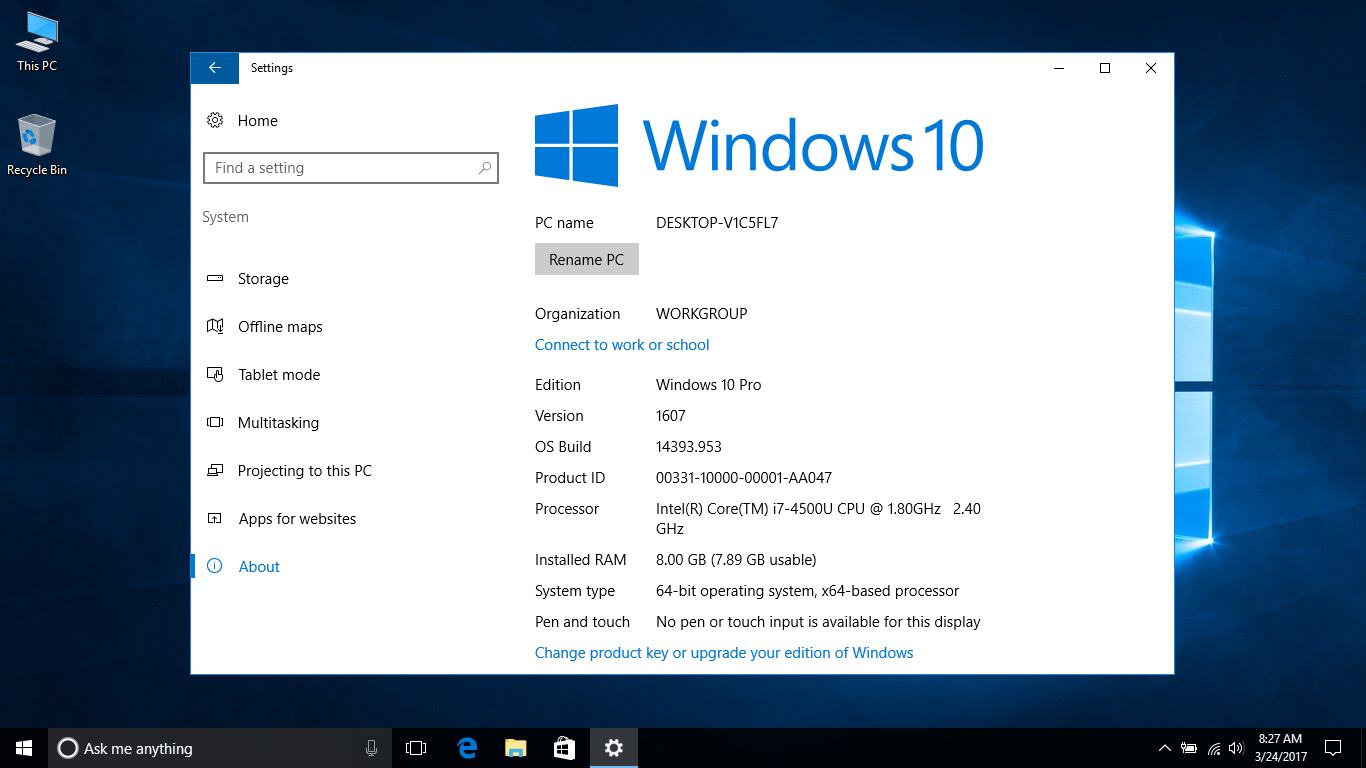
Rename Pc Windows 10 3 Ways To Change Computer Name In Windows 10 Password Recovery How To Rename Your PC In Windows 10 How To Change PC Name On Windows 10 Pureinfotech Windows 10 How To Rename Your PC YouTube Windows 10 Tutorial Rename Your PC WindowsChimp Web Mar 9 2021 nbsp 0183 32 In the Windows 10 Settings menu go to the System gt About page Click the Rename this PC button in the center of the page Click the Rename this PC button in the center of the page
Web Nov 19 2015 nbsp 0183 32 1 Open Settings and go to System gt About Sarah Jacobsson Purewal CNET 2 In the About menu you should see the name of your computer next to PC name and a button that says Rename PC Web Apr 29 2021 nbsp 0183 32 Click the Rename this PC button to choose a new name for your computer The name can t contain spaces or special characters so use only letters numbers and hyphens Follow our recommended device naming conventions to choose something that makes sense For best results create a name that s unique short and clear
Windows 10 Tutorial Rename Your PC WindowsChimp How To Rename Your PC In Windows 10 How To Rename Your Windows 10 PC Or Tablet Rename Windows 10 Computer HowPChub How To Rename Your PC Under Windows 10 TechPorn How To Rename Your Windows 10 PC Innov8tiv Rename windows 10 pc 1 TechPorn Rename windows 10 pc 8 TechPorn Forlessver Blog
Rename Pc Windows 10
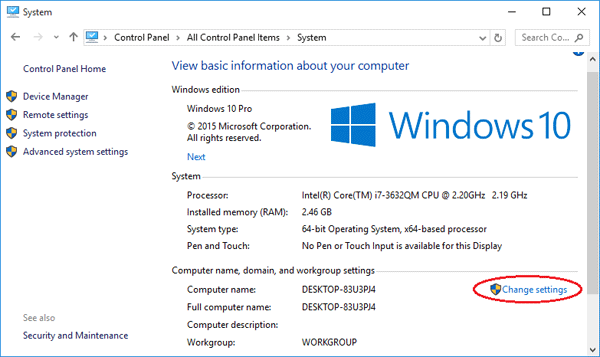 Rename Pc Windows 10
https://www.top-password.com/blog/wp-content/uploads/2016/01/system-info.png
Web Jul 30 2021 nbsp 0183 32 Open up the Start menu and click on Settings Now click on System At the top of the window you ll see your computer s current name click Rename this PC type a new custom name into the
Templates are pre-designed documents or files that can be used for numerous functions. They can save time and effort by offering a ready-made format and layout for developing various sort of material. Templates can be utilized for individual or expert tasks, such as resumes, invitations, flyers, newsletters, reports, discussions, and more.
Rename Pc Windows 10
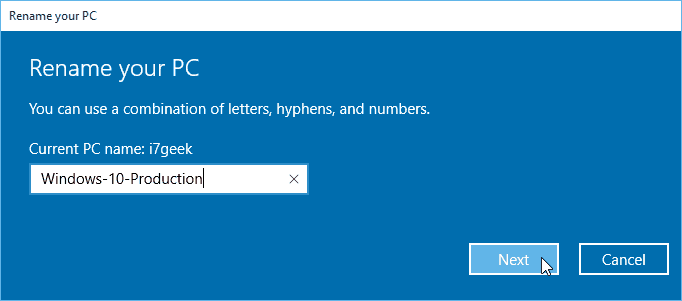
How To Rename Your Windows 10 Computer

How To Rename Your PC In Windows 10

How To Rename Your Windows 10 PC Or Tablet
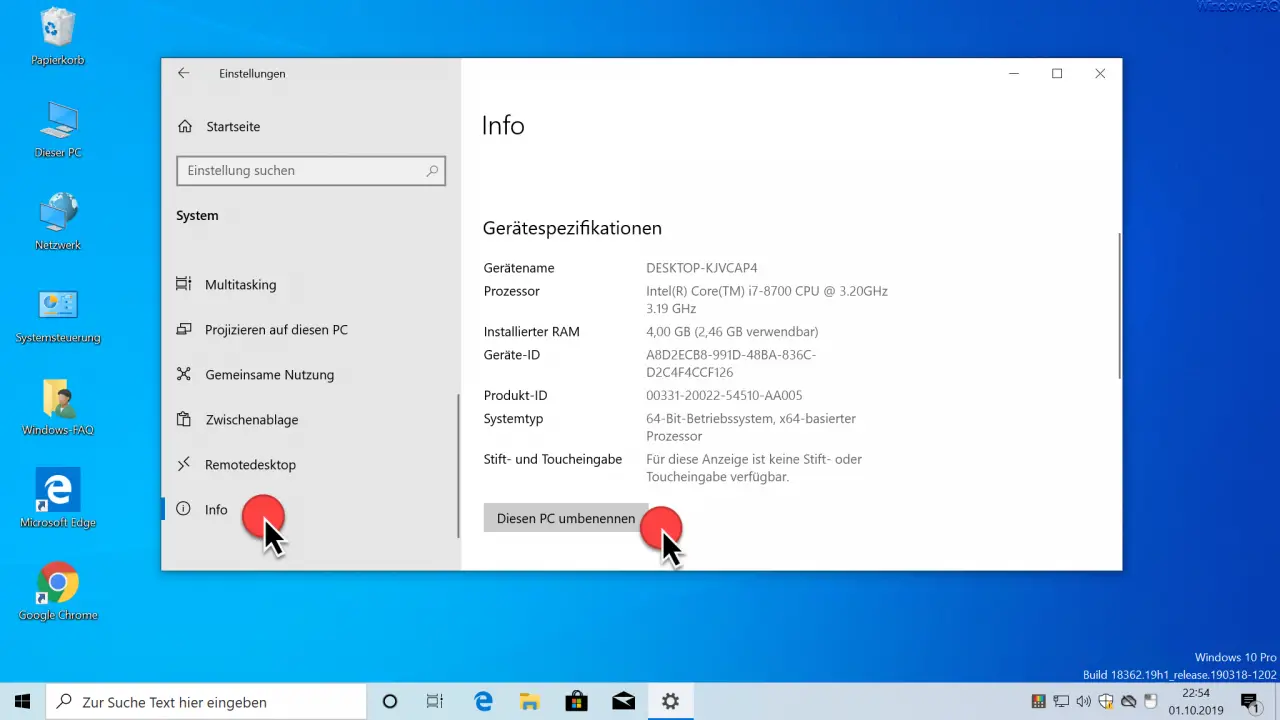
Rename Windows 10 Computer HowPChub

How To Rename Your Windows 10 PC Innov8tiv

Rename windows 10 pc 1 TechPorn
Web Sep 1 2022 nbsp 0183 32 Using the Settings Menu 1 Open the Settings menu In Windows 10 there is a simplified Settings menu that is very easy to understand 2 Open the System Settings menu From the list given click the System option You should see a new page with a series 3 Rename your PC On the new page you

Web Rename your Windows 10 PC Select Start gt Settings gt System gt About Select Rename this PC Enter a new name and select Next You may be asked to sign in Select Restart now or Restart later
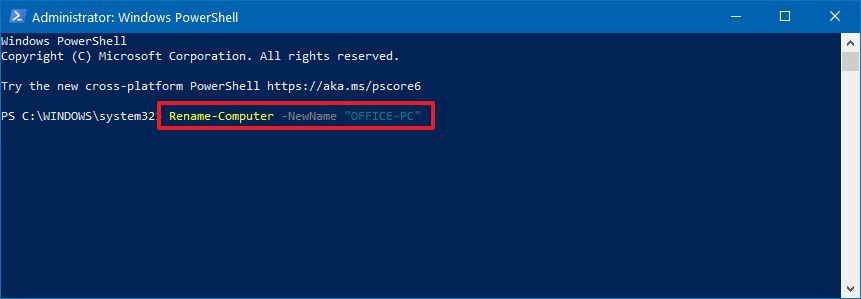
Web Aug 9 2022 nbsp 0183 32 1 How to change your PC name in Windows 10 from Settings If you re using a Windows 10 laptop or desktop computer open Settings Windows I Go to System gt About On the right look for the Rename this PC button and click or tap on it

Web Feb 23 2023 nbsp 0183 32 Rename Your PC on Windows 10 Credit Lance Whitney Microsoft The process for renaming your PC is the same in Windows 10 Go to Settings gt System gt About and click the Rename this
Web Jun 3 2020 nbsp 0183 32 If you ve just purchased a new Windows PC then you ll likely need to rename your computer In this video Mike will show you how to quickly and easily change the name of your computer in Windows
[desc-11] [desc-12]
[desc-13]