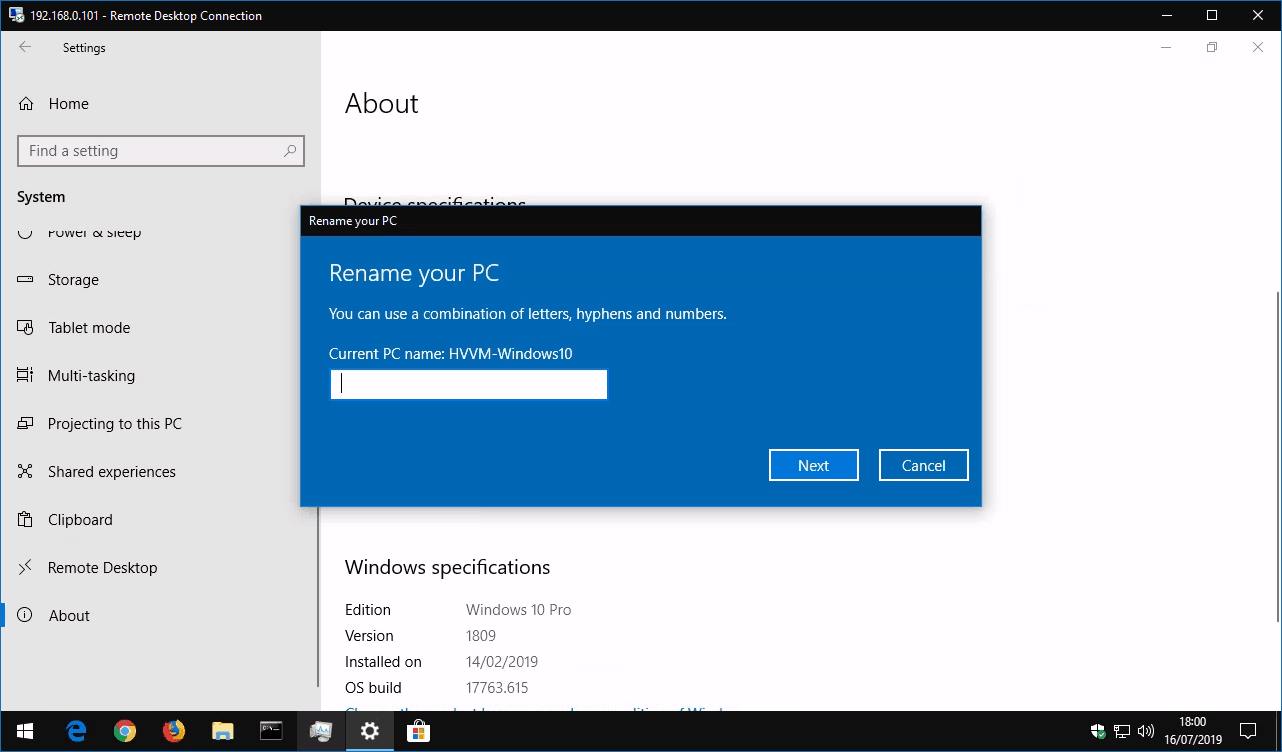
Rename Pc User How To Rename Your Windows 10 PC OnMSFT How To Rename Your PC In Windows 10 How To Rename Your PC In Windows 10 10 Steps with Pictures How To Rename Your Windows 10 Computer How To Rename Your Windows 10 PC OnMSFT Web Mar 25 2021 nbsp 0183 32 Local acct Go to Control Panel gt User accounts gt Change type gt select acct gt Change name gt input new name gt Change Name Local account alternative Search for and select netplwiz gt Users gt choose account gt Properties gt enter new name gt Apply gt OK gt OK
Web Dec 21 2022 nbsp 0183 32 Control Panel On Windows 10 you can change the account name for many reasons including because you may need to update your personal information if you recently changed your name The computer Web Jun 20 2022 nbsp 0183 32 To modify the account name through the User Accounts settings use these steps Open Control Panel Under the quot User Accounts quot section click the Change account type option
How To Rename Your Windows 10 PC OnMSFT Change Name Of Computer In Windows 10 Consuming Tech How To Change The User Profile Folder Name In Windows 11 Vrogue How To Rename Your Windows 11 Pc 4 Different Ways Vrogue How To Rename This PC Windows 10 YouTube How To Rename Your Windows 11 Pc Pirated Land Vrogue How To Rename PC In Windows 11 HOW TO RENAME YOUR PC IN WINDOW 10 YouTube How To Rename Your PC In Windows 11 The Microsoft Windows11
Rename Pc User
 Rename Pc User
https://www.onmsft.com/wp-content/uploads/2019/07/rename2.png
Web Sep 14 2021 nbsp 0183 32 1 Press Start and then click Settings Image credit Alan Martin 2 On the window that pops up click Accounts It s the third option along in the second row Image credit Alan Martin 3
Templates are pre-designed documents or files that can be used for numerous purposes. They can conserve effort and time by offering a ready-made format and design for creating different kinds of content. Templates can be used for individual or professional projects, such as resumes, invites, flyers, newsletters, reports, discussions, and more.
Rename Pc User
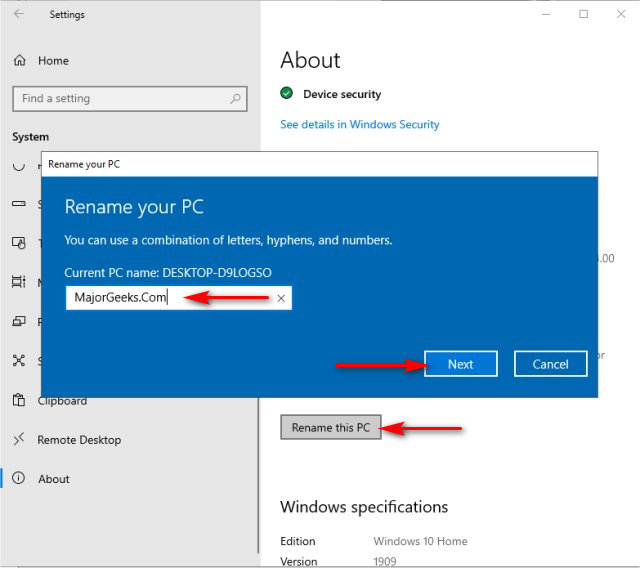
Close Any Open Programs And Click On Restart Now Or Click On Restart
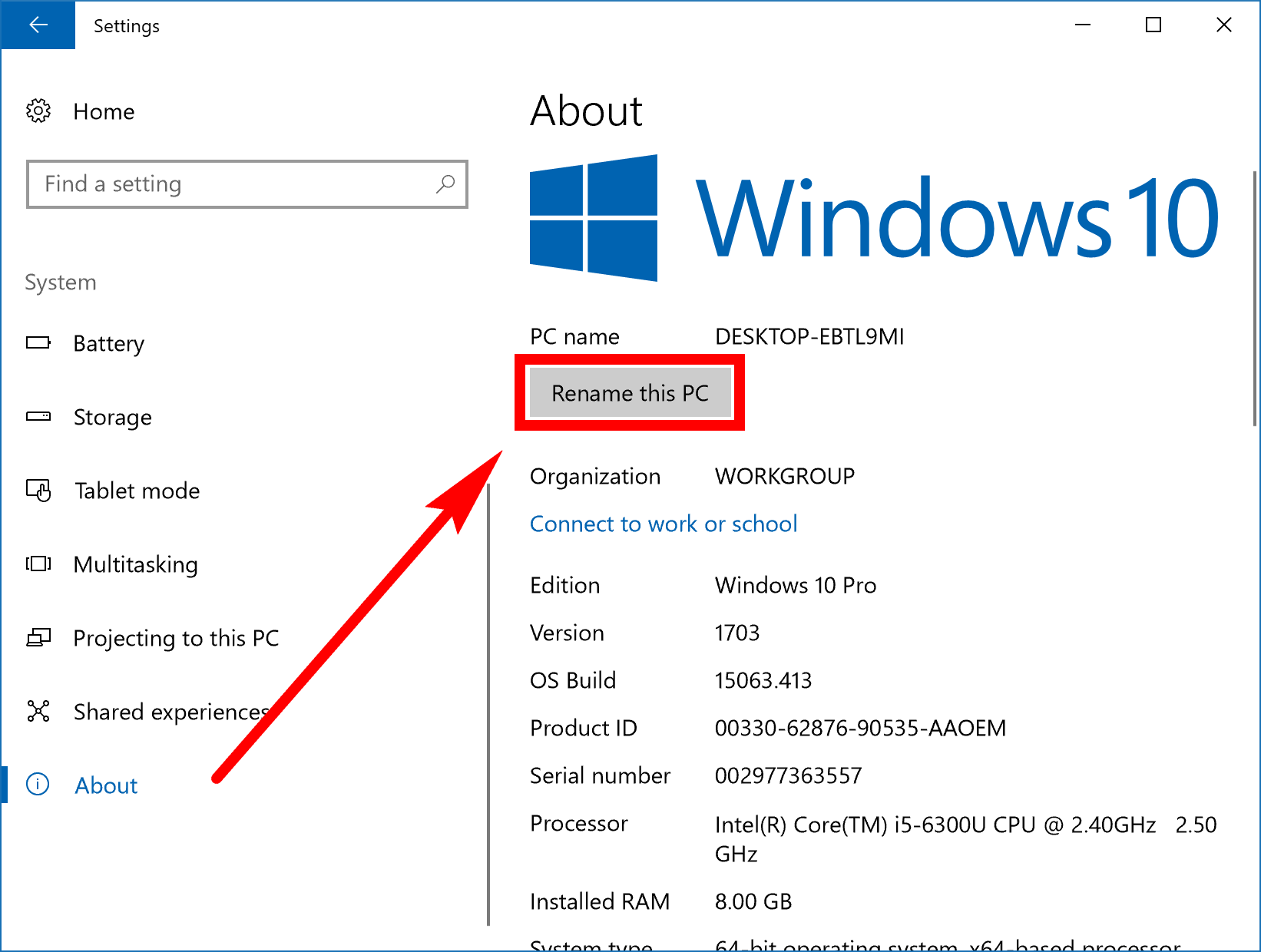
Change Name Of Computer In Windows 10 Consuming Tech
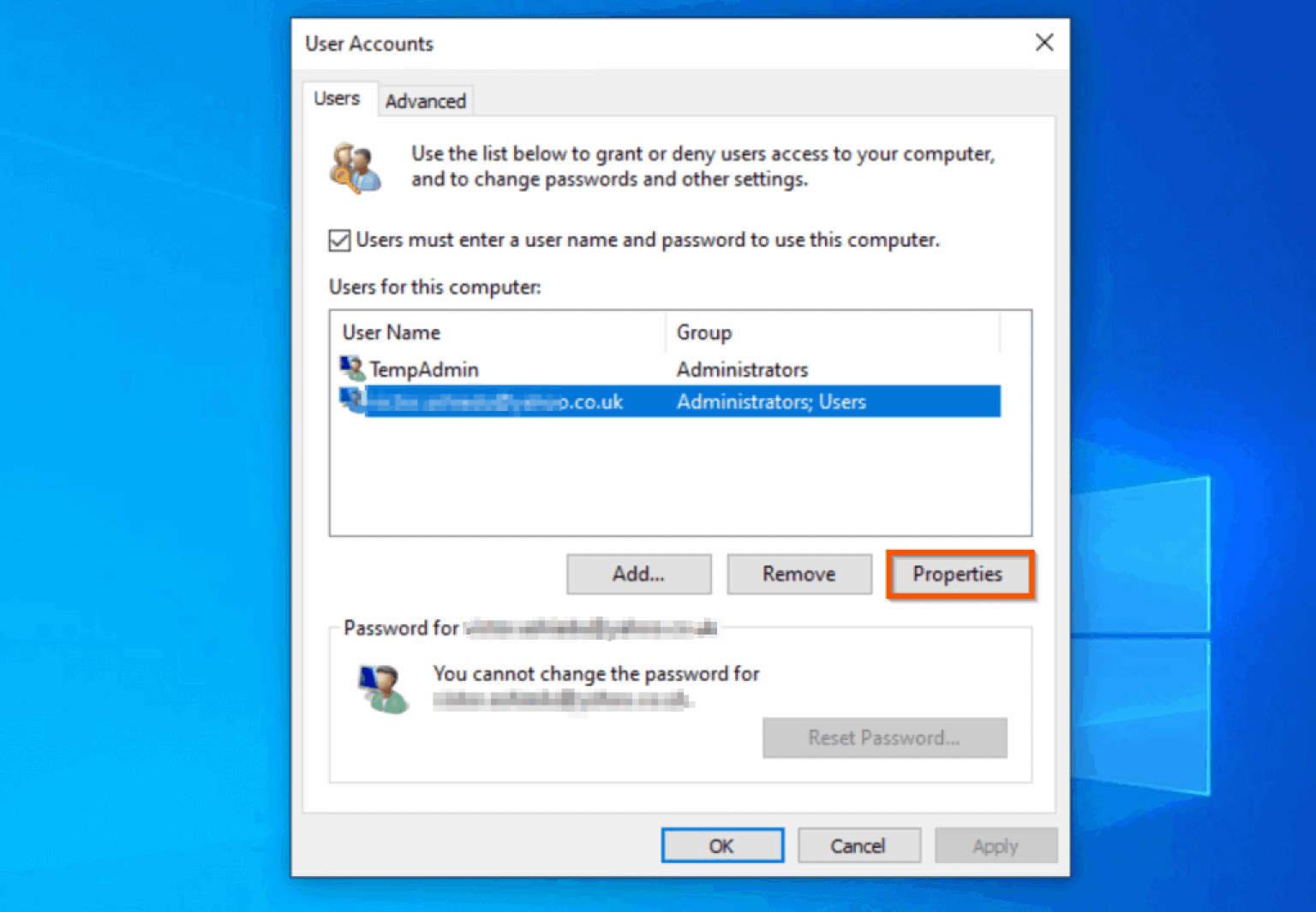
How To Change The User Profile Folder Name In Windows 11 Vrogue

How To Rename Your Windows 11 Pc 4 Different Ways Vrogue

How To Rename Your Windows 11 Pc Pirated Land Vrogue
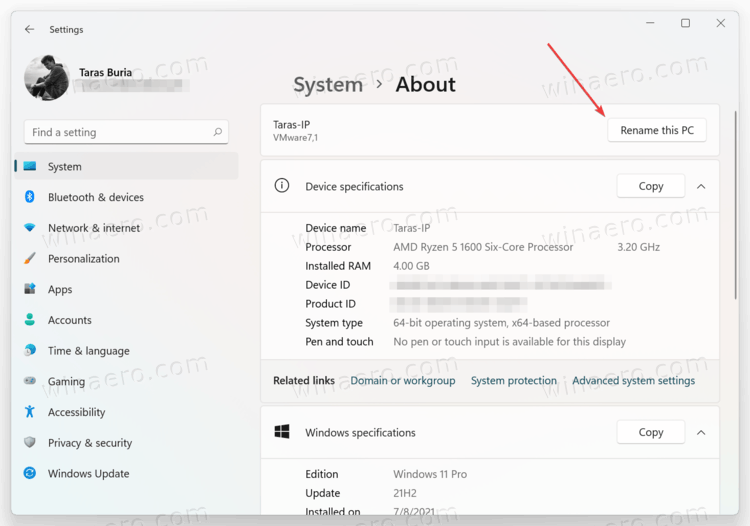
How To Rename PC In Windows 11

Web Use lusrmgr msc to rename the Windows user account Open the Run dialog box with Win R shortcut Type lusrmgr msc in the blank field and press the Ok button The above action will open the Local Users and Group manager Go to the Users folder and find your user account Right click on your

Web Jan 3 2024 nbsp 0183 32 Step 1 Open Run by Windows R enter lusrmgr msc and hit OK to open Local Users and Groups Step 2 Open the Users folder right click a user and select Rename in the menu Step 3 Type a new name in the name box

Web Sep 14 2021 nbsp 0183 32 Hit the Windows key on your keyboard and type control panel and select the classic Control Panel app from the list of results at the top Then change the View by dropdown to large or small

Web Sep 4 2020 nbsp 0183 32 To create a new user profile go to Start gt Settings gt Accounts gt Other users gt or Family amp other users in Windows 10 Select Add account or Add someone else to this PC in Windows 10 Fill in your Microsoft account credentials

Web Mar 13 2020 nbsp 0183 32 Click or tap on the Local Account you want to rename Select the Local Account you want renamed On the next screen access the quot Change the account name quot link Click or tap Change the account name Type a New account name in the field Then click or tap on Change Name Choose a New account name and press Change Name
[desc-11] [desc-12]
[desc-13]