Rename Multiple File Extensions Windows 7 Save Time: How to Rename Multiple Files at Once in Windows | PCMag How to change Multiple file extension in windows - YouTube How to Change a Batch of File Names at Once - The New York Times How to rename multiple files in Windows with PowerRename | ZDNET How to rename multiple files in Windows with PowerRename | ZDNET Change extension of multiple files using Bulk Rename Tools Open the folder containing the files Right click any file in the folder and choose Bulk Rename
IrfanView has the ability to read a great many image file formats It also can convert image File Batch Conversion Rename command Under the View tab check the FILE NAME EXTENSIONS check box and right click on the file extension you want to change and select Properties Under the General
How to rename multiple files in Windows with PowerRename | ZDNET 4 Ways to Change a File Extension - wikiHow How to rename multiple files at once using Excel (Windows) - YouTube Bulk Rename Utility - Free File Renaming Software What Is A File Extension? How to Batch Rename Files in Windows 10 How to Make Windows Show File Extensions How to Batch Rename Files in Windows 10 How to rename multiple files at once using Excel (Windows) - YouTube
Rename Multiple File Extensions Windows 7
 Rename Multiple File Extensions Windows 7
https://i.pcmag.com/imagery/articles/068bfvdCy1QPBeBebGjb3Fc-16..v1663609621.png
Step 2 After the CMD window opens type the command ren current extension name new extension name and press Enter That s it For example in my case
Templates are pre-designed documents or files that can be used for various functions. They can save time and effort by supplying a ready-made format and design for creating different type of material. Templates can be utilized for individual or expert projects, such as resumes, invites, flyers, newsletters, reports, discussions, and more.
Rename Multiple File Extensions Windows 7
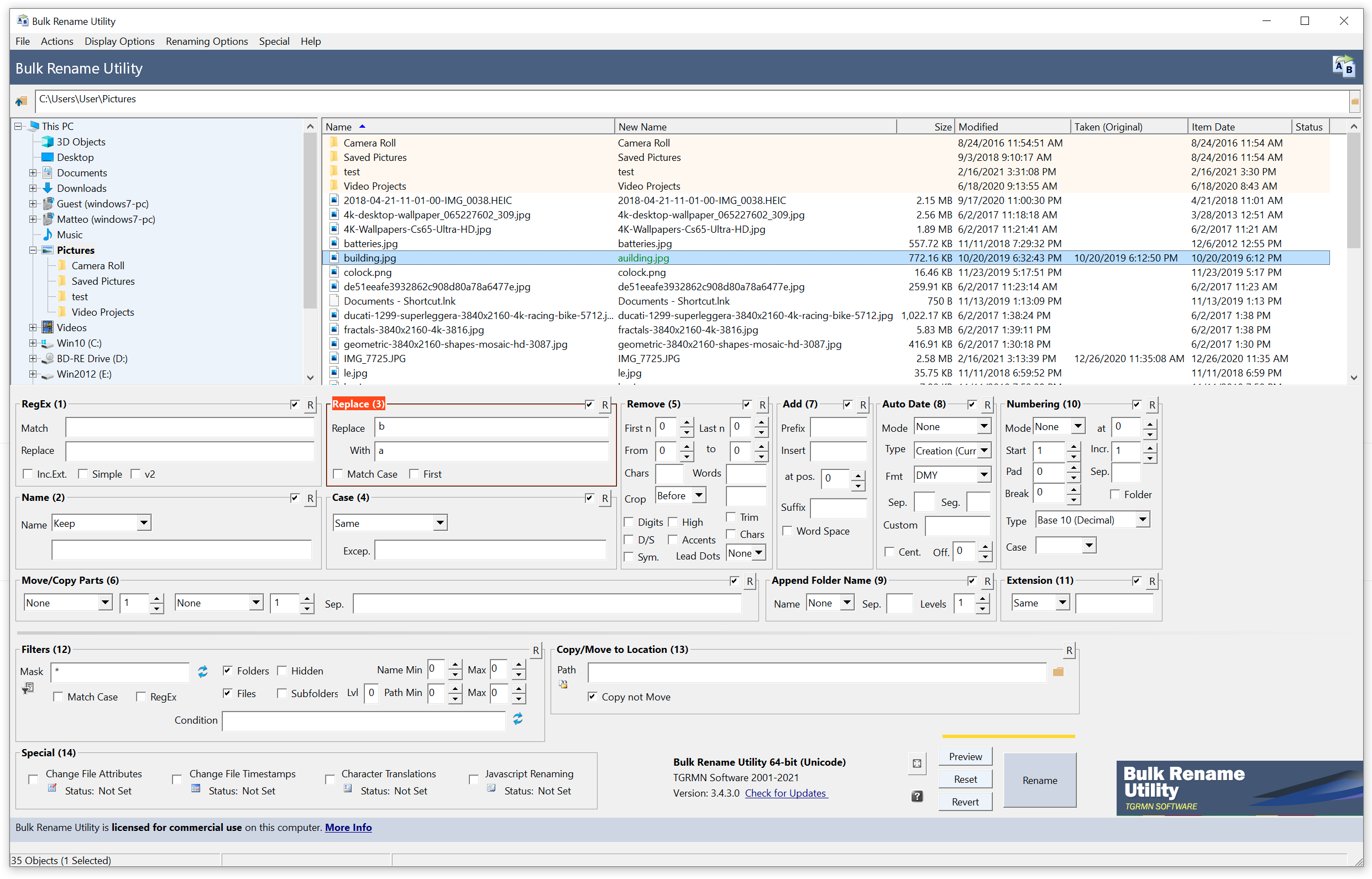
Bulk Rename Utility - Free File Renaming Software

4 Ways to Change a File Extension - wikiHow

How to rename multiple files at once using Excel (Windows) - YouTube
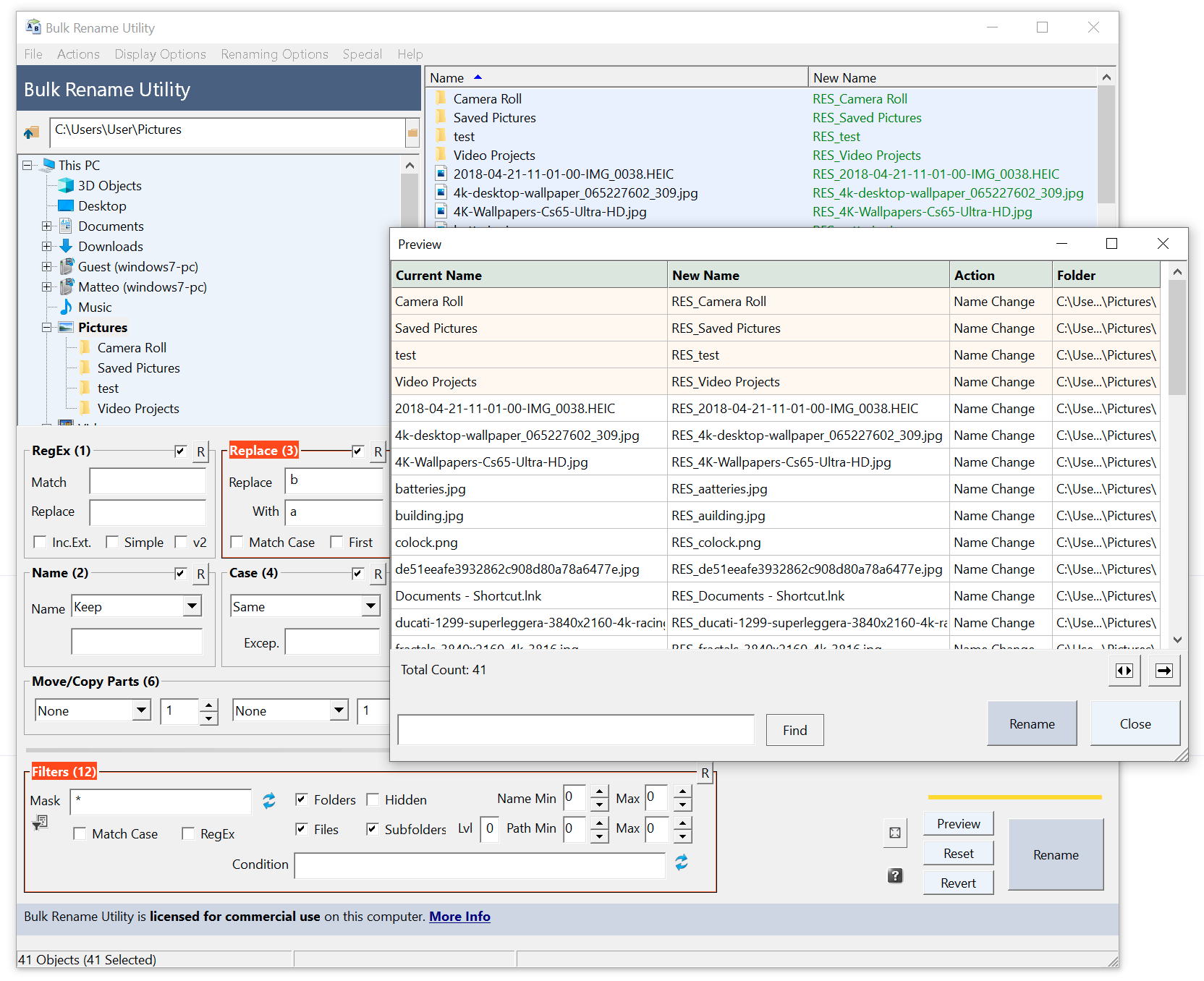
Bulk Rename Utility - Free File Renaming Software

How to Batch Rename Files in Windows 10

How to Make Windows Show File Extensions

This video describes about the following 1 Rename multiple files at once 2 Rename multiple

All you have to do is three things first pick the folder where the files are located then set the current and replacement extension and then

Open Notepad on your computer Paste the following text Click on File Save As Select the folder where you placed all the files Enter a

To rename multiple files from File Explorer select all the files you wish to rename then press the F2 key The name of the last file will

First open the folder you created with the files inside Click on the address box where there is a folder icon followed by a folder address such as C Users
How to batch rename extensions Navigate to the folder containing the files you want Once in command prompt you can now use the ren for Rename filename oldextension filename newextension rename IMG 1 png IMG 1 jpg Change Extension of Multiple Files using Command Prompt
MultiFileRenamer is a tool to easily rename multiple files according to multiple rules These rulesets can be used in different directories can