Rename Folder Command In Windows How To Batch Rename Multiple Files On Windows 10 Windows Central Ms Dos Rename Command In Dos Super User Rename Command Examples Options Switches More How To Rename The File Using Command Prompt YouTube How To Rename Directory Or Folder With Command Prompt NP Tech News OPTION ONE Rename Folder using Keyboard Shortcut 1 While on your desktop Win D or in File Explorer Win E select the folder s you want to rename see screenshot below 2 Press the F2 key 3 Type a new name for the folder s and press Enter or click tap on another area OPTION TWO Rename Folder from File Explorer Ribbon
Method one Highlight the file or folder Right click the file with your mouse and select Rename from the menu Tip In Windows 11 select Show more options in the right click menu to see the Rename option Method two Highlight the file or folder Press F2 on the keyboard Method three Highlight the file or folder To use it launch a PowerShell window on your PC and type the following command In the command replace PATH with the full path to your file Your path should have the file s full name as well as the extension Replace MyName with the new name you want to use and ext with your file s original extension Rename Item PATH NewName MyName ext
How To Rename Directory Or Folder With Command Prompt NP Tech News Como Renomear Arquivos Em Lote No Windows 10 2023 Ritu l Vodca Prist vacia Bash Rename Folder By First File In Directory How To Rename File Or Folder With Powershell YouTube Rename Folder Linux Command Line LinuxTect How To Rename A File Or Directory In Linux YouTube How To Rename File And Folder Using Windows Command Line YouTube How To Rename Your File Or Folder In Windows 11 PC 3 Easy Ways Rename File On Linux MInt Using Double Click With Pause LinuxGUI
Rename Folder Command In Windows
 Rename Folder Command In Windows
https://www.windowscentral.com/sites/wpcentral.com/files/styles/large/public/field/image/2019/08/powershell-rename-multiple-files-command_.jpg?itok=A34JNDYu
WinBuzzer Tips Windows 10 How to Rename or Batch Rename Files and Folders We show you how to rename a file in Windows 10 using File Explorer PowerShell and Command Prompt as
Pre-crafted templates provide a time-saving service for developing a varied series of documents and files. These pre-designed formats and layouts can be utilized for different personal and expert jobs, consisting of resumes, invitations, flyers, newsletters, reports, discussions, and more, streamlining the content development process.
Rename Folder Command In Windows
sszerakni Sz rme D j Command Prompt Folder Malacka Irodalom Vastags g
Como Renomear Arquivos Em Lote No Windows 10 2023
Ritu l Vodca Prist vacia Bash Rename Folder By First File In Directory

How To Rename File Or Folder With Powershell YouTube

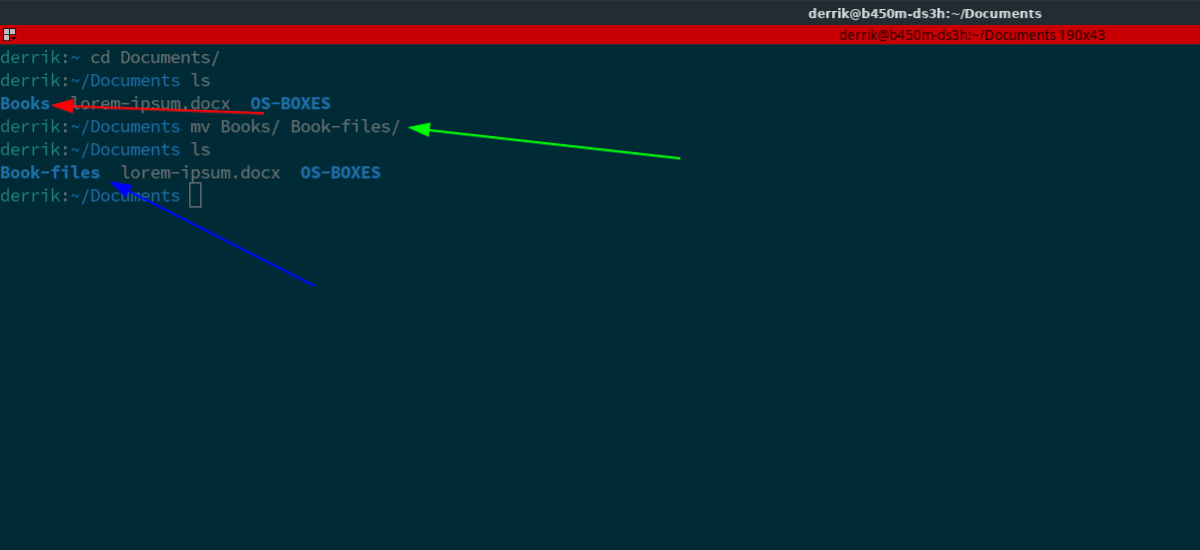
How To Rename A File Or Directory In Linux YouTube

How To Rename File And Folder Using Windows Command Line YouTube

Click on a file or folder to select it and click Rename from the Home menu at the top of File Explorer Once the name is selected if you re renaming a file not the file extension you can start to type a new name If you ve configured File Explorer to show file extensions make sure only to change the file name

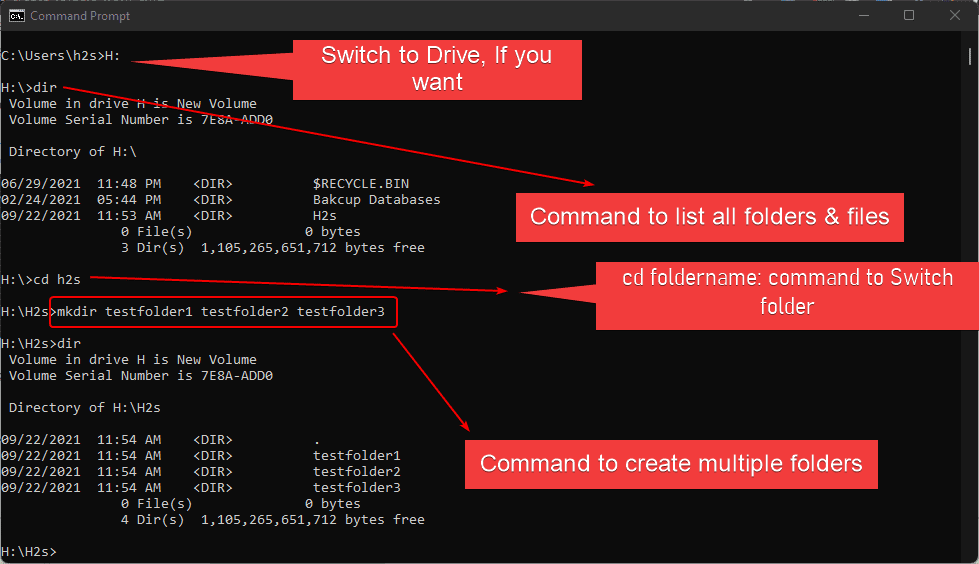
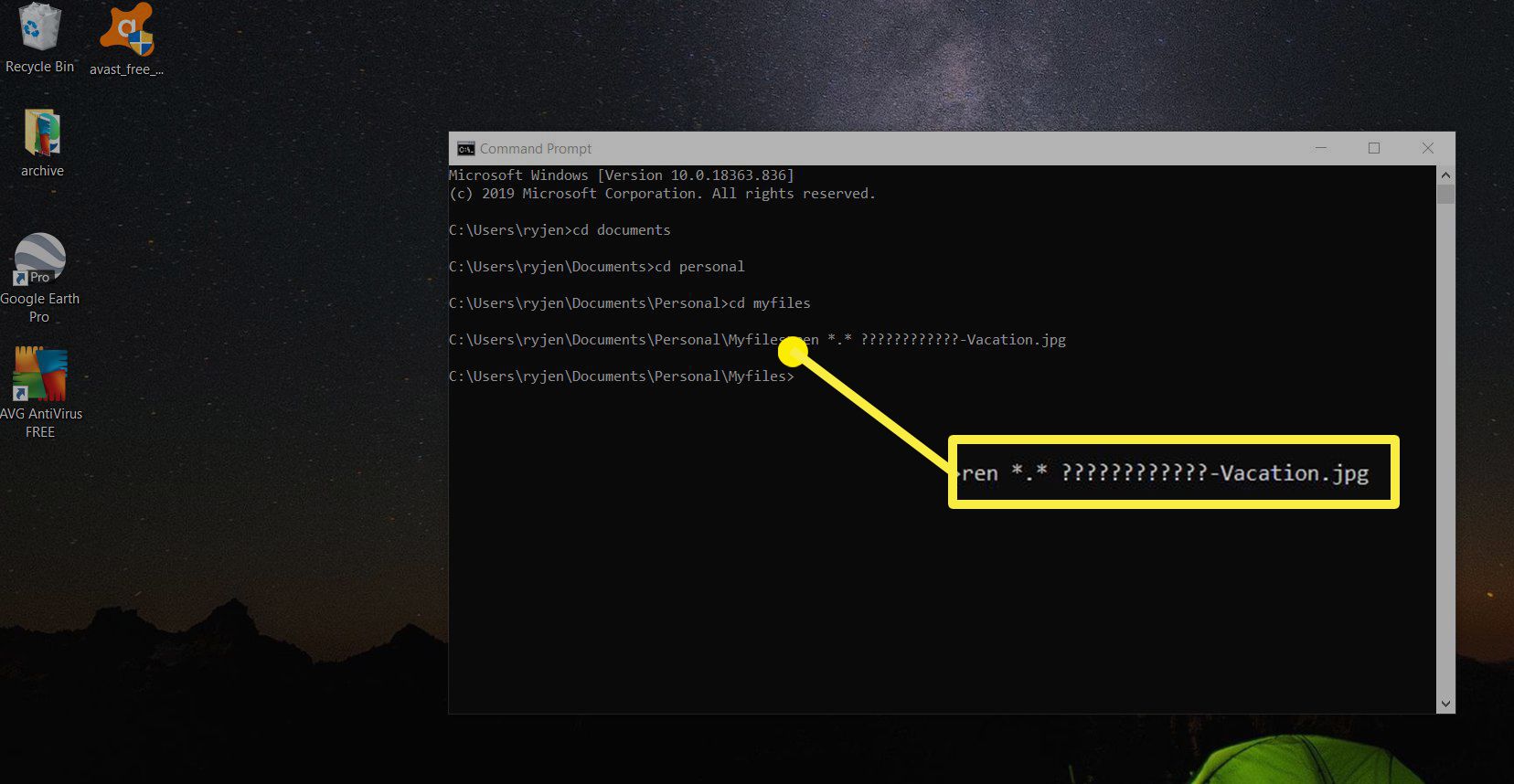
To rename a folder in the command line type the following command ren Folder NewFolderName Note We can also use ren the short form of rename for rename operations Both Ren and Rename refer to the same command

Renames files or directories Note This command is the same as the ren command Syntax rename drive path filename1 filename2 Parameters Expand table Remarks You can t specify a new drive or path when renaming files You also can t use this command to rename files across drives or to move files to a different directory

The rename command is used to rename a single file or folder from the Command Prompt Rename and ren can be used interchangeably They re the exact same command Rename Command Availability

In order to rename any folder you need to cd to your folder directory and then just type one of thes ex Desktop ren My file Your file Desktop rename hello txt goodbye txt Desktop ren why txt because docx and click the Enter button Share Follow answered Mar 29 2021 at 17 34 Sunbula Khasanova 141 1 3 Add a comment 9
The below rename command works fine C docs ren c docs 1 txt 2 txt C docs dir b 2 txt We can also use ren the short form of rename for rename operations Both Ren and Rename refer to the same command This command can be used to rename files or directories on all Windows OS editions i e Windows 2000 XP Vista and Windows 7 Click to select the file and then click the Rename button on the Home menu Click to select file and then click the name of the selected file Right click the file and then select Rename on the context menu
Open File Explorer Quick tip You can quickly open File Explorer with the icon in the taskbar the Windows key E keyboard shortcut or by clicking the File Explorer icon from the left