Rename Command In Windows 10 Ms Dos Rename Command In Dos Super User How To Use The Rename Command On Linux Gambaran How To Rename A File Or Directory In Unix YouTube Rename Command In Windows Rename The Selected Item command Como Renomear Arquivos Em Lote No Windows 10 2023 Web Nov 30 2021 nbsp 0183 32 Open File Explorer go to a file folder select View gt Details select all files select Home gt Rename enter a file name and press Enter In Windows PowerShell go to a file folder enter dir rename item NewName name
Web Dec 28 2020 nbsp 0183 32 Need a quick but powerful way to rename large groups of files in Windows 10 Using Microsoft s free PowerToys all that power is only a right click away thanks to the PowerRename module Here s how to use it Install PowerToys and Enable PowerRename Web Apr 5 2021 nbsp 0183 32 Rename File using Keyboard Shortcut 1 While on your desktop Win D or in File Explorer Win E select the file s you want to rename see screenshot below 2 Press the F2 key 3 Type a new name for the file s
Como Renomear Arquivos Em Lote No Windows 10 2023 How To Rename File And Folder Using Windows Command Line YouTube How To Rename Directory In Linux How To Rename A File With A Command Prompt OnMSFT 6 Ways To Rename Files And Folders In Windows 10 How A File Or Folder How To Rename Your Windows 10 PC OnMSFT How To Use The At Command In Windows How To Rename Multiple Files On Linux Linux Tutorials Learn Linux How To Rename Your PC In Windows 10
Rename Command In Windows 10
 Rename Command In Windows 10
https://i.stack.imgur.com/Juqmb.jpg
Web Jun 23 2020 nbsp 0183 32 Batch Rename Files Using Command Prompt In Windows 10 If you want more options to batch rename files on your PC you can use the Command Prompt It allows you to use characters like and to select and rename your files This gives you many ways to for file renaming like Rename files with a certain extension
Templates are pre-designed documents or files that can be utilized for numerous functions. They can save effort and time by supplying a ready-made format and layout for developing different sort of content. Templates can be used for personal or professional tasks, such as resumes, invitations, leaflets, newsletters, reports, discussions, and more.
Rename Command In Windows 10
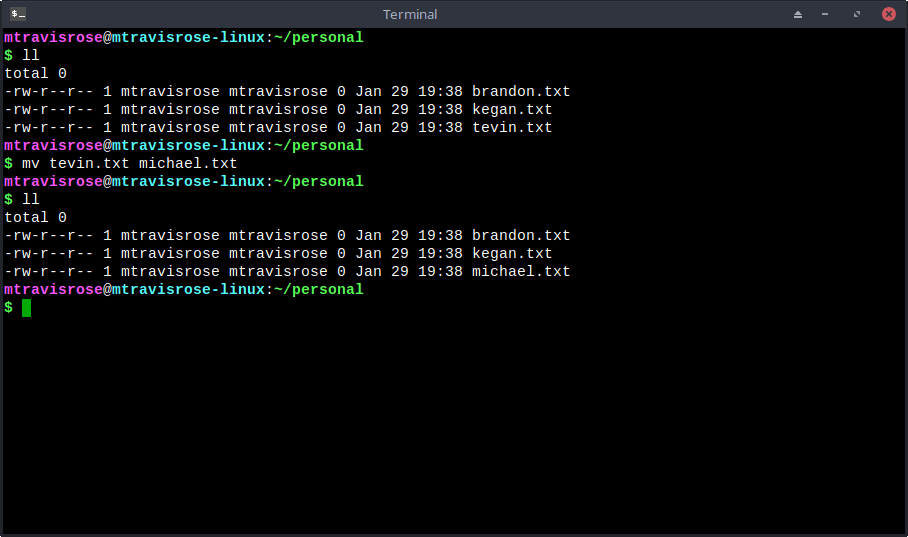
How To Rename A File In Linux 2 Ultimate Solutions SLECK

How To Rename File And Folder Using Windows Command Line YouTube
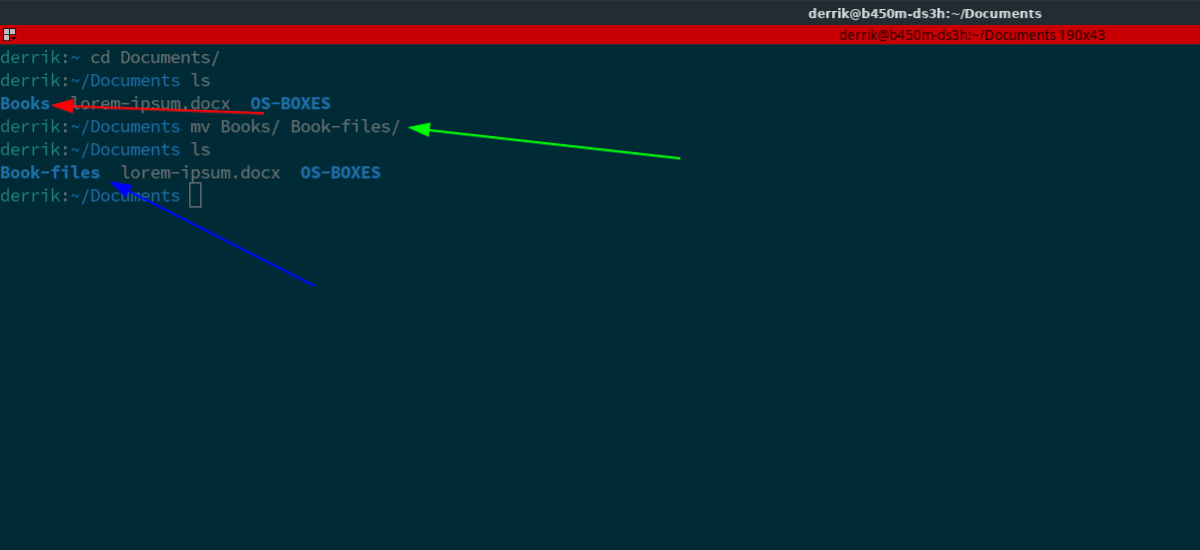
How To Rename Directory In Linux

How To Rename A File With A Command Prompt OnMSFT

How To Rename Your Windows 10 PC OnMSFT

How To Use The At Command In Windows

Web Sep 12 2023 nbsp 0183 32 The rename command is available from within Command Prompt in most versions of Windows including Windows 11 Windows 10 Windows 8 Windows 7 Windows Vista Windows XP Windows Server operating systems and some older versions of Windows too

Web Aug 13 2020 nbsp 0183 32 in command prompt type c temp gt ren sample1 some unwanted text 1234 txt sample1 txt Renaming 1 file by replacing multiple unwanted characters using a star Let s say the filename is sample1 some unwanted text 1234 txt and we want to change it to sample1 txt without having to type the whole filename

Web Nov 9 2022 nbsp 0183 32 Optional Type the following command to view the files in the location and press Enter ls Type the following command to change the name of a single file and press Enter Rename Item quot OLD FILE NAME EXTENSION quot

Web Feb 3 2023 nbsp 0183 32 Renames files or directories Note This command is the same as the ren command Syntax rename lt drive gt lt path gt lt filename1 gt lt filename2 gt Parameters Remarks You can t specify a new drive or path when renaming files You also can t use this command to rename files across drives or to move files to a different directory

Web Feb 20 2021 nbsp 0183 32 You can also use CMD to rename files with this method Open Command Prompt as administrator Press Start then type Command Prompt With the top result selected choose Run Type the rename command in cmd To rename a folder in CMD type the following replacing y our path to file txt with
Web Jun 11 2014 nbsp 0183 32 on June 11 2014 Rename file from command line CMD by Srini We can use the command rename to rename files from windows command prompt CMD Find below syntax of the command with examples Syntax of rename command rename file path new name Example rename d data file1 doc file2 doc Web Aug 13 2021 nbsp 0183 32 There are two techniques we recommend to bulk rename files in File Explorer The first involves renaming individual files one by one which doesn t sound ideal for batch renaming but with
Web Aug 6 2022 nbsp 0183 32 In the Command Prompt navigate to the desired folder that contains the files that you want to rename Type cd drive letter folder 1 folder2 or whatever number of folders the path