Rename Column Headers Tableau Solved Columns Data Split And Rename Column Headers JMP User Community How Do I Rename Calculated Titles Or Column Headers Rename Column Headers Based On Excel Table Power Query YouTube Reference Transforms Rename Cols How To Change Table Header In Tableau Brokeasshome How to rename continuous date field headers Environment Tableau Desktop Answer Use the following workaround In Tableau Desktop select Analysis Create Calculated Field In the Calculated Field dialog box that opens enter a name for the field In the example packaged workbook the field is named Begin Date
Answer In the view right click the Grand Total header and then select Format In the Format pane on the Header tab for Label enter the desired header text and then press Enter To view these steps in action see the video below Did this article resolve the issue In this silent video you ll learn how to rename a dimension to create an alias for dimension column or row headers Read the full article here Renaming Dime
How To Change Table Header In Tableau Brokeasshome How To Show Multiple Column Values In Each Month Worksheets For How To Drop One Column In Pandas Dataframe I Have Multiple Columns With Date Being Column Header Cell Value Is A Worksheets For Rename All Columns In Pandas Dataframe Photos Riset How To Group Column Headers Of Cross Tabs When Columns Are Measures Set Number Of Heading Rows In Word Table How To Move Column Headers To The Top Of Chart In Tableau shorts YouTube How To Use Use Named Ranges And Rename Column Headings In Excel YouTube
Rename Column Headers Tableau

https://community.jmp.com/t5/image/serverpage/image-id/31617i6F47D65D3FCE7975?v=v2
I need to rename each column with the above mentioned header name However if change name of one column the other column name also changes Kindly suggest adding an individual name for each column The graph looks like below
Templates are pre-designed documents or files that can be utilized for numerous purposes. They can save effort and time by supplying a ready-made format and layout for creating different sort of material. Templates can be utilized for personal or expert projects, such as resumes, invites, leaflets, newsletters, reports, presentations, and more.
Rename Column Headers Tableau
How Do I Rename Calculated Titles Or Column Headers
How To Show Multiple Column Values In Each Month

Worksheets For How To Drop One Column In Pandas Dataframe
I Have Multiple Columns With Date Being Column Header Cell Value Is A
How To Group Column Headers Of Cross Tabs When Columns Are Measures
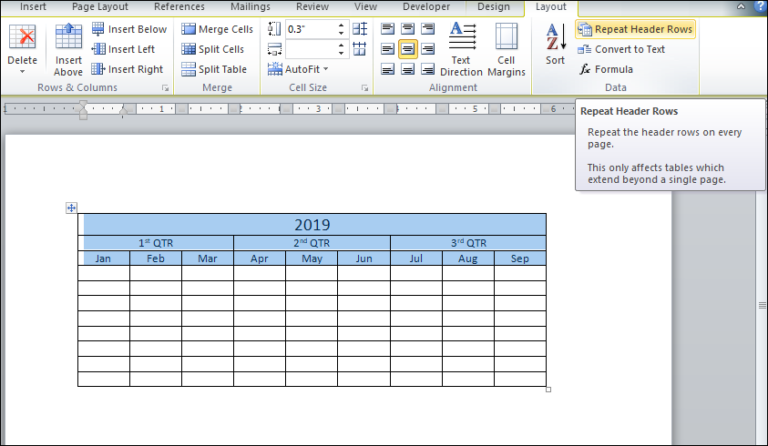
Set Number Of Heading Rows In Word Table

Answer Renaming the dimension is not possible by design The following is the workaround Duplicate the dimension field Rename the new copy of the dimension to the desired name Drag both the new and old dimension fields to the Columns or Rows shelf Right click the header that should not be displayed and select Show Header
Follow the steps below 1 Double click the dimension added to the Rows Columns shelf 2 Add Dimension Name at the beginning 3 Press Shift Enter to add a new line character Finally the dimension header can be changed like in the below image

Rename field column headers using another table Hi everyone I am using ACS data and I was wondering if anyone knew how to rename field names that come from ACS like Hc02ESTVc01 to their relevant names I was wondering if there was a way to not pivot the data and use a join or a different function to alias the column headers field names
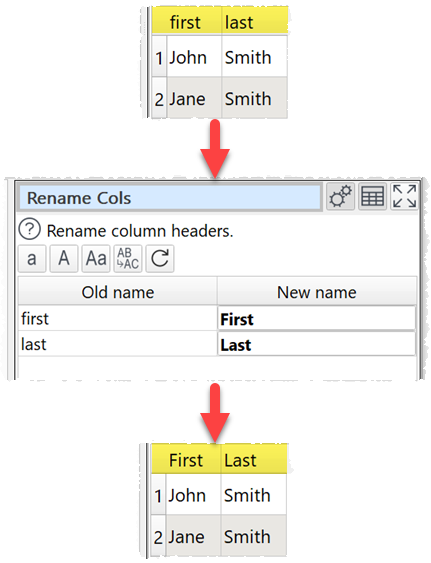
Tableau Desktop Answer The below steps are specific to the SuperStore Sample data source and can be reviewed in the attached workbook Creating Dynamic Column Headers twbx CLICK TO EXPAND STEPS Step 1 Create 4 Parameters CLICK TO EXPAND STEPS Step 2 Create 4 Calculated Fields CLICK TO EXPAND SOLUTION Step 3 Create the visualization
Renaming fields directly on the Data panel in a Tableau workbook When editing a workbook on the Data panel on the left right click on a field choose Rename and enter a new name This renaming works at the workbook level In other words renaming a field will change its headers and labels in all sheets of the workbook
Rename the header when you add an edit in shelf calculation This technique can also be used as another way to rename column headers in very specific situ Option 1 Edit header alias Right click the table calculation header on the view and select Edit Alias Change the alias to the desired name and click OK Option 2 Edit axis label title Right click on the label to be changed and select Edit Axis Under Titles change the title as desired Click OK Option 3 Edit alias of measure name
Right click control click on Mac the field and select Format The Format pane opens to settings for the selected field Make your changes in the Format pane For discrete fields such as Region or Customer Name you can specify font and alignment properties for both header and pane areas