Remove Unwanted Files From Commit Did You Completely Remove Secrets From Git Repository Really Chandrapal Badshah The Shred Cube Is A Secure And Compact External USB Device That Lets You Safely Remove Unwanted 10 Nejlep ch Smazali Soubor Pro Odstran n Nepot ebn ch Soubor Z Windows Using Git Clean To Remove Unwanted Files InMotion Hosting 10 Nejlep ch Smazali Soubor Pro Odstran n Nepot ebn ch Soubor Z Windows Web Jan 27 2021 nbsp 0183 32 For example to add the cache folder to gitignore you can use cache Figure out which files you want to push to github and which you should not be pushing Also if you have already pushed any files to the repo that are included in the gitignore you will need to remove them Share
Web Jun 9 2021 nbsp 0183 32 In addition to John s answer git rm doc you might want to ignore all cache or compilation units to ignore the folder obj and its contents If this is not public yet and you don t mind loosing the history you can git reset lt commit before wrong files entered gt modify gitignore to ignore these files git add git commit m quot quot Web 22 Chris the answer with git rebase i HEAD 10 does address the question as it does let you arbitrarily pick commits to delete Git applies the commits in the range you specify one by one ignoring commits you have removed from the log
10 Nejlep ch Smazali Soubor Pro Odstran n Nepot ebn ch Soubor Z Windows Did You Completely Remove Secrets From Git Repository Really Chandrapal Badshah HOW TO REMOVE AN UNWANTED FILE FROM LAST COMMIT LONGTNH Did You Completely Remove Secrets From Git Repository Really Chandrapal Badshah How To Remove Untracked Git Files And Folders PhoenixNAP KB How Can I Delete Accidentally Uploaded Attachment Files To GitHub about Comment Attachments How To Remove Unwanted Files From Windows Servers Windows Server How To Remove Server Windows 10 C How To Delete A File From A Remote Git Repository Predictive Hacks
Remove Unwanted Files From Commit
 Remove Unwanted Files From Commit
https://badshah.io/remove-secrets-from-git-repo/image-2.png
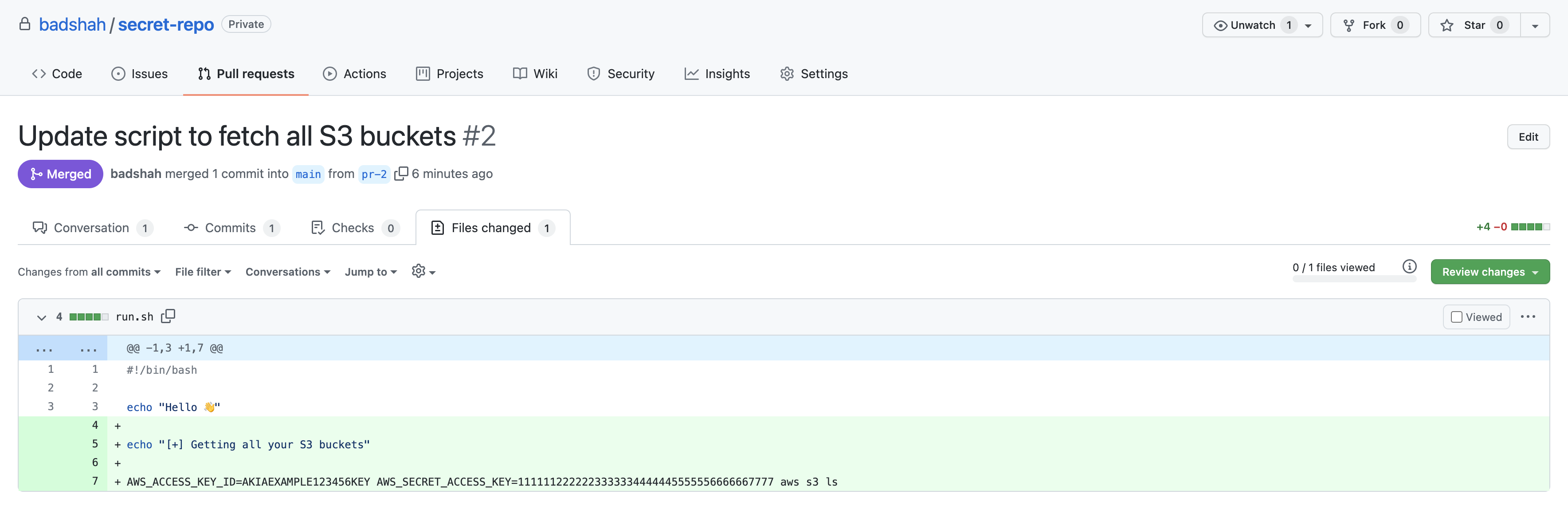
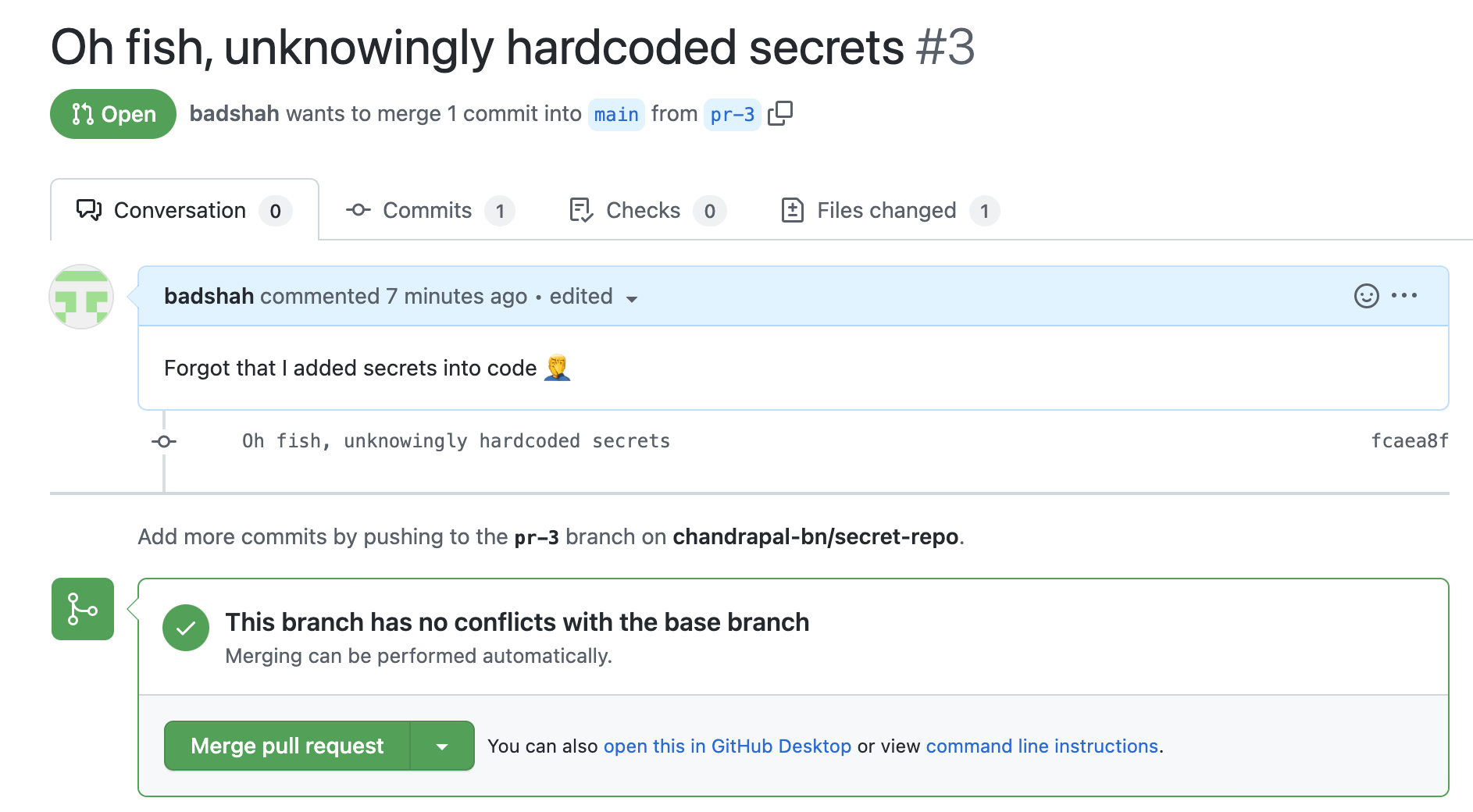
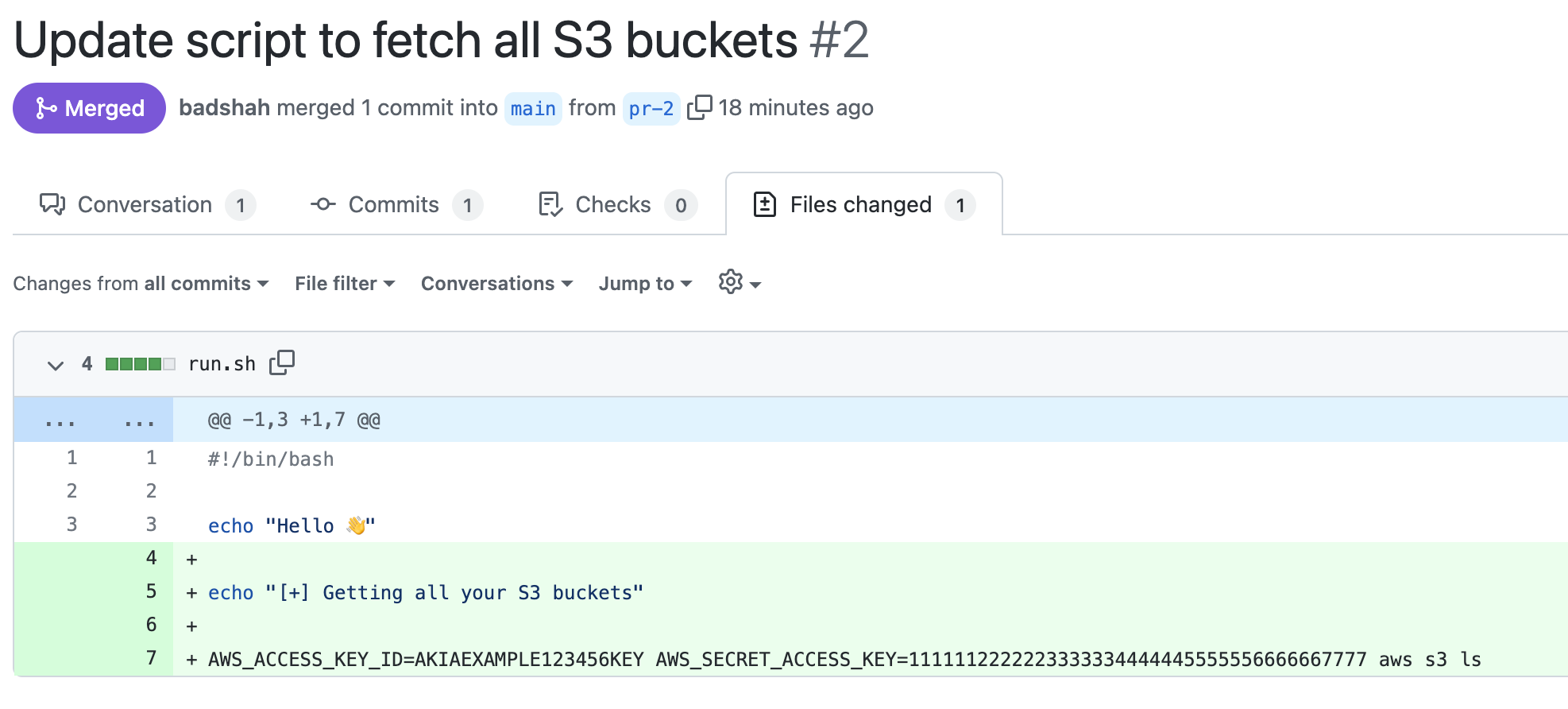
Web If you commit sensitive data such as a password or SSH key into a Git repository you can remove it from the history To entirely remove unwanted files from a repository s history you can use either the git filter repo tool or the BFG Repo Cleaner open source tool
Pre-crafted templates offer a time-saving option for creating a diverse range of documents and files. These pre-designed formats and designs can be utilized for numerous individual and professional jobs, including resumes, invitations, leaflets, newsletters, reports, discussions, and more, improving the content production process.
Remove Unwanted Files From Commit

How To Clean Up The Git Repo And Reduce Its Disk Size
Did You Completely Remove Secrets From Git Repository Really Chandrapal Badshah

HOW TO REMOVE AN UNWANTED FILE FROM LAST COMMIT LONGTNH
Did You Completely Remove Secrets From Git Repository Really Chandrapal Badshah

How Can I Delete Accidentally Uploaded Attachment Files To GitHub about Comment Attachments

How To Remove Unwanted Files From Windows Servers Windows Server How To Remove Server

Web Dec 14 2019 nbsp 0183 32 To remove files from commits use the git restore command specify the source using the source option and the file to be removed from the repository For example in order to remove the file named myfile from the HEAD you would write the following command git restore source HEAD staged lt file gt

Web May 22 2015 nbsp 0183 32 2 Answers Sorted by 6 You can easily remove unwanted files from local git repositories Just remove them with git rm file or git rm r directory if you add the cached flag the file doesn t get removed from your filesystem Then commit or commit amend to remove the file from the last commit it stays in in the history though
Web git reset soft HEAD 1 Resetting files Then you can reset the files you no longer need to remove them from the commit git reset HEAD path to unwanted file Committing You can git commit again and even use the same commit message git commit c ORIG HEAD Deleting file from last commit

Web Nov 13 2021 nbsp 0183 32 To remove a file that has been committed to a branch or Git repository you can utilize the git reset command as follows git reset soft HEAD This will effectively bring back the committed files to the staging area If you want to further remove a file from the staging area use the git reset command once more
Web Oct 3 2016 nbsp 0183 32 What you could do is to do a soft reset delete the files then commit and push Do a git log to find the hash of the commit immediately before you added the files Do a soft reset git reset soft lt hash gt inserting the hash of the commit Delete any unwanted files Stage and commit all files
Web May 26 2022 nbsp 0183 32 To solve this issue you ll need to remove the file or multiple files from Git commit by running Git commands You ll use one of the popular tools to remove a single file from the Git commit the Git Bash tool 1 Open the Git Bash tool on your Windows machine 2 Next run the below command to create a repository folder and switch to that Web Jul 22 2019 nbsp 0183 32 To remove certain files from a commit that hasn t been pushed yet first undo the last commit with git reset soft HEAD 1 Next run git rm cached lt file name gt to remove the file you don t want to commit This removes it from the commit and sets it back to an untracked file You should be able to confirm by doing a quick git status
Web Removing the last commit To remove the last commit from git you can simply run git reset hard HEAD If you are removing multiple commits from the top you can run git reset hard HEAD 2 to remove the last two commits You can increase the number to remove even more commits