Remove Text From Cell In Excel Formula How To Remove Text From Cell In Excel SpreadCheaters How To Remove Specific Text From Cell In Excel Easiest 11 Ways Excel Remove Specific Text From Cell Specific String Specific How To Remove Text From Excel Cell 9 Easy Ways Exceldemy Vrogue How To Remove Numbers From Text In Excel Riset To find and remove specific text in Excel we can use the SUBSTITUTE function Let s say we have hyphen signs in a text and we want to remove it We can do this with SUBSTITUTE function by using the following formula SUBSTITUTE B3
To remove text from a cell by position you can use the REPLACE function In the example shown the formula in C6 is REPLACE B6 1 24 which replaces the first 24 characters in the text with an empty string Generic formula REPLACE text start characters Explanation To remove text from a cell based by matching content not location you can use the SUBSTITUTE function In the example shown the formula in C6 is SUBSTITUTE B6 Generic formula SUBSTITUTE B6 text to remove Explanation The SUBSTITUTE function lets you replace text by matching content
How To Remove Numbers From Text In Excel Riset How To Remove Blank Space In Excel Cell Before Text Step 4 since The MS Excel Tips How To EXTRACT Part Of TEXT STRING From Cell In Excel How To Remove Specific Text From Cell In Excel Easiest 11 Ways Civil lbum Insatisfactorio Remove Gaps In Excel Casete Querer Polilla How To Insert Space Between Number And Text In Cells In Excel Riset Extract Text From A Cell In Excel Locking Cell In Excel Formula Absolute Cell Reference Examples In How Can I Put Text A Formula Into The Same Cell In An Excel
Remove Text From Cell In Excel Formula
 Remove Text From Cell In Excel Formula
https://spreadcheaters.com/wp-content/uploads/Final-Image-How-to-remove-text-from-cell-in-Excel.gif
Example 1 Remove One Specific Text Suppose we have the following column in Excel that shows the position for 15 different basketball players We can use the following formula to remove r from every position name SUBSTITUTE A2 r We can type this formula into cell B2 and then copy and paste it down to every remaining cell in
Pre-crafted templates use a time-saving solution for developing a diverse series of documents and files. These pre-designed formats and designs can be used for different individual and professional jobs, including resumes, invitations, flyers, newsletters, reports, presentations, and more, simplifying the material creation process.
Remove Text From Cell In Excel Formula
How To Remove Text From Excel Cell 9 Easy Ways Exceldemy Vrogue
How To Remove Blank Space In Excel Cell Before Text Step 4 since The
MS Excel Tips How To EXTRACT Part Of TEXT STRING From Cell In Excel

How To Remove Specific Text From Cell In Excel Easiest 11 Ways
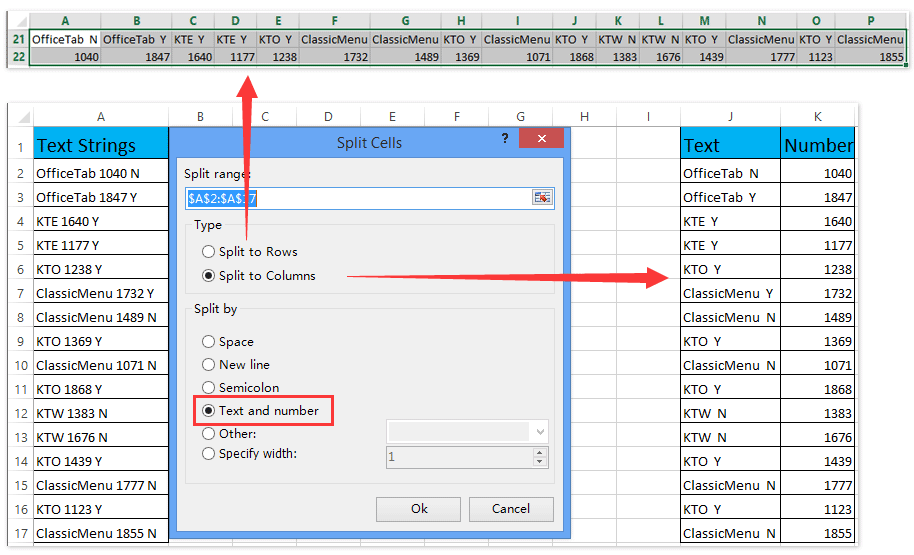
How To Insert Space Between Number And Text In Cells In Excel Riset
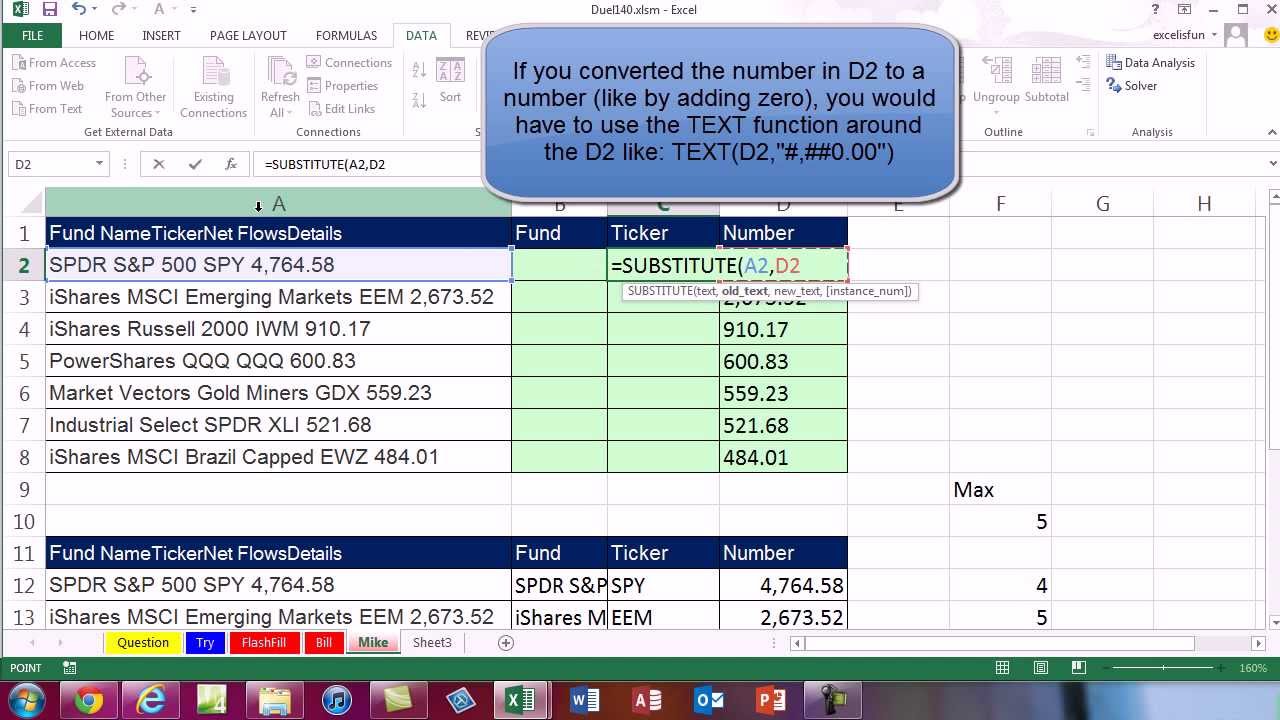
Extract Text From A Cell In Excel
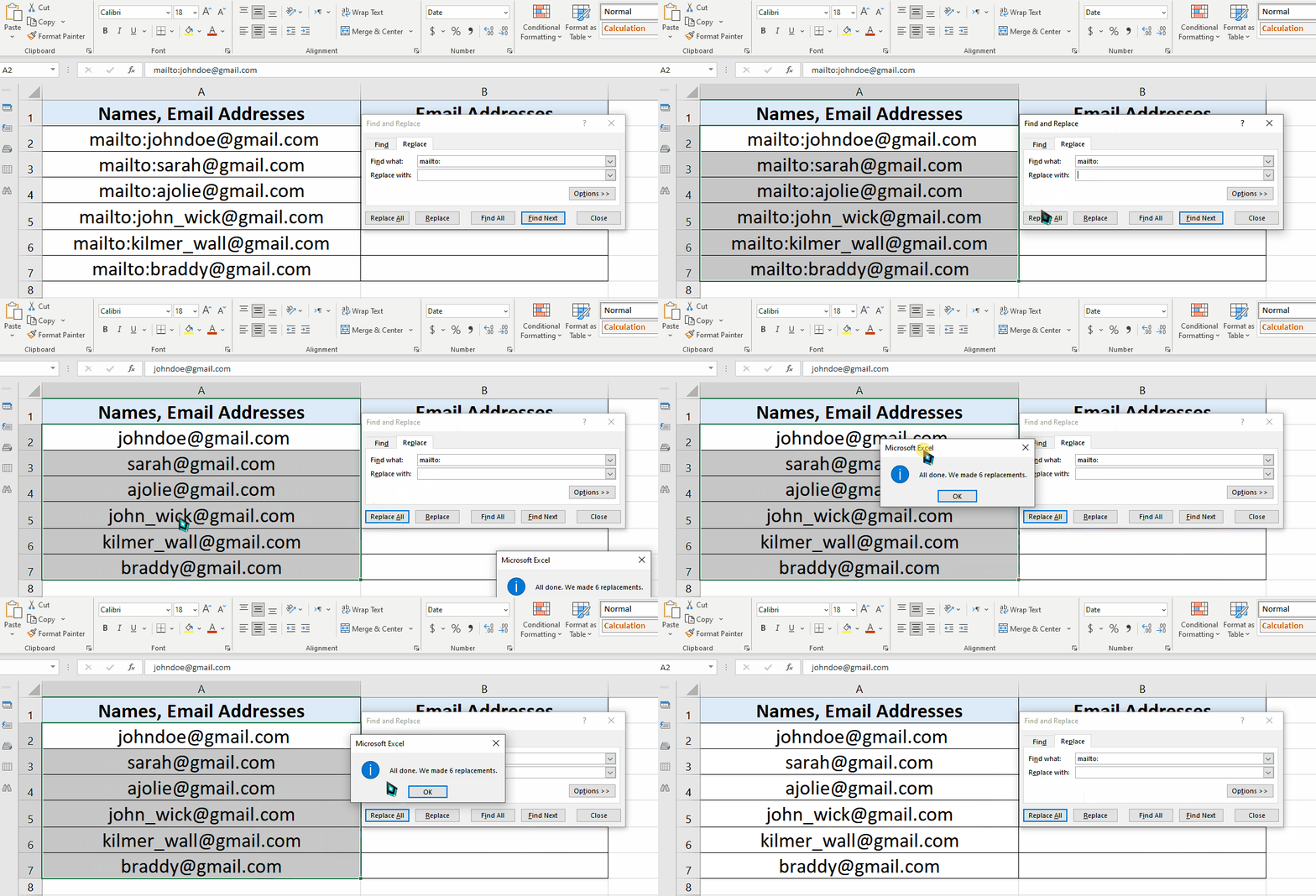
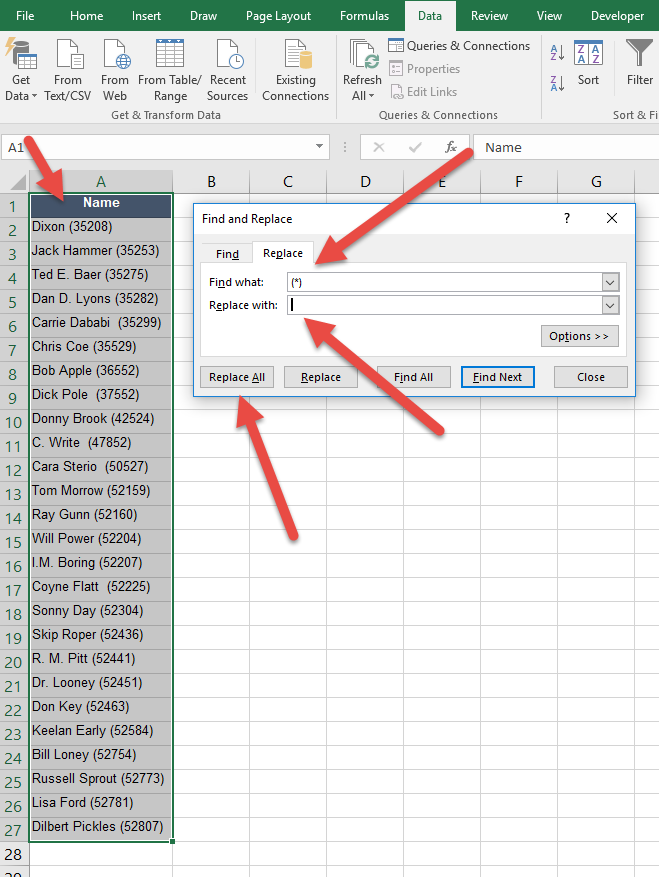
Use of Find and Replace Tool to Remove Text from a Cell in Excel In this method we will use the Find and Replace tool to remove ID before digits from the Product ID column Steps In the beginning click CTRL H to open the Find and Replace dialog box After that write ID in the Find what Then press Replace All

Go to Home Tab Editing Dropdown Find Select Dropdown Find Option Then Find and Replace Dialog Box will appear Write XYZ in the Find What Option Select Replace All Option Now another Wizard will pop up Press OK Result After that you will get the Items name as a result Here I ve changed the Product Code column to Items

To remove specific unwanted characters in Excel you can use a formula based on the SUBSTITUTE function In the example shown the formula in C4 is SUBSTITUTE B4 CHAR 202 Which removes a series of 4 invisible characters at the start of each cell in column B Generic formula SUBSTITUTE B4 CHAR code Explanation

Here s how you can use the SUBSTITUTE function to remove text from a cell in an Excel formula Explanation of the SUBSTITUTE function Syntax The syntax of the SUBSTITUTE function is SUBSTITUTE text old text new text instance num The parameters are text The text in which you want to perform the substitution

Microsoft Excel 2019 introduced a few new functions that are not available in earlier versions and we are going to use one of such functions namely TEXTJOIN to strip text characters from a cell containing numbers The generic formula is TEXTJOIN TRUE IFERROR MID cell ROW INDIRECT 1 LEN cell 1 1
Below is the formula to do this RIGHT A2 LEN A2 3 The above formula uses the LEN function to get the total number of characters in the cell in column A From the value that we get from the LEN function we subtract 3 as we only want to extract the numbers and want to remove the first three characters from the left of the string in each cell Imagine we don t need to show two instances of the same url in one cell Let s erase the second one using substitute Here s the formula SUBSTITUTE E2 DunderMifflin 2 Within E2 we re substituting the string DunderMifflin with double quotes That means we re essentially replacing the url with
To remove text from a cell when the text is at a variable position you can use a formula based on the REPLACE function with help from the FIND function In the example shown the formula in C6 is REPLACE B6 1 FIND B6 1 which removes all text up to and including the colon and following space