Remove Project From Local Git Repository Visual Studio 2019 github - How can I unlink a git repository in visual studio code - Stack Overflow How To Remove A Git Repo From Visual Studio - YouTube How to remove the older projects entries/list/history from the Visual Studio Opening Window? - Super User How To Remove Git From Project? - Scaler Topics How To Remove Git From Project? - Scaler Topics Select the name of the repository from the Repositories list choose the menu and then choose Delete repository Delete repository Confirm
Remove Delete Github Local repositories from Visual Studio https docs github en repositories creating and managing repositories deleting a repository All replies 1 Close Visual Studio 2 Open Windows Explorer Click the View tab and check the Hidden Items check box 3 In Windows
How To Remove Git From Project? - Scaler Topics How to completely Uninitialize (Remove) Git from your project - YouTube Manage Git repos in Visual Studio | Microsoft Learn How To Remove Git From Project? - Scaler Topics Visual Studio 2022 Git Push Tags - Stack Overflow Git Submodules in Visual Studio ⋆ JonasR.app - the Trenches Manage GitHub Repository Using Visual Studio Code Deleting a Local GitHub Repository - GeeksforGeeks Git Experience in Visual Studio 2019 | GitHub Getting Started - YouTube
Remove Project From Local Git Repository Visual Studio 2019
 Remove Project From Local Git Repository Visual Studio 2019
https://i.stack.imgur.com/UdY4W.png
Developer Community click on settings icon you should be able to see list of your projects hover on the name of you re project click on the three dots
Pre-crafted templates offer a time-saving solution for developing a varied variety of files and files. These pre-designed formats and designs can be used for different individual and expert projects, including resumes, invites, flyers, newsletters, reports, presentations, and more, enhancing the content creation process.
Remove Project From Local Git Repository Visual Studio 2019
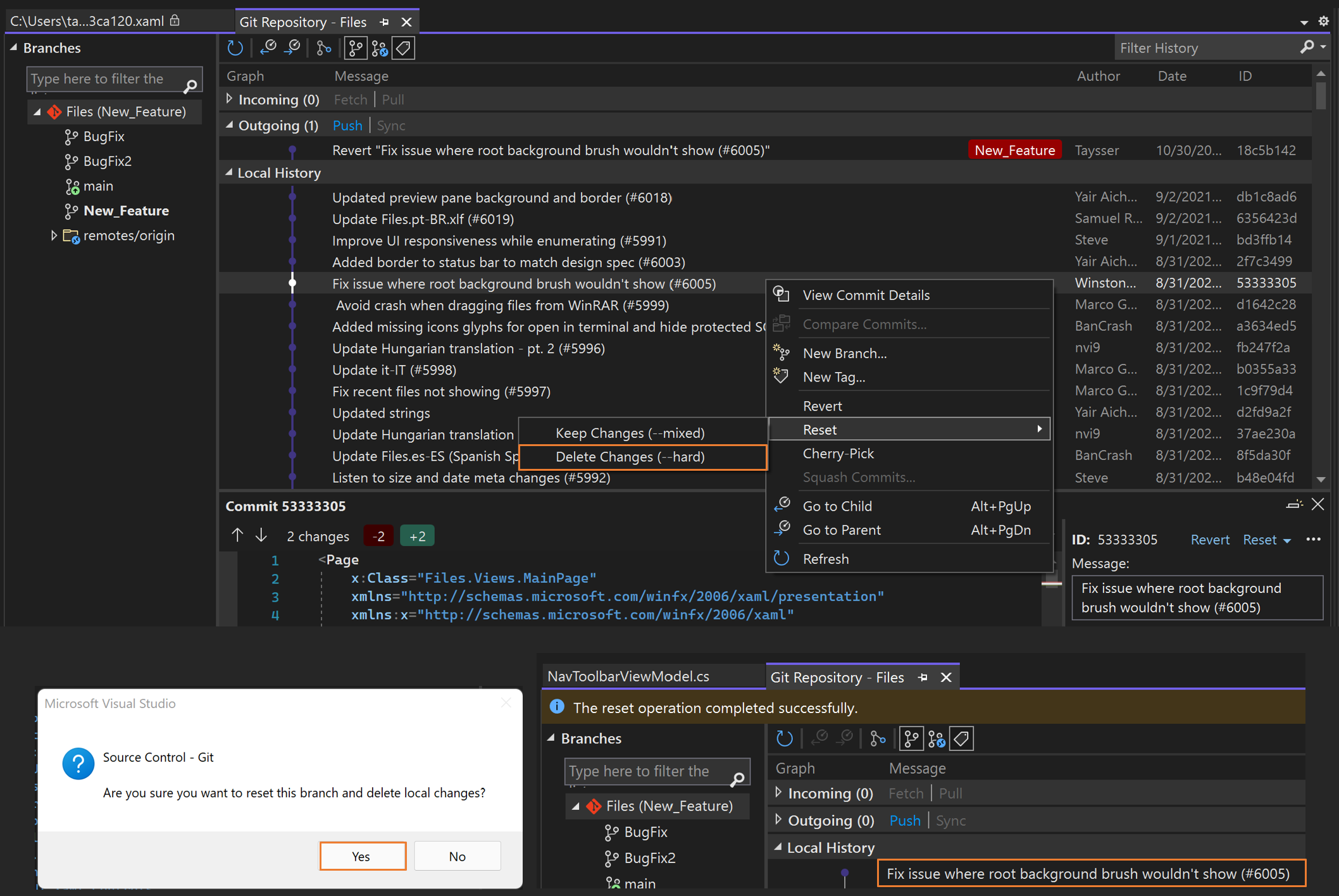
Manage Git repos in Visual Studio | Microsoft Learn
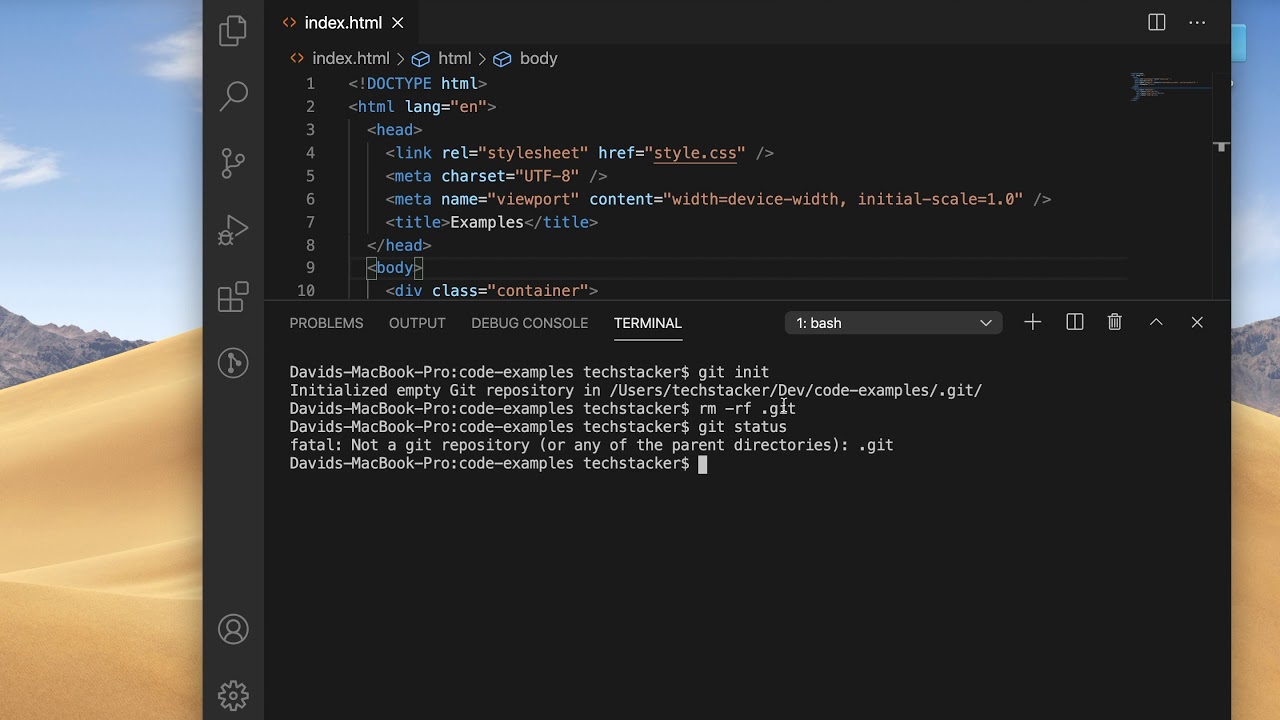
How to completely Uninitialize (Remove) Git from your project - YouTube
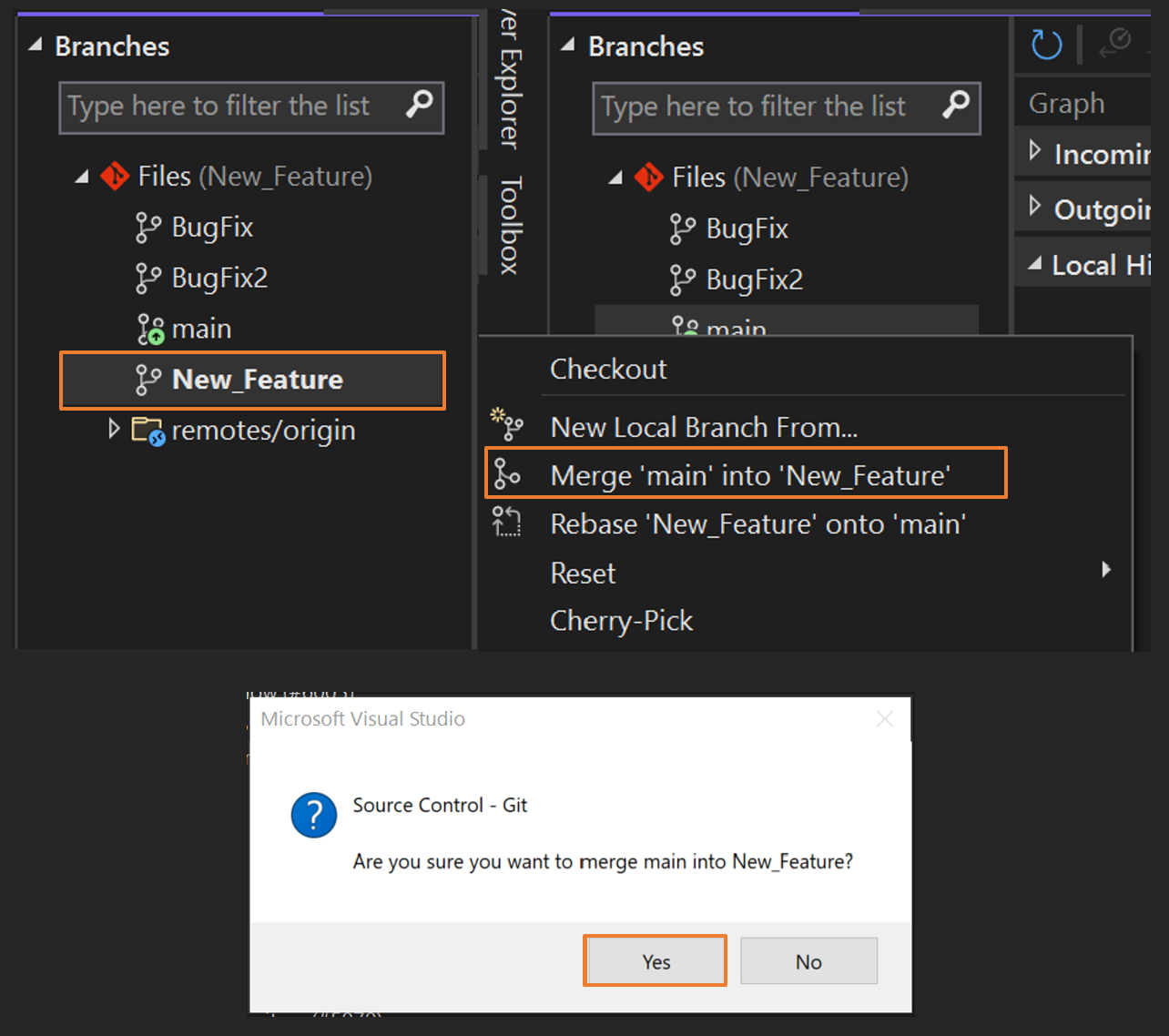
Manage Git repos in Visual Studio | Microsoft Learn
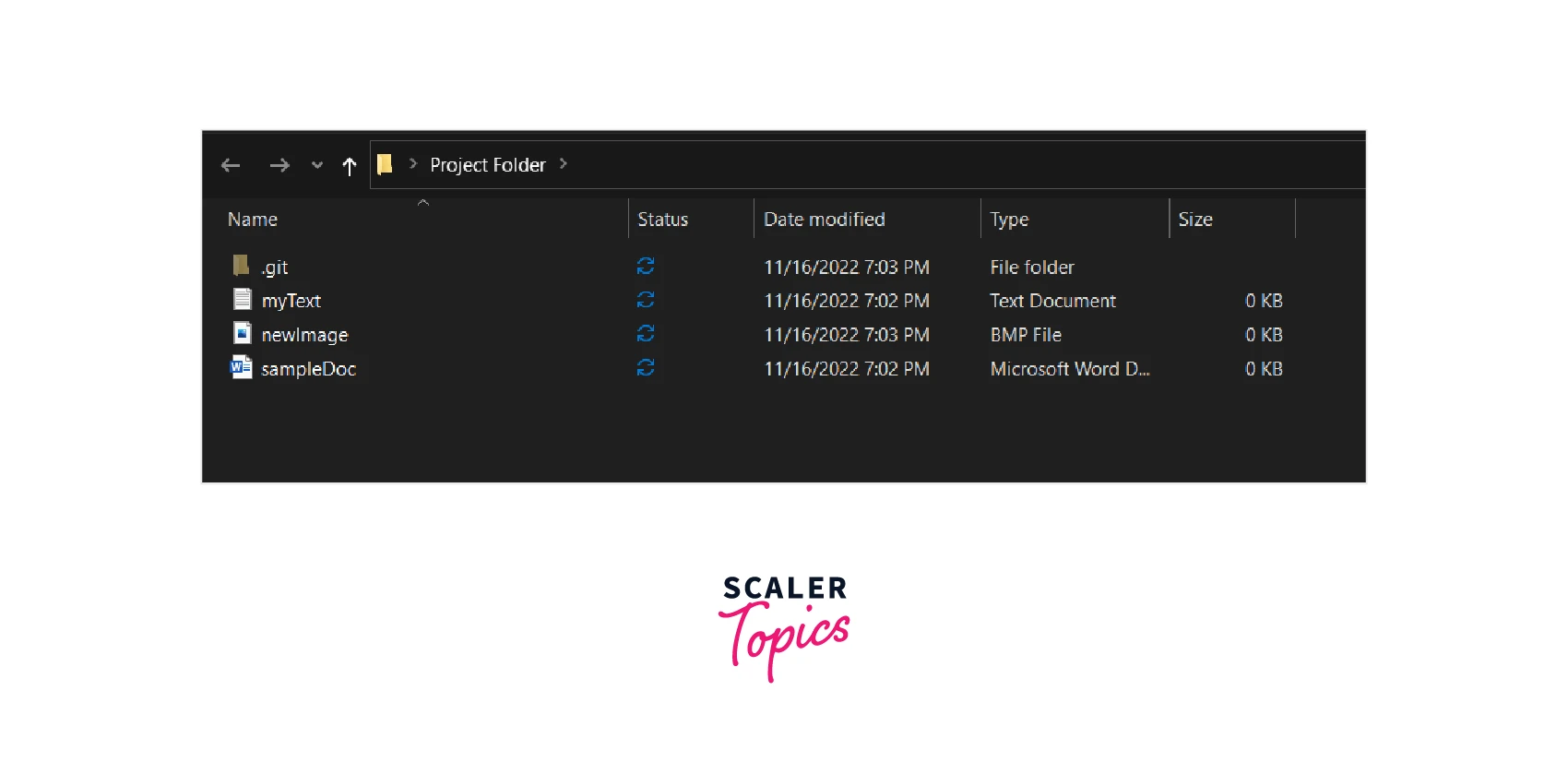
How To Remove Git From Project? - Scaler Topics
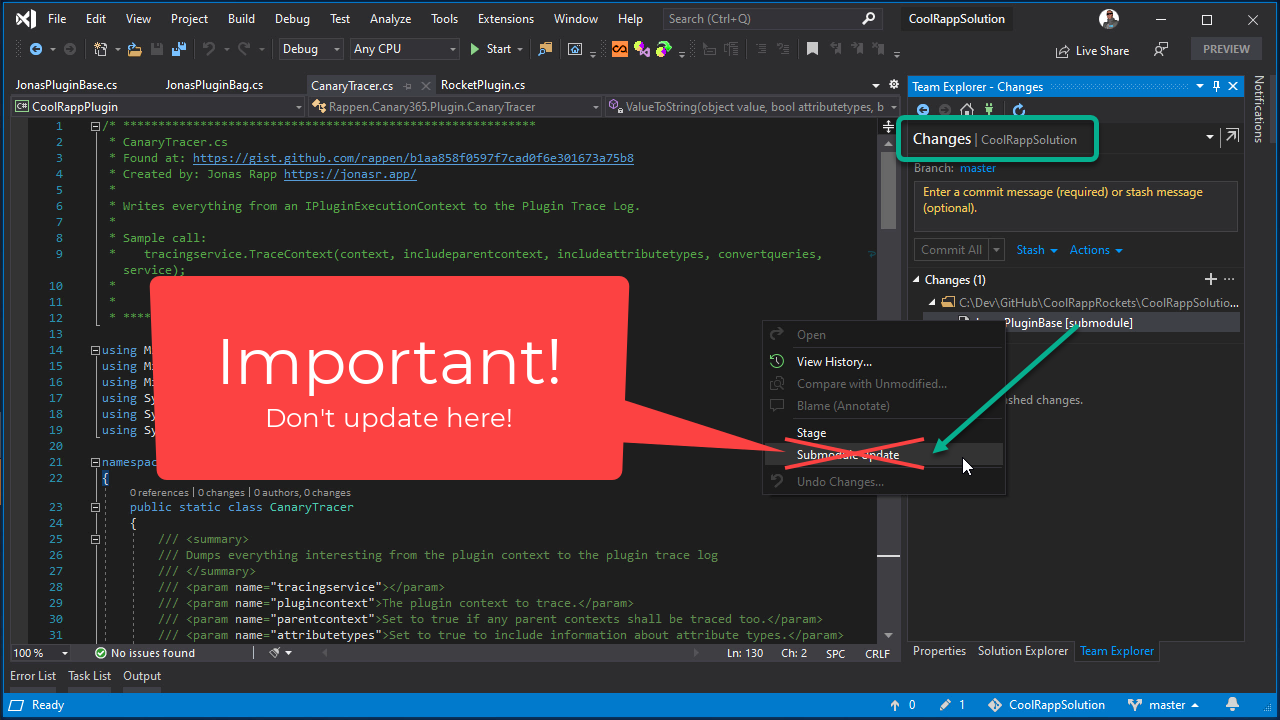
Git Submodules in Visual Studio ⋆ JonasR.app - the Trenches

Manage GitHub Repository Using Visual Studio Code

If you want to delete a local repository you haven t specified the simplest method is to delete the folder into which you cloned the repository

Right click the project in the Project Explorer panel and then choose Source Control Delete Repository from the context menu or Click Delete Repository

how to remove a GitHub repository from within Visual Studio it locally if you go and do

Need to delete a Git repo Was the local repo to delete created with Git init If you

Select the name of the repository from the Repositories list choose the menu and then choose Delete repository Delete repository
Manage Git repositories in Visual Studio In this article Change the last commit amend Merge commits squash Merge and rebase branches Open the the local Git repo s root folder Delete all of the files and folder in the Git repo s root folder Delete the hidden git folder with
To delete a local branch right click on it and select Delete from the context menu To delete a remote branch listed under the remotes origin right click on