Remove Page Breaks Excel All Sheets 234 How To Remove Page Breaks And Insert Page Breaks In Excel 2016 How To Insert Edit Or Remove Page Breaks In Microsoft Excel Free Excel Biweekly Timesheet Template CLOUD HOT GIRL How To Insert Or Remove Page Breaks In Excel QuickExcel Remove Page Breaks And Page Number Watermark In Excel Dedicated Excel Web This method is preferable when you want to delete a single or some manual page breaks only But if you want to get rid of all the page breaks from your whole sheet do this Go to the Page Layout tab gt Page Setup Group gt Breaks gt Reset all Page Breaks
Web On the Page Layout tab in the Page Setup group click Breaks and then click Remove Page Break Remove all manual page breaks On the Page Layout tab in the Page Setup group click Breaks and then click Reset All Page Breaks Web Aug 22 2022 nbsp 0183 32 If you don t plan on printing the worksheet or clearing the document of visual clutter you can easily remove page breaks from an Excel document In this post we provide step by step instructions on how to insert adjust view hide and remove page breaks in Excel Insert Page Breaks in Excel
Remove Page Breaks And Page Number Watermark In Excel Dedicated Excel How To Insert A Page Break In Excel Daniels Gaince How To Remove Page Breaks In Microsoft Excel Document YouTube How To Add And Remove Page Breaks In Excel 2003 YouTube How To Remove Page Break From A Document In Google Docs YouTube How To Remove Page Break In Word OfficeBeginner How To Insert Page Breaks In Excel Valuespor How To Insert Page Breaks Excel 2007 Plannerlop Easy Ways To Adjust Page Breaks In Excel 11 Steps with Pictures
Remove Page Breaks Excel All Sheets
 Remove Page Breaks Excel All Sheets
https://i.ytimg.com/vi/6ZMXKZMP-Wk/maxresdefault.jpg
Web May 20 2023 nbsp 0183 32 To remove the page break entirely click and drag the page break line off the worksheet You can also use the Page Breaks button on the View tab to delete all the page breaks in your worksheet Removing page breaks in Excel is a simple process that can make your data more readable and easier to manage
Pre-crafted templates use a time-saving solution for developing a diverse variety of files and files. These pre-designed formats and layouts can be utilized for numerous personal and expert projects, consisting of resumes, invites, leaflets, newsletters, reports, discussions, and more, improving the content creation procedure.
Remove Page Breaks Excel All Sheets
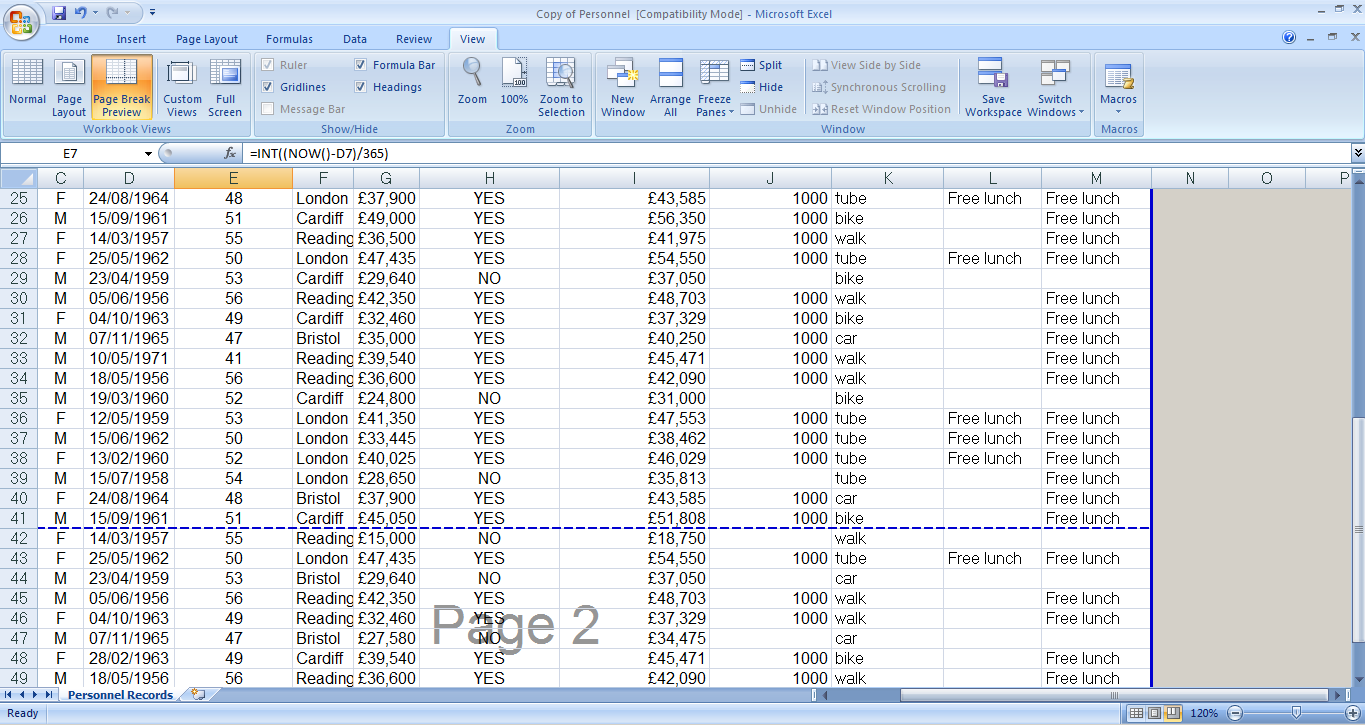
Page Break Preview In Excel 2010
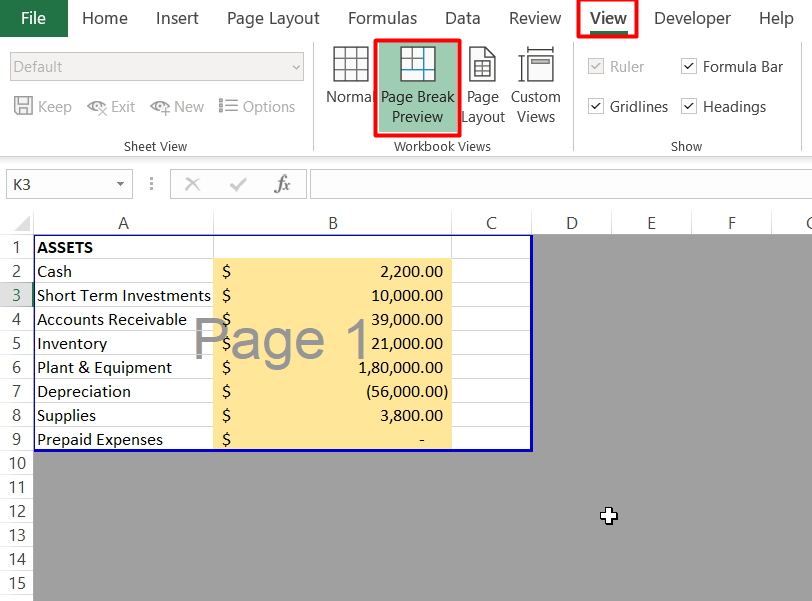
How To Insert A Page Break In Excel Daniels Gaince
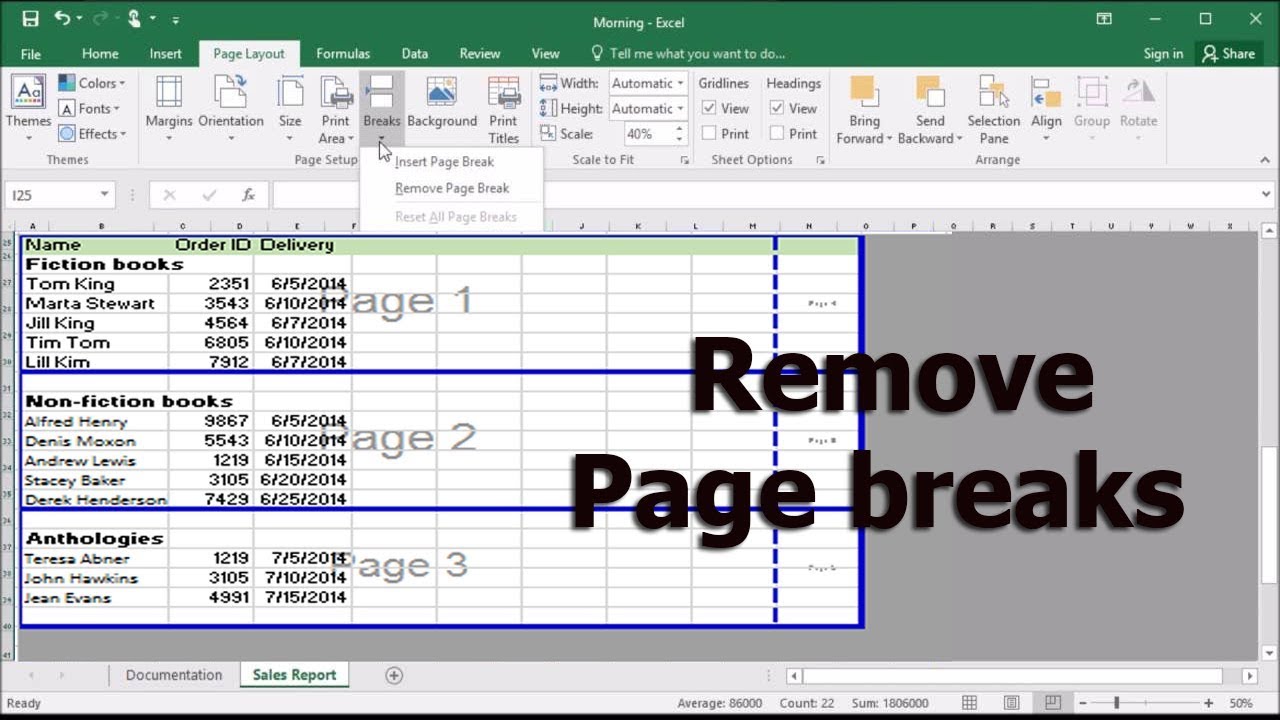
How To Remove Page Breaks In Microsoft Excel Document YouTube
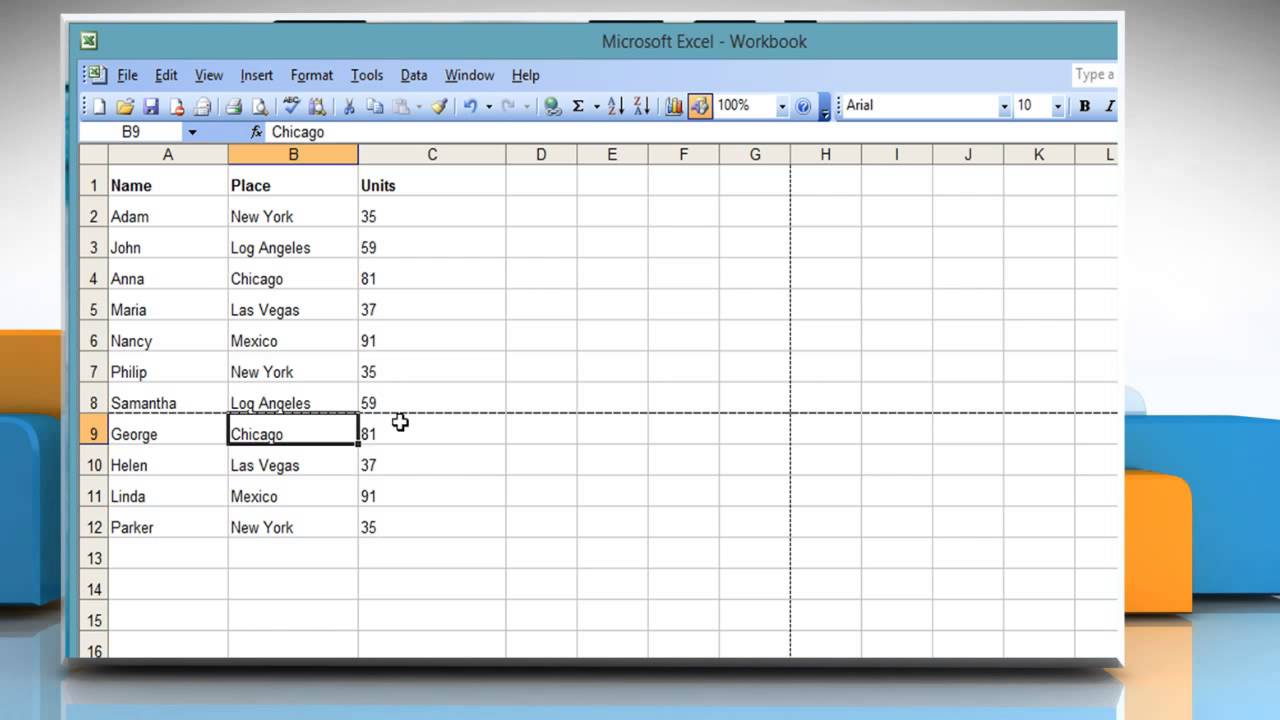
How To Add And Remove Page Breaks In Excel 2003 YouTube

How To Remove Page Break In Word OfficeBeginner
How To Insert Page Breaks In Excel Valuespor
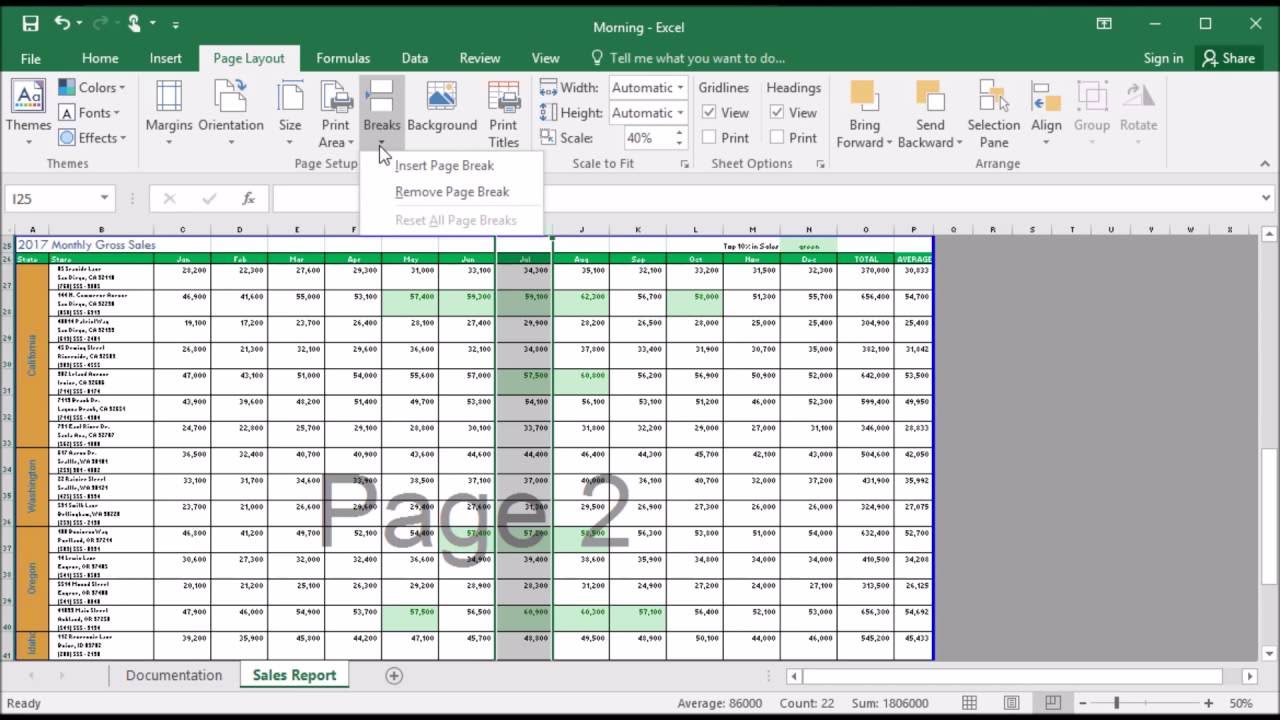
Web To override the automatic page breaks that Excel inserts you can insert your own manual page breaks move existing manual page breaks or delete any manually inserted page breaks You can also quickly remove all the manually inserted page breaks
Web Open the Excel workbook in which you want to remove the page breaks Press Alt F11 to open the VBA Editor In the Project Explorer right click on any existing module or your workbook name choose Insert and then click on Module In the new module window paste the VBA code Close the VBA Editor

Web 1 Click Kutools gt Show Hide gt View Options See screenshot 2 In the opening View Options dialog box please uncheck the Page breaks option in the Window options section and click the Apply to all sheets button and Ok button successively See screenshot
Web Feb 5 2019 nbsp 0183 32 Sub DisablePageBreaks PURPOSE Disable Page Break Lines in Each Open Workbook SOURCE www TheSpreadsheetGuru Dim WB As Workbook Dim Sht As Worksheet Application ScreenUpdating False For Each WB In Application Workbooks For Each Sht In WB Worksheets Sht DisplayPageBreaks False Next Sht Next WB

Web Dec 4 2021 nbsp 0183 32 If you want to remove all of the page breaks you ve inserted instead of just one click the Breaks drop down box and choose quot Reset All Page Breaks quot Or right click and pick quot Reset All Page Breaks quot Your sheet will
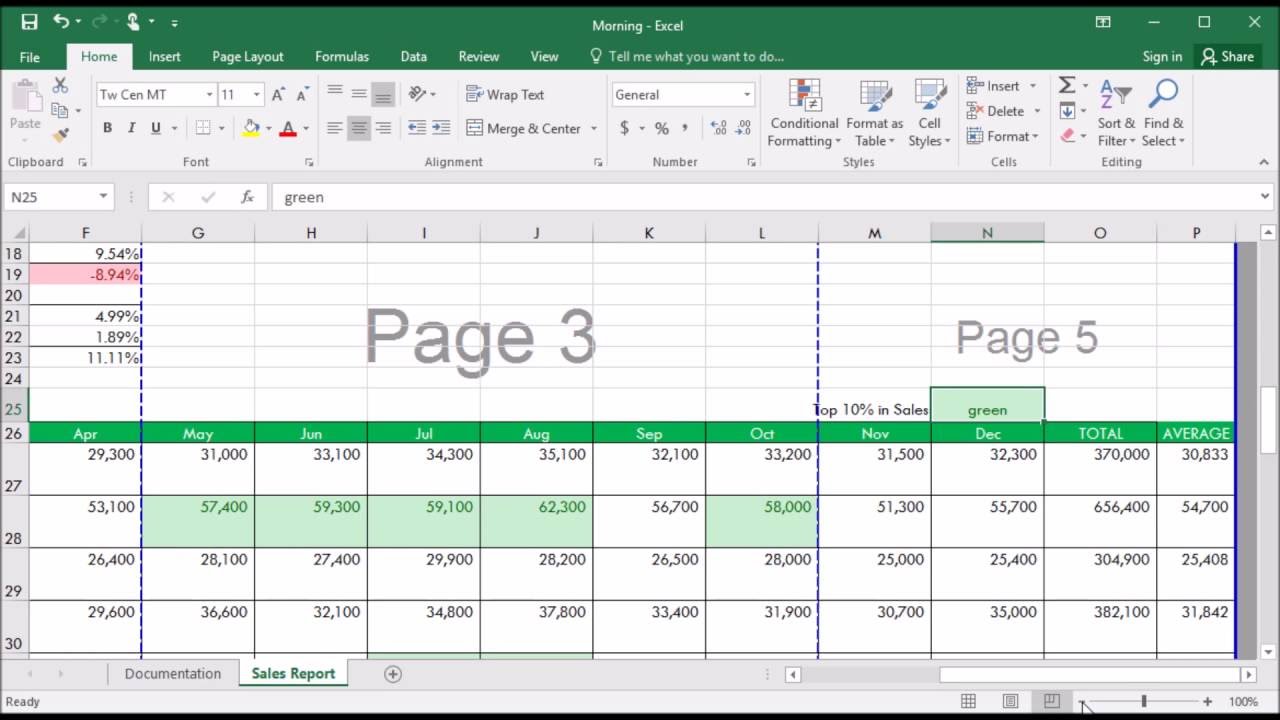
Web Mar 22 2023 nbsp 0183 32 Remove all inserted page breaks If you need to delete all page breaks you can use the Reset All Page Breaks functionality Open the worksheet that you want to modify Click on the Page Break Preview icon under the View tab or click Page Break Preview Button image on the status bar Go to the Page Layout tab in the Page Setup Web Jul 25 2023 nbsp 0183 32 To insert page breaks manually follow the steps below Pick and choose the Excel worksheet Head to the View tab and click the Page Break Preview icon This option s available within the Workbook Views section Once you click the option Excel displays the default page break views Select the cell where you want to insert the new
Web May 20 2023 nbsp 0183 32 The most straightforward way to remove page breaks in Excel is to adjust them manually Here s how Click on the worksheet where you want to remove page breaks Click on the Page Layout tab and select the Breaks dropdown menu Select Remove Page Breaks Excel will remove any existing manual page breaks on the sheet