Remove Local User Profile Windows 11 3 Ways To Delete Remove Local User Account In Windows 10 YouTube How To Delete User In Windows 10 Images And Photos Finder How To Add A New Local User Account Under Windows 11 The Microsoft How To Easily Delete A User Profile In Windows 7 How To Delete A Local User Account In Windows 10 YouTube Step 1 Open the Windows settings from the Start menu or press the Windows Logo key I key combination on the keyboard Windows Settings App Step 2 Select the Accounts option from the left sidebar and click the Family other users button Family other users Step 3 Select the user that you want to delete and click the Remove button
To delete a user profile this way open the Start Menu and type Control to perform a search Then from the search results click on the Control Panel tile to open it Then from the Control Panel window locate and click on the User Accounts option to proceed To delete the user account Press the Windows R button to open the Run box Write the Lusrmgr MSC in the Run and click OK You will see the below window Remove the user profile with lusrmgr MSC command Open the users folder and find the intended user account write click on the user you want to delete
How To Delete A Local User Account In Windows 10 YouTube How To Add A Local User Account On Windows 11 Www vrogue co How To Change Your Account Profile Picture In Windows 11 The Gambaran Change User Profile Picture In Windows 11 Tutorial YouTube How To Remove Local User Accounts From The Login Screen In Windows How To Remove Local Users In Windows 11 How To Manage Local Users In Windows 10 Windows Central How Do I Change My Microsoft Login Account On Windows 10 Ranchrelop How To Apply Default User Account Picture To All Users In Windows 11 10
Remove Local User Profile Windows 11
 Remove Local User Profile Windows 11
https://i.ytimg.com/vi/VXRb65CMZHQ/maxresdefault.jpg
1 Open Local Users and Groups lusrmgr msc 2 Perform the following actions see screenshot below Click tap on the Users folder in the left pane to open it Click tap on the account ex Brink2 you want to delete in the middle pane Click tap on More Actions and Delete in the right pane
Pre-crafted templates provide a time-saving option for producing a diverse variety of documents and files. These pre-designed formats and layouts can be made use of for different personal and professional tasks, consisting of resumes, invitations, leaflets, newsletters, reports, presentations, and more, simplifying the content development procedure.
Remove Local User Profile Windows 11

How To Delete Or Remove Local User Accounts On Windows 10 YouTube
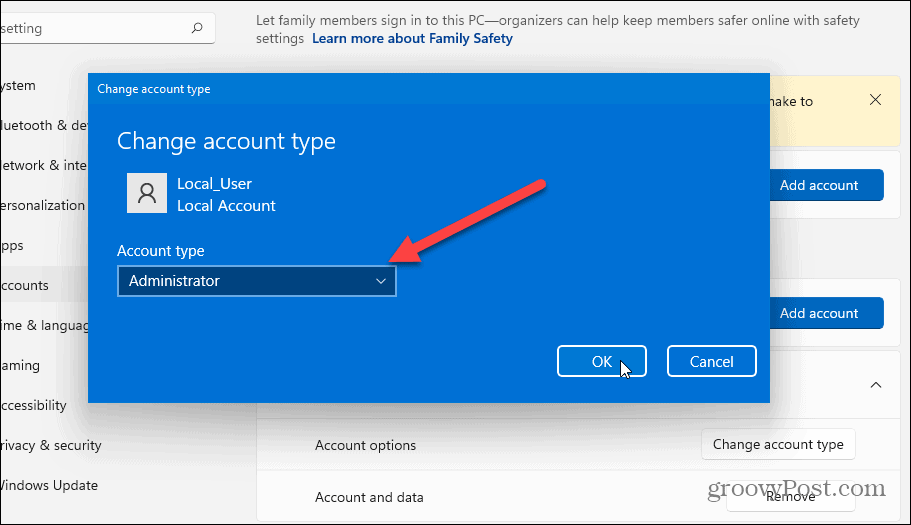
How To Add A Local User Account On Windows 11 Www vrogue co
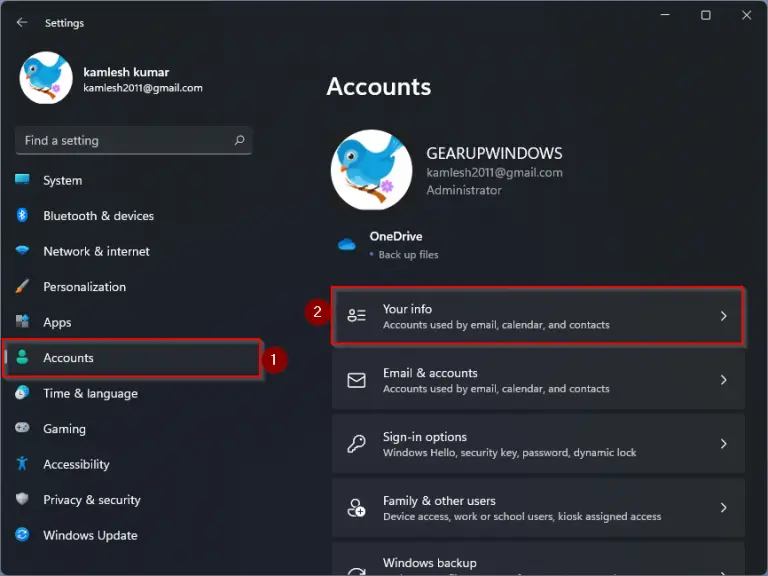
How To Change Your Account Profile Picture In Windows 11 The Gambaran

Change User Profile Picture In Windows 11 Tutorial YouTube
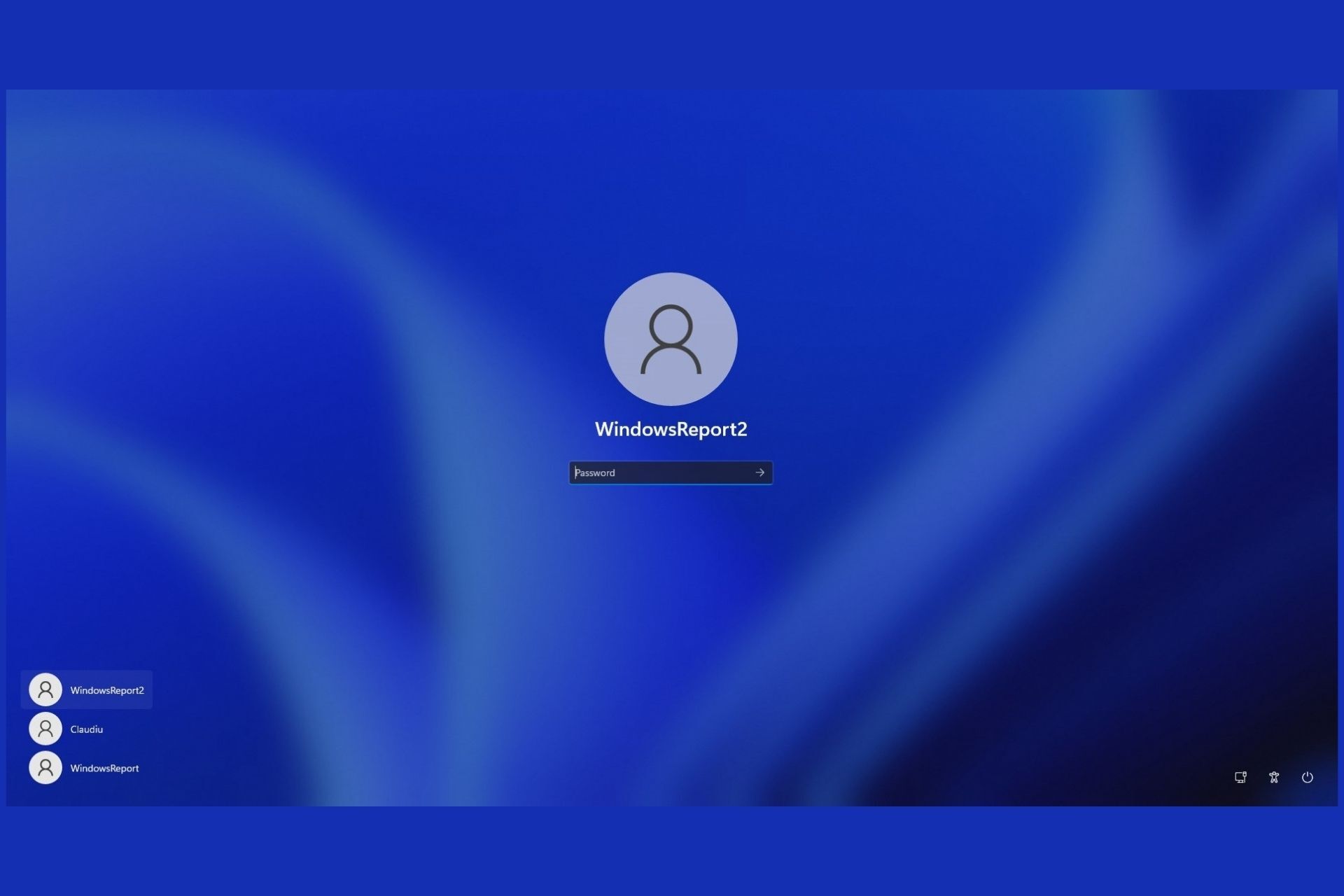
How To Remove Local Users In Windows 11

How To Manage Local Users In Windows 10 Windows Central

1 Using Advanced System Settings The quickest way to delete a user profile in Windows is through the Advanced system settings It is a set of configuration options you can use to manage your system performance change Windows startup settings and more The Advanced System Settings can also come in handy in deleting a user profile Here s how

Open Settings Click on Accounts Click the Other users page on the right side Image credit Future Select the account and click the Remove button Image credit Future Click the Delete

Select Start Settings Accounts Other users Select the person s name or email address then select Remove Read the disclosure and select Delete account and data Note that this will not delete the person s Microsoft account but it will remove their sign in info and account data from your PC Add work or school accounts to your PC
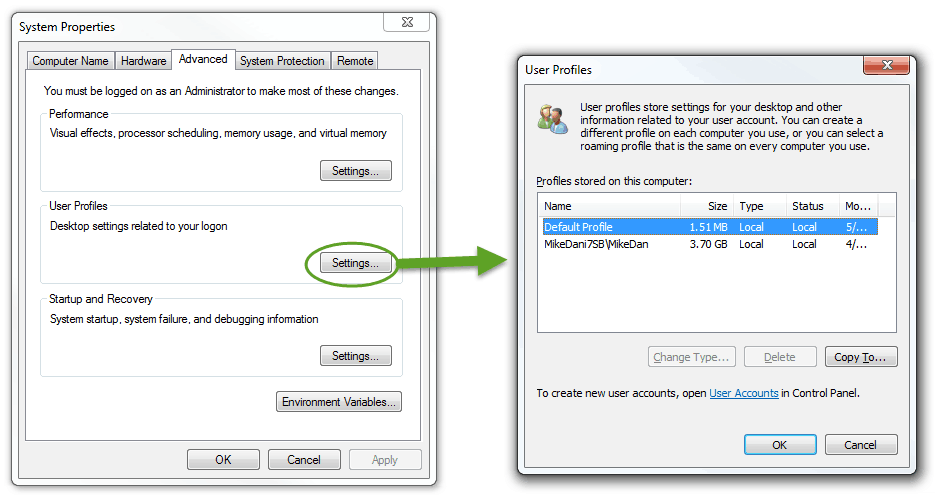
How to delete User Profile in Windows 11 10 Knowing how to get rid of the User Profile is very important as stated above As such you should read the following methods carefully

Open Settings Click on Accounts Click the Your info page on the right side Image credit Future Confirm your account details including account type Administrator or Standard and whether you
Open the Settings app On the left side pane click Accounts Click Other users to see a list of accounts on your PC Click on the account you want to delete then click the Remove button next to Create a New User Profile Want to create a new Windows 11 user profile If so then follow these steps Click the Windows Start button Click Settings Click Accounts Click Family other users Click Add account Choose the account type Local or Microsoft Follow the prompts to set up the new account Editing
Delete a User and Its Profile in Windows 11 Wait for a few seconds Once completed check your C Users directory in the file explorer No folder for the deleted user should exist there As easy and quick as that you can delete a user profile in Windows 11 through the Windows Settings window