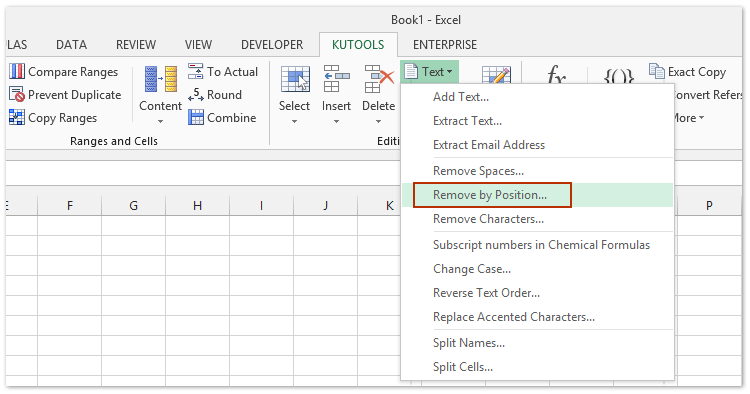
Remove First Letter In Excel How To Remove Letters In Excel Cell Howtoremoveb How To Quickly Find The Position Of First Letter alpha From String In H ng D n Remove Last Word Excel Lo i B T Cu i C ng Trong Excel Excel Find And Replace With How To Remove The First Word From A Cell Learn Excel TheAppTimes Web 1 Remove first N characters with formula UDF 2 Remove last N characters with formula UDF 3 Batch remove N characters from left or right or mid without formulas 4 Download sample file 1 Remove first N characters with formulas In this part I introduce three different ways to quickly remove first N characters from a string
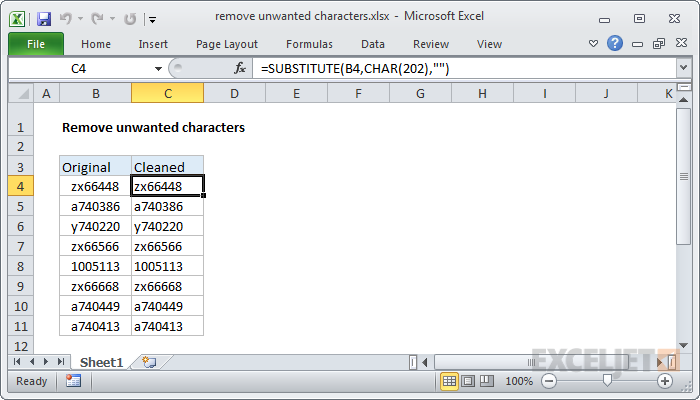
Web Aug 19 2021 nbsp 0183 32 0 00 2 36 Remove First or Last Character From Text String in Excel Chester Tugwell 69 8K subscribers Subscribe 491 Share 94K views 2 years ago Excel Text Functions Download the Web To remove specific unwanted characters in Excel you can use a formula based on the SUBSTITUTE function In the example shown the formula in C4 is SUBSTITUTE B4 CHAR 202 quot quot Which removes a series of 4 invisible characters at the start of each cell in column B Generic formula SUBSTITUTE B4 CHAR code quot quot Explanation
How To Remove The First Word From A Cell Learn Excel TheAppTimes How To Concatenate First Letters Of Names cells In Excel How To Capitalize First Letter In Excel Excel Spy How To Capitalize The First Letter In Excel Healthy Food Near Me How To Capitalize First Letter In Excel Excel Spy Remove Unwanted Characters Excel Formula Exceljet Excel Formula To Remove First Two Characters In A Cell Printable How To Capitalize First Letter In Excel Excel Spy How To Capitalize The First Letter In Excel Healthy Food Near Me
Remove First Letter In Excel
 Remove First Letter In Excel
https://cdn.extendoffice.com/images/stories/doc-excel/remove-letters-from-textstrings/doc-remove-letters-from-text-1.png
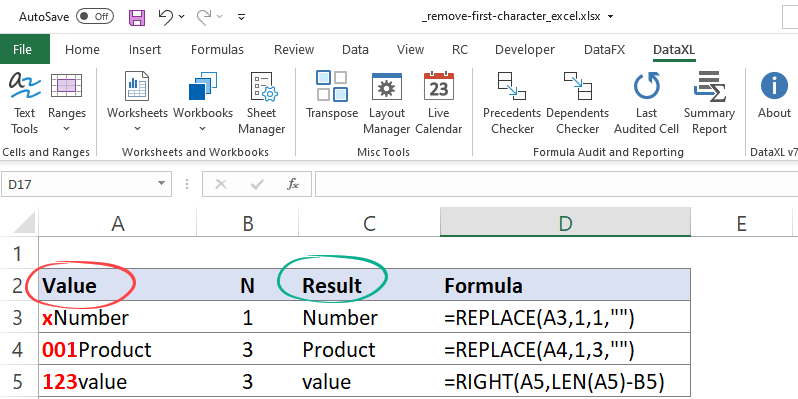
Web In order to delete the first character in a text string we simply enter the formula using the RIGHT and LEN functions RIGHT B3 LEN B3 1 Figure 2 Output Delete first character The RIGHT function returns the last characters counting from the right end of the text string The number of characters is given by the LEN function
Templates are pre-designed files or files that can be utilized for numerous functions. They can save time and effort by offering a ready-made format and layout for creating different type of content. Templates can be used for individual or expert jobs, such as resumes, invitations, leaflets, newsletters, reports, discussions, and more.
Remove First Letter In Excel
Remove First Character Excel Formula Examples Riset
How To Concatenate First Letters Of Names cells In Excel

How To Capitalize First Letter In Excel Excel Spy
How To Capitalize The First Letter In Excel Healthy Food Near Me
Remove Unwanted Characters Excel Formula Exceljet
Excel Formula To Remove First Two Characters In A Cell Printable

Web To always remove just the first character simply hardcode both the start number and number of characters like this REPLACE A1 1 1 quot quot To remove the first N characters from a text value use the generic form of the formula REPLACE A1 1 N quot quot where N represents the number of characters to remove With RIGHT and LEFT
Web Nov 11 2021 nbsp 0183 32 1 Use RIGHT and LEN Functions of Excel to Remove the First Character You can use the RIGHT function and the LEN function of Excel to remove the first character from the Student IDs The steps are below Steps First we will insert a new column beside the Student ID column like the below image

Web How to Remove First Character from a Cell in Excel 1 Combine RIGHT and LEN to Remove the First Character from the Value Using a combination of RIGHT and LEN is the most suitable way to remove the 2 Using REPLACE Function to Remove First Character from a Cell 3 Combine MID and LEN to Get
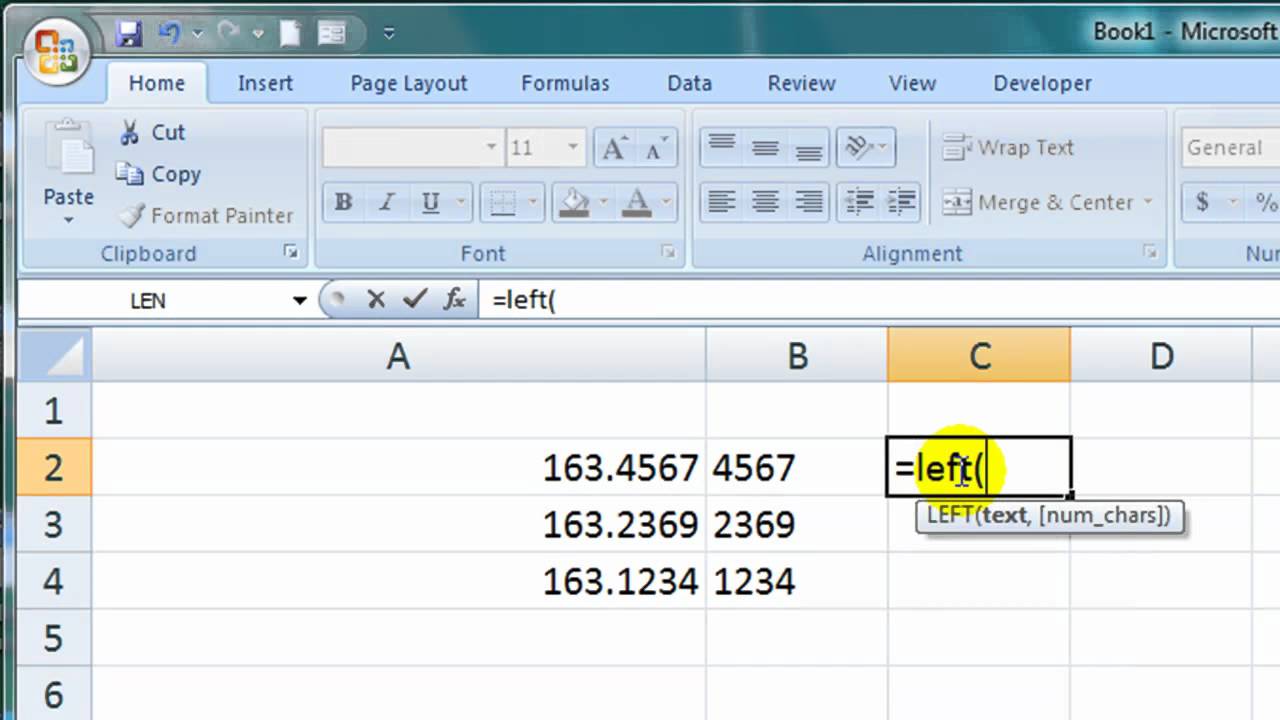
Web Method 3 Remove First Character Using REPLACE Function In this method I will show you how you can use REPLACE function to remove the first character from the data We can do so by replacing the first character with a blank one it is similar to removing that character from the cell

Web Mar 10 2023 nbsp 0183 32 Delete text from multiple cells with Find amp Replace Remove part of text from a cell with a formula Remove Nth occurrence of specific character Delete first character from string Remove last character from string Trim spaces before and after text Special tools to remove characters or text in Excel
Web 1 Hold down the Alt F11 keys to open the Microsoft Visual Basic for Applications window 2 Click Insert gt Module and paste the following code in the Module Window Public Function removeFirstx rng As String cnt As Long removeFirstx Right rng Len rng cnt End Function 3 Web Description LEFT returns the first character or characters in a text string based on the number of characters you specify LEFTB returns the first character or characters in a text string based on the number of bytes you specify Important These functions may not be available in all languages
Web 1 start num for text must be one as we are removing from first character N upto characters needed to be removed from the start empty string replaced character or string 2 RIGHT function In this we will extract the remaining string from the right leaving the first characters behind Syntax of RIGHT function