Remove First Characters In Excel Formula Remove Unwanted Characters Excel Formula Exceljet Remove Characters From Right In Excel Quick Guide Excelkid Riset Excel Tip How To Delete The First 5 Characters In Excel Remove First Character Excel Formula Exceljet How To Remove First Characters In Excel Web Method 1 Remove first or last x characters from text strings with formulas Remove first x characters from the beginning of the text strings In Excel you can use the RIGHT and LEFT functions to remove the
Web May 20 2023 nbsp 0183 32 One method to remove the first character in Excel is by using a formula Follow these steps First select the cell or cells you want to modify Next click on the Web REPLACE A2 1 B2 quot quot As you can see the function replaced the First 5 characters from the start Use the formula for remaining texts using Ctrl D shortcut keys
How To Remove First Characters In Excel How To Remove Characters In Excel Using VBA Find And Replace All Special Characters In Excel Printable Templates Free Pin On Excel Board How To Remove First 3 Characters In Excel 4 Suitable Methods Excel Guide Remove Special Characters MS EXCEL Learn MS EXCEL Using Concatenate Function In Excel Excel The Wise Way Riset How To Remove Spaces Between Characters And Numbers In Excel 30 Labor Burden Calculator Excel IrrujJaiyana
Remove First Characters In Excel Formula
 Remove First Characters In Excel Formula
https://exceljet.net/sites/default/files/styles/og_image/public/images/formulas/remove unwanted characters.png
Web 1 Remove first N characters with formulas In this part I introduce three different ways to quickly remove first N characters from a string 1 1 Remove first N characters with
Pre-crafted templates offer a time-saving solution for developing a varied range of documents and files. These pre-designed formats and designs can be utilized for different individual and expert projects, including resumes, invites, flyers, newsletters, reports, presentations, and more, improving the material creation process.
Remove First Characters In Excel Formula

How To Get Rid Of Duplicates In Excel Formula BEST GAMES WALKTHROUGH
How To Remove Characters In Excel Using VBA

Find And Replace All Special Characters In Excel Printable Templates Free

Pin On Excel Board
Excel Guide Remove Special Characters MS EXCEL Learn MS EXCEL

Using Concatenate Function In Excel Excel The Wise Way Riset
Web Aug 11 2023 nbsp 0183 32 Often you may want to remove both the first and last character from a string in Excel You can use the following formula to do so MID A2 2 LEN A2 2
Web Mar 10 2023 nbsp 0183 32 For instance to remove the first character from A2 the formulas go as follows REPLACE A2 1 1 quot quot RIGHT A2 LEN A2 1 The screenshot below shows the REPLACE formula The RIGHT LEN

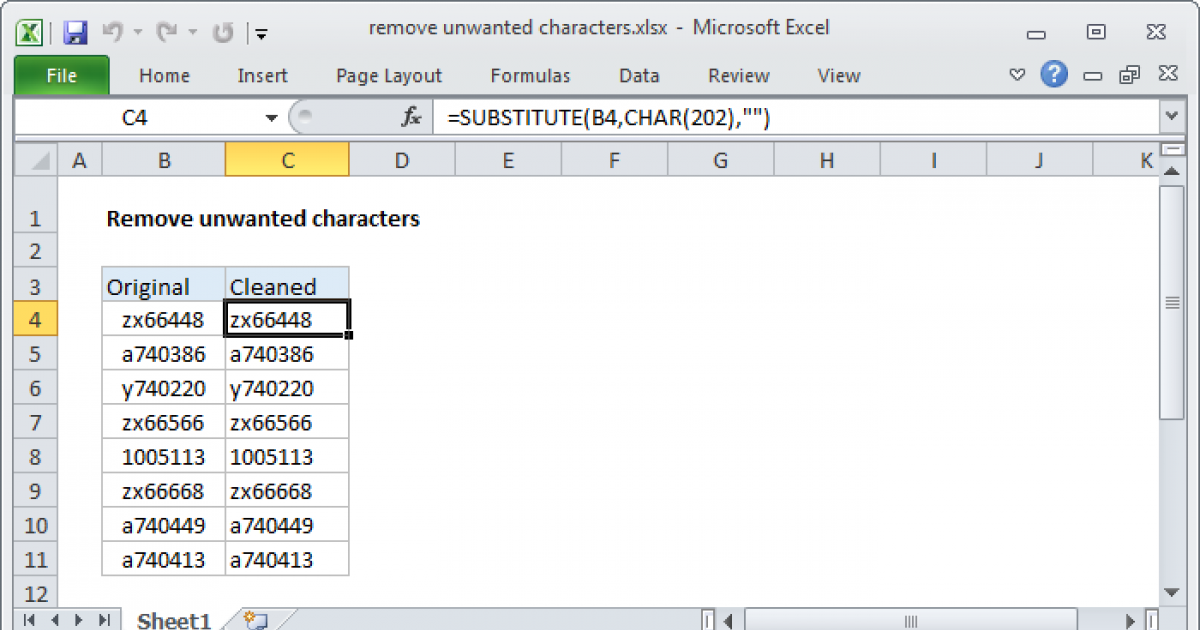
Web To remove specific unwanted characters in Excel you can use a formula based on the SUBSTITUTE function In the example shown the formula in C4 is SUBSTITUTE B4 CHAR 202 quot quot Which removes a series of 4
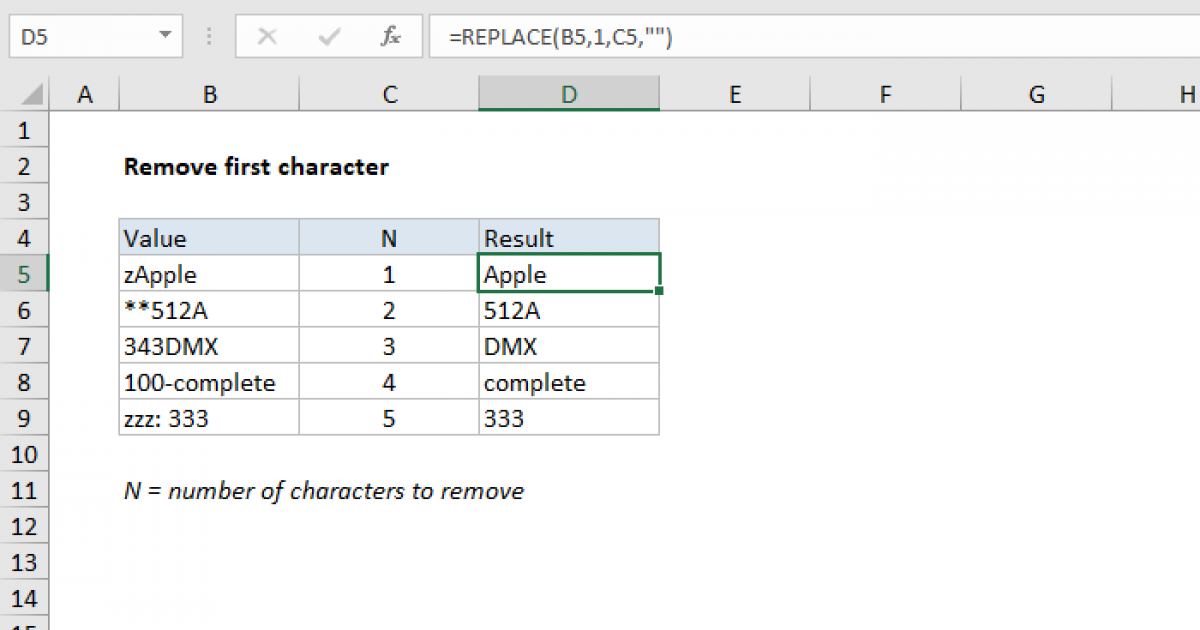
Web How to Remove First Character from a Cell in Excel 1 Combine RIGHT and LEN to Remove the First Character from the Value Using a combination of RIGHT and LEN is the most 2 Using REPLACE

Web Formula 1 Remove first n characters by REPLACE function Generic formula REPLACE text 1 n char quot quot Arguments Text the value or cell you want to remove its first n characters Nth char the number of
Web Sep 4 2023 nbsp 0183 32 Often you may want to remove the first 4 characters from a string in Excel You can use the RIGHT function combined with the LEN function to do so RIGHT Web Sep 6 2023 nbsp 0183 32 You can effectively remove the first character s at the beginning of a cell by utilizing this function with a modified length argument To remove the first character
Web Jun 30 2023 nbsp 0183 32 To remove the first character using the RIGHT function refer to the earlier section on Using RIGHT Function Utilizing MID function to remove the first