Remove Duplicates In Excel 2 Columns How To Remove Duplicates From Excel 2010 Thinkandbegin How To Remove Duplicate Rows In Excel Table ExcelDemy How To Find Duplicates On Multiple Columns Microsoft Excel 2016 YouTube Find And Remove Duplicates In Excel Duplicate Remover Excel Remove Duplicates CustomGuide Filter for unique values Select the range of cells or make sure that the active cell is in a table On the Data tab in the Sort Filter group click Advanced Select the range of cells and then click Filter the list in place Select the range of cells click Copy to another location and then in the Copy to box enter a cell reference
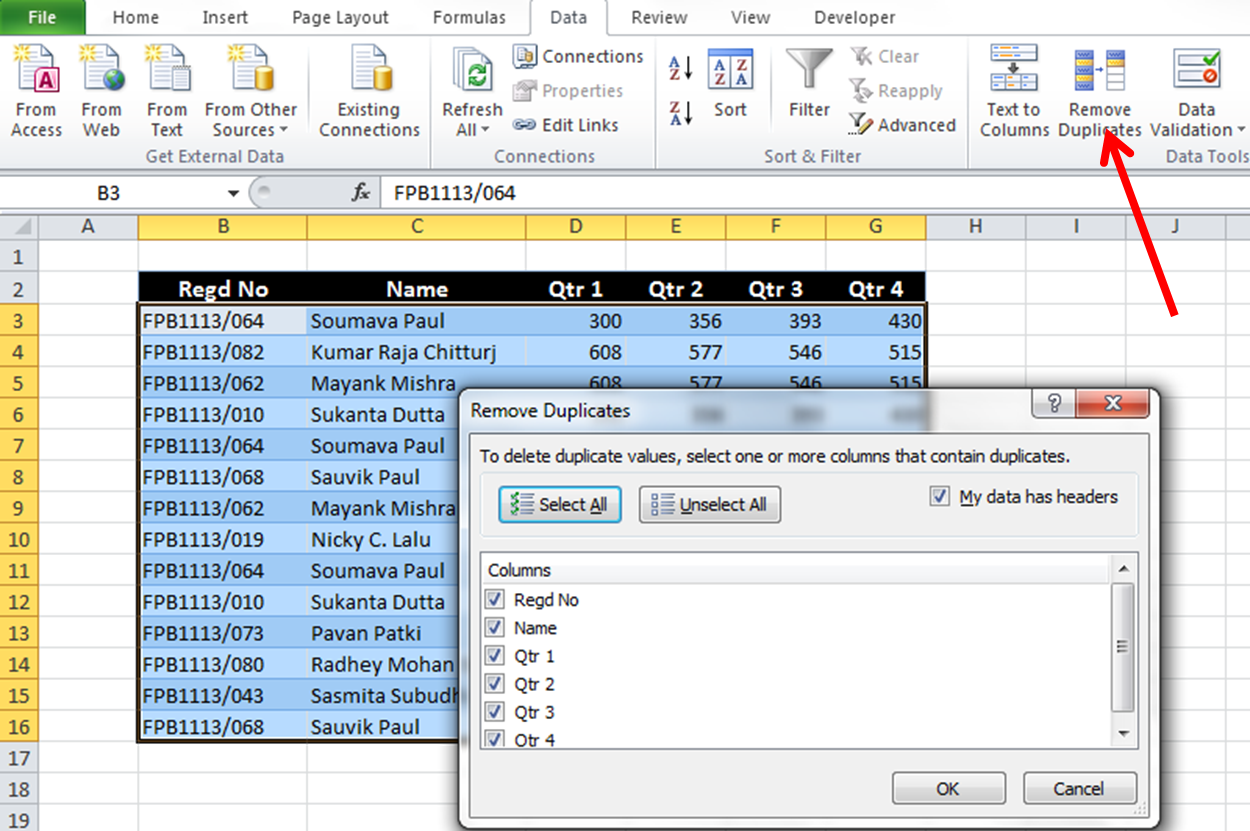
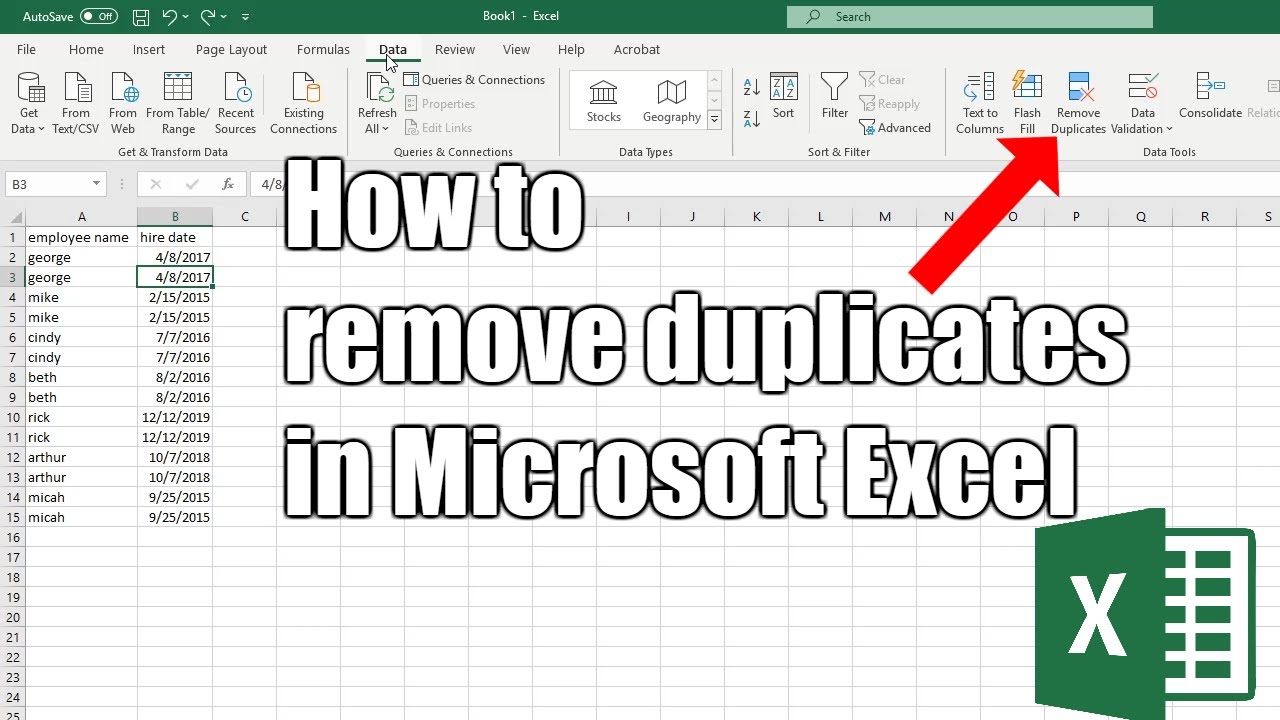
In its simplest form removing duplicates works by checking the values of a single column for duplicates and then deletes the rows containing duplicate instances of the value To illustrate this we are going to look at a very simple file with columns containing Letters Numbers and Colors Select all the columns except the Date column Click OK This would remove the 2 duplicate entries NOTE This keeps the first occurrence and removes all the remaining duplicate occurrences Remove Duplicate Rows in Excel To delete duplicate rows here are the steps Select the entire data Go to Data Data Tools Remove Duplicates
Excel Remove Duplicates CustomGuide Ultimate Google Data Studio Remove Duplicates Guide 2023 How To Find Duplicate Values In Excel Using VLOOKUP Formula Technotrait How To Remove Duplicates In Excel 5 Effortless Tricks To Handle Duplicates In Excel Bonus Tip How To Remove Duplicates In Excel Wondering How To Remove Duplicates In Excel Read It How To Remove Duplicates In Excel Delete Duplicate Rows With A Few Clicks How To Find And Remove Duplicates In One Column ExcelNotes
Remove Duplicates In Excel 2 Columns
 Remove Duplicates In Excel 2 Columns
https://thinkandbegin.files.wordpress.com/2012/05/remove-dup-2.png
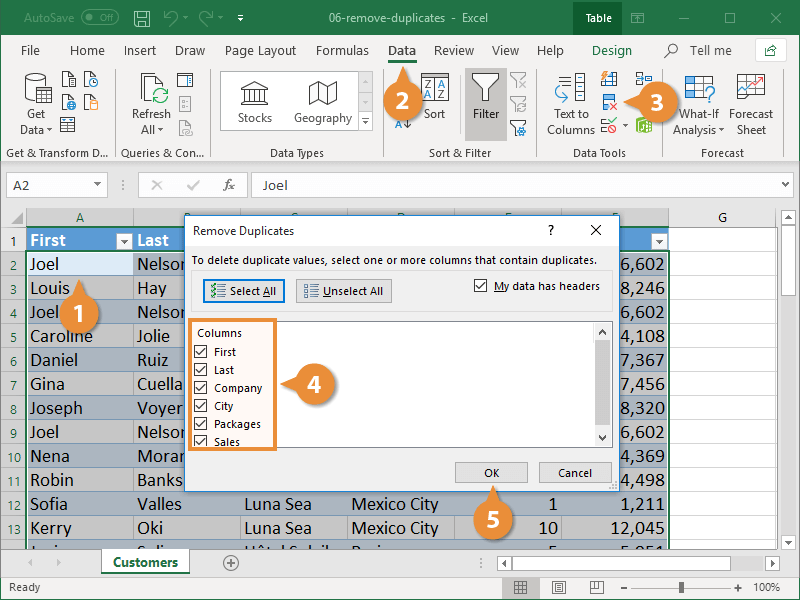
To remove duplicates in an Excel table Click in the table that contains the duplicates you want to remove Click the Table Design or Table Tools Design tab in the Ribbon Select Remove Duplicates in the Tools group A dialog box appears Assuming your table has headers ensure My data has headers is checked
Templates are pre-designed files or files that can be used for various functions. They can conserve time and effort by supplying a ready-made format and layout for producing different sort of content. Templates can be used for personal or expert tasks, such as resumes, invites, leaflets, newsletters, reports, presentations, and more.
Remove Duplicates In Excel 2 Columns
How To Remove Duplicates In Excel YouTube
Ultimate Google Data Studio Remove Duplicates Guide 2023

How To Find Duplicate Values In Excel Using VLOOKUP Formula Technotrait

How To Remove Duplicates In Excel
How To Remove Duplicates In Excel
Wondering How To Remove Duplicates In Excel Read It

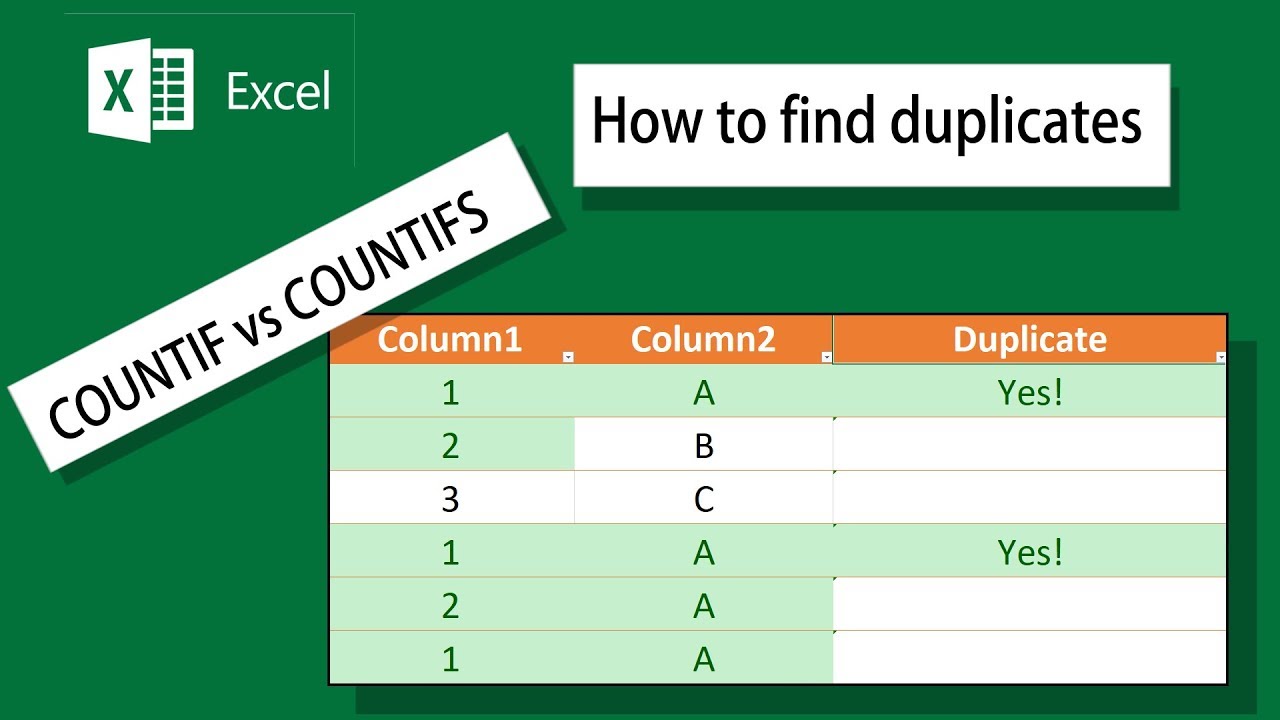
The built in Remove Duplicate tool available in Excel 2016 Excel 2013 and 2010 cannot handle this scenario because it cannot compare data between 2 columns Furthermore it can only remove dupes no other choice such as highlighting or coloring is available alas

Step 1 Open the Excel spreadsheet Before you can start removing duplicates based on two columns you first need to open the Excel spreadsheet that contains the data you want to work with A Navigate to the file location on your computer Locate the Excel file on your computer s storage system
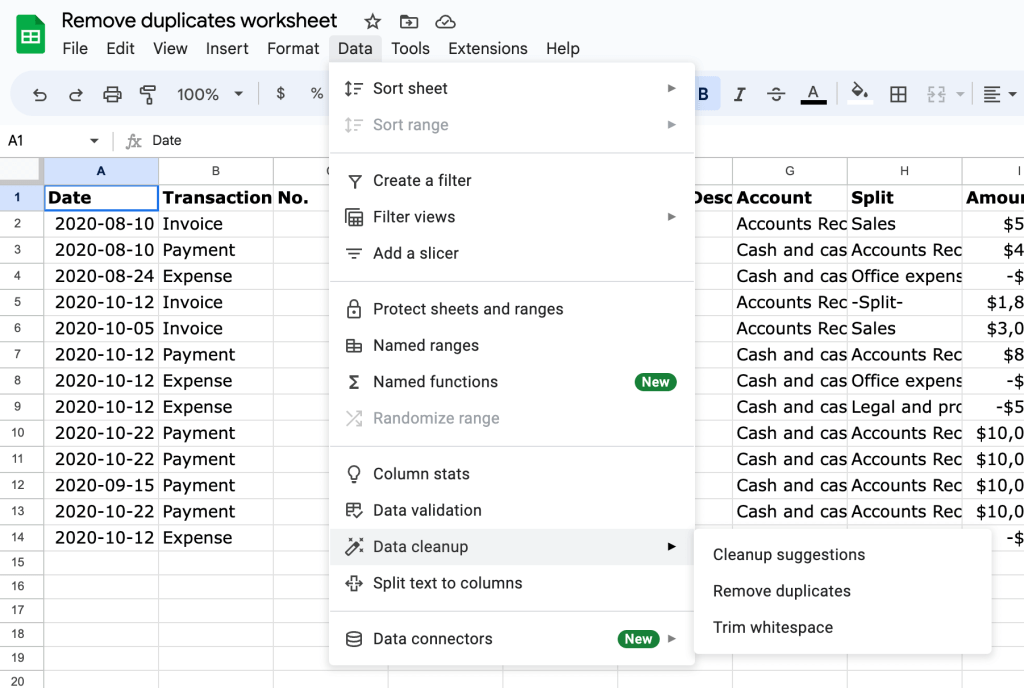
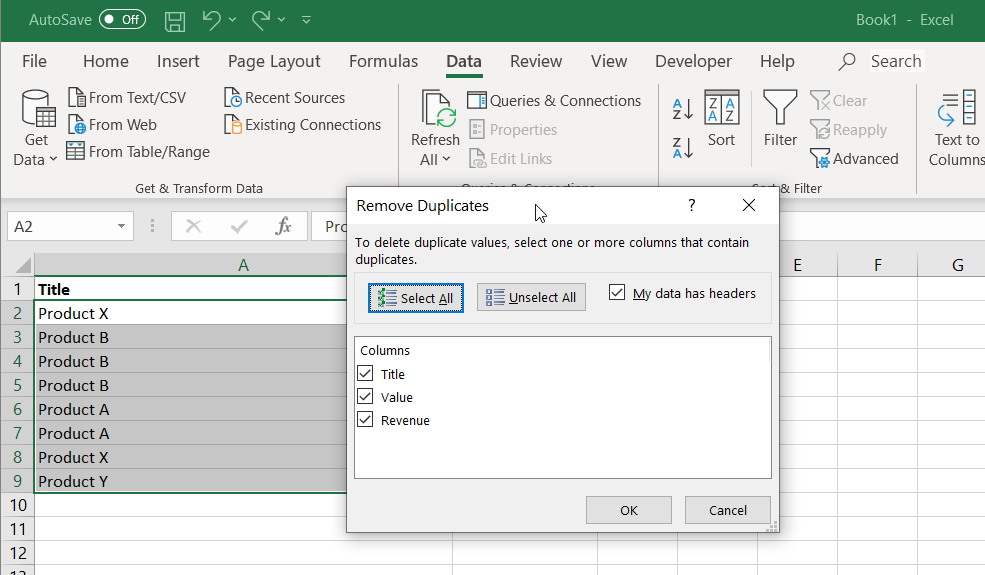
Select Data Remove Duplicates and then under Columns check or uncheck the columns where you want to remove the duplicates For example in this worksheet the January column has price information I want to keep So I unchecked January in the Remove Duplicates box Select OK

3 Answers Sorted by 1 Well I m assuming it removes duplicates sequentially copy the 8000 below the 500 and then use the remove duplicates function for that single column Copy from 501 and forward and you should have what you need please test the initial assumption first Share Improve this answer Follow answered Oct 2 2014 at 10 47 gl00ten
You can use the following methods to compare data in two Microsoft Excel worksheet columns and find duplicate entries Method 1 Use a worksheet formula Start Excel In a new worksheet enter the following data as an example leave column B empty Type the following formula in cell B1 IF ISERROR MATCH A1 C 1 C 5 0 A1
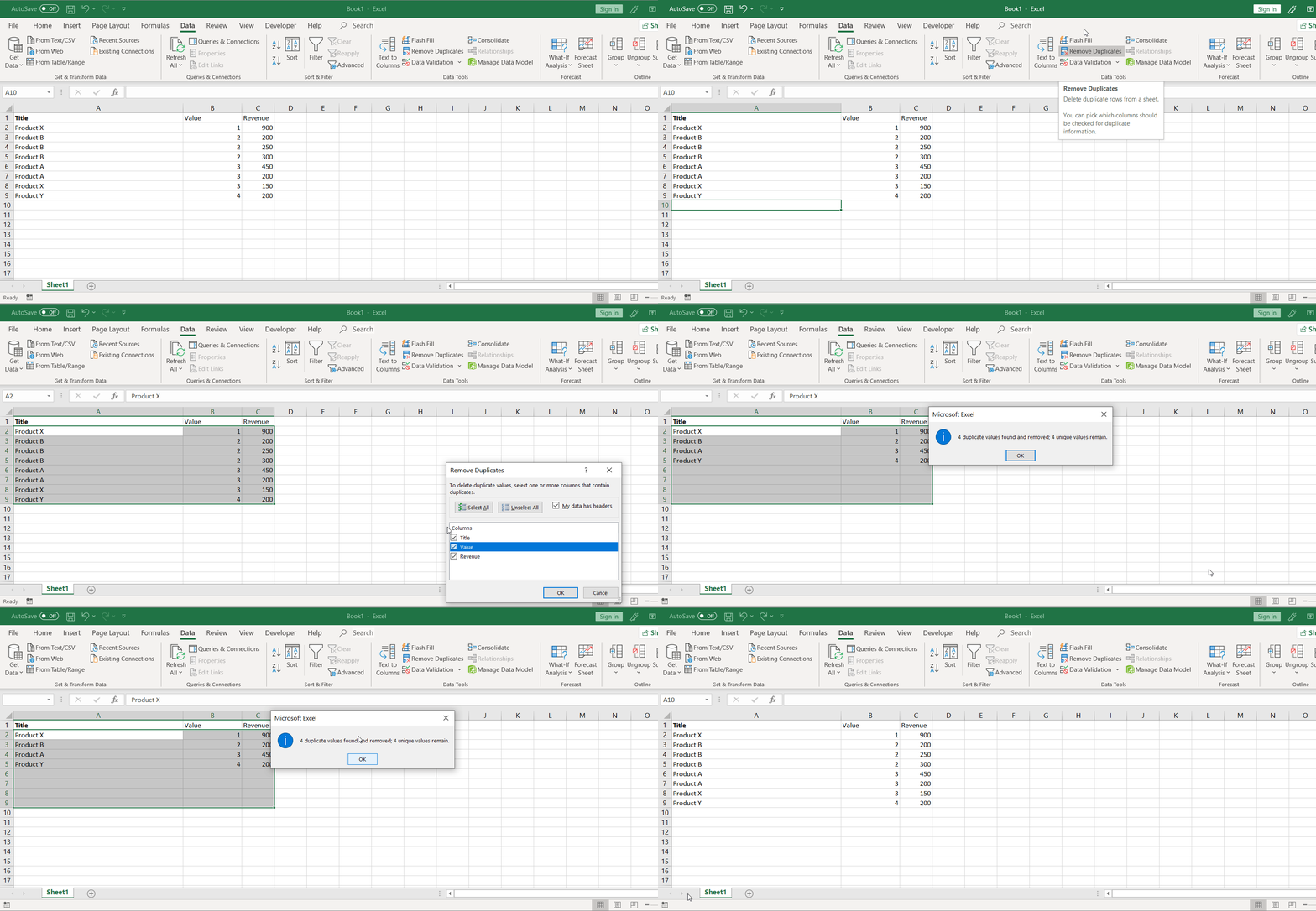
To begin with select the range in which you want to ddelete dupes To select the entire table press Ctrl A Go to the Data tab Data Tools group and click the Remove Duplicates button The Remove Duplicates dialog box will open you select the columns to check for duplicates and click OK Select a cell inside the data which you want to remove duplicates from and go to the Data tab and click on the Remove Duplicates command Excel will then select the entire set of data and open up the Remove Duplicates window You then need to tell Excel if the data contains column headers in the first row If this is checked then the first row
Step 4 Remove the duplicate values Once you have selected the columns to compare click OK to remove any duplicate values from the selected columns Excel will then display a message showing how many duplicate values were found and removed By following these simple steps you can easily compare two columns in Excel and remove any duplicate