Remove Commits Sourcetree SourceTree How To Git For Dummies NTU SCSE Style Git Delete SourceTree Commit History Stack Overflow SourceTree How To Git For Dummies NTU SCSE Style How To Commit Changes In Sourcetree YouTube Sourcetree Pricing Alternatives More 2022 Capterra Click the Pull button in the toolbar Select the remote repository to pull from Select the remote branch to pull changes from Click OK Last modified on Mar 11 2020 Was this helpful Yes No Provide feedback about this article
1 answer 1 vote minnsey Atlassian Team Jan 24 2018 Hi The Push Indicator just reflects that your local copy of the repo is of commits ahead of the remote Pull it down AND push The history clarifies what went on behind the scenes How to fix the ugliness though It would have been great if there was no tree and merge here right So basically this happened due to the fact that we are pushing the changes instantly Fix Don t push instantly to remote Make some more changes and commit
Sourcetree Pricing Alternatives More 2022 Capterra Nothing Removed Github How Can I Drop Commits In The Git Log If It Isn t Letting Me How To Filter Commits By Author In SourceTree 2 Solutions YouTube Feat Colorize cargo Check Diagnostics In VSCode Via Text Decorations SourceTree Layer Of Comfort For Version Control Rarst The Pull Request Part 4 Of The Git And SourceTree Beginner s Guide To How To Remove Highlight From Pdf On Windows Riset Source Tree For Windows 10 Install Sourcetree On Windows 10 In 2020
Remove Commits Sourcetree
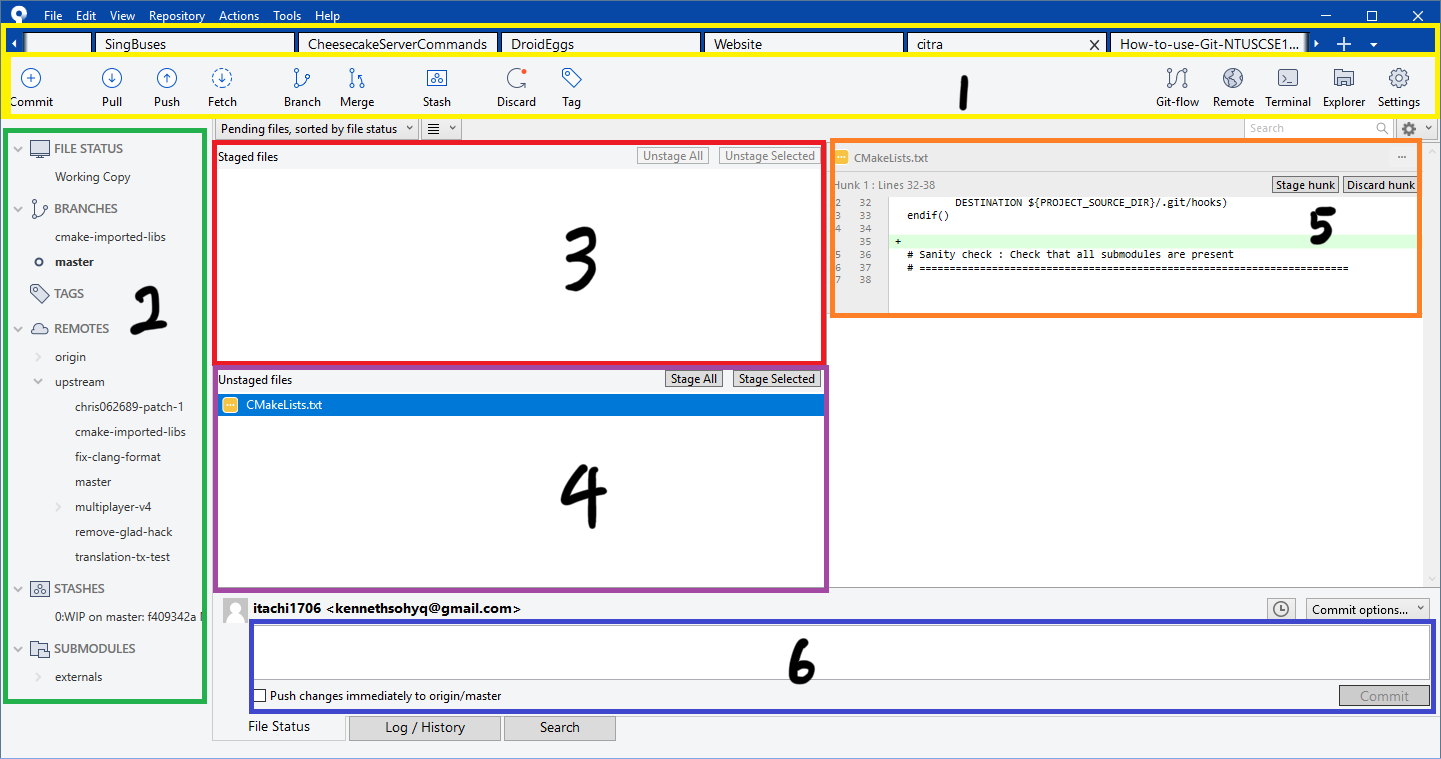 Remove Commits Sourcetree
https://ntugit.itachi1706.com/media/ghst/sourcetree-1.png
Reset a branch to a specific commit Steps 1 First checkout to a specific branch 2 Then right click on a specific commit and select Reset current branch to this commit Similar to below 3 Choose from the following options
Templates are pre-designed files or files that can be used for various functions. They can conserve time and effort by supplying a ready-made format and layout for producing various kinds of material. Templates can be utilized for personal or professional jobs, such as resumes, invites, leaflets, newsletters, reports, discussions, and more.
Remove Commits Sourcetree

File SourceTree commit png CSE330 Wiki

Nothing Removed

Github How Can I Drop Commits In The Git Log If It Isn t Letting Me

How To Filter Commits By Author In SourceTree 2 Solutions YouTube

SourceTree Layer Of Comfort For Version Control Rarst

The Pull Request Part 4 Of The Git And SourceTree Beginner s Guide To
1 As this was a bit of a head scratcher for me I decided I would document exactly the steps on how to delete a commit which has been pushed to a remote repo Keeping it concise so here goes

How to permanently remove a commit from remote and Community Products Sourcetree Questions how to permanently remove a commit from remote and local how to permanently remove a commit from remote and local gaurav singh Aug 27 2018
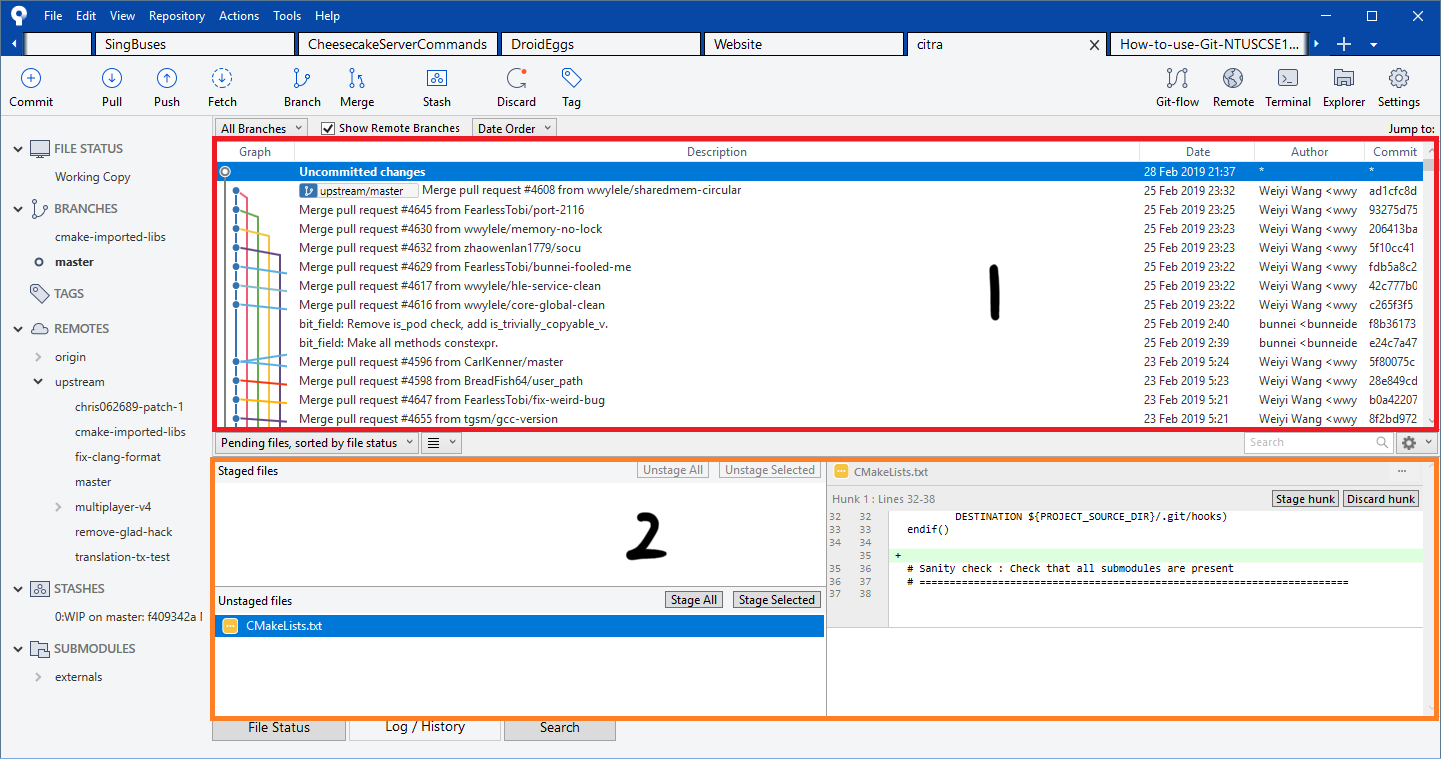
2 Not entirely sure what you re asking but I can see two options

How can I delete commits Community Products Sourcetree Questions How can I delete commits How can I delete commits Edited Alexandre Santos Apr 24 2018 So I accidently named a commit not the way I should and now I m having all sorts of issues trying to delete it I ll link a picture where I highlight what is bothering me

Delete SourceTree Commit History Ask Question Asked 8 years 6 months ago Modified 8 years 6 months ago Viewed 6k times 1 I m using SourceTree and I checked out an existing project For testing purposes I did a commit It shows up in the commit history How do I clean this history once again
Under Advanced Options check the box that says Move existing tag Specify the commit you would like to move to by clicking the button the arrow is pointing to below 3 Select your commit Click OK 4 Click Add Tag If you did not check Move existing tag under Advanced Opttions a popup window should appear Click Move Tag Here are five common Git mistakes and how to resolve them using Sourcetree 1 Undo Local Commits Undoing local commits in Git can be a complex process involving many command line instructions
General How to Delete a Commit from Source Tree By leo acosta September 6 2018 As this was a bit of a head scratcher for me I decided I would document exactly the steps on how to delete a commit which has been pushed to a remote repo Keeping it concise so here goes Select the commit you want to go back to