Remove Both Duplicates In Google Sheets How To Remove Both Duplicates In Google Sheets 2 Easy Ways Making Remove Both Duplicates In Google Sheets Excel dashboards How To Remove Both Duplicates In Google Sheets 2 Easy Ways How To Find And Remove Duplicates In Excel Google Sheets Automate Excel How To Remove Duplicates In Google Sheets Without Using Apps Script Remove Duplicates Select cell range columns to search Data Data Cleanup Remove Duplicates UNIQUE function Select first cell in column for unique returns Insert Function Filter Unique
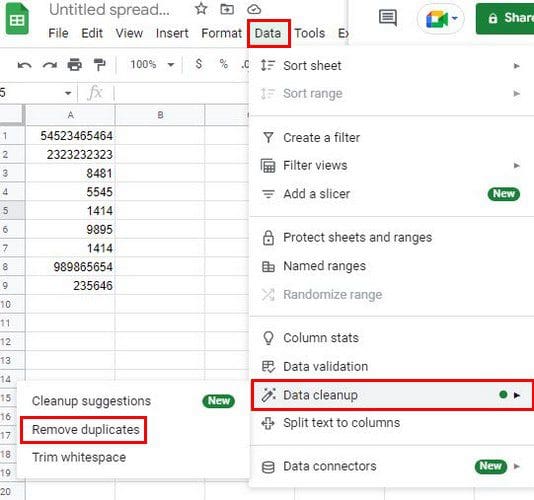
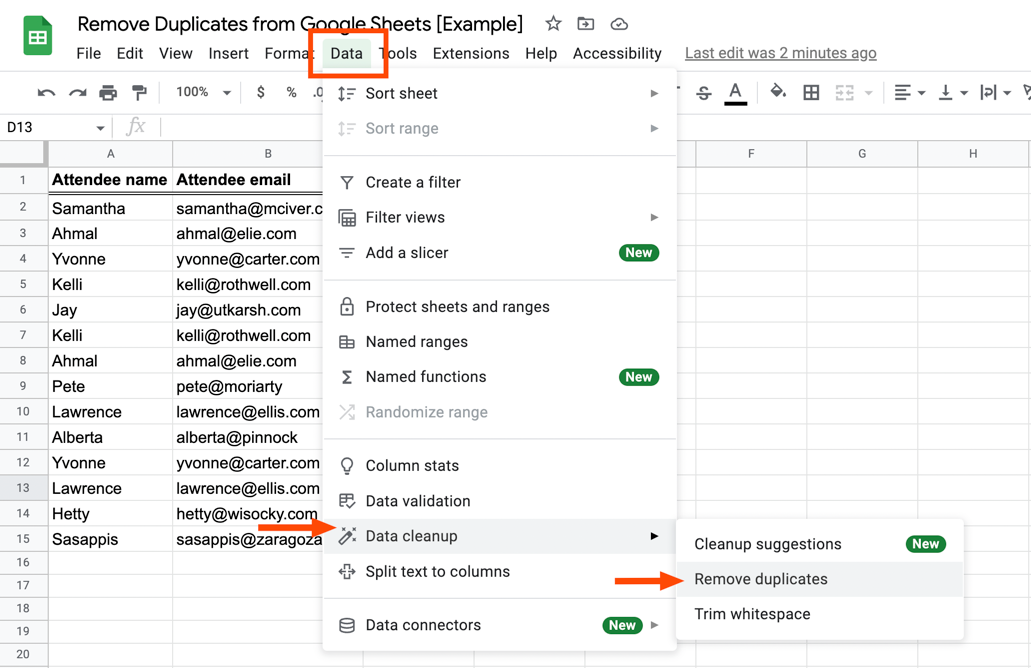
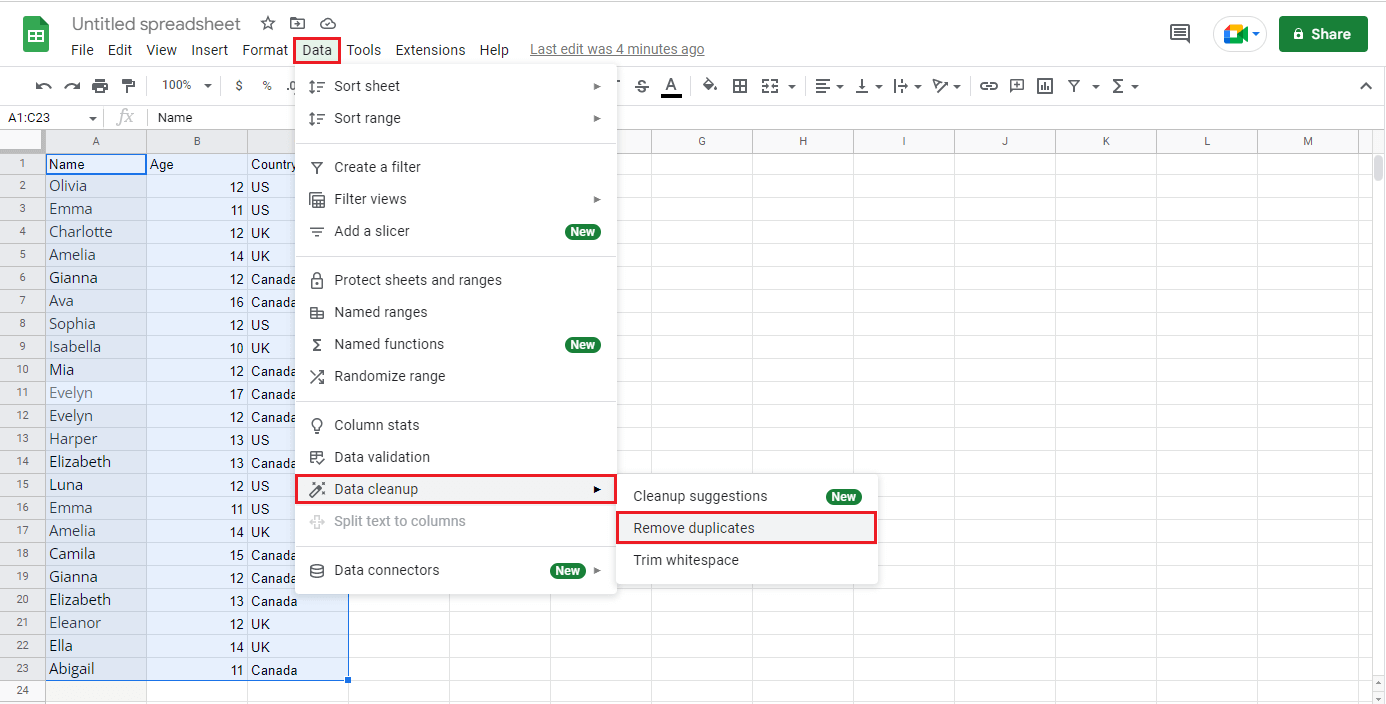
On the top toolbar click Data then in the drop down menu click Remove duplicates A menu will appear now Click the green Remove duplicates button After Here are the Google Sheets UNIQUE formulas Remove duplicates from a single column UNIQUE A2 A Remove duplicates from multiple columns UNIQUE A3 B Sort unique entries
How To Remove Duplicates In Google Sheets Without Using Apps Script How To Show Duplicate Data In Pivot Table Google Sheets Brokeasshome How To Highlight Duplicates In Google Sheets Step By Vrogue co How To Remove Duplicates In Google Sheets Four Methods MiniTool Remove Duplicates In Google Sheets Layman Solution How To Remove Duplicates In Google Sheets Without Using Apps Script How To Remove Duplicates In Google Sheets In 2024 Coupler io Blog How To Check Duplicates In Google Sheets FileDrop How To Remove Duplicates In Google Sheets Robots
Remove Both Duplicates In Google Sheets
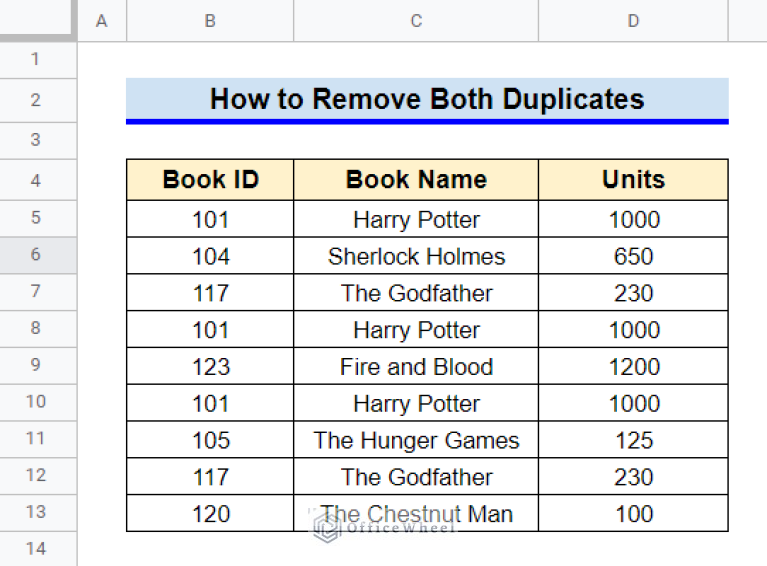 Remove Both Duplicates In Google Sheets
https://officewheel.com/wp-content/uploads/2022/11/how-to-remove-both-duplicates-in-google-sheets-1-767x566.png
1 Removing Duplicates Using the Remove Duplicates Tool The Remove duplicates tool is the most robust and practical method of removing duplicates in Google Sheets and should be the first place
Templates are pre-designed files or files that can be used for numerous purposes. They can conserve time and effort by supplying a ready-made format and design for creating different type of material. Templates can be utilized for personal or professional jobs, such as resumes, invites, flyers, newsletters, reports, discussions, and more.
Remove Both Duplicates In Google Sheets
Google Sheets How To Find And Erase Duplicates Technipages
How To Show Duplicate Data In Pivot Table Google Sheets Brokeasshome

How To Highlight Duplicates In Google Sheets Step By Vrogue co
How To Remove Duplicates In Google Sheets Four Methods MiniTool
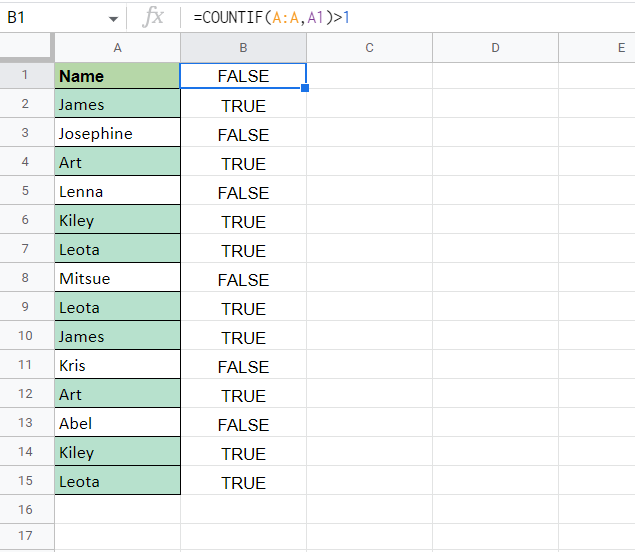
How To Remove Duplicates In Google Sheets Without Using Apps Script

How To Remove Duplicates In Google Sheets In 2024 Coupler io Blog
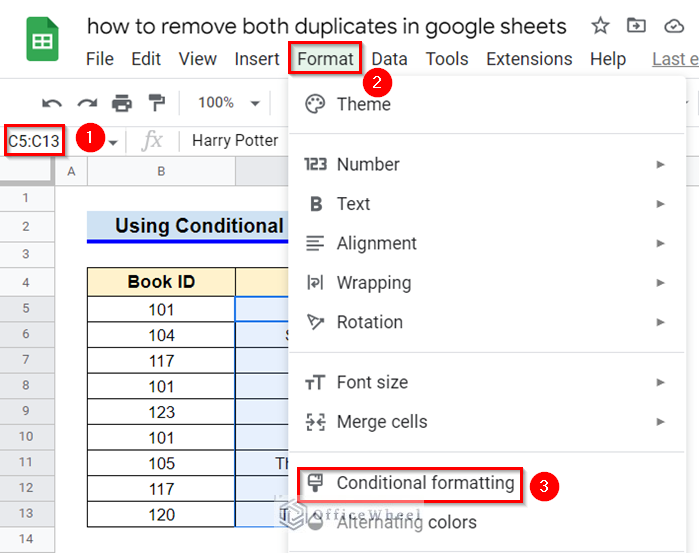
1 Using Conditional Formatting and Filter Option First we will use Conditional Formatting to highlight the rows that have been duplicated and then use Filter options to remove the duplicates Steps

One of the quickest ways to remove duplicates in Google Sheets is using the Data Cleanup tool Select the data you want to
Split text remove duplicates or trim whitespace Create use pivot tables Name a range of cells Sort filter your data Create an in cell dropdown list Automatically create a

Method 1 How to remove duplicates in Google Sheets with the Remove Duplicates tool The new feature is super easy to use You find this feature under the menu Data Data cleanup Remove

Here s how to remove duplicate data in Google Sheets Click any cell that contains data Then select the Data tab Data cleanup Remove duplicates From the Remove duplicates window that
Go to Data Data cleanup tab and click Remove duplicates Specify if your table has a header row and select all those columns that should be checked for There are two main ways to remove duplicates in Google Sheets use the Unique function or use an add on Open the spreadsheet you want to sort and click on
Remove Duplicates In Google Sheets Using the Remove Duplicates Tool With a scenario at hand that vividly highlights the practical necessity of removing