Remove Blanks From List Excel How To Delete Blank Rows In Excel YouTube How To Delete Blank Rows In Excel The Right Way 2021 Riset Remove Blanks In Excel FAST YouTube How To Remove Blanks From Dependent Drop Down List In Excel YouTube How To Delete Blank Cells In Excel Vba Printable Forms Free Online WEB Feb 1 2013 nbsp 0183 32 Formula to Extract a List Excluding Blanks The formula in cell C2 is IFERROR INDEX A 2 A 10 SMALL IF ISTEXT A 2 A 10 ROW A 1 A 9 quot quot ROW A1 quot quot And in English it reads Look at the range A2 A10 and return the first value if it is text i e not blank and not a number
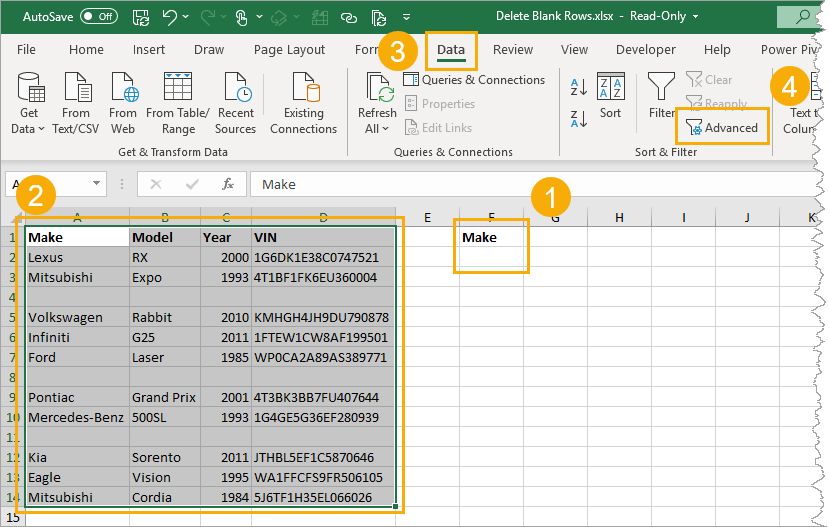
WEB Create a dynamic list and remove blanks 1 Select a cell next to the original list and type this formula IF B2 quot quot quot quot MAX A 1 A1 1 into it and then drag the autofill handle down to the range you need Now you will see only the cells WEB Apr 7 2019 nbsp 0183 32 Use Excel s Advanced Filter on the Data tab Sort amp Filter section The example below copies the values to a new column This helps if your original list is part of a table or matrix and you want to retain the original records rows in the table Column B contains the list to remove blanks from For this method the list needs to include a
How To Delete Blank Cells In Excel Vba Printable Forms Free Online Creating A Database From Excel Spreadsheet Riset How To Use Advanced Filter To Remove Blanks In Excel YouTube Remove Blanks From Slicers In Excel Excel Tutorial How To Remove Blanks In Excel Drop Down Lists YouTube Learn New Things How To Delete Multiple Blank Cells At A Time In MS How To Remove Blanks From List Using Formula In Excel 4 Methods How To Remove Blanks From List Using Formula In Excel 4 Methods List Remove Compare Duplicate Manager Software
Remove Blanks From List Excel
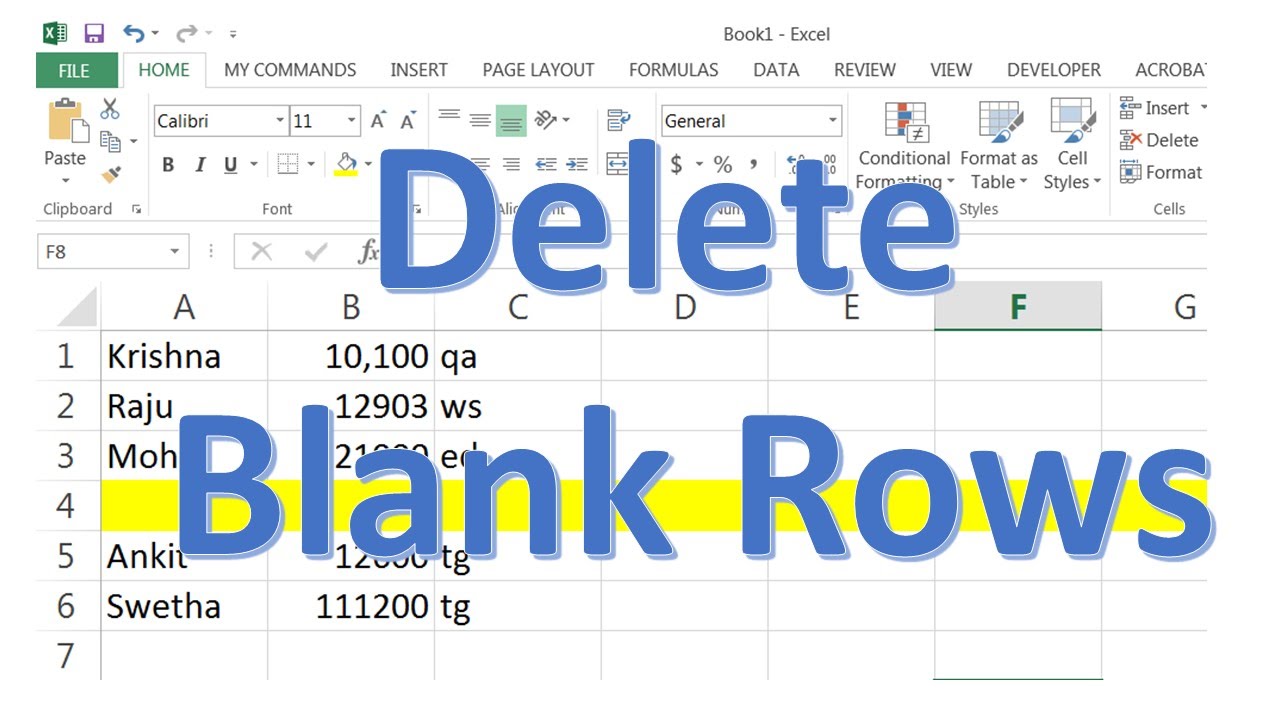 Remove Blanks From List Excel
https://i.ytimg.com/vi/33a1Q0zf_WQ/maxresdefault.jpg
WEB First select the data from which we want to remove blanks Right click gt Sort gt Sort A to Z The sorted result Now all the blanks are at the bottom and it s easy to create a list without blanks Note that I recreated the Data Validation list after the sorting otherwise there would be two blanks at the bottom of the list Remove Blanks Quickly
Pre-crafted templates provide a time-saving solution for producing a varied range of documents and files. These pre-designed formats and designs can be used for numerous individual and professional tasks, consisting of resumes, invitations, leaflets, newsletters, reports, presentations, and more, simplifying the material development process.
Remove Blanks From List Excel
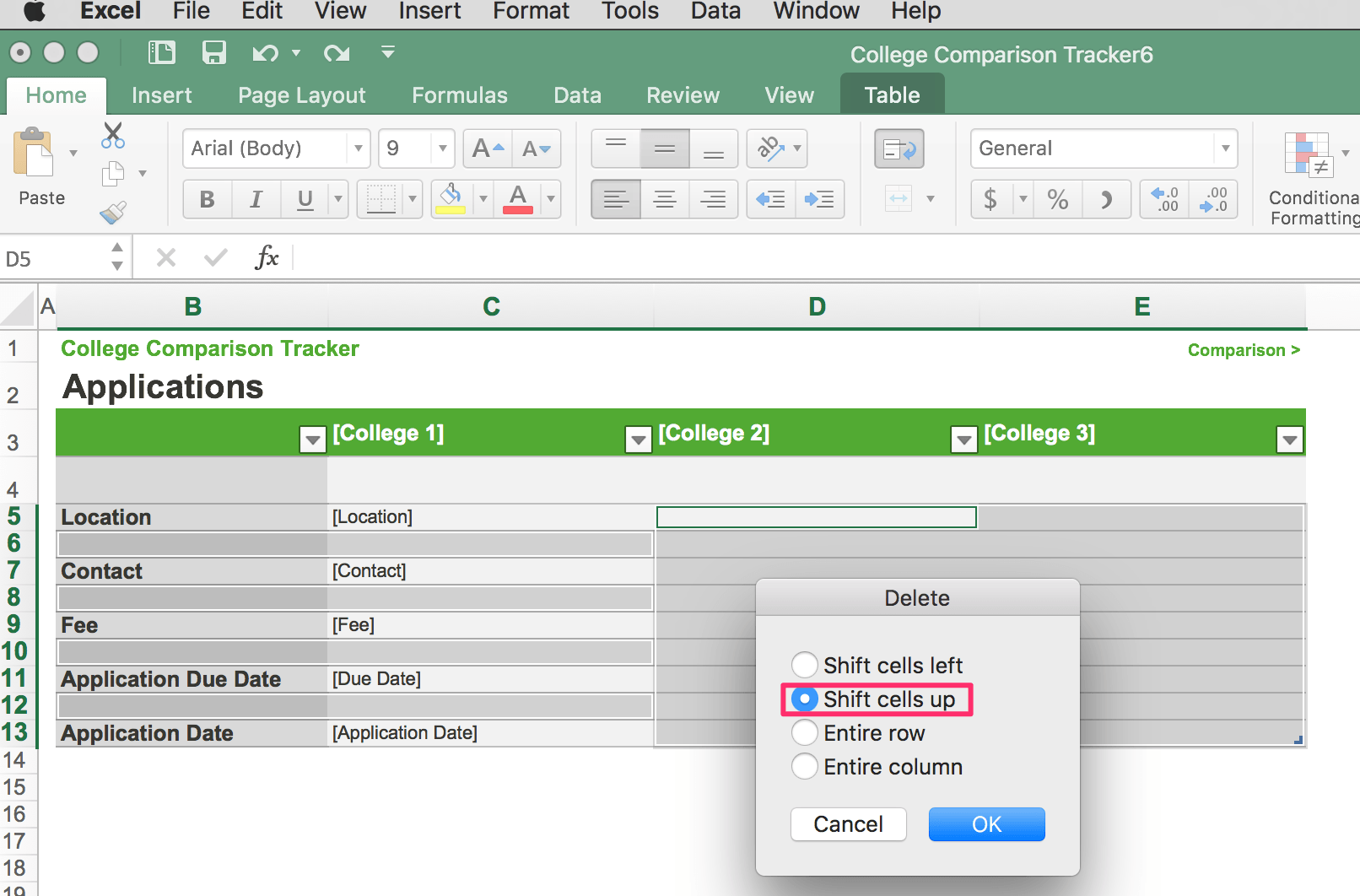
How To Find And Remove Blank Rows In Excel Using Go To Special 5 Steps

Creating A Database From Excel Spreadsheet Riset
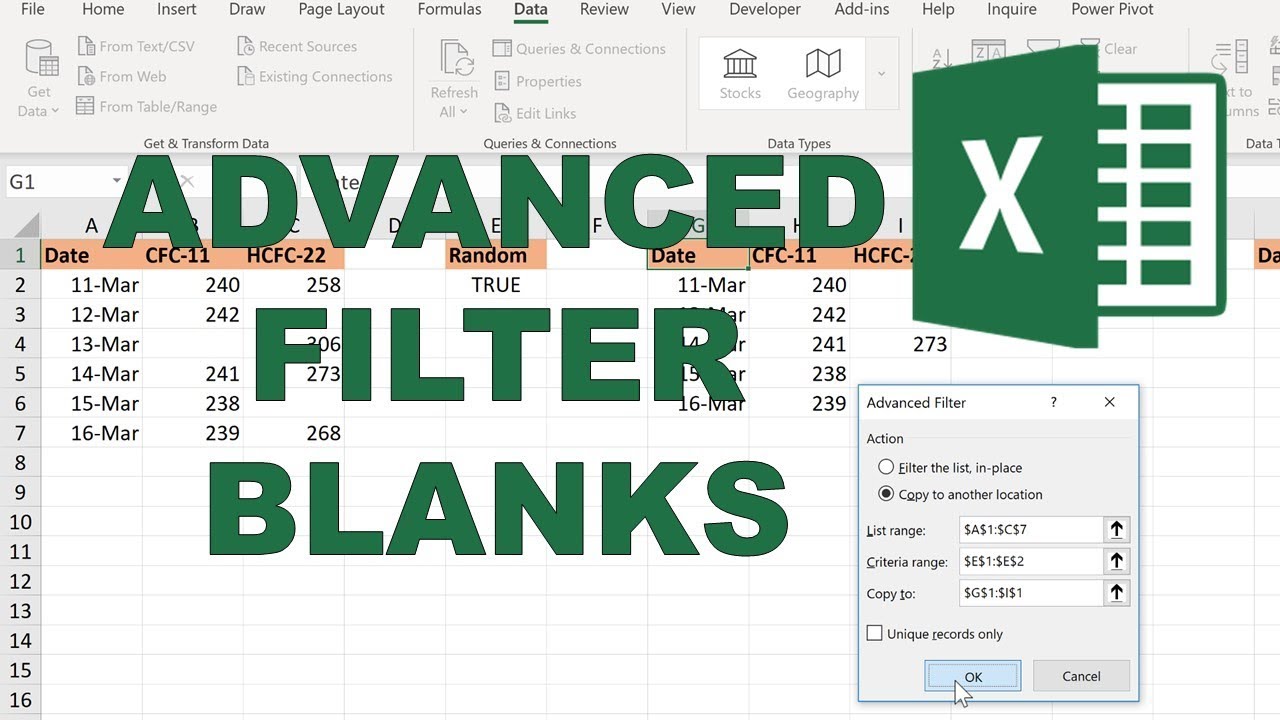
How To Use Advanced Filter To Remove Blanks In Excel YouTube
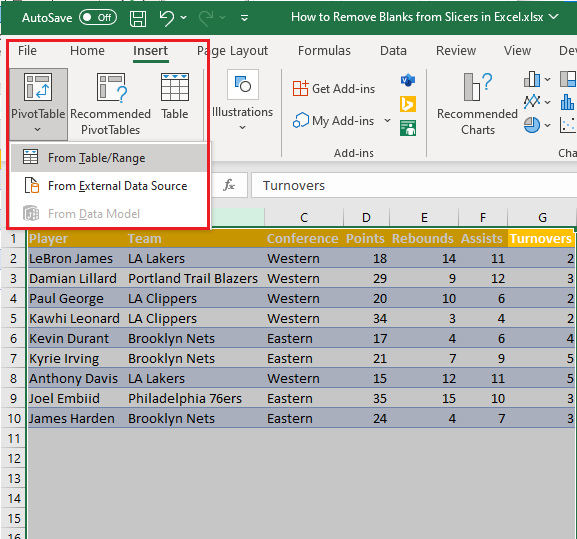
Remove Blanks From Slicers In Excel Excel Tutorial
Learn New Things How To Delete Multiple Blank Cells At A Time In MS

How To Remove Blanks From List Using Formula In Excel 4 Methods
WEB Mar 16 2023 nbsp 0183 32 See how to remove blanks in Excel quickly and safely delete empty cells from a selected range remove blank rows and columns after the last cell with data extract a list of data ignoring blanks Ablebits blog

WEB May 21 2018 nbsp 0183 32 We often find data in a raw unorganized form that contain empty cells In this article we re going to show you how to remove blanks from a list and create a new table using only formulas Syntax IFERROR INDEX list range SMALL IF ISTEXT list range ROW rows from 1 to count of list items quot quot ROW cell reference from first row quot quot

WEB 1 If your dropdown list has blanks in them even though the source does not have i e say if you set your validation source to be A A to be dynamic and deleting a row from the source causes a blank in the dropdown Here s another non formula way to create a dynamic dropdown without blanks in them
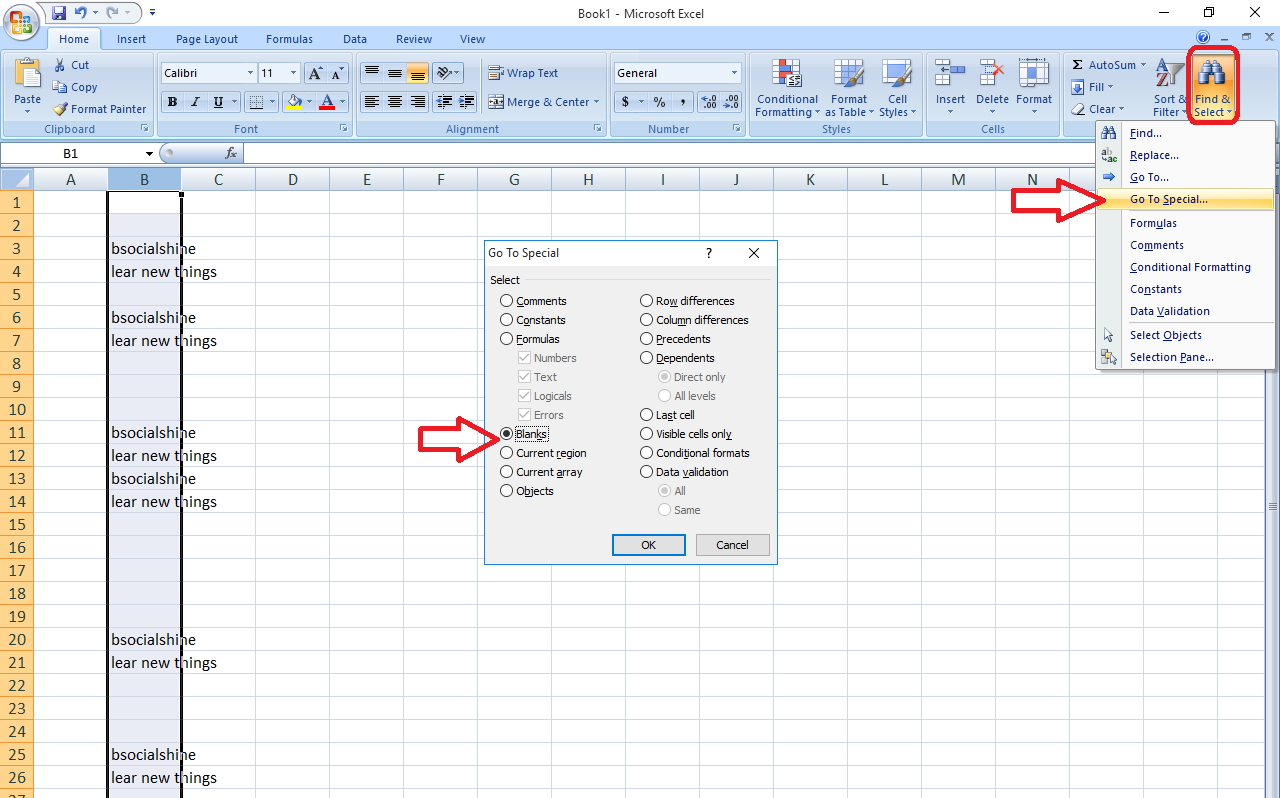
WEB Feb 12 2024 nbsp 0183 32 STEPS Firstly select the whole range containing blank cells at first Secondly go to Home gt Editing Thirdly from the Find amp Select drop down click Go To Special Consequently we can see a small window pop up Then select the Blanks option and click OK Here we can see all the selected adjacent amp non adjacent blank cells
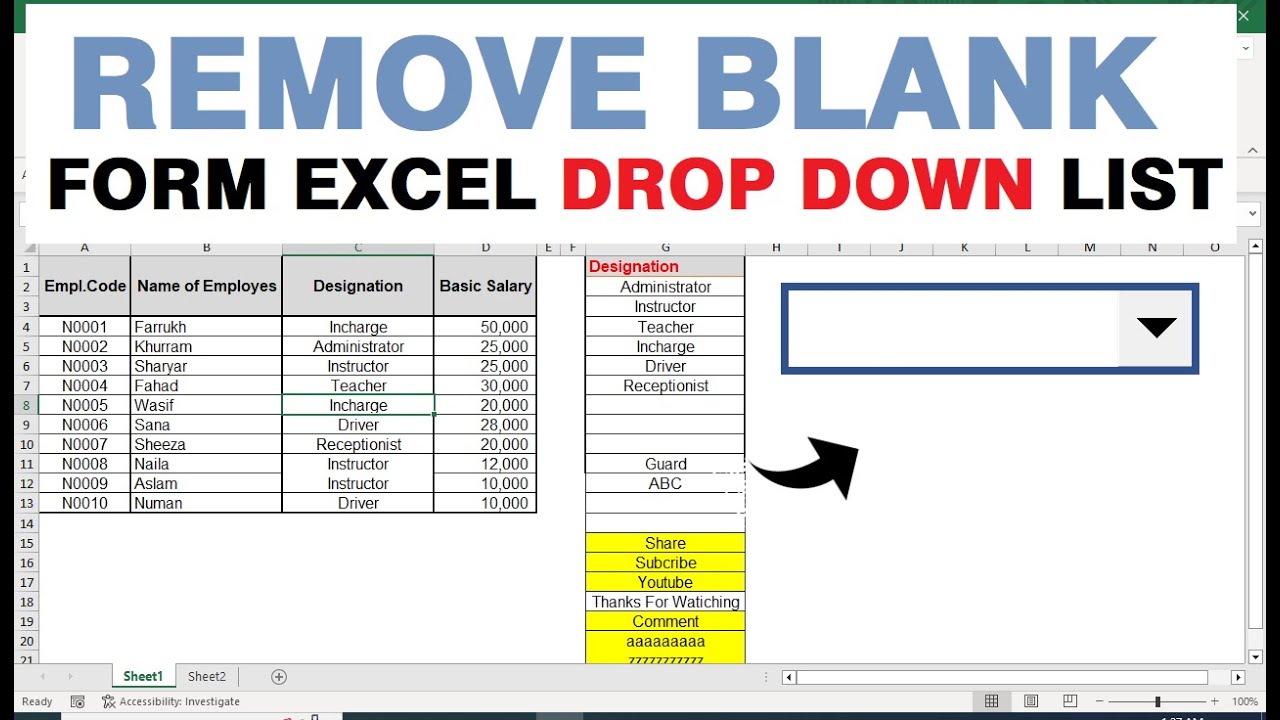
WEB Apr 21 2021 nbsp 0183 32 However there are multiple different ways you can create a drop down list in excel without blanks But it s important because by removing blanks it will make your form or spreadsheet look more polished by not having blank values in them
WEB Jan 28 2023 nbsp 0183 32 You can automatically remove blank rows in Excel by first selecting your dataset opening in the ribbon Find amp Select gt Go To Special and then selecting quot Blanks quot Finally in the ribbon click Delete gt Delete Sheet Rows Want to remove all the blank rows from your dataset WEB Jul 11 2018 nbsp 0183 32 How to remove blanks from a listNew Title Data Cleaning in Excel SpreadsheetWeb 2 37K subscribers Subscribed 58 Share 10K views 5 years ago Excel Tips amp Tricks Raw data is usually
WEB Feb 6 2013 nbsp 0183 32 When a Blank Cell Isn t Really Blank We therefore need to use a slightly different formula that excludes blank cells both real and fake from the count Note fake blank cell is not a technical term Exclude Blanks in a Dynamic Named Range