Refresh Pivot Table When Cell Value Changes Vba Excel VBA Track If A Cell Value Changes ExcelDemy Excel VBA Track If A Cell Value Changes ExcelDemy How To Refresh Pivot Table 2 Ways To Refresh Pivot Tables In Excel Excel Vba Refresh Pivot Table Based On Cell Value Brokeasshome How To Dynamically Update Pivot Table Data Source Range In Excel Www Web Sep 10 2018 nbsp 0183 32 3 3K 394K views 5 years ago Pivot Tables Sign up for our Excel webinar times added weekly https www excelcampus blueprint In this video I explain how to refresh pivot tables
Web Step 3 Refer Pivot Table by Name The code then uses ws PivotTables PivotTable1 to access a particular Pivot Table inside the designated worksheet specifically naming it PivotTable1 The data in a Pivot Table s cache is refreshed using PivotCache Refresh Step 4 Use the Refresh Table Method Web May 9 2024 nbsp 0183 32 Automatically Update a Pivot Table When Source Data Changes in Excel Written by Bhubon Costa Last updated May 9 2024 We ve included a data set with information on sales details in various regions in the image below We need an automated process to update data in a Pivot Table Step 1 Creating an Excel Pivot Table with a
How To Dynamically Update Pivot Table Data Source Range In Excel Www How To Dynamically Update Pivot Table Data Source Range In Excel Www VBA Refresh Pivot Table Alle Pivot Tabellen Mit VBA Automatisch How To Use Excel VBA To Run Macro When Cell Value Changes ExcelDemy How To Use Excel VBA To Run Macro When Cell Value Changes ExcelDemy Run VBA Macro When Cell Value Changes Using Worksheet Change Method CODE 2 0 Updates Collabora Office And Collabora Online Excel VBA Call Sub From Another Module ExcelDemy Excel Vba On Cell Click Event Vseramedical
Refresh Pivot Table When Cell Value Changes Vba
 Refresh Pivot Table When Cell Value Changes Vba
https://www.exceldemy.com/wp-content/uploads/2022/06/Excel-VBA-Track-Cell-Value-Changes-3.png
Web Nov 22 2023 nbsp 0183 32 The user in Excel needs to click the Refresh All button in the Data tab on the Ribbon to refresh the source data of the pivot table Alternatively you can write macros in VBA that update the data for you Refresh All Data Connections The simplest method to refresh the data is to use VBA to mimic what the Refresh All button does on the Ribbon
Pre-crafted templates offer a time-saving service for developing a varied variety of documents and files. These pre-designed formats and layouts can be used for various personal and expert projects, including resumes, invitations, leaflets, newsletters, reports, presentations, and more, streamlining the content development procedure.
Refresh Pivot Table When Cell Value Changes Vba
How To Update The Data In A Pivot Table Brokeasshome
How To Dynamically Update Pivot Table Data Source Range In Excel Www

VBA Refresh Pivot Table Alle Pivot Tabellen Mit VBA Automatisch
How To Use Excel VBA To Run Macro When Cell Value Changes ExcelDemy
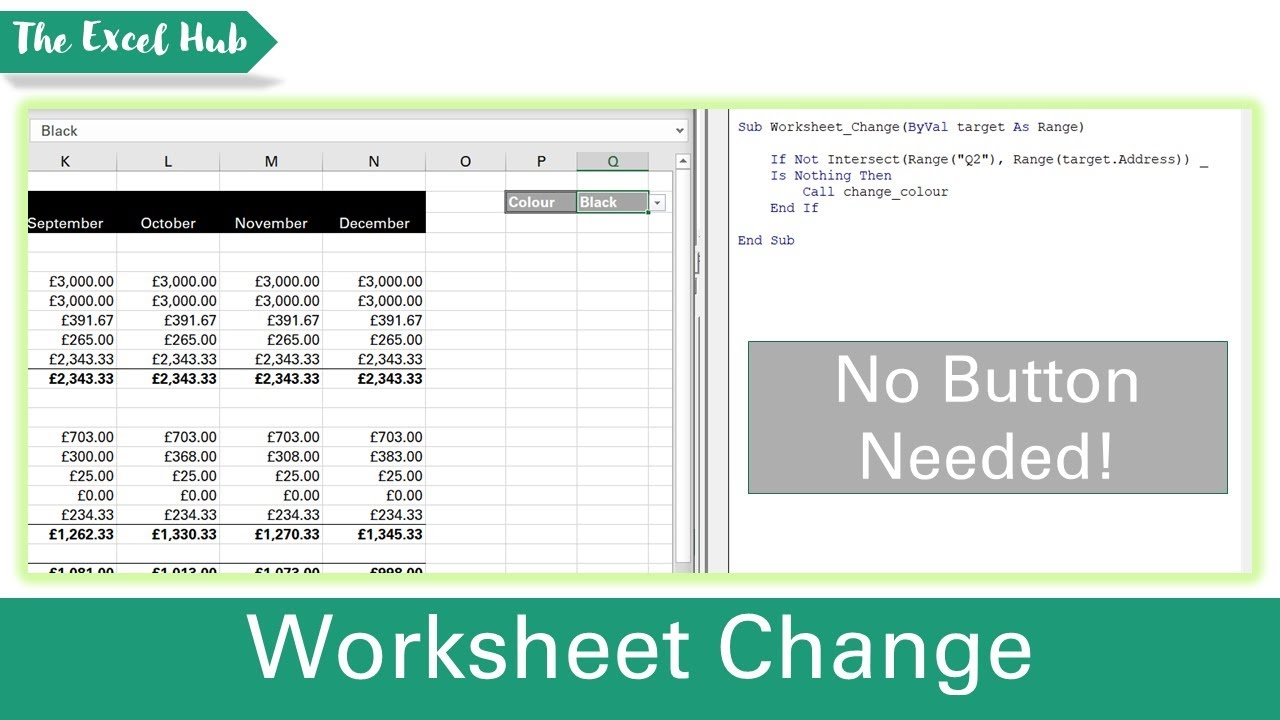
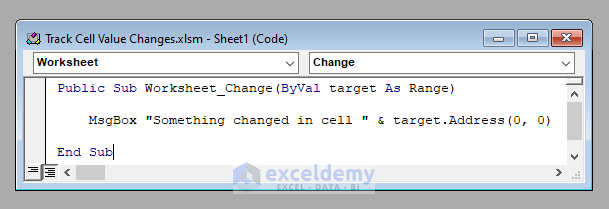
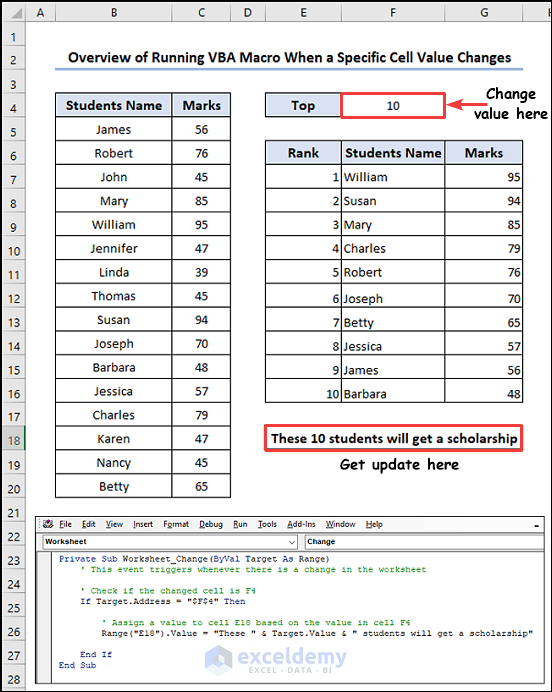
Run VBA Macro When Cell Value Changes Using Worksheet Change Method
CODE 2 0 Updates Collabora Office And Collabora Online

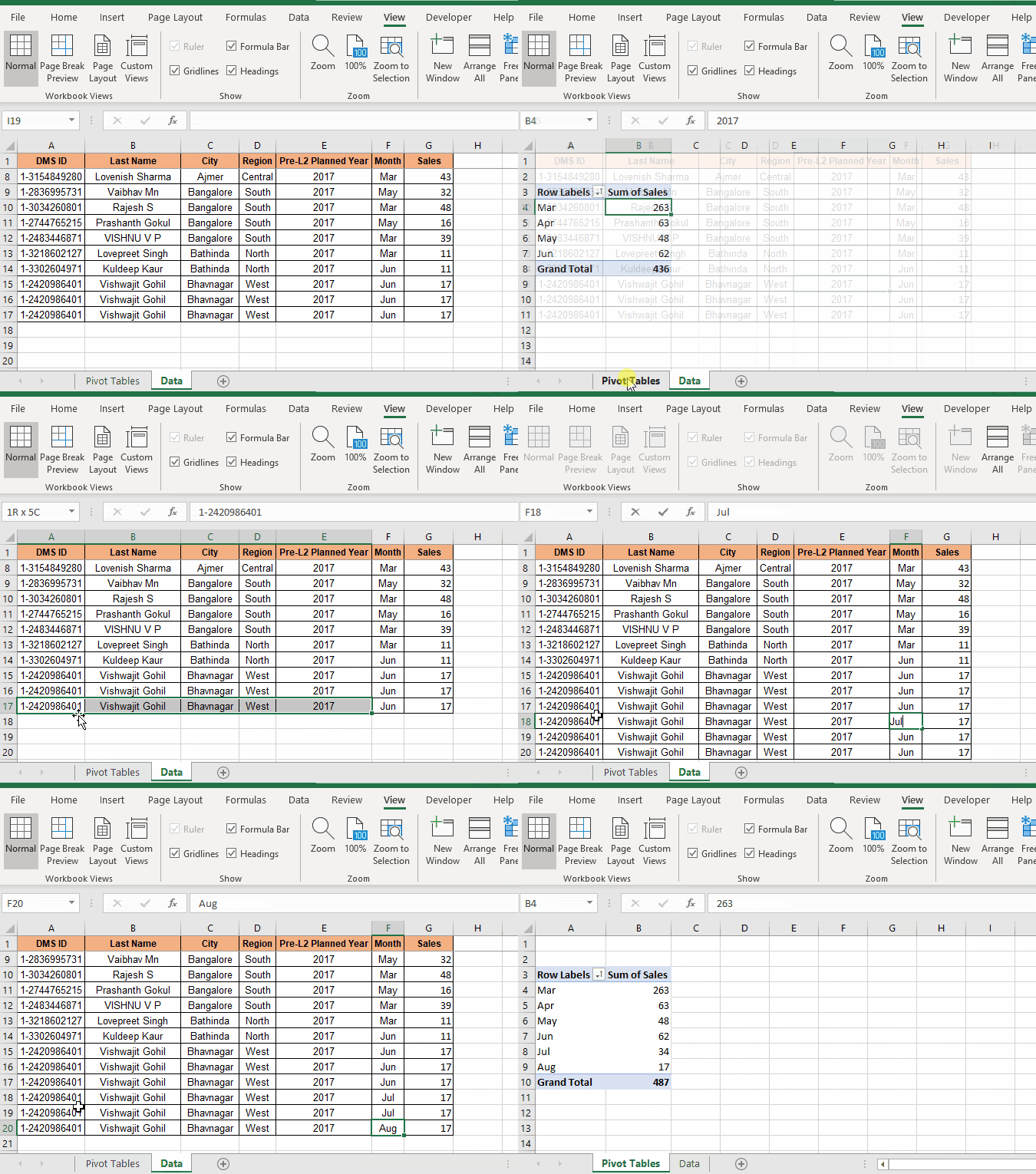
Web Aug 19 2021 nbsp 0183 32 When the data changes we can write a macro in the Worksheet Change Event to update the Pivot table In order to access the worksheet Change Event we need to go to the Visual Basic Editor in Excel VBE Press Alt F11 to access the VBE or in the Ribbon select Developer gt Visual Basic

Web Jul 9 2018 nbsp 0183 32 Option Explicit Sub Worksheet Change ByVal Target As Range Dim KeyCells As Range Set KeyCells Range quot C3 C6 quot If Not Application Intersect KeyCells Target Is Nothing Then Worksheets quot Pivot Graf quot PivotTables quot PivotTable12 quot PivotCache Refresh End If

Web Aug 28 2018 nbsp 0183 32 Bottom Line Learn how to use a simple macro to refresh pivot tables automatically whenever changes are made to the source data I also share a non macro solution to update the pivot tables when the file is opened Includes video tutorial and Excel file download Skill Level Intermediate

Web Jul 9 2018 nbsp 0183 32 I m trying to refresh my pivot table base on two cell values End user will type in value in cell B4 Region and value in cell B5 Department Pivot table would refresh base on these values I found code below but only allows for referencing 1 cell value Not sure how to modify it for 2 cell values
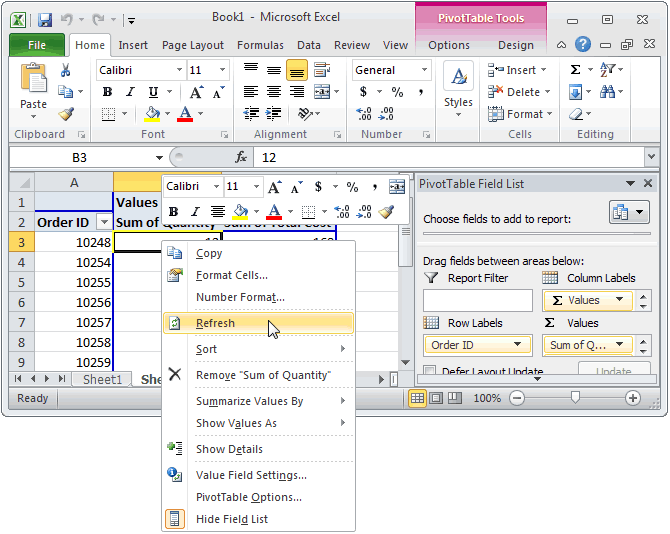
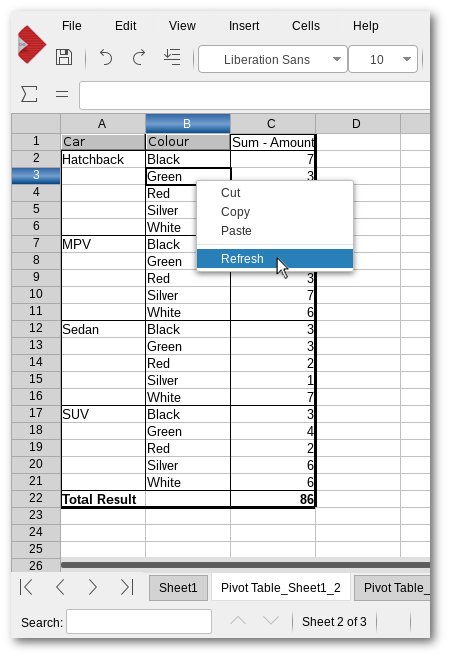
Web Here are the steps to refresh a Pivot Table Right click on any cell in the Pivot Table Select Refresh This will instantly refresh the Pivot Table You can also by selecting any cell in the Pivot Table and use the keyboard shortcut ALT F5
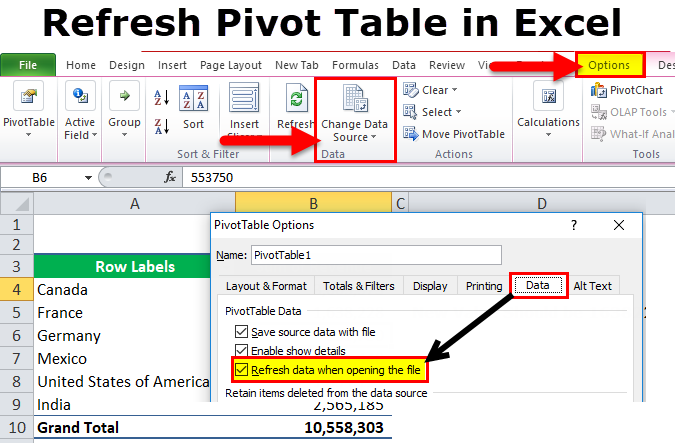
Web Nov 19 2022 nbsp 0183 32 Right click a cell in the pivot table and choose PivotTable Options In the PivotTable Options dialog box click the Data tab Under PivotTable Data options add a check mark to quot Refresh data when opening the file quot Click OK to save the option setting Web May 28 2019 nbsp 0183 32 1 Is there any way to detect when a pivot table changes filters are set in VBA I have a macro I would like to automatically run when the user changes the filters of the pivot table excel vba pivot table edited May 28 2019 at 12 29 Error 1004 8 048 3 27 50 asked May 28 2019 at 12 17 KingBugAndTheCodeWizard 256 3 13
Web Jan 4 2020 nbsp 0183 32 The easiest way to refresh a table is simply calling the RefreshTable method on it If you know the name and location of the table it is a simple one liner From our previous VBA pivot table tutorial let s say the table we want to refresh lives on Pivot Sheet1 and the name of the table is AQI for CBSAs 2019 Our single line of code would be