Qr Code For Staff Attendance Take Students Attendance By Using Mobile To Scan QR Code Qr Code For Attendance Jan Robertson How To Create Attendance Tracking QR Codes For Work From Home Employees ER Diagram For Student Attendance System Using QR Code YouTube Judgment All Skill QR Code Locations How To Unlock All Skills In 2 Add the QR Code widget in the form builder Click Add Form Elements and then click on Widgets and search for QR Code Select the QR Code widget 3 Adjust the QR code settings Under Widget Settings you can customize your QR code by adding a message numbers URLs and other text For attendance tracking you may want to consider encoding the date of attendance you want to track for
QR codes for attendance are revolutionizing the attendance tracking process with their simplicity and efficiency These two dimensional barcodes easily scanned by smartphones offer a seamless way to record presence at events classes or workplaces Content Writer Suhas Bangalore Start Building Your QR Code Based Attendance App With Clappia Get Started It s free Learn how to easily setup a QR code based attendance system without any coding skills Improve your attendance tracking process with this step by step guide
Judgment All Skill QR Code Locations How To Unlock All Skills In QR Code Based Attendance System Conceptual Framework Attendance Tracking More With QR Codes Information Technology How To Take Attendance With A QR Code YouTube App Inventor 2 Tutorial Mobile Attendance Tracking With QR Codes Attendance Check By Using QR Code YouTube Introducing Our Attendance QR Codes YouTube Edana Student App A Pocket Full Of Potential Inventory Management System Python Source Code Vetbossel Www vrogue co
Qr Code For Staff Attendance
 Qr Code For Staff Attendance
https://www.schooltracs.com/assets/images/cover/qr_attendance.png
4 Time and attendance reports Generate unique QR Code IDs for each employee to mark their attendance Create a dynamic form with all the details you want to capture To reduce the repetitive process generate pre filled form links for each employee Generate a QR Code for each employee and attach it to the pre filled form link
Pre-crafted templates use a time-saving service for creating a varied variety of documents and files. These pre-designed formats and designs can be used for various personal and professional tasks, consisting of resumes, invitations, leaflets, newsletters, reports, discussions, and more, enhancing the material production procedure.
Qr Code For Staff Attendance

How To Create A QR Code Attendance And Leverage Your COVID 19
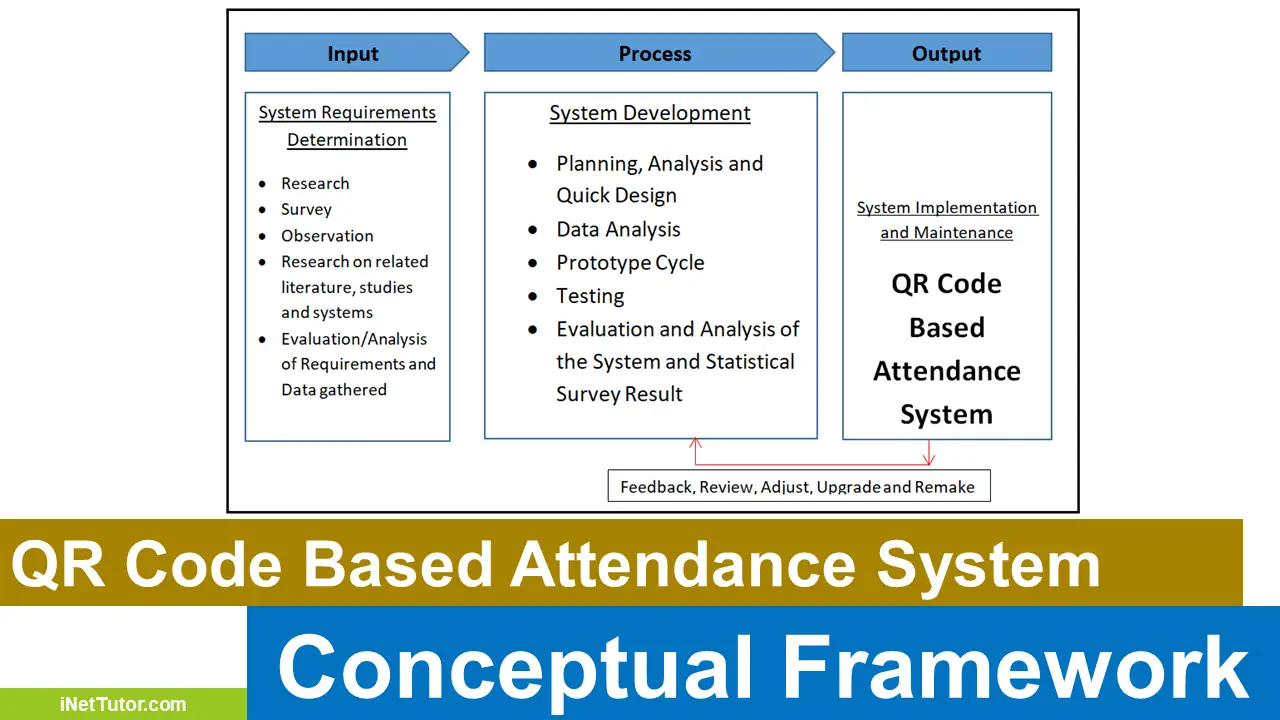
QR Code Based Attendance System Conceptual Framework

Attendance Tracking More With QR Codes Information Technology

How To Take Attendance With A QR Code YouTube

Attendance Check By Using QR Code YouTube

Introducing Our Attendance QR Codes YouTube
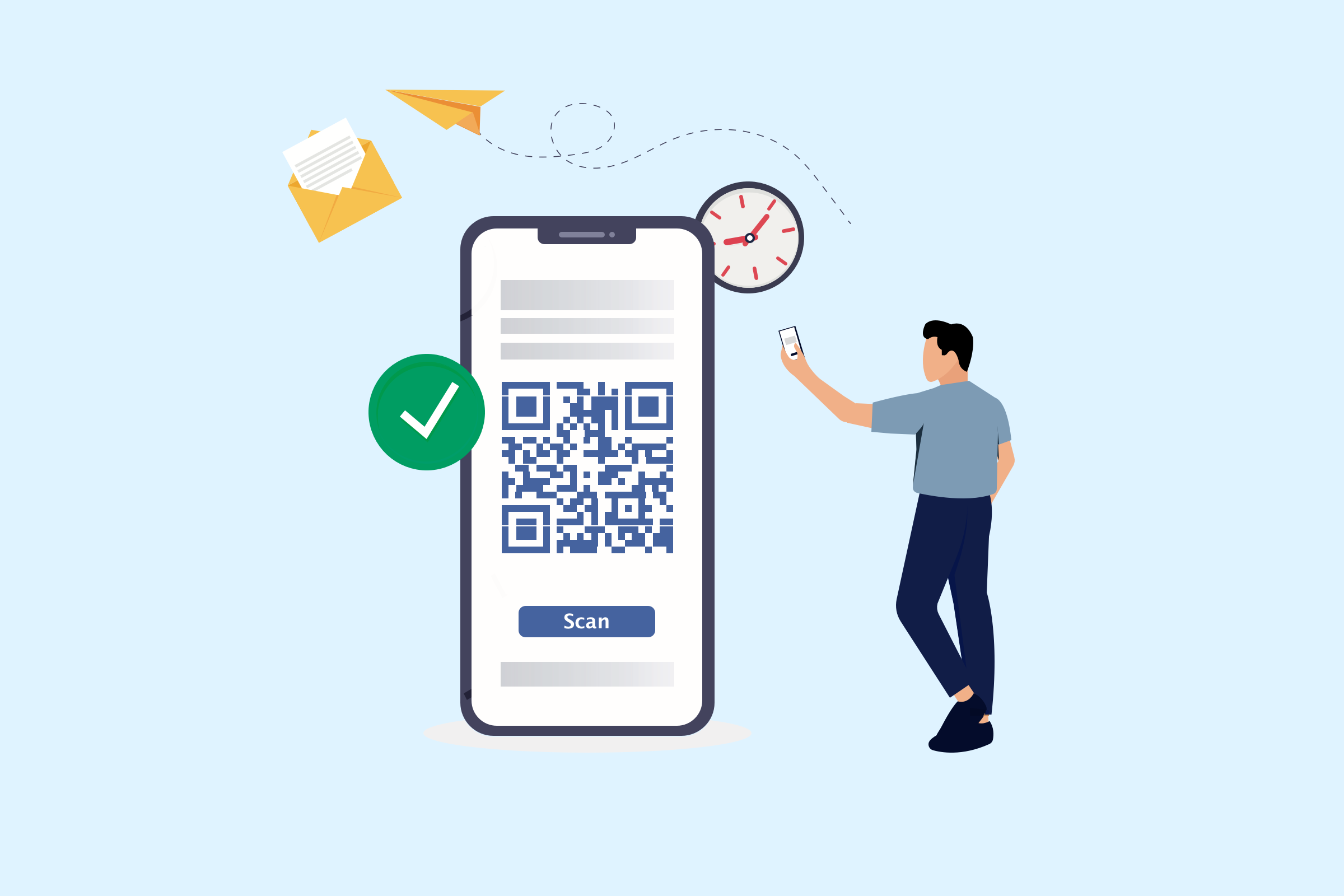
61 1M Reviews Overview Best QR Code attendance for Google Classroom and all online learning platforms and must have employee tracker You can design QR Codes for your mobile scanner

The Google Form QR code for the attendance system is a contactless and digital form of tracking attendance for the workplace school and events You can guarantee a safe and hygienic attendance platform for employees students or guests that is convenient accurate and easy to use

QR Codes for Attendance Turn your attendance register into a QR code Overcome the hurdles involved in tracking attendance by using our attendance QR codes Now you can verify and track your attendance super smoothly You can also export your attendance data to Excel with no trouble at all Everything comes down to a simple scan

5 steps using QR codes to track attendance with Google Forms Create your form Generate a URL link for the form Turn that link into a QR code Display the code where attendees can see it Collect your attendance data Taking attendance is a necessary but time consuming task whether it s for an event a classroom or a work training seminar

0 00 4 14 Intro Employee Time Attendance QR code Google Forms Sheets Easi card 288 subscribers Subscribe Subscribed 80 Share 9 9K views 1 year ago This simple video will show you
Step 2 Generate a QR code for your form In this step we will create a QR code for attendees students to easily access your recently created form Go to qrcode monkey to get started Paste the URL of the form you previously copied Next click Create QR Code Follow these steps to set up a QR code attendance tracking system 1 Log in to your Gmail account and go to Google Forms 2 Create your attendance form refer to the below image for example 3 In the Responses tab of the form link the responses to the excel sheet Note Make sure to set the necessary settings 4
1 Set up QR Code Create unique QR codes for your job sites or locations using allGeo s QR code generator 2 Assign QR Code