Python Is Not Installed Vscode Python Python A Newer Version Of The Python Launcher Is Python Was Not Found Run Without Arguments To Install From The About The Dantes Theme Python Python A Newer Version Of The Python Launcher Is Python Is Not Installed Or Not Found In Your PATH Var Issue 74 Web Apr 10 2020 nbsp 0183 32 Wiki Security Insights Error quot Python is not installed quot on Windows 10 11069 Closed matsieq opened this issue on Apr 10 2020 183 2 comments matsieq commented on Apr 10 2020 VS Code version 1 44 0 Extension version available under the Extensions sidebar 2020 3 71659 OS and version Windows 10 1809
Web Mar 26 2020 nbsp 0183 32 10 Answers Sorted by 33 You don t have the command python installed into your PATH on Windows which is the default if you didn t get your copy of Python from the Windows Store If you selected your Python interpreter in VS Code look in the status bar then I would disable Code Runner Web VS Code VS Code Python extension For additional details on installing extensions see Extension Marketplace Install a Python interpreter Along with the Python extension you need to install a Python interpreter Which interpreter you use is dependent on your specific needs but some guidance is provided below Windows
Python Is Not Installed Or Not Found In Your PATH Var Issue 74 Windows VScode Linter Pylint Is Not Installed YYDS Pandas Python Download Keeperhor Install Python On Windows Scaler Topics Pin By Techhelpnotes On Python Is Not Installed As A Framework Video Python Is Installed But Not Recognized In Cmd Listten Python Is Not Installed an Invalid Python Interpreter Is Selected JASON YY Python Pytesseract Pytesseract pytesseract Installed Module Is Not Found In VsCode Import No Module Named numpy
Python Is Not Installed Vscode
Python Is Not Installed Vscode
https://www.likecs.com/default/index/img?u=aHR0cHM6Ly9waWFuc2hlbi5jb20vaW1hZ2VzLzYwMS9hYzY1ODg4NTljZjk4MzQ4YjQzYWRjZGEwODM1ZWE0MS5wbmc=
Web Jul 14 2021 nbsp 0183 32 Issue Type Performance Issue It is already been 3 months that I cannot use VS code as Python IDE Both Python and Jupyter extensions keep saying the same issue Python is not installed Please download and install Python in order to ex
Pre-crafted templates offer a time-saving solution for creating a varied range of files and files. These pre-designed formats and layouts can be made use of for different individual and expert jobs, including resumes, invites, leaflets, newsletters, reports, presentations, and more, streamlining the content production process.
Python Is Not Installed Vscode
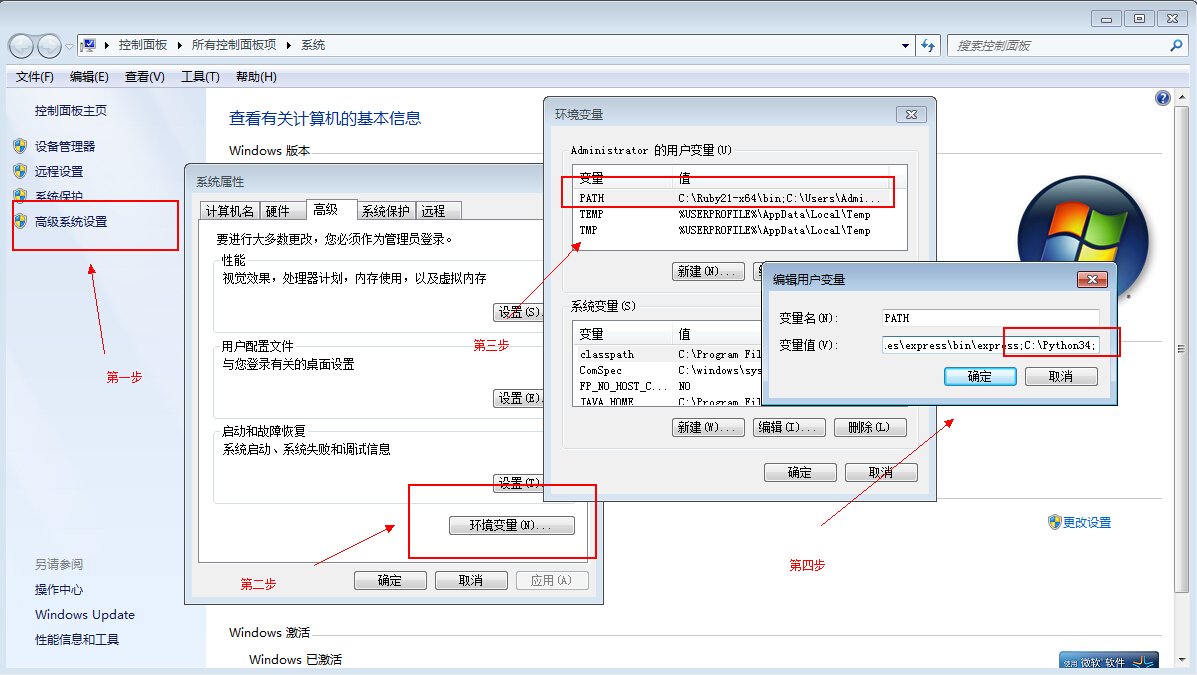
Windows VScode Linter Pylint Is Not Installed YYDS
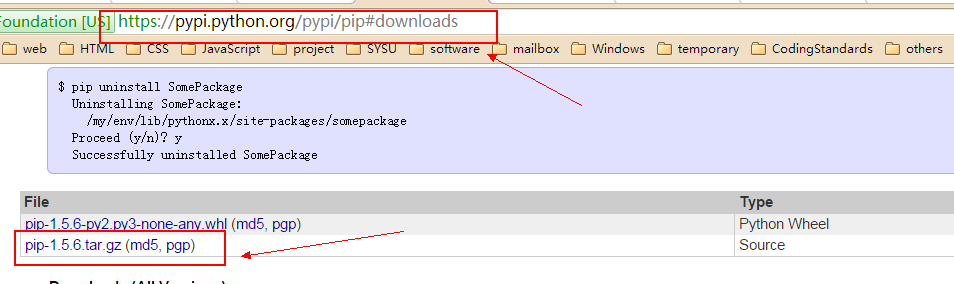
Windows VScode Linter Pylint Is Not Installed YYDS
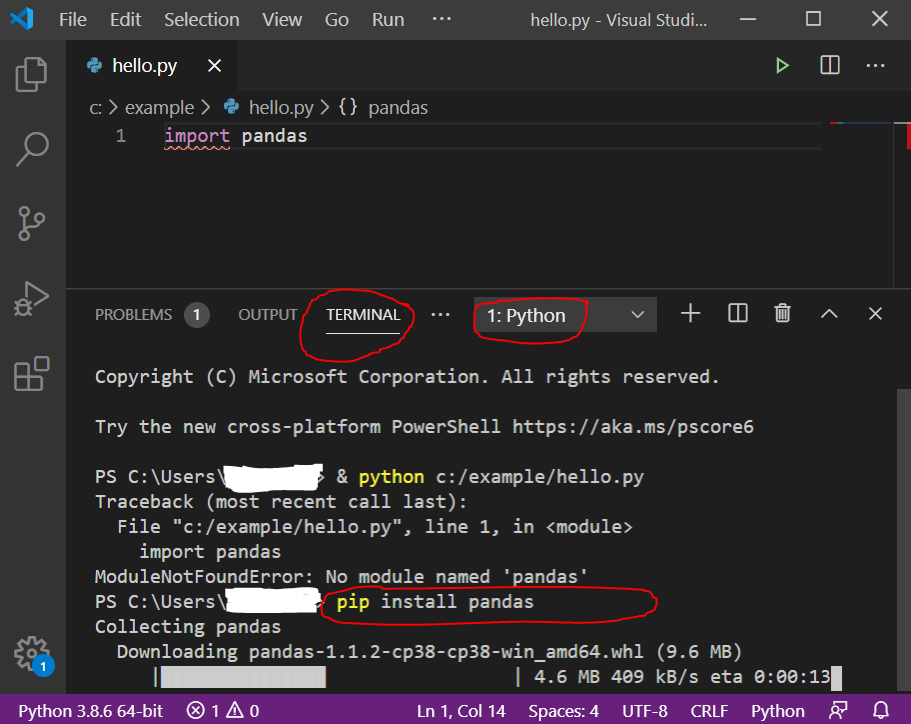
Pandas Python Download Keeperhor

Install Python On Windows Scaler Topics

Python Is Installed But Not Recognized In Cmd Listten
Python Is Not Installed an Invalid Python Interpreter Is Selected
Web May 16 2020 nbsp 0183 32 I resolved this issue by uninstalling Python then reinstalling to a simpler path My previous installation was located at C Users username AppData Local Programs Python Python38 python exe so I reinstalled Python to C python and VS Code now recognizes the interpreter

Web May 20 2022 nbsp 0183 32 0 When I open up my VSCode I immediately get the message quot Python is not installed Please download and install Python before using the extension quot in the bottom right When I close VSCode and open it up again the error message is fixed and it says Python 3 10 in the bottom right
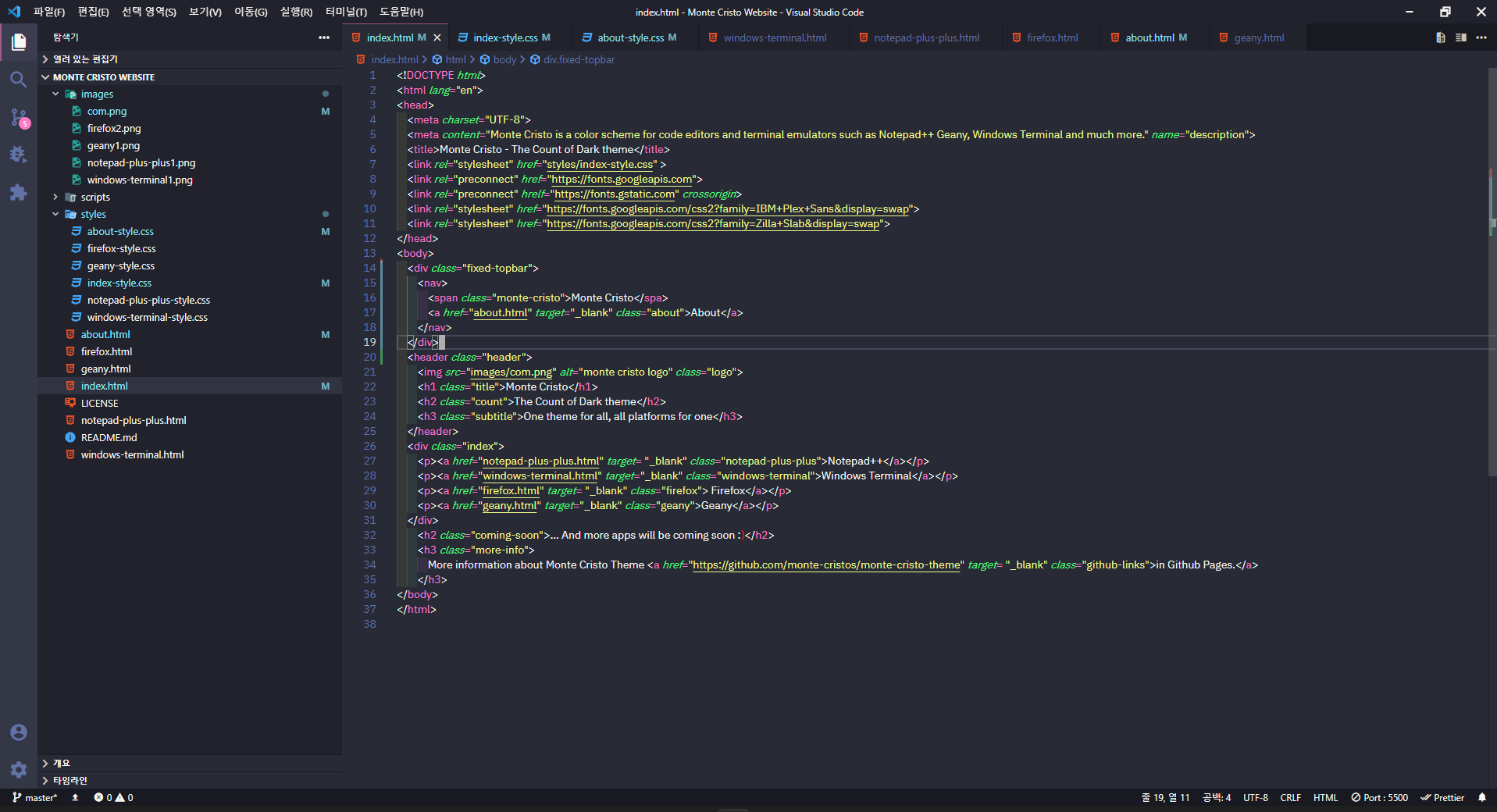
Web Jun 5 2020 nbsp 0183 32 VS Code Python installation and Python Interpreter not recognized I am getting this message on the VS Code that quot Python is not installed Please download and install python before using the extension quot There is also no quot Python Interpreter quot to select When I click on it it shows it empty

Web Open project in VSCode Running Ctrl Shift P gt Workspaces Duplicate Workspace in New Window Open py file Always prompted the popup
Web For a quick install use Python from python and install the extension from the VS Code Marketplace Note To help get you started with Python development you can use the Python profile template that includes useful extensions settings and Python code snippets
[desc-11] [desc-12]
[desc-13]