Python Data Analysis Pandas Pandas For Everyone Python Data Analysis Pandas For Everyone Python Graphing visualization Data Analysis With Python And Pandas P 2 YouTube Data Analysis Made Simple Python Pandas Tutorial Pandas For Everyone Python Data Analysis InformIT Data Science In Python Pandas Cheat Sheet DataScienceCentral I have this folder structure application app folder file py app2 some folder some file py How can I import a function from file py from within som
Jan 30 2020 nbsp 0183 32 Here s the starter code for connecting to share point through Python and accessing the list of files folders and individual file contents of Sharepoint as well How do I determine the current directory where I was in the shell when I ran the Python script and where the Python file I am executing is
Data Science In Python Pandas Cheat Sheet DataScienceCentral The Pandas Guide For Beginners In Python Python Pandas Cheat Sheet Pandas For Everyone Python Data Analysis Addison Wesley Data Python For Data Analysis Data Wrangling With Pandas NumPy Python Data Analysis And Science Using Pandas Matplotlib And The Understanding Pandas A Versatile Tool In Data Science By Ishaq Python For Data Analysis Data Wrangling With Pandas NumPy And Learn Pandas Python For Data Analysis Full Course
Python Data Analysis Pandas
 Python Data Analysis Pandas
https://www.oreilly.com/api/v2/epubs/9780134547046/files/graphics/p000ii-01.jpg
The fastest way to access indexes of list within loop in Python 3 7 is to use the enumerate method for small medium and huge lists Please see different approaches which can be used to iterate
Templates are pre-designed documents or files that can be utilized for various functions. They can save time and effort by providing a ready-made format and layout for producing different type of material. Templates can be used for individual or professional projects, such as resumes, invites, flyers, newsletters, reports, discussions, and more.
Python Data Analysis Pandas

5 Pandas Fundamentals Python Pandas Library Build On Top Of Python
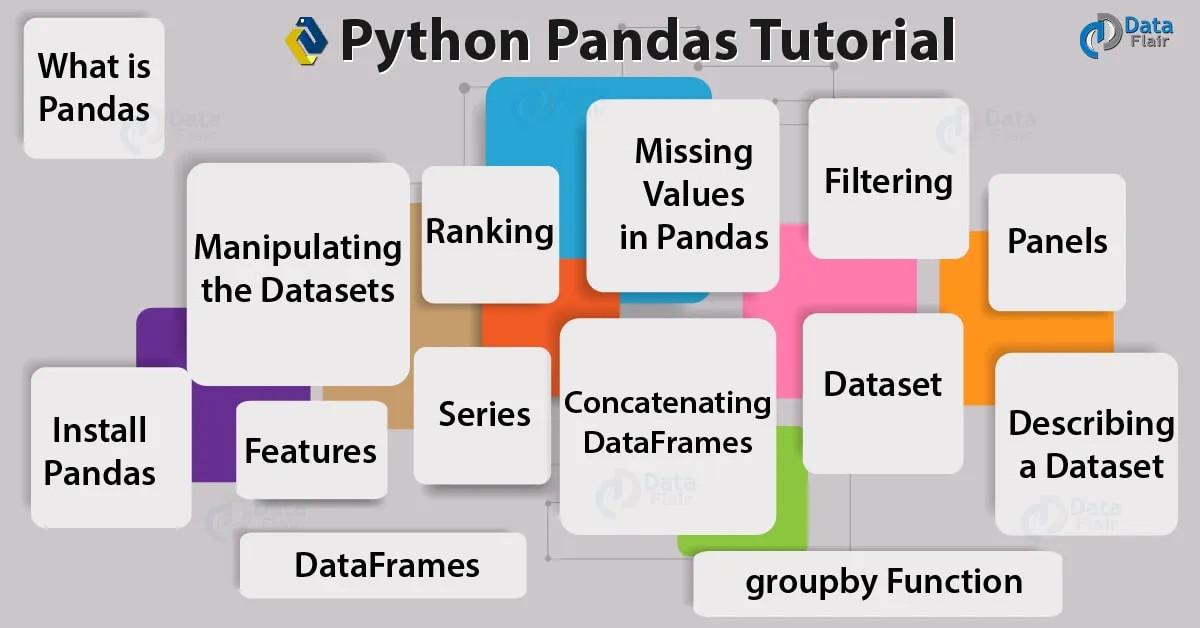
The Pandas Guide For Beginners In Python

Python Pandas Cheat Sheet

Pandas For Everyone Python Data Analysis Addison Wesley Data

Python Data Analysis And Science Using Pandas Matplotlib And The

Understanding Pandas A Versatile Tool In Data Science By Ishaq

Sep 2 2017 nbsp 0183 32 Go to the folder where Python is installed e g in my case Mac OS it is installed in the Applications folder with the folder name Python 3 6 Now double click on Install

Mar 15 2009 nbsp 0183 32 I want to find out my Python installation path on Windows For example C Python25 How can I find where Python is installed
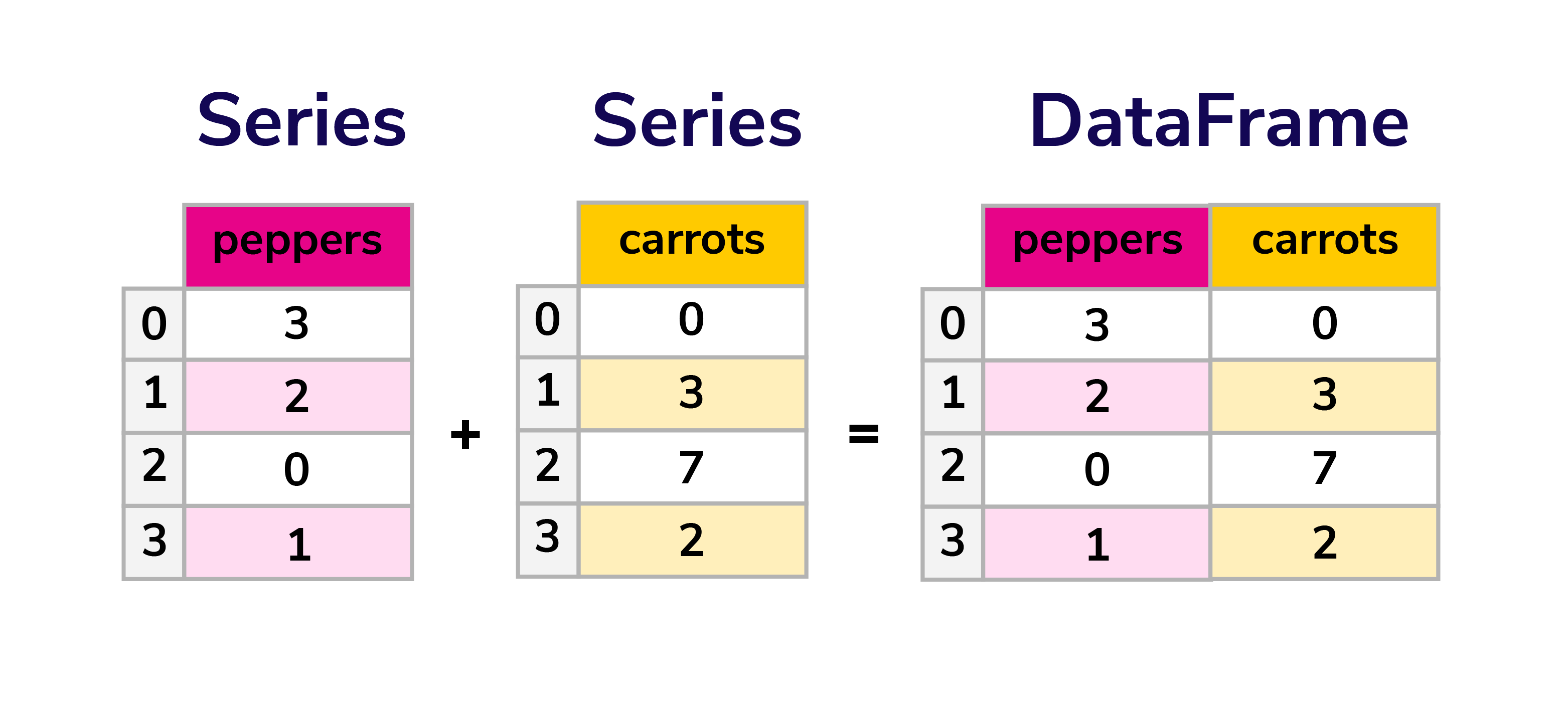
Jul 21 2010 nbsp 0183 32 Why is it better to use my dict keys over iterating directly over the dictionary Iteration over a dictionary is clearly documented as yielding keys It appears you had Python 2
Apr 25 2016 nbsp 0183 32 Step 3 Press Modify Step 4 Select pip Step 5 Select Add Python to environment variables and install everything This will install pip and add both Python and pip
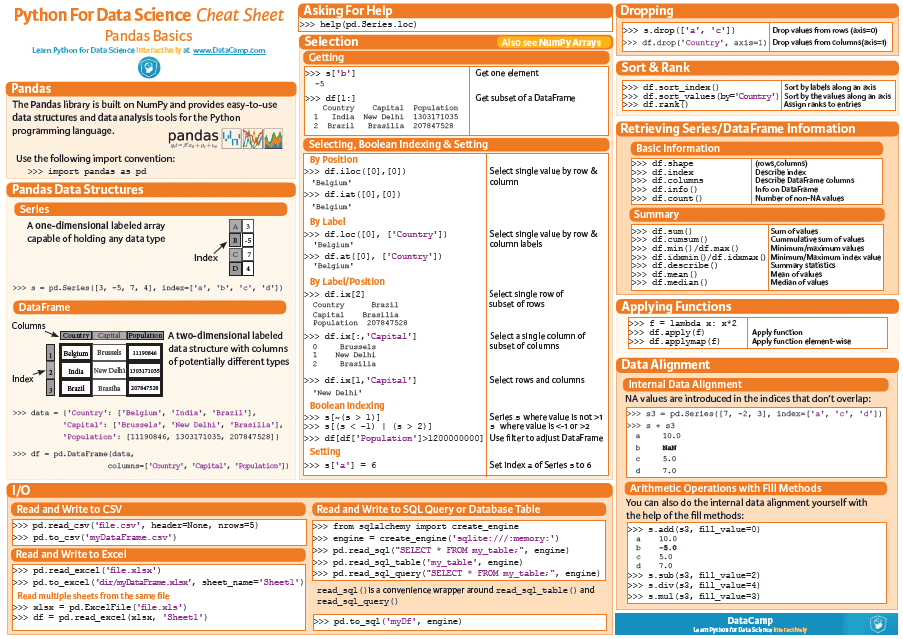
1 Search PowerShell Right click on Windows PowerShell and Run as administrator Put below command and hit enter Set ExecutionPolicy Unrestricted Force Restart you system and try to
[desc-11] [desc-12]
[desc-13]