Pycharm Can T Install Packages Pycharm Install Packages YouTube Can t Install Packages Error Empty Path Name Is Not Legal Packages Hi PyCharm Can t Install Basemap Packages Issue 295 Matplotlib Setup Pycharm Brospeedy Python Pycharm Can T Install Tensorflow On Windows 10 Stack Overflow Feb 8 2022 nbsp 0183 32 In Corey Schafer s Programming Terms Mutable vs Immutable at 3 06 he selected multiple lines and commented them out in PyCharm all in one action What is this action Is it a built in shortcut in
Dec 17 2024 nbsp 0183 32 1 Using the Interpreter Dropdown Quick Access In PyCharm there is a quick access Python Interpreter selector in the bottom right corner of the IDE window Using the Settings Window Navigate to Project gt Python Interpreter in the left hand menu Select or Add a Python Interpreter If you re adding a new Python version 135 I have PyCharm 1 5 4 and have used the quot Open Directory quot option to open the contents of a folder in the IDE I have Python version 3 2 selected it shows up under the quot External Libraries quot node How can I select another version of Python that I already have installed on my machine so that PyCharm uses that version instead
Python Pycharm Can T Install Tensorflow On Windows 10 Stack Overflow Installing Uninstalling And Upgrading Packages Help PyCharm Python Pycharm Can T Install Tensorflow On Windows 10 Stack Overflow Python Pycharm Can T Install Tensorflow On Windows 10 Stack Overflow Pycharm Can t Install Issue 149 Fcwu docker ubuntu vnc desktop Can t Install Go Plugin IDEs Support IntelliJ Platform JetBrains Pycharm Can T Install Opencv Contrib Python Vrogue Install Packages In PyCharm Easily YouTube Pasterviewer blogg se Install Packages Pycharm Windows
Pycharm Can T Install Packages
 Pycharm Can T Install Packages
https://i.ytimg.com/vi/EJf4bOflhKI/maxresdefault.jpg
Pycharm is unable to recognize installed local modules since python interpreter selected is wrong It should be the one where your pip packages are installed i e virtual environment
Pre-crafted templates offer a time-saving service for creating a diverse series of files and files. These pre-designed formats and layouts can be utilized for various individual and expert projects, including resumes, invites, leaflets, newsletters, reports, presentations, and more, simplifying the material production process.
Pycharm Can T Install Packages

Pycharm Can t Install PIL With Pip And Still Complain About The Strange
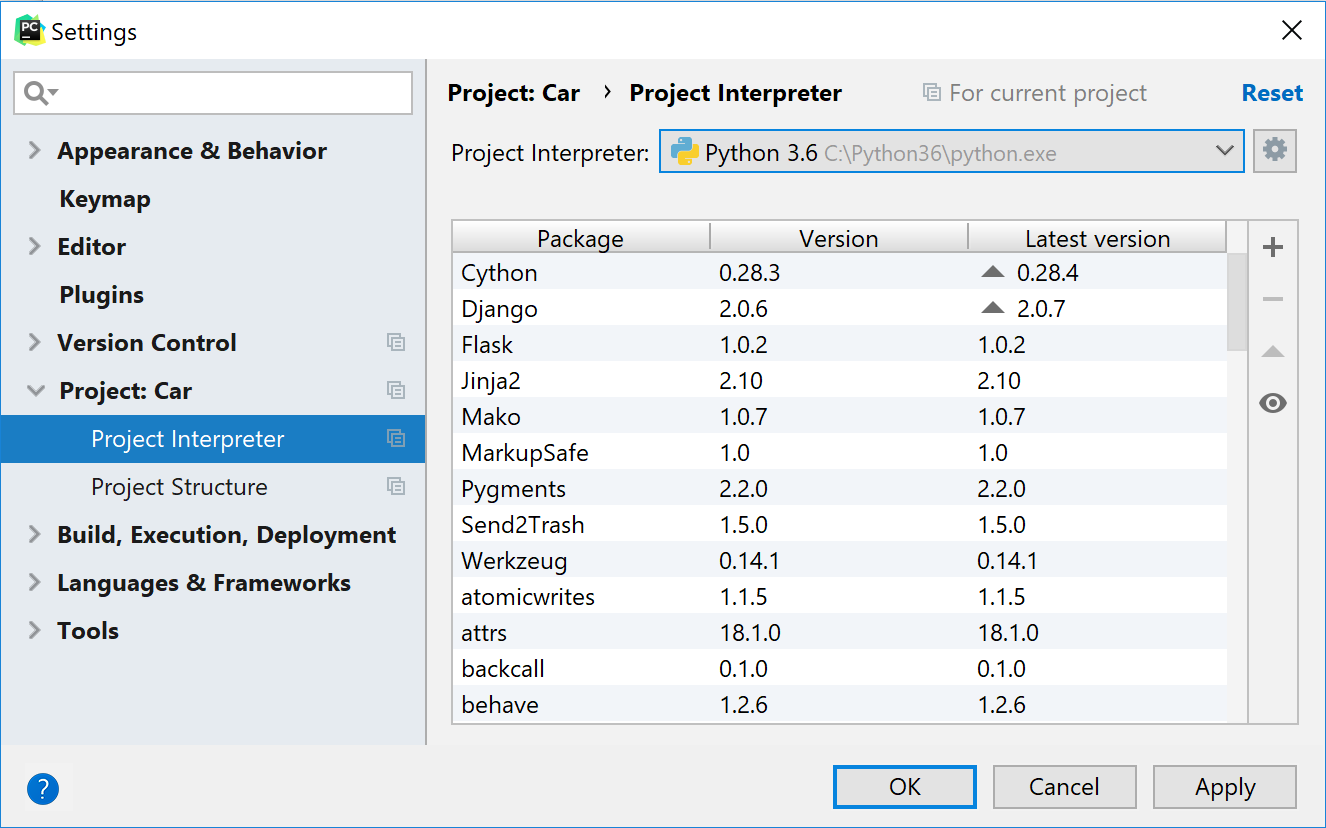
Installing Uninstalling And Upgrading Packages Help PyCharm

Python Pycharm Can T Install Tensorflow On Windows 10 Stack Overflow

Python Pycharm Can T Install Tensorflow On Windows 10 Stack Overflow

Can t Install Go Plugin IDEs Support IntelliJ Platform JetBrains

Pycharm Can T Install Opencv Contrib Python Vrogue

PyCharm PyCharm

Pycharm Python 3 Python bug Pycharm debug Pycharm
181 Pycharm does not show plot from the following code import pandas as pd import numpy as np import matplotlib as plt ts pd Series np random randn 1000 index pd date range 1 1 2000 periods 1000 ts ts cumsum ts plot What happens is that a window appears for less than a second and then disappears again
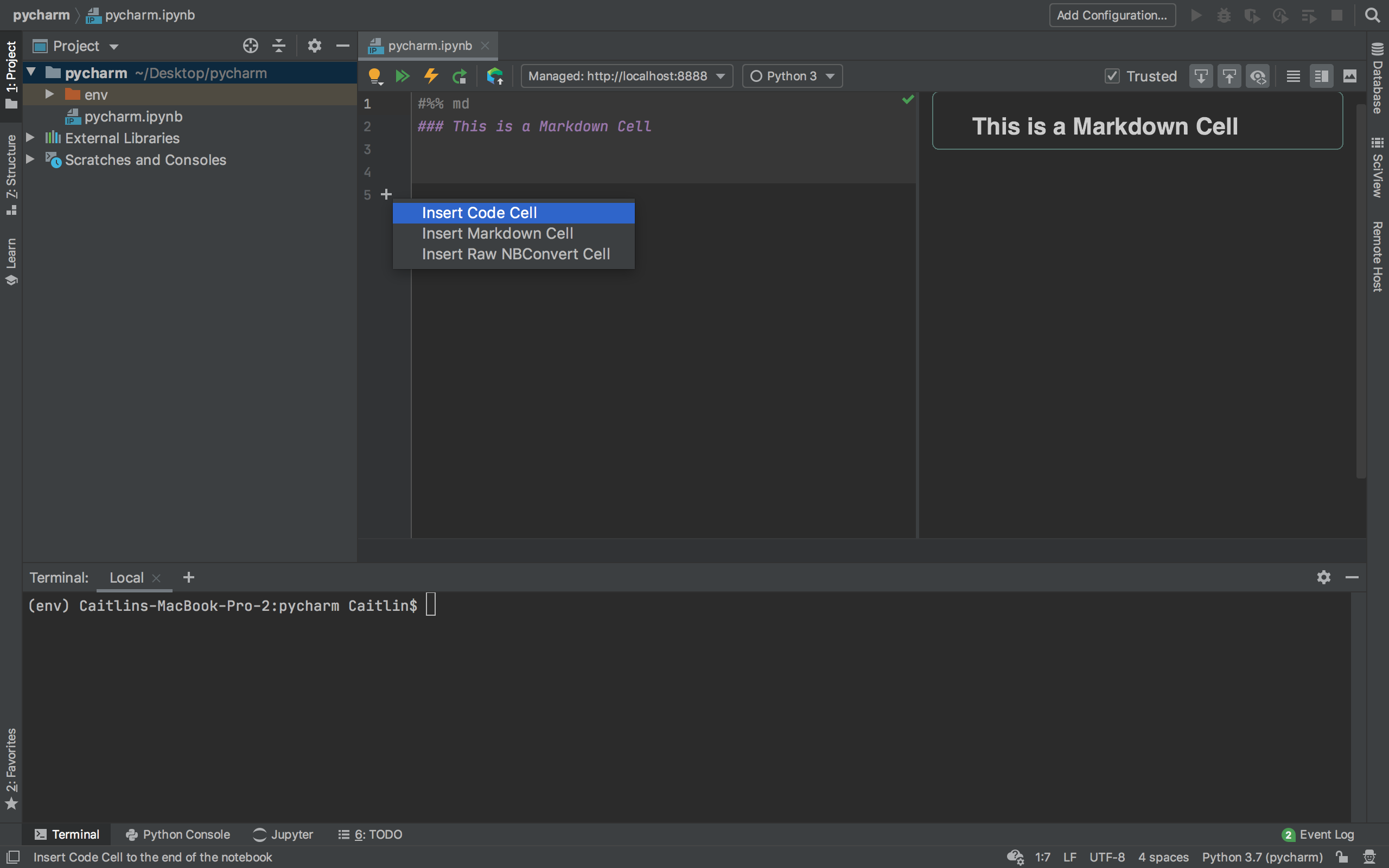
PyCharm AI JetBrains Fleet VSCode Copilot 2024 AI

Oct 5 2021 nbsp 0183 32 Basically what I already commented on Gouranga Satapathy s answer The question seems to be exactly about how to do that without using the Mouse Wheel so the setting is probably already enabled in the asker s case and it probably is not that relevant to his case which is to set a numeric default value to which the editor s font size will be set to whenever
[desc-11] [desc-12]
[desc-13]