Putting Background Image In Html 45 View Html Two Background Images Complete Background Collection Comment D finir Une Image En Fond De Page En HTML Wiki How To Fran ais How To No Repeat Background Image Html The Source For This Html Scaling Backgrounds In CSS Stack Overflow HD Background Background Images In Html If You Compare The Container On Your Site Example This example shows a bad combination of text and background image The text is hardly readable body background image url bgdesert jpg Try it Yourself Note When using a background image use an image that does not disturb the text The background image can also be set for specific elements like the p element
To add a wallpaper image to the website one that covers the entire page you have to write some CSS rules for the body element Here s how body background image url bg image jpg In the code above we re using the background image property to add an image to the body of the webpage The path location of the image is passed in as How to Insert a Background Image in HTML If you d like to set an image as the background of a web page or an HTML element rather than simply inserting the image onto the page you ll need to use the CSS background image property This CSS property replaced the background image attribute in previous versions of HTML It s much more
Background Images In Html If You Compare The Container On Your Site Background Images In Html If You Compare The Container On Your Site Css Background Image Padding Amalina 823 Background Image In Html Full Screen Images Pictures MyWeb Background Images In Html If You Compare The Container On Your Site 85 Background Image In Html Css Free Download MyWeb How To Add A Background Image In Html And Css The Meta Pictures 26 How To Put A Picture As The Background In Html Images Hutomo How To Background Image In Html Css The Meta Pictures
Putting Background Image In Html

https://lh5.googleusercontent.com/proxy/DGNaoOQiv3AOCU_Ma58LLS8kIeKgr2nOEQK0hzvGpp2xOtdVX3VI2MbSpnEL8O-FHk-xT1KPdDADWMIp-YZtmMEg0FtpVq74oB9Uck5tByD6GfbnXqZezbROXYy2SJs7AKtO8-lZTlgQsg=s0-d
You can also create your CSS in a separate CSS document and link it to your HTML document as an alternative Step 3 Type body in the next line The CSS code that will style the body of your HMTL document begins here Step 4 Type background image url image url in the next line
Pre-crafted templates provide a time-saving solution for producing a varied variety of files and files. These pre-designed formats and layouts can be used for various individual and professional jobs, consisting of resumes, invites, flyers, newsletters, reports, discussions, and more, simplifying the content production process.
Putting Background Image In Html
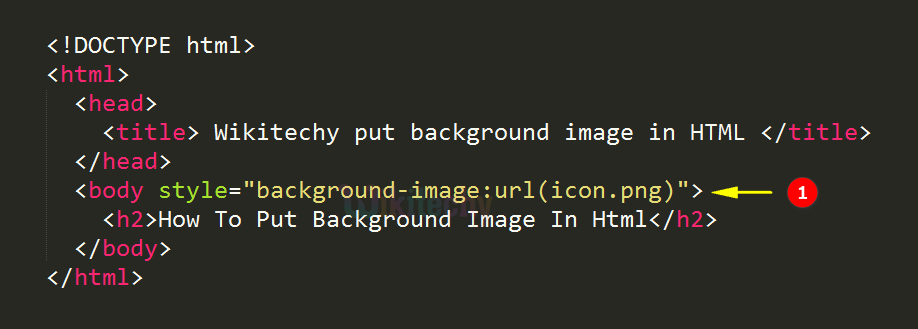
Html Body Tag Wikitechy
Background Images In Html If You Compare The Container On Your Site

Css Background Image Padding Amalina

823 Background Image In Html Full Screen Images Pictures MyWeb

85 Background Image In Html Css Free Download MyWeb

How To Add A Background Image In Html And Css The Meta Pictures

CSS3 introduced the background size property which helps us to control the background image size as displayed in its parent element In the following example as a background size value we use cover which scales the background image as much as possible so that the background image entirely covers the area To create a full page background image also add a background image to the

After reading this article you would be able to set a background image in a webpage by using only HTML and CSS There are two methods for setting a background image in an HTML file By using background attribute in the tag in HTML By using Inline or Internal Style Sheet Method 1 By using background attribute in the tag in HTML

Alternatively you can create your CSS on a separate CSS document and link it to your HTML document 3 Type body on the next line This is the opening of the CSS code that will style the body of your HMTL document 4 Type the code to set a background image background image url filename jpg
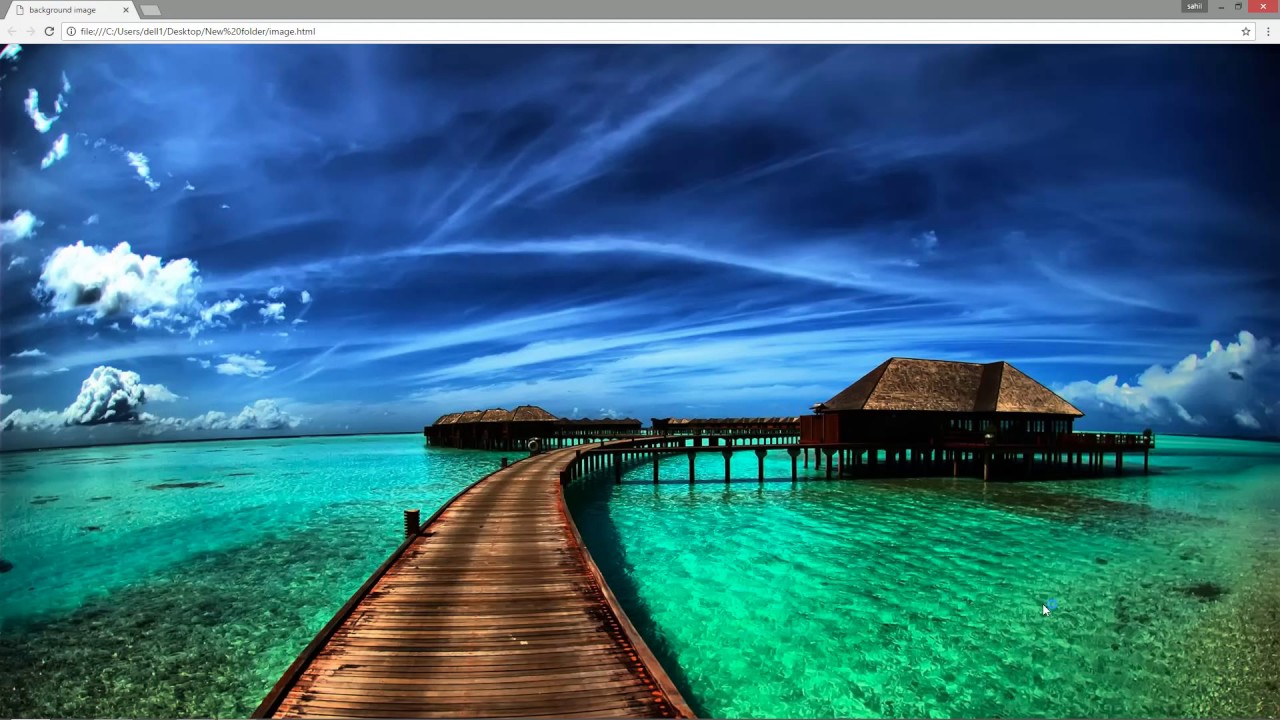
Definition and Usage The background image property sets one or more background images for an element By default a background image is placed at the top left corner of an element and repeated both vertically and horizontally Tip The background of an element is the total size of the element including padding and border but not the margin

So remember folks Check your file paths carefully use proper syntax for adding a background image in HTML consider all screen sizes when choosing and positioning your images and don t forget those pesky semi colons Best Practices for Using Background Images in HTML Let s dive into the world of background images in HTML
Note Even if the images are opaque and the color won t be displayed in normal circumstances web developers should always specify a background color If the images cannot be loaded for instance when the network is down the background color will be used as a fallback To add a background image to a section tag in your css file write the following code section specifies the tag you want to add the image to url is used to tell CSS where our image is located Inside the parentheses images sunset png is the path to the image This lets the browser know what URL to pull
So you will be able to see from the above example that the image is repeating both vertically and horizontally Background images automatically repeat unless otherwise specified If you don t want your image to repeat see how to make a background image not repeat Putting Styles into an External Style Sheet