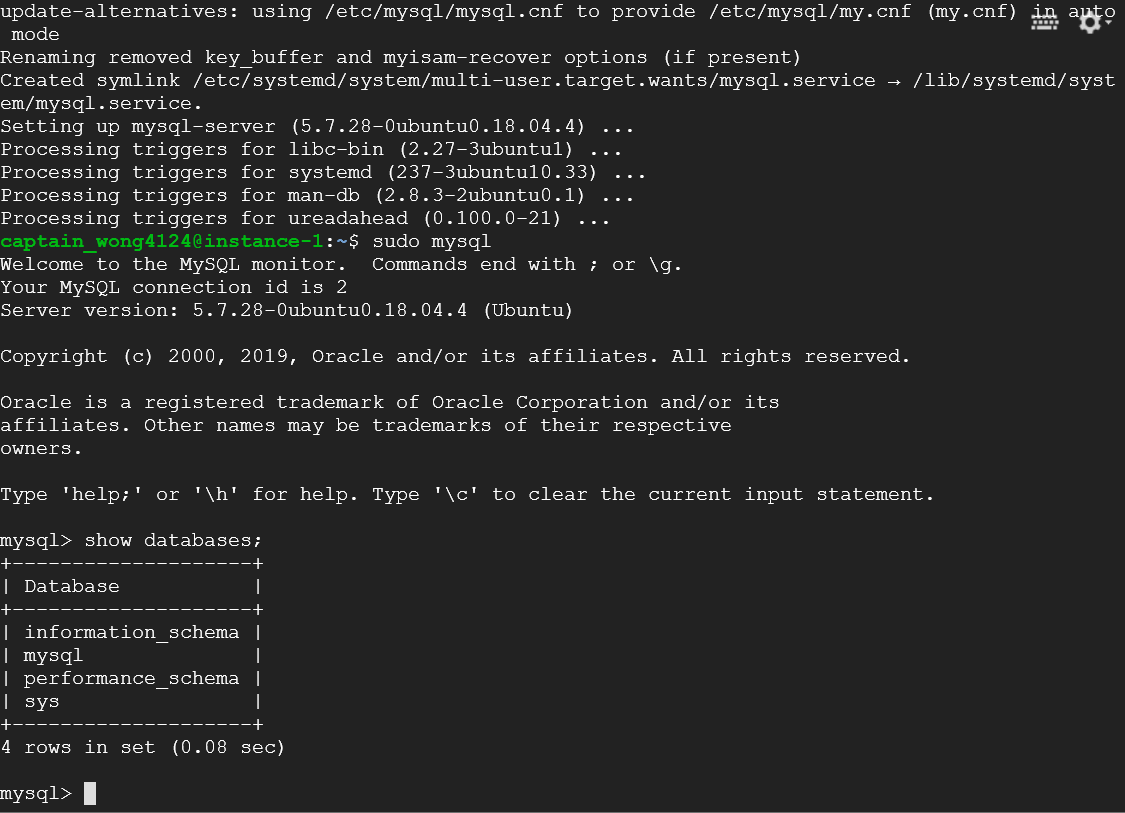
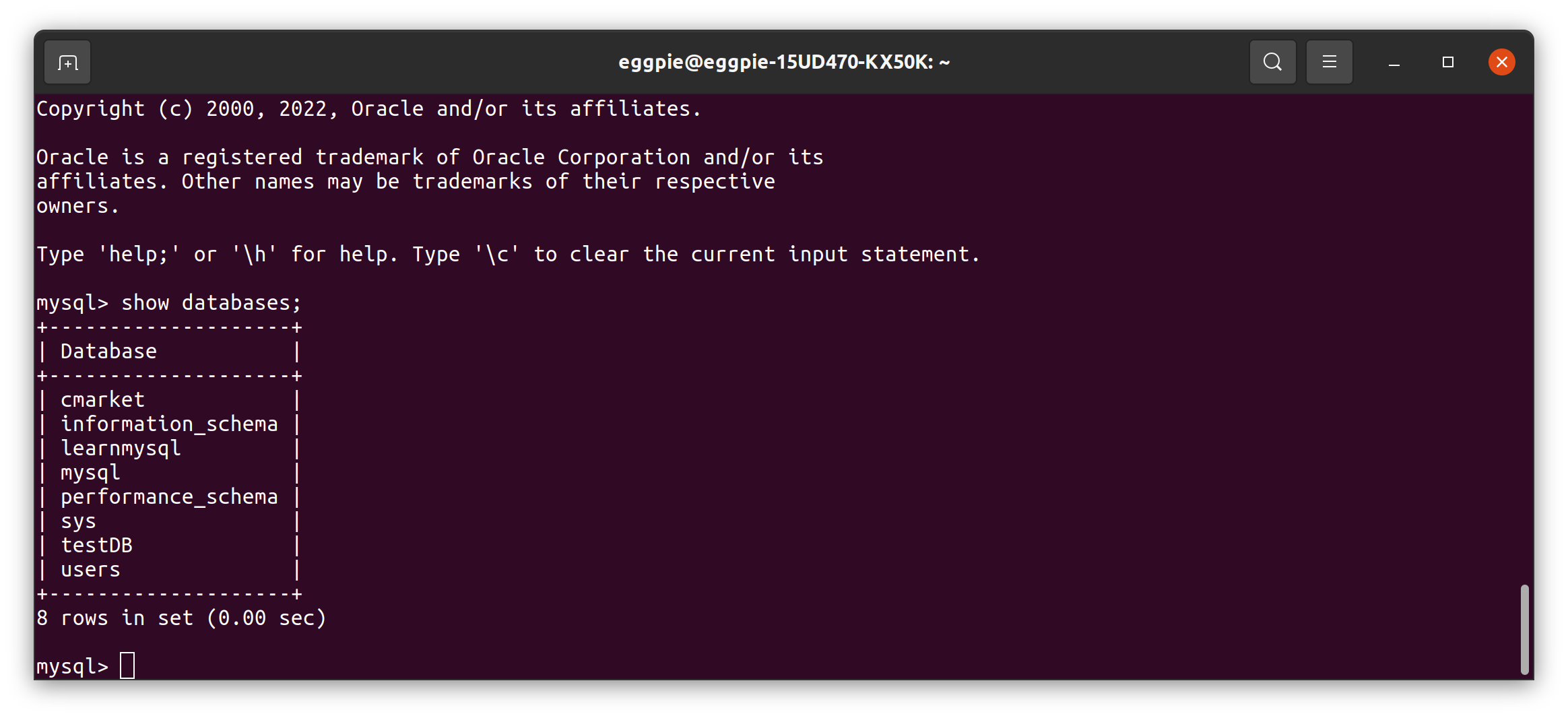
Psql Commands Show Databases PostgreSQL Cheat Sheet Download The Cheat Sheet In PDF Format MySQL CLI MySQL Commands Selenium Tool Top Psql Commands And Flags You Need To Know PostgreSQL PostgreSQL Cheat Sheet Quick Reference Mysql show databases Database information schema mysql ocdp performance schema test 5 rows in set 0 04 sec I can switch databases mysql use ocdp Database changed I can t figure out this command in psql
Follow the steps below to learn how to use psql to list databases in the terminal Connect to the PostgreSQL database server with psql command line tool psql U username Replace username with the username of the PostgreSQL user you want to log in with psql will ask you to enter the password associated with the user Connecting to a database from the command line with psql If you want to directly connect to a database as yourself rather than as the postgres superuser enter your system username as the username value Option 2 Connect to a database with the psql application Launch the psql application it ll be called SQL Shell psql
PostgreSQL Cheat Sheet Quick Reference How To Show Databases In PostgreSQL ObjectRocket How Do I List All Tables In A Sql Database Brokeasshome Introduction To Basic Psql Commands Top Psql Commands And Flags You Need To Know PostgreSQL Common MYSQL Command By Kridsanapong Vongsorn Mysql UNIT II Introduction To MY SQL The Show Databases Show List MySQL Databases On Linux Via Command Line Liquid Web PSQL 8 3 Cheatsheet Postgres OnLine Journal
Psql Commands Show Databases
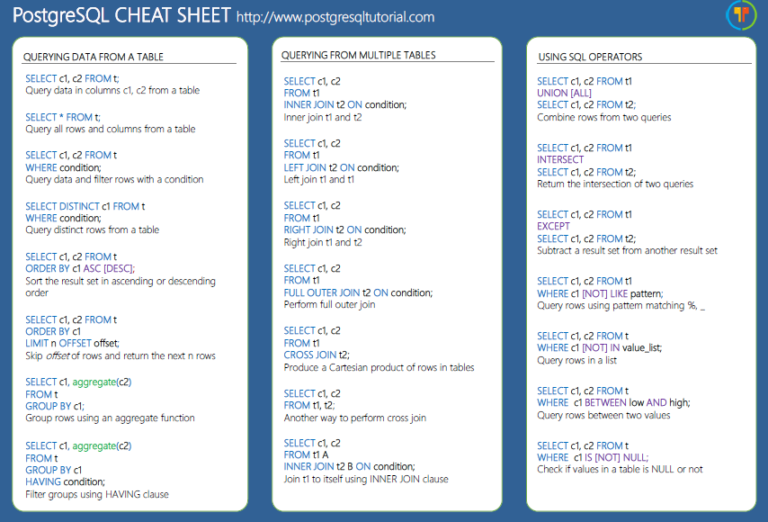 Psql Commands Show Databases
https://www.postgresqltutorial.com/wp-content/uploads/2017/02/PostgreSQL-Cheat-Sheet-768x522.png
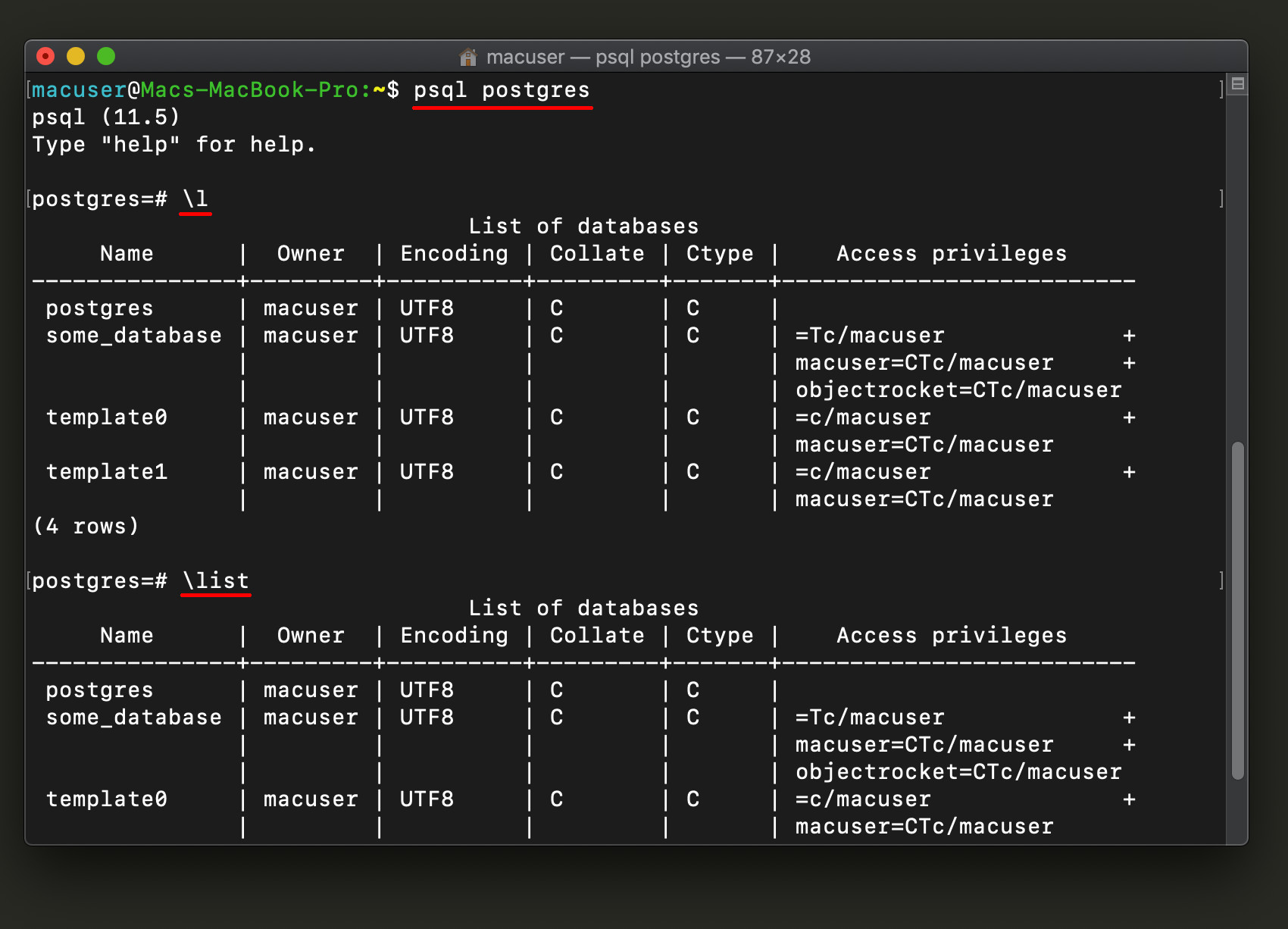
Here are a couple of ways to show a list of databases when using psql with PostgreSQL The first option can be used when we re already connected to PostgreSQL The second option can be used when we don t currently have a connection to Postgres The l and list Commands We can use either l or list to return a list of databases
Pre-crafted templates use a time-saving service for producing a varied variety of files and files. These pre-designed formats and designs can be utilized for numerous individual and expert tasks, including resumes, invites, flyers, newsletters, reports, discussions, and more, streamlining the material development process.
Psql Commands Show Databases
PostgreSQL Show All Databases And Tables Using PSQL MySQLCode
How To Show Databases In PostgreSQL ObjectRocket

How Do I List All Tables In A Sql Database Brokeasshome

Introduction To Basic Psql Commands
Common MYSQL Command By Kridsanapong Vongsorn

Mysql UNIT II Introduction To MY SQL The Show Databases
If you are using the psql tool to connect to PostgreSQL database server you can issue the l command to shows all databases in the current server as follows l Code language Shell Session shell First launch the psql tool It will prompt you for the following information server database port and username
Download for Windows To use the l command connect to the Postgres database server using the psql command line interface Once you are connected type l and press Enter This will display a list of all databases on the server Use list or l to get more information

This tutorial explains how to show databases and tables in a PostgreSQL server using psql Listing Databases You can connect to the PostgreSQL server using the psql command as any system user Depending on the server configuration the user may need to enter its password to connect to the psql terminal
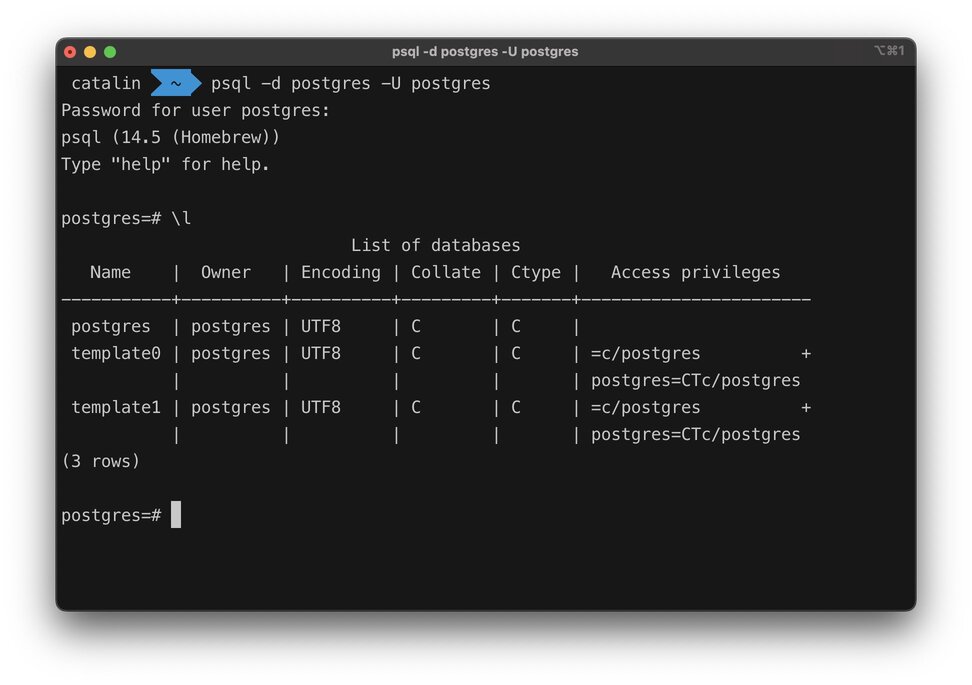
To list all the database present in the current database server use one of the following commands Syntax l or l Example First log into the PostgreSQL server using the pSQL shell Now use the below command to list all databases using a superuser such as postgres l This will lead to the following Alternatively one can use the below command
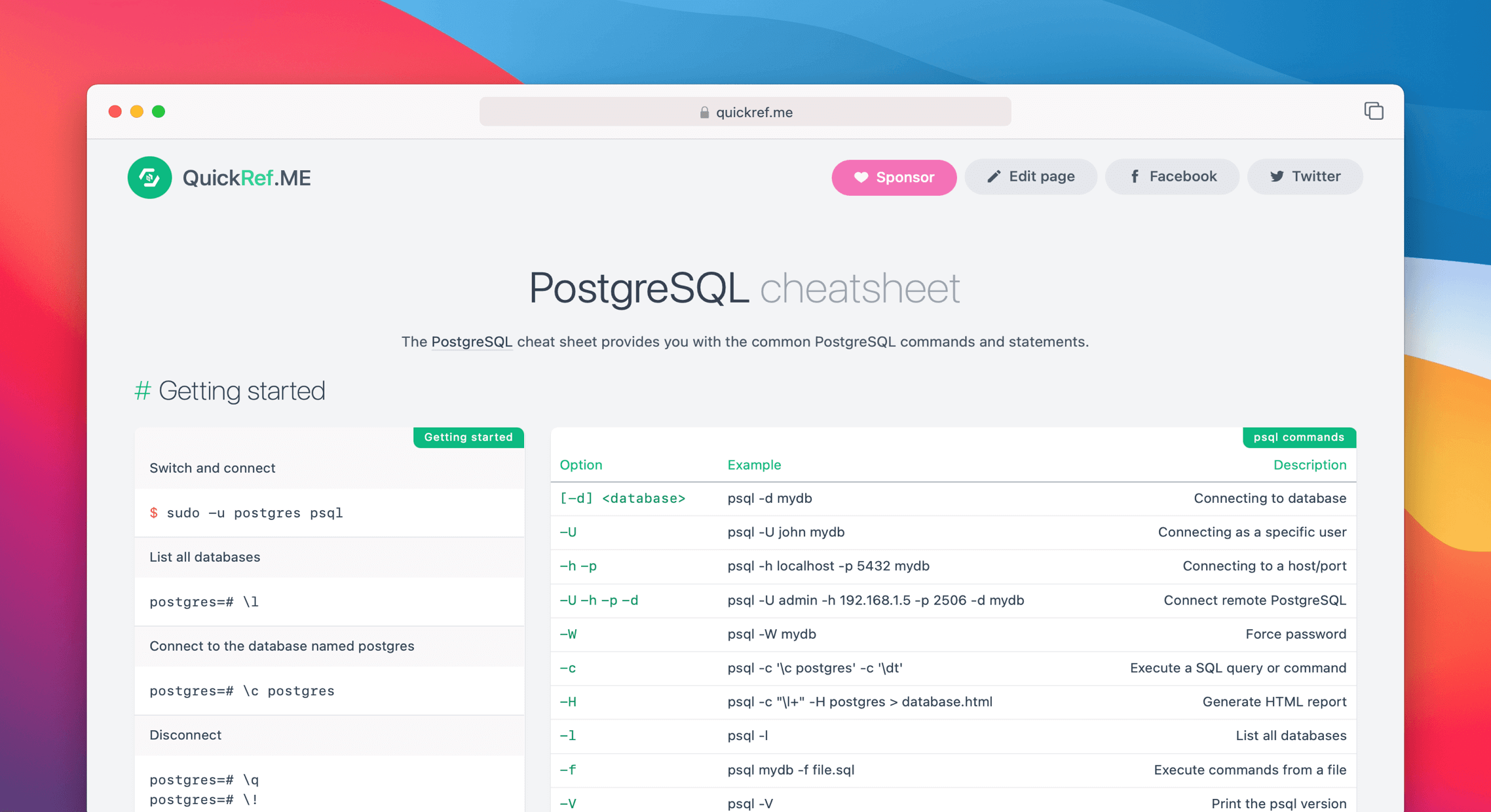
Psql allows users to use meta commands to perform routine tasks such as connecting to a database viewing all databases etc Meta commands consist of a backslash symbol followed by one or more letters To list all the databases on the server via the psql CLI in Windows follow these steps 1 Open the SQL Shell psql app 2
Using psql You ll use psql aka the PostgreSQL interactive terminal most of all because it s used to create databases and tables show information about tables and even to enter information records into the database Quitting pqsql Before we learn anything else here s how to quit psql and return to the operating system prompt You type backslash the letter q and then you press c command command command Specifies that psql is to execute the given command string command This option can be repeated and combined in any order with the f option When either c or f is specified psql does not read commands from standard input instead it terminates after processing all the c and f options in sequence
Once you connect to the database using the psql command you can list all the databases in the connected server using the following command postgres l This is a shortcut for the list command This command will list at least the three default databases postgres template0 and template1 postgres is the first database you will connect to