Process Id In Linux Commands Linux Command Line Cheat Sheet In A Well Formatted Image And Pdf File How To Find The Process Id In Linux Shell Terminal YouTube Linux Command List Command Line Interface Computer File 22 Get The Process ID Of A Running Program Linux Shell Tutorial YouTube Computer Coding Computer Basics Hacking Computer Computer Technology Web Aug 14 2023 nbsp 0183 32 Determining PID of process using pgrep command The pgrep command searches the running system and shows the process IDs of all processes that match
Web Nov 19 2019 nbsp 0183 32 PID The process ID of the process PPID Parent process ID of the process C The number of children the process has STIME Start time The time when the process commenced TTY The name of Web Oct 26 2023 nbsp 0183 32 Aside from those two options here are some other common examples of the ps command that list running processes in Linux ps u username lists all running processes of a certain user ps e or ps A
Computer Coding Computer Basics Hacking Computer Computer Technology How To Find The Process ID Of A Program And Kill It In Linux Download This Cheat Sheet To Learn Basic Linux Commands Techworm Unix How To Use The Pgrep Command In Linux To Find And Kill Processes Linux Id Command Tutorial Check Running Process In Linux For A User Linux Tutorials Learn Free Download Termux Commands List Pdf Download 19 Most Common Ssh In Linux Command Cheat Sheet GskLinux 20 Basic Linux Commands For Beginners Explanations
Process Id In Linux Commands
 Process Id In Linux Commands
https://i.pinimg.com/originals/c1/2a/22/c12a22f8950ea739069d6ff035eb06b9.png
Web Jul 5 2022 nbsp 0183 32 When we launch a process a PID for the process is generated to allow uniquely identifying it This is done simply by incrementing the current highest PID by 1
Templates are pre-designed documents or files that can be utilized for different functions. They can conserve effort and time by providing a ready-made format and layout for creating different kinds of material. Templates can be used for personal or professional tasks, such as resumes, invites, flyers, newsletters, reports, discussions, and more.
Process Id In Linux Commands
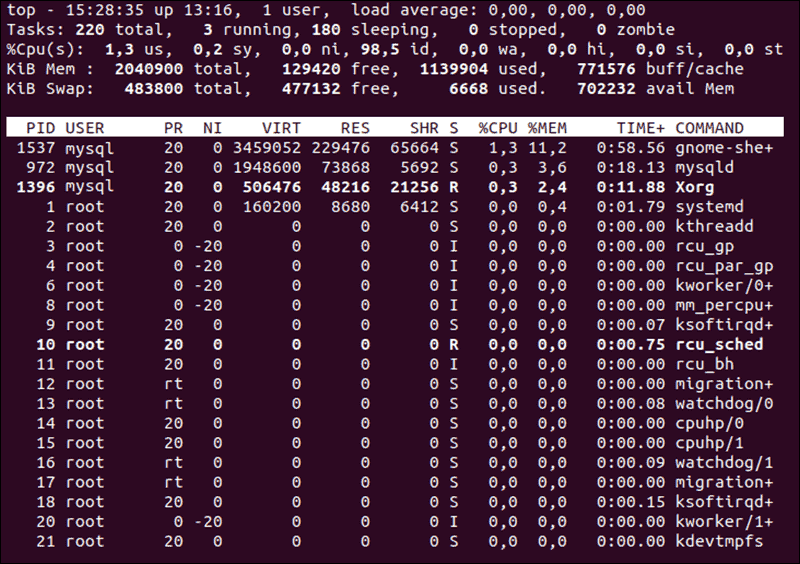
How To Kill A Process In Linux With Kill Pkill And Killall
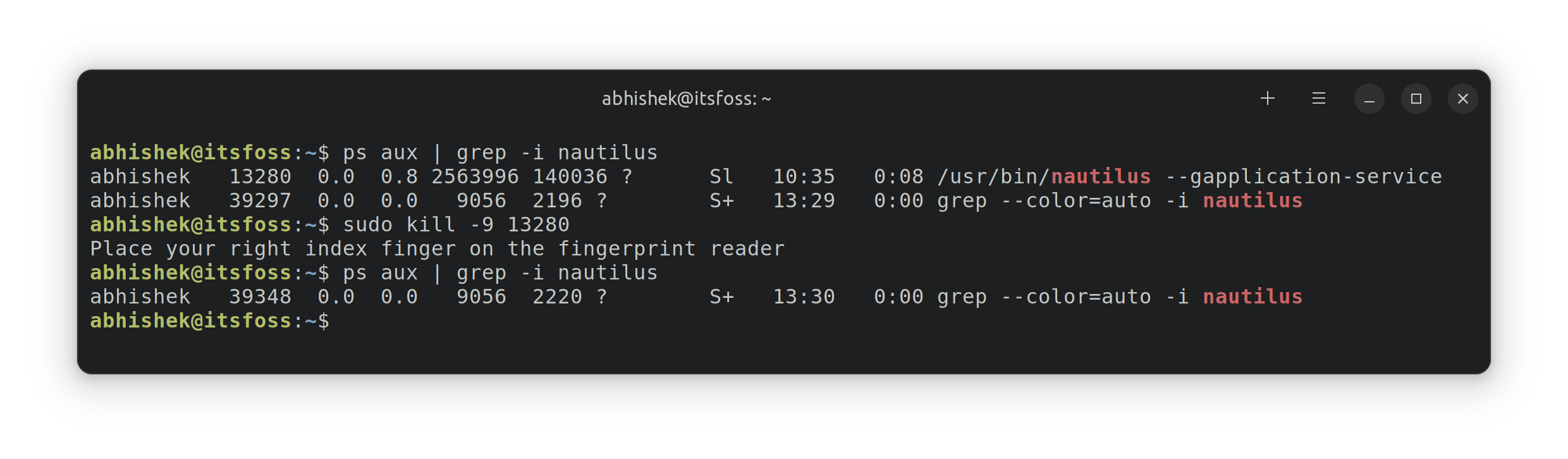
How To Find The Process ID Of A Program And Kill It In Linux
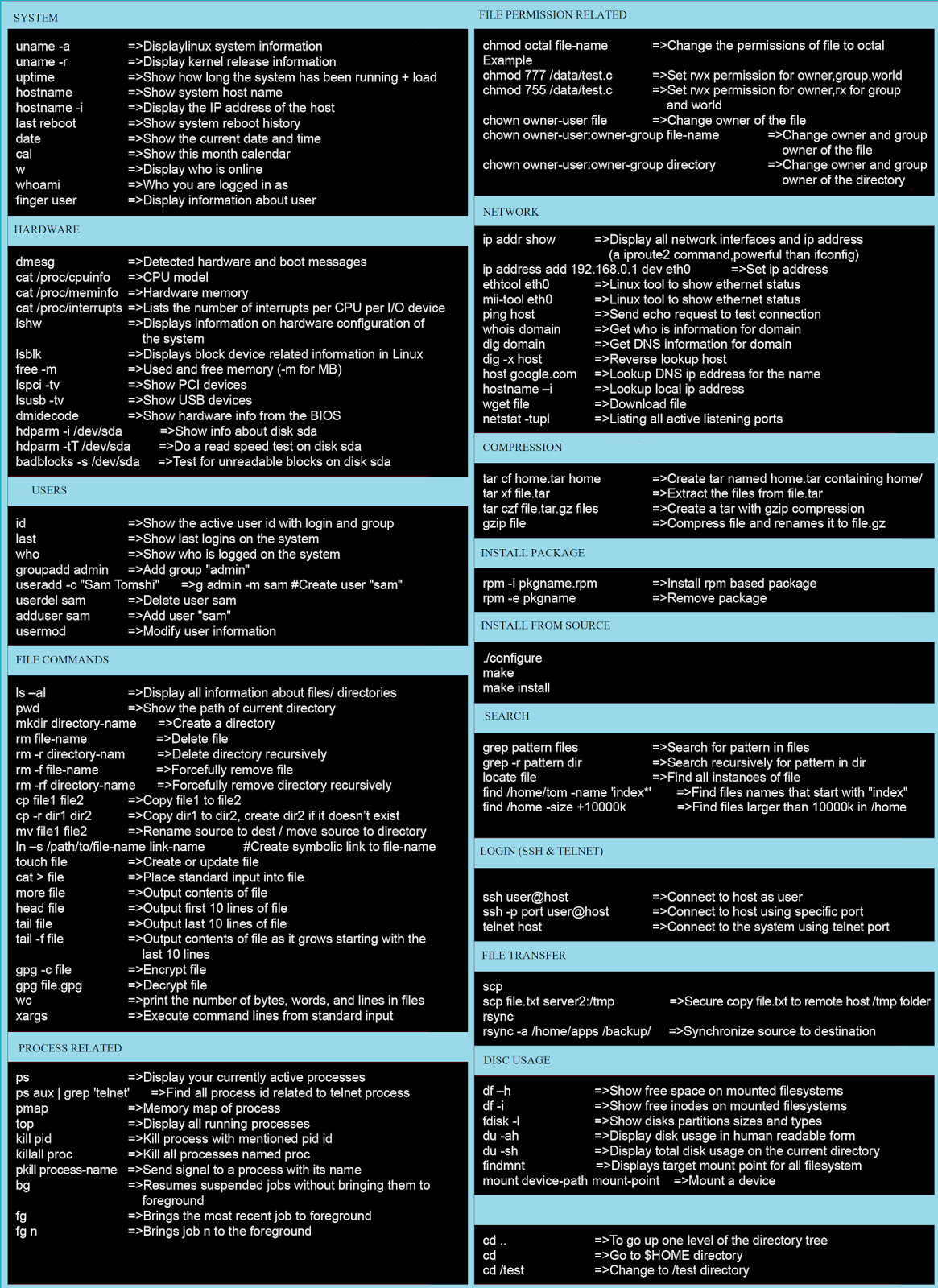
Download This Cheat Sheet To Learn Basic Linux Commands Techworm Unix

How To Use The Pgrep Command In Linux To Find And Kill Processes

Check Running Process In Linux For A User Linux Tutorials Learn
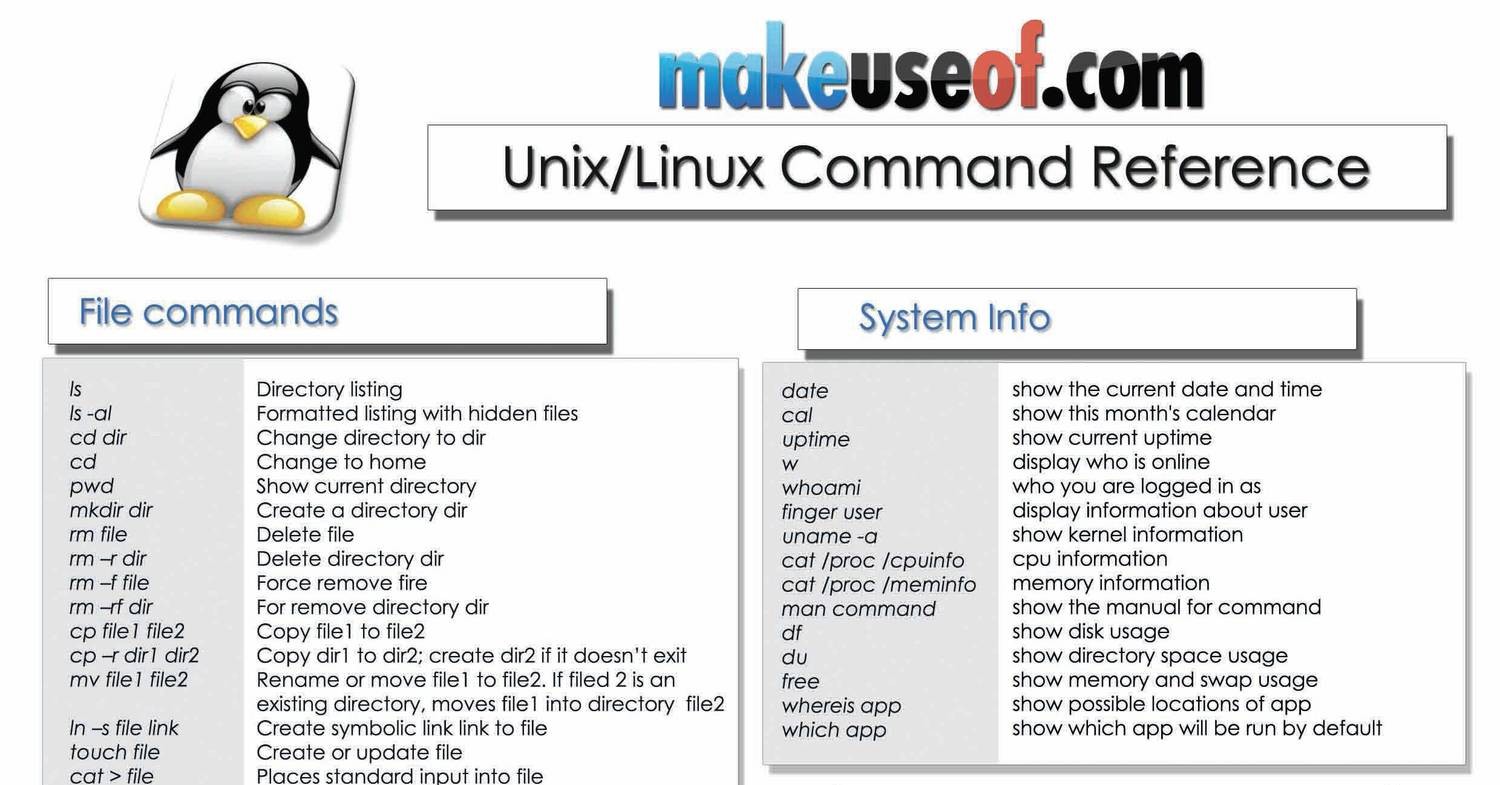
Free Download Termux Commands List Pdf Download 19 Most Common Ssh In

Web Oct 19 2023 nbsp 0183 32 To find the process ID of a Linux process use the pidof command like this quot pidof examplename quot If you only know part of the PID name you can use quot pgrep

Web pidof finds the process id s pids of the named programs It prints those id s on the standard output pidof program name To kill a program by pid use pkill Example pkill

Web Jan 6 2013 nbsp 0183 32 All you have to do is sudo kill 9 process ID The main task here would be to find the process ID PID You get that with pidof process name You can use the ps command or top command if you

Web Oct 21 2018 nbsp 0183 32 The most common way to find out the Linux PID is to use the ps command ps aux grep name of process 1 2 3 4 5 6 7 8 ps aux grep apache root 15778 0 0

Web Sep 2 2021 nbsp 0183 32 For instance to use the ps command with the e and f options type ps ef Filter the list of processes by user with ps U real user ID or name u effective user ID
Web Nov 18 2023 nbsp 0183 32 This command terminates running processes on a Linux machine To use these utilities you need to know the PID process id of the process you want to kill Web Dec 2 2020 nbsp 0183 32 1 List processes To display your currently active processes use the ps command tcarrigan client ps PID TTY TIME CMD 2648 pts 0 00 00 00 bash 3293
Web Feb 26 2021 nbsp 0183 32 The ps command displays information about a selection of the active processes which includes the process ID pid PID terminal associated with the