Print Management Windows 10 Run Command The Windows 10 November 2021 Update 21H2 Is Now Available Here s 4 Way To Run App As Administrator In Windows 10 Run As Administrator 9 C ch M C ng C Qu n L In Trong Windows 11 Smart Review A Z Microsoft Windows 7 Professional Pro 32 64 Full Version Sp1 Product Key QUICK TIPS Top 10 Windows Run Commands YouTube Web Dec 9 2022 nbsp 0183 32 Press Win R to open the Run command dialog box Type CMD and press Ctrl Shift Enter to open an elevated Command Prompt Type the following command and press Enter to access the Print Management app printmanagement msc Now let s check out how you can access the Print Management app using PowerShell
Web Nov 4 2023 nbsp 0183 32 Press Windows key R to invoke the Run dialog In the Run dialog box type cmd and then press CTRL SHIFT ENTER to open Command Prompt in admin elevated mode In the command prompt Web Jul 15 2023 nbsp 0183 32 If you prefer to use the command line to launch applications you can try to open Print Management by using Command Prompt or Windows PowerShell Step 1 Using the Windows search box to find Command Prompt Windows PowerShell Step 2 Right click Command Prompt Windows PowerShell to select Run as administrator
QUICK TIPS Top 10 Windows Run Commands YouTube How To Open Print Management In Windows 10 WinCope 15 Useful Windows Run Commands You Should Know YouTube RUN Command Archives Meinstyn How To Fix File System Error 2147219200 On Windows Computer Alpha Unable To Remove unreadable Virtual Drives That Constantly Mount Windows 11 Top 50 Windows Command Prompt Commands List A Complete Of Voice In 10 How To Run Windows Command Prompt As Administrator YouTube
Print Management Windows 10 Run Command
 Print Management Windows 10 Run Command
https://betanews.com/wp-content/uploads/2021/11/Win10-21H2.jpg
Web Mar 5 2023 nbsp 0183 32 3 1 Method 1 Using the Search Function 3 2 Method 2 Accessing via the Control Panel 3 3 Method 3 Using the Run Command 4 Exploring the Print Management Console 4 1 Print Servers and Printers 4 2 Drivers and Ports 4 3 Print Queues 5 Advanced Print Management Features 5 1 Deploying Printers with Group Policy
Pre-crafted templates use a time-saving solution for developing a diverse series of documents and files. These pre-designed formats and layouts can be utilized for numerous individual and professional projects, consisting of resumes, invites, leaflets, newsletters, reports, presentations, and more, simplifying the content development procedure.
Print Management Windows 10 Run Command

Windows 10 Pro Digital Key Licence Free Trial Download Available At
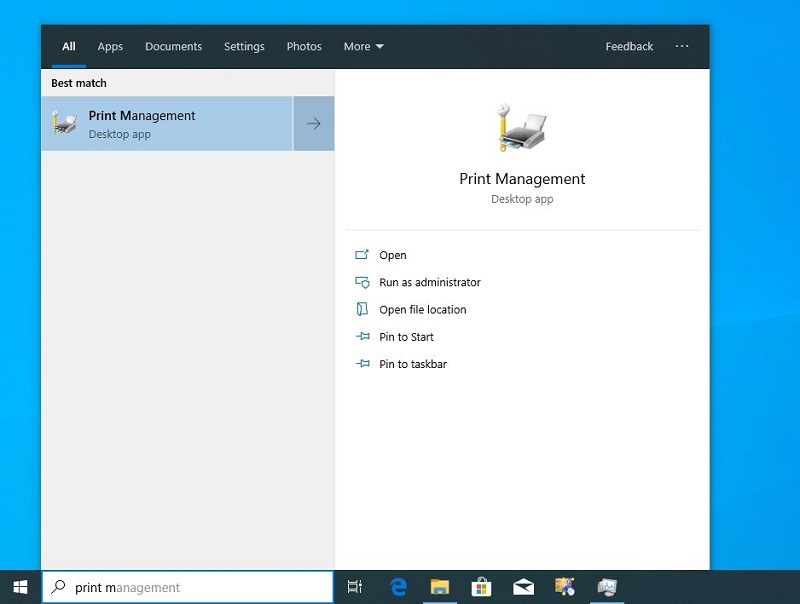
How To Open Print Management In Windows 10 WinCope

15 Useful Windows Run Commands You Should Know YouTube

RUN Command Archives Meinstyn

Unable To Remove unreadable Virtual Drives That Constantly Mount
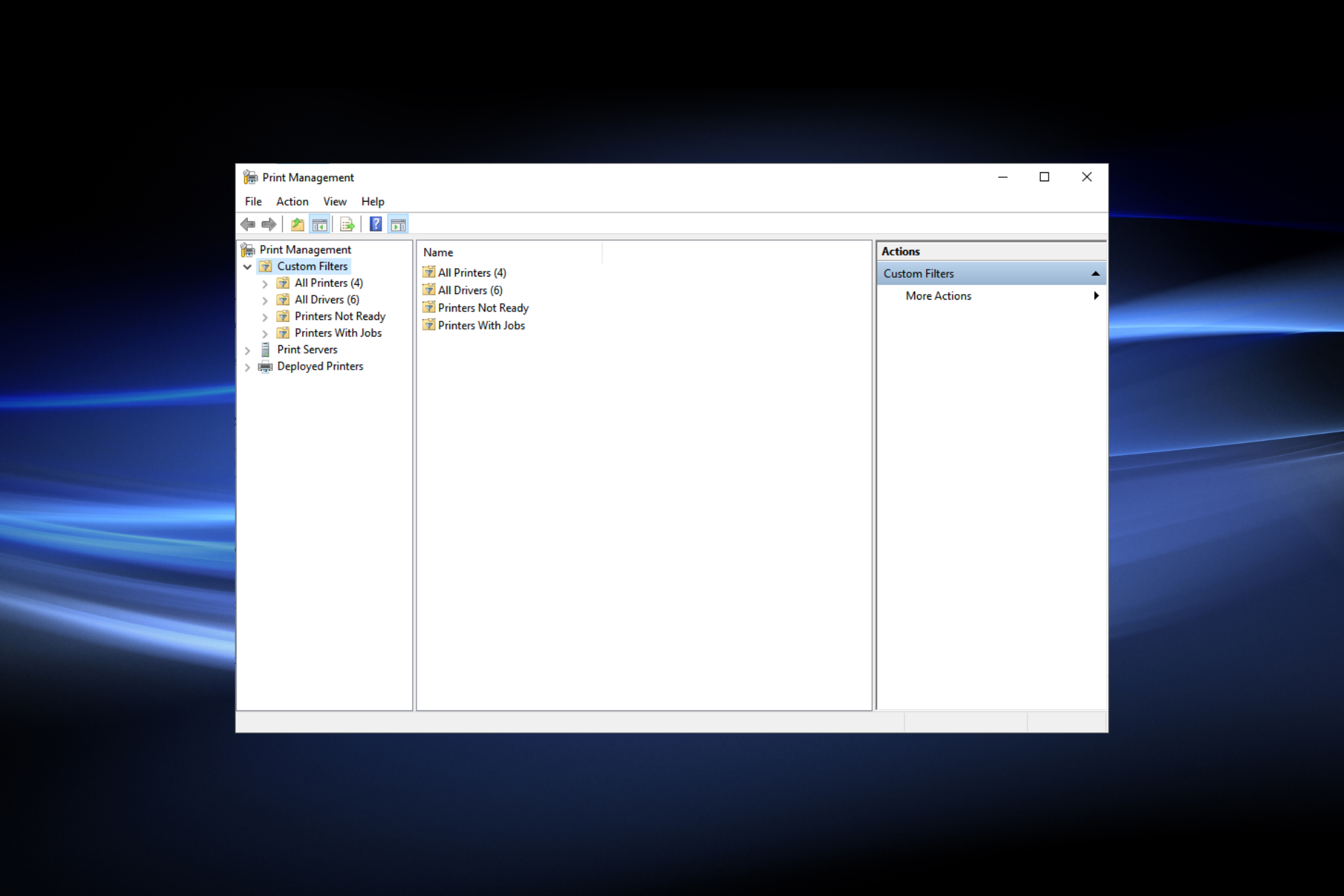
Windows 11
Web Jan 19 2023 nbsp 0183 32 Follow these steps to access Print Management Press Windows Key S Type Print Management in the Search bar Click on the Open button Via Run or Command Prompt or

Web Mar 29 2018 nbsp 0183 32 Method 1 Open Print Management via Run Command Press the Windows key R to open the Run command box type printmanagement msc and hit Enter This will launch the Print Management console immediately Expand the Print Servers node on the left you can add delete the printers and drivers view printer queue configure the
Web Jan 11 2024 nbsp 0183 32 To easily open Print Management on Windows 10 you can carry out the following 4 ways Here s how Method 1 Open Print Management through the Run dialog box Method 2 Access Print Management by searching Method 3 Launch Print Management from Command Prompt Admin Method 4 Start Print Management from

Web Mar 28 2024 nbsp 0183 32 Right click Start and click Run Type regedit exe and click OK Go to the following registry key HKEY LOCAL MACHINE SOFTWARE Policies Microsoft Windows WindowsUpdate AU On the right pane if the value named UseWUServer exists set its data to 0 Exit the

Web Method 1 Open Print Management in Windows 10 from Run Command Window Method 2 Open Print Management in Windows 10 by Searching Method 3 Open Print Management in Windows 10 from Control Panel Method 4 Open Print Management in Windows 10 Using Command Prompt Method 5 Open Print Management in Windows
Web Apr 15 2022 nbsp 0183 32 A Press the Win R keys to open Run type printmanagement msc into Run and click tap on OK to open Print Management The printmanagement msc file is not available in the Windows 10 Home edition If you are running Windows 10 Home you will need to use step 2 instead Web Jan 17 2024 nbsp 0183 32 To do so via the new interface head to Settings gt Devices gt Printers amp Scanners click the printer s name click quot Manage quot and then click quot Printer Properties quot To do it in the old way head to Control Panel gt Hardware amp Sound gt Devices and Printers right click the printer and then select quot Printer Properties quot
Web Jul 6 2020 nbsp 0183 32 Press Start then Control Panel gt View by gt Large icons Select Device and Printers In the Devices and Printers window you can see the connected printers scanners Bluetooth and other external devices