Powershell List Processes Tip PowerShell List Network Process VDoppler PowerShell Delft PowerShell Get Process Parameters In PowerShell Get Process Gestire Dati Con PowerShell Su SharePoint Giuneco Tech Blog How To Write PowerShell Output To A File ITPro Today IT News How Nov 25 2020 nbsp 0183 32 I am trying to find a way to list processes with PID Process Name CPU Usage Execution Path Port Number TCP and UDP Description and export it in a csv file Is it
May 3 2013 nbsp 0183 32 How can I see a list of running processes like seen in the windows task manager in windows Powershell Jun 3 2021 nbsp 0183 32 One of the nice things about PowerShell is you usually don t need to store values You can just pipe commands together Something like this should work Get Process Where
How To Write PowerShell Output To A File ITPro Today IT News How PowerShell Control Flow Mechanisms How To List All Processes In PowerShell Askit Solutii Si Rezolvari PowerShell PowerShell For Pentesters SecurityTube Training PowerShell Commands Quiz On Level Up Definitive Service Manager Powershell Part 1 Top 8 Powershell 15 Cmd Blog Post Filling In Pdf Forms With Powershell R powershell How To Forensic Analysis Of PowerShell Attacks
Powershell List Processes
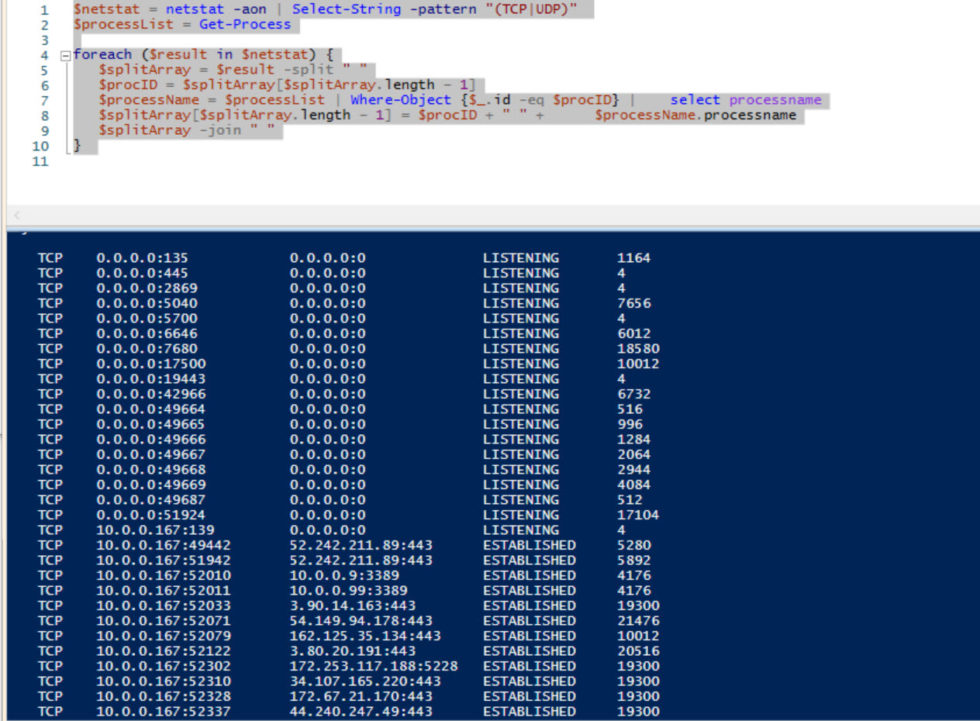 Powershell List Processes
https://www.vdoppler.com/wp-content/uploads/2020/12/networkPorts-980x721.jpg
Jul 13 2015 nbsp 0183 32 IMO a better way of getting the path is by process id 1234 as an example Get Process Id 1234 path Or if you re not sure what your process id is you could loop through all
Pre-crafted templates use a time-saving option for creating a diverse range of files and files. These pre-designed formats and layouts can be used for numerous individual and expert tasks, consisting of resumes, invites, leaflets, newsletters, reports, discussions, and more, improving the content creation process.
Powershell List Processes
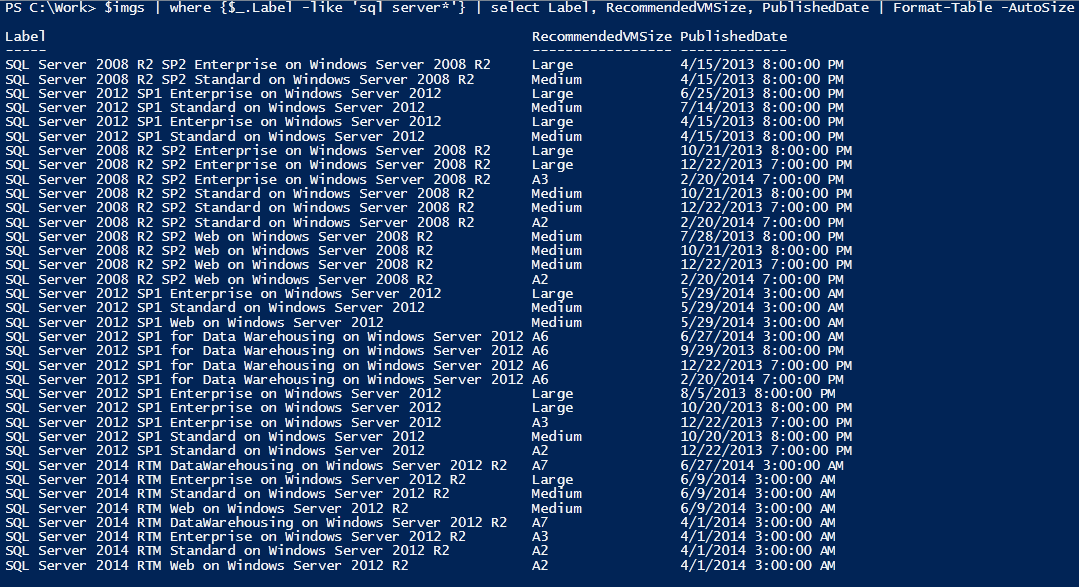
PowerShell Convert An Array Of Hashtables To A CSV File

PowerShell Control Flow Mechanisms

How To List All Processes In PowerShell Askit Solutii Si Rezolvari

PowerShell

PowerShell Commands Quiz On Level Up
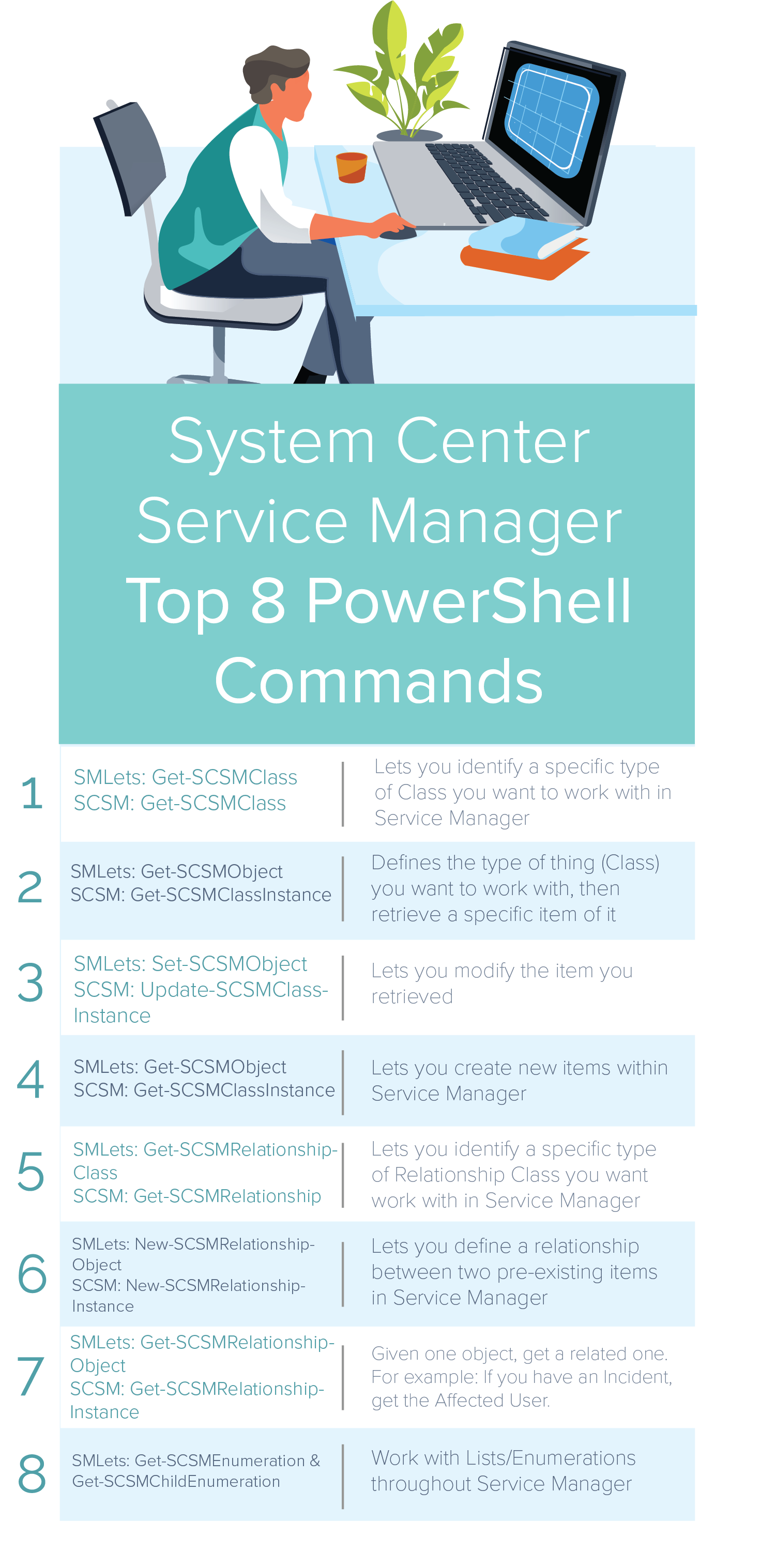
Definitive Service Manager Powershell Part 1 Top 8 Powershell 15 Cmd

Oct 9 2016 nbsp 0183 32 How does one lists the processes using CPU gt 1 by piping the output from Get Process to Where Object Complete beginner to powershell all i can think is something like

Jun 21 2016 nbsp 0183 32 8 Just divide by 1KB also can use 1MB 1GB 1TB Powershell is very helpful like that This link should help Powershell Tip on Byte conversion

Jul 20 2017 nbsp 0183 32 If you re looking for processes such as SearchIndexer this should be pretty simple to do with PowerShell Get Process will show you a list of running processes

62 With PowerShell 5 on Windows 10 or Windows Server 2016 run the Get NetTCPConnection cmdlet I guess that it should also work on older Windows versions The default output of Get

Jan 6 2020 nbsp 0183 32 Is there a command that lists all the services that are running on different ports of localhost In my case when I m working on an Angular app I may run it on localhost 4200 a
[desc-11] [desc-12]
[desc-13]