Powershell Get Last Password Change Date Active Directory Powershell Find AD Users Logon History With Their Logged On Computers A Passionated System Dsquery User Last Password Change ShellGeek Backup Active Directory Domain Controller Env o De Correos Electr nicos Desde Excel Usando VBA Macro Y Outlook Informaticamadridmayor es Come Sapere A Quale Computer Si Connesso Un Utente Mediante PowerShell ManageEngine ADAudit Plus PowerShell is the only solution to check your last password change on a Windows server However the Windows server requires you to have the Get AdUser cmdlet from the Active
Tutorial Powershell Find the last password change date Step by step Learn how to find the user last password change date in Active Directory using PowerShell Steps Open the PowerShell ISE Run the following script using the identity parameter to specify the user account that you want to know the password last set date for identity properties passwordlastset passwordneverexpires sort name ft Name passwordlastset Passwordneverexpires Review the results in the console
Come Sapere A Quale Computer Si Connesso Un Utente Mediante PowerShell ManageEngine ADAudit Plus Last Password Change In Oracle Last Password Change Date PowerShell Get The Last Modified File In The Directory ShellGeek SharePoint 2019 Register Managed Account Using PowerShell Solved Change Password Expiration Date In Active 9to5Answer Active Directory Enumeration Office 365 Get The Last Password Change Date Using PowerShell SharePoint Diary Powershell Get Last Boot Time Of Remote Computers Enterprise Daddy Get Machine AD Last Password Change Date PowerShell GARYTOWN ConfigMgr Blog
Powershell Get Last Password Change Date Active Directory
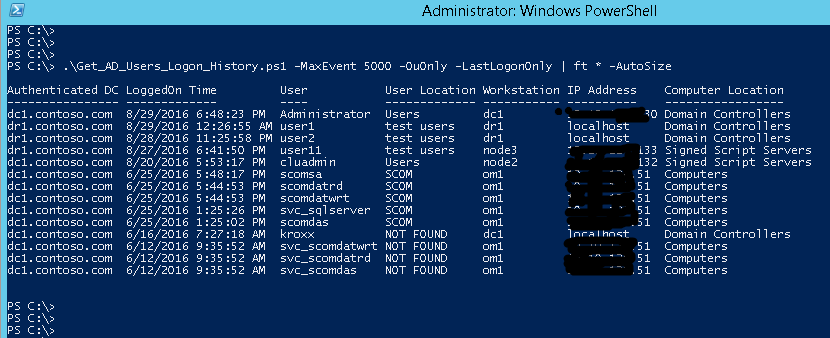 Powershell Get Last Password Change Date Active Directory
https://www.scriptinghouse.com/wp-content/uploads/2016/08/1-Last-Logon-History.png
1 Press the Windows key type Windows PowerShell then click on Open 2 Use the Identity parameter to specify a specific user profile for which you wish to check the last password set You can use the following PowerShell script to identify the user profile
Pre-crafted templates provide a time-saving solution for creating a varied variety of files and files. These pre-designed formats and designs can be utilized for different personal and professional jobs, consisting of resumes, invites, leaflets, newsletters, reports, presentations, and more, simplifying the material creation process.
Powershell Get Last Password Change Date Active Directory

Packsloha blogg se How To Tell If The Office 365 Password Reset Flag Is Set

Last Password Change In Oracle Last Password Change Date
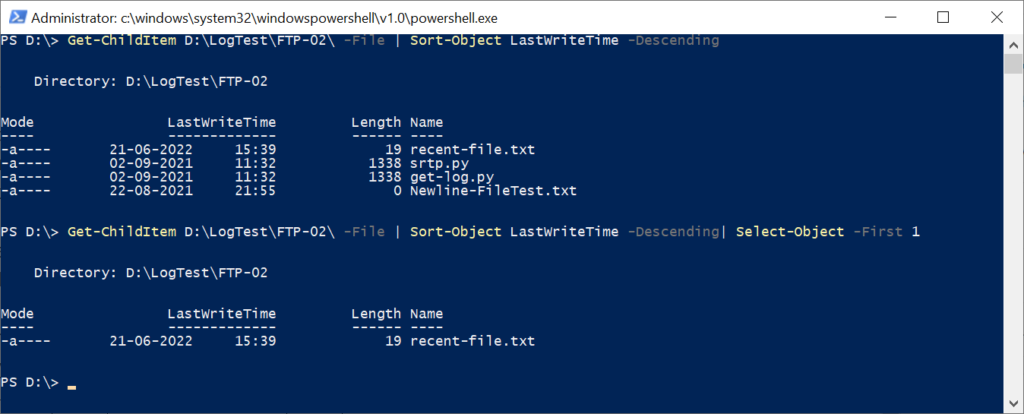
PowerShell Get The Last Modified File In The Directory ShellGeek

SharePoint 2019 Register Managed Account Using PowerShell

Active Directory Enumeration

Office 365 Get The Last Password Change Date Using PowerShell SharePoint Diary

How to Find Last Password Change Date With PowerShell Open PowerShell ISE Copy and paste the script below Get ADUser filter properties PwdLastSet sort Name ft Name Name PwdLastSet Expression DateTime FromFileTime PwdLastSet Review Results Output will be displayed in the powershell console Export to CSV
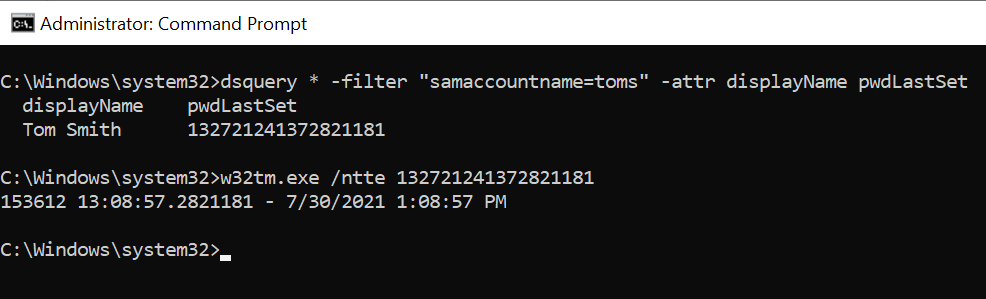
To display the date of the last password change for all users in a specific OU enter a command like this Get ADUser SearchBase OU Sales DC contoso DC com Filter properties PasswordLastSet Select Name PasswordLastSet In our example however we want to know who has not changed their password after a certain date

In Active Directory AD the PasswordLastSet and pwdLastSet attributes refer to the same property of an AD object the time and date when the password for that object was last changed This attribute is used to enforce password policies and track when a password was last changed

I need to get the last password change for a group of account in an Active Directory security group and I feel like this is something PowerShell should be good at which needs to be converted to a readable date as explained by Bratch above PowerShell Convert Active Directory IADSLargeInteger to System Int64 Here s how you would use
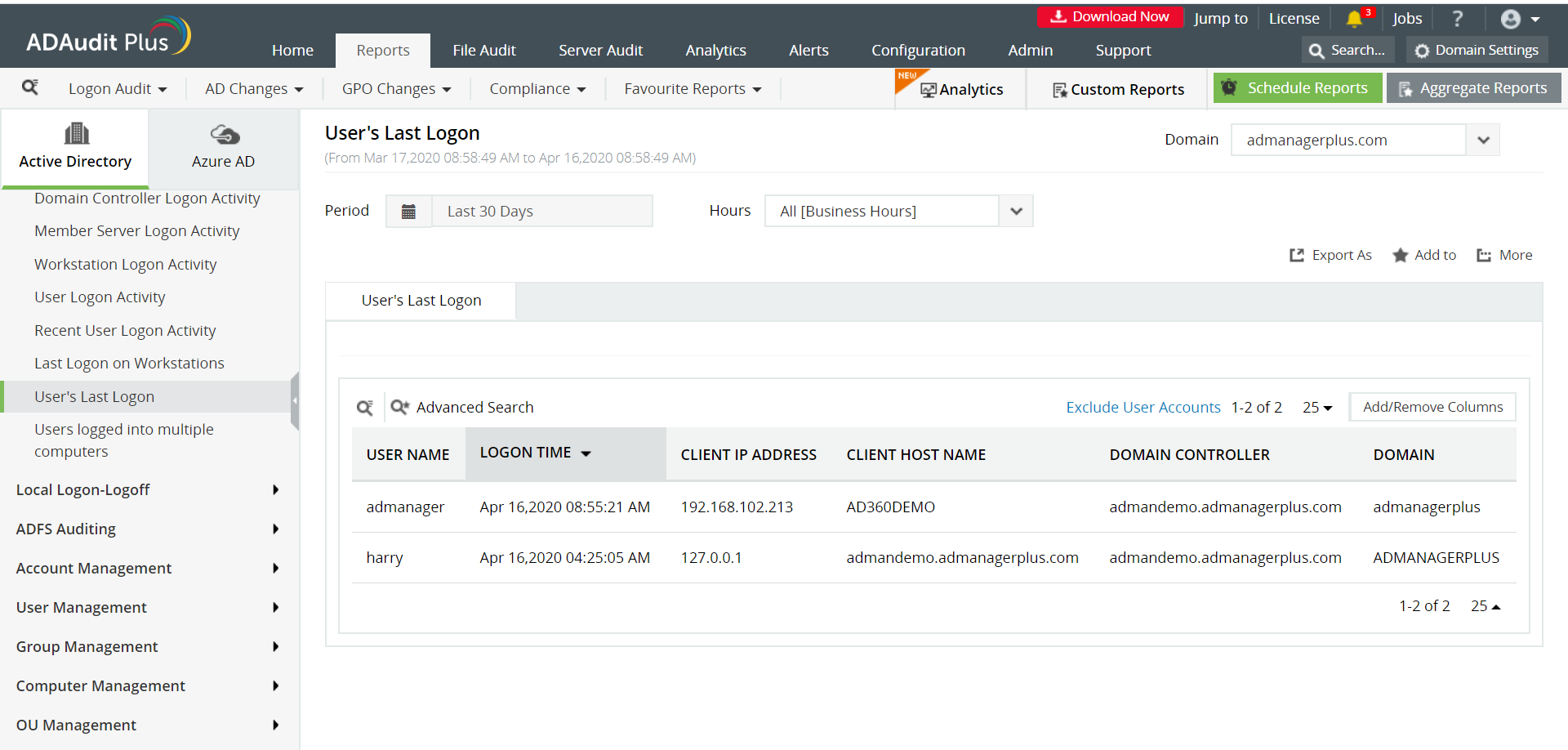
How to Find Last Password Change Date Active Directory GPO Spiceworks Learn Windows Active Directory Group Policy Requiring regular user account password changes is one of the most basic password security best practices It protects user accounts from being accessed
Right click on Windows PowerShell then select Run as Administrator Provide credentials for a user that has access to Active Directory Now you can use the following to find the when a user set the password last Replace theusername with the actual username of the user you wish to query For example this command will cause the last password change date to be displayed for all users Get ADUser Filter Properties PasswordLastSet You can see what this command looks like here
Select the domain OU and desired time period Click Generate We can run this script only from the computers which has Active Directory Domain Services role Adding even minor details to the report such as adding additional attributes require scripts to be modified and executed again which is time consuming