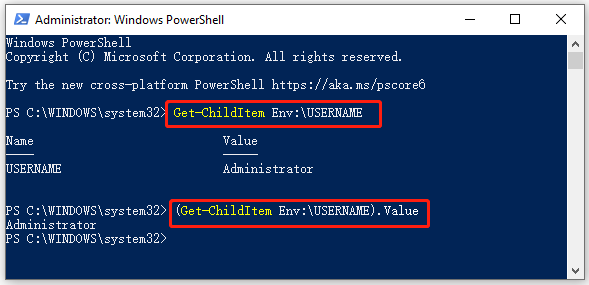
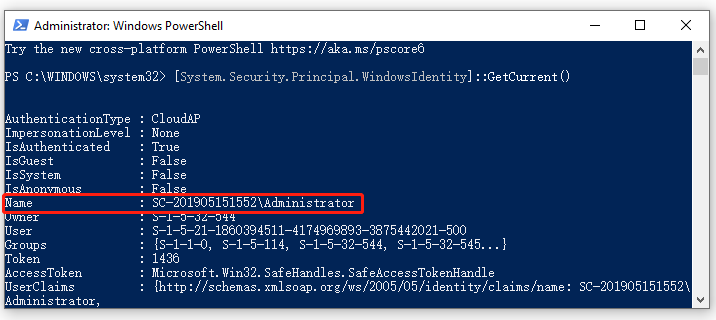
Powershell Get Current Running Process Id PowerShell Get Current Username On Windows 11 10 8 7 Full Guide MiniTool Partition Wizard System Group Of Actions In With Desktop Flow Using Microsoft Power Automate PowerShell Get Current Username On Windows 11 10 8 7 Full Guide MiniTool Partition Wizard PowerShell Get Date Get Current Date Time ShellGeek Solved Get Current Drive Letter Using Powershell 9to5Answer Web May 7 2016 nbsp 0183 32 Viewed 3k times 0 Here is my issue I run a command line application within a PowerShell script using the Call Operator i e the amp symbol such that it is amp PathToExe switch quot lots of args quot anotherswitch quot with more parms quot etc quot WithAlsoVariables quot This works well in fact a little too well
Web PowerShell get process ID of called application I need to call an external application i e amp Notepad and then get the process ID of the called application objApp amp c Notepad exe WHILE get process ID objApp id select property Responding Start Sleep s 10 Echo quot STILL WAITING quot Echo quot Done quot Web Sep 10 2014 nbsp 0183 32 1 Answer Sorted by 3 That is because the variable is being expanded when using double quotes If you want to keep the then you need to use single quotes command Start Process C process bat passthru foreach Id scriptblock Scriptblock Create command Start Job ScriptBlock scriptblock Share Improve this
Solved Get Current Drive Letter Using Powershell 9to5Answer System Group Of Actions In With Desktop Flow Using Microsoft Power Automate How To Get Current Directory Full Path In PowerShell ShellGeek Get Current Directory In PowerShell 6 Ways Java2Blog System Group Of Actions In With Desktop Flow Using Microsoft Power Automate Come Sapere Quali Utenti Sono Attualmente Connessi Tramite PowerShell Fix For PowerShell Script Cannot Be Loaded Because Running Scripts Is Get ADUser Using Userprincipalname upn In PowerShell ShellGeek Come Ottenere I Tentativi Di Accesso Non Riusciti Mediante PowerShell
Powershell Get Current Running Process Id
 Powershell Get Current Running Process Id
https://www.partitionwizard.com/images/uploads/articles/2023/01/powershell-get-current-username/powershell-get-current-username-1.png
Web Mar 3 2015 nbsp 0183 32 It is the command I run in powershell gwmi win32 process select ProcessID ParentProcessID CommandLine e GetOwner User And here is partial listing of the ouput
Templates are pre-designed files or files that can be used for various purposes. They can conserve effort and time by offering a ready-made format and design for producing various type of content. Templates can be used for individual or expert jobs, such as resumes, invites, leaflets, newsletters, reports, discussions, and more.
Powershell Get Current Running Process Id
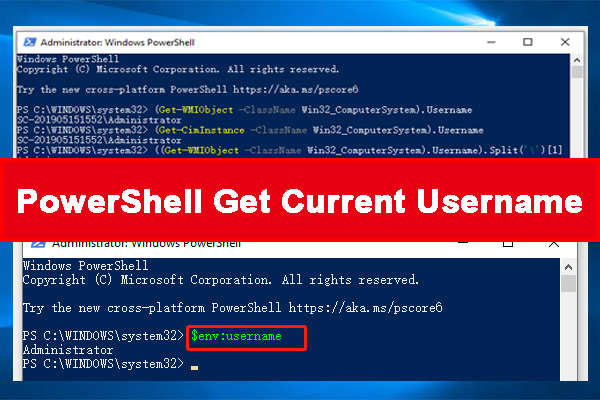
PowerShell Get Current Username On Windows 11 10 8 7 Full Guide

System Group Of Actions In With Desktop Flow Using Microsoft Power Automate
How To Get Current Directory Full Path In PowerShell ShellGeek

Get Current Directory In PowerShell 6 Ways Java2Blog
Come Sapere Quali Utenti Sono Attualmente Connessi Tramite PowerShell

Fix For PowerShell Script Cannot Be Loaded Because Running Scripts Is
Web The Get Process cmdlet gets the processes on a local computer Without parameters this cmdlet gets all of the processes on the local computer You can also specify a particular process by process name or process ID PID or pass a process object through the pipeline to this cmdlet

Web When using Get WmiObject win32 process the objects returned have an attribute named ProcessId So in the question where you have procID quot GET PROCESS ID HERE quot use procID process ProcessId You could also use that in the filter assignment e g filter quot ProcessId 1234 quot
Web Jan 26 2019 nbsp 0183 32 If you run the cmdlet without any parameters it will list all processes You can also use the process name without extension Get Process wmplayer Alternatively you can specify a process id like so Get Process id 25024 By default PowerShell will only display some of the properties on an object returned from a cmdlet like Get Process
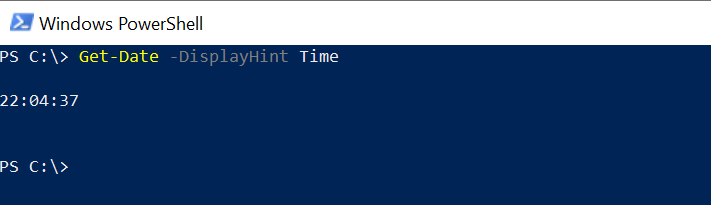
Web Dec 8 2022 nbsp 0183 32 To get the processes running on the local computer run a Get Process with no parameters You can get particular processes by specifying their process names or process IDs The following command gets the Idle process PowerShell Get Process

Web You should just be able to use Invoke Command as pass it the scriptblock cmd cmd param abc Write Host abc processes Get Process Name notepad Select ExpandProperty ID foreach process in processes Invoke Command ScriptBlock cmd ArgumentList process
Web May 27 2022 nbsp 0183 32 The Get Process is one of the frequently used cmdlets that help retrieve the list of running processes on the Windows machine This cmdlet gives useful information related to each process such as process ID name memory usage etc Also it shows a snapshot of the system s running processes Web Mar 17 2022 nbsp 0183 32 Task List Viewer TList or tlist exe is a command line utility that displays the list of tasks or user mode processes currently running on the local computer TList is included in the Debugging Tools for Windows For information on how to download and install the debugging tools see Debugging Tools for Windows
Web Apr 22 2019 nbsp 0183 32 I use the following to identify the start times and ID s of my cscript exe processes Get Process Name cscript IncludeUsername select starttime Id UserName ProcessName This works out for me a lot of times because in this case the jobs are few and have very specific start times