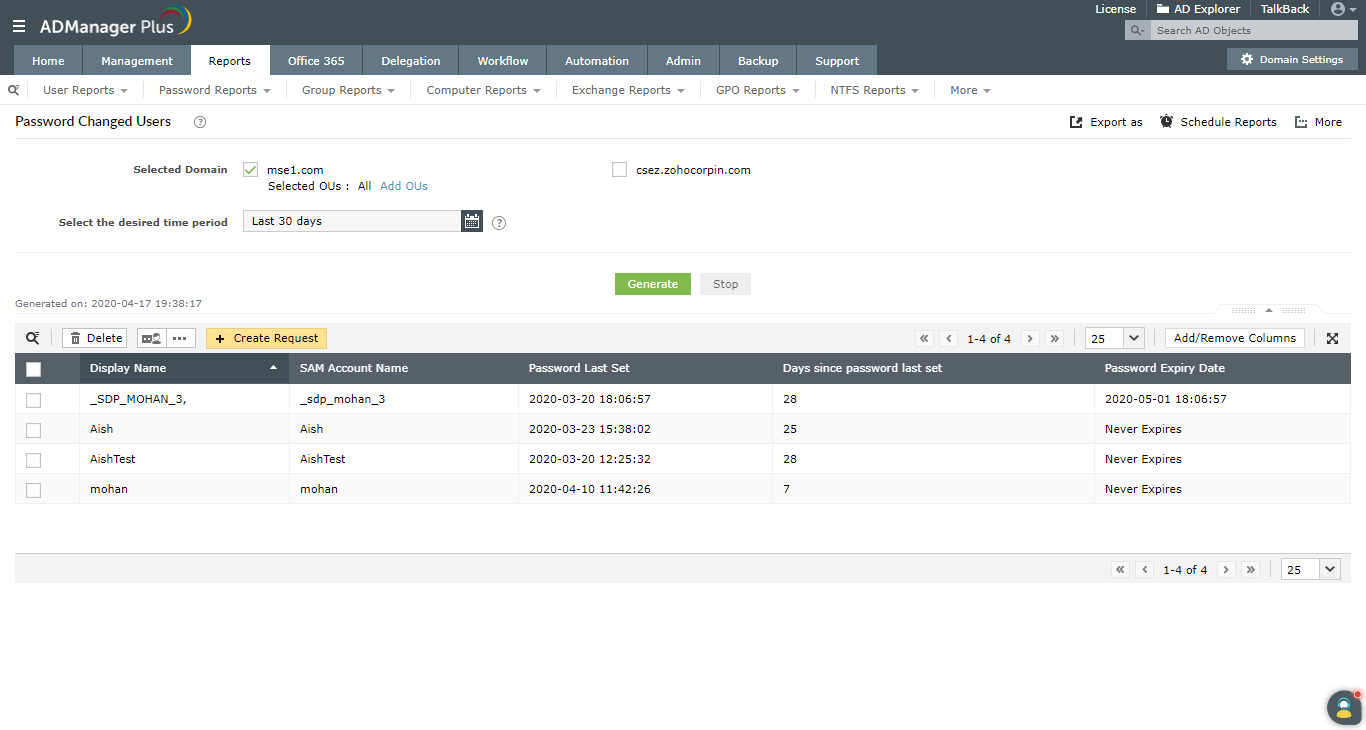
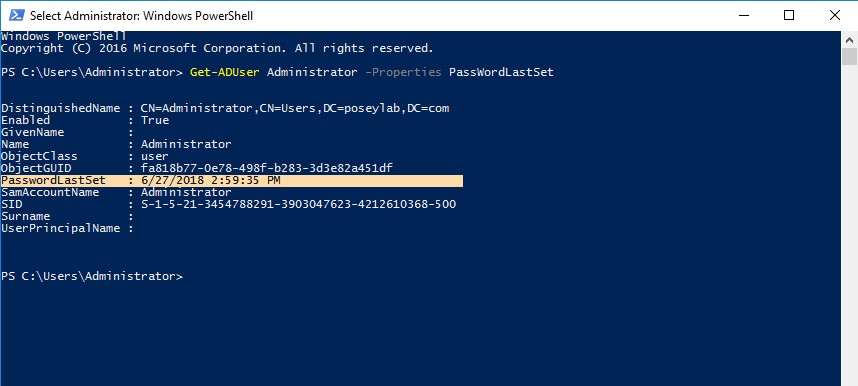
Powershell Find Last Password Change Date Find AD User Last Password Changed Date Using Powershell How To Find Last Password Change Date With PowerShell IT Skills 10 Chage Command Examples In Linux Cheat Sheet GoLinuxCloud How To Find Last Password Change Date With PowerShell IT Skills Powershell Find AD Users Logon History With Their Logged On Computers Here s how to use PowerShell to get the passwordlastset value Select the Start button then type powershell Right click on Windows PowerShell then select Run as Administrator Provide credentials for a user that has access to Active Directory Now you can use the following to find the when a user set the password last
Accepted answer Vasil Michev 85 646 MVP Sep 29 2022 10 04 AM The cmdlet is correct but you have to specify the properties to return first The correct property name is LastPasswordChangeDateTime not LastPasswordChangeTimeStamp So request it like this Steps Open the PowerShell ISE Run the following script using the identity parameter to specify the user account that you want to know the password last set date for identity properties passwordlastset passwordneverexpires sort name ft Name passwordlastset Passwordneverexpires Review the results in the console
Powershell Find AD Users Logon History With Their Logged On Computers Use CMD Or Powershell To Find Last Boot Time Using PowerShell To Manage Password Resets In Windows Domains Env o De Correos Electr nicos Desde Excel Usando VBA Macro Y Outlook PowerShell Find Computers Last Logon Date How To Find Last Set Password Using PowerShell TechCult Get Machine AD Last Password Change Date PowerShell GARYTOWN Find Password Expiration Date For AD Users PowerShell Free Tools Het Vinden Van Active Directory wachtwoorden Die Nooit Verlopen
Powershell Find Last Password Change Date
 Powershell Find Last Password Change Date
https://www.manageengine.com/products/ad-manager/images/find-aduser-password-last-set-date-powershell.png
Get LastPasswordChange 2022 12 28T03 26 50 193 00 00 Can we query last password change for all Azure AD Users Hi
Pre-crafted templates provide a time-saving service for creating a diverse variety of documents and files. These pre-designed formats and layouts can be made use of for various individual and expert projects, including resumes, invitations, flyers, newsletters, reports, presentations, and more, simplifying the material production process.
Powershell Find Last Password Change Date
Dsquery User Last Password Change ShellGeek

Use CMD Or Powershell To Find Last Boot Time
Using PowerShell To Manage Password Resets In Windows Domains

Env o De Correos Electr nicos Desde Excel Usando VBA Macro Y Outlook

How To Find Last Set Password Using PowerShell TechCult

Get Machine AD Last Password Change Date PowerShell GARYTOWN
How to Find Last Password Change Date With PowerShell Open PowerShell ISE Copy and paste the script below Get ADUser filter properties PwdLastSet sort Name ft Name Name PwdLastSet Expression DateTime FromFileTime PwdLastSet Review Results Output will be displayed in the powershell console Export to CSV

How to check Last Password Change in CMD or PowerShell There are two ways to find out the previous password CMD or Windows Terminal PowerShell Since it is related to your account

Tutorial Powershell Find the last password change date Step by step Learn how to find the user last password change date in Active Directory using PowerShell

How to Find Last Password Change Date Active Directory GPO Spiceworks Learn Windows Active Directory Group Policy Requiring regular user account password changes is one of the most basic password security best practices It protects user accounts from being accessed

In order to see all users whose passwords are older than 30 days use this Get MsolUser All select DisplayName LastPasswordChangeTimeStamp Name PasswordAge Expression Get Date LastPasswordChangeTimeStamp where PasswordAge gt 30 sort object PasswordAge descending
For example this command will cause the last password change date to be displayed for all users Get ADUser Filter Properties PasswordLastSet You can see what this command looks like here 1 Press the Windows key type Windows PowerShell then click on Open 2 Use the Identity parameter to specify a specific user profile for which you wish to check the last password set You can use the following PowerShell script to identify the user profile
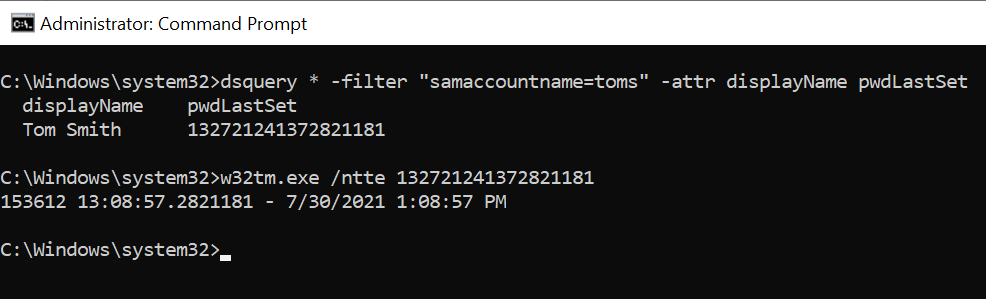
The PwdLastSet attribute is an Active Directory attribute that stores information about the last time a password was changed for an object This value type is a LargeInteger representing dates as the number of 100 nanosecond intervals since January 1 1601 12 00 AM The time is always stored in Greenwich Mean Time GMT