Powershell Delete Folder And Subfolders If Exists PowerShell Create Directory If Not Exists ShellGeek PowerShell Delete File Or Folder Over 20 Examples Itechguides PowerShell Delete Files Older Than Thomas Maurer How To Delete Folder With Subfolders Using Commands On Windows 11 PowerShell Delete File Or Folder Over 20 Examples Itechguides Description The Remove Item cmdlet deletes one or more items Because it s supported by many providers it can delete many different types of items including files folders registry keys variables aliases and functions Examples Example 1 Delete files that have any file extension
Removing all files and folders within a folder You can remove contained items using Remove Item but you will be prompted to confirm the removal if the item contains anything else For example if you attempt to delete the folder C temp DeleteMe that contains other items PowerShell prompts you for confirmation before deleting the folder Remove Item Path C temp DeleteMe Powershell Delete File if Exists Test Path Remove Item Posted in Powershell Filed under power shell Post navigation Powershell Check If File Exists Cisco Disconnect service module session
PowerShell Delete File Or Folder Over 20 Examples Itechguides List Files In Folders And Subfolders With PowerShell Scripting Blog PowerShell Check If File Exists 10 Examples Itechguides Pin On PowerShell Commands ASAP Utilities For Excel File System Easily Create A Lot Of Introduction To The Windows Command Line With PowerShell Programming Powershell Delete Folder Or File How To Delete Folders Files In PS PowerShell Delete File Or Folder Over 20 Examples Itechguides Powershell Delete Folder Or File How To Delete Folders Files In PS
Powershell Delete Folder And Subfolders If Exists
 Powershell Delete Folder And Subfolders If Exists
https://shellgeek.com/wp-content/uploads/2021/08/powershell-create-directory-if-not-exists.png
1 Answer Sorted by 23 So you are looking to delete All Items inside Empty Subfolders or all items in General This will delete all Folders or Items in General inside of the Directory C abc path C abc Get ChildItem Path path Recurse Foreach object Remove item Recurse path FullName
Pre-crafted templates use a time-saving service for developing a varied series of documents and files. These pre-designed formats and designs can be utilized for various individual and professional projects, including resumes, invites, flyers, newsletters, reports, discussions, and more, enhancing the content production procedure.
Powershell Delete Folder And Subfolders If Exists

How To Add Column Settings To All SubFolders In A Folder In Windows
List Files In Folders And Subfolders With PowerShell Scripting Blog
PowerShell Check If File Exists 10 Examples Itechguides

Pin On PowerShell Commands
Introduction To The Windows Command Line With PowerShell Programming
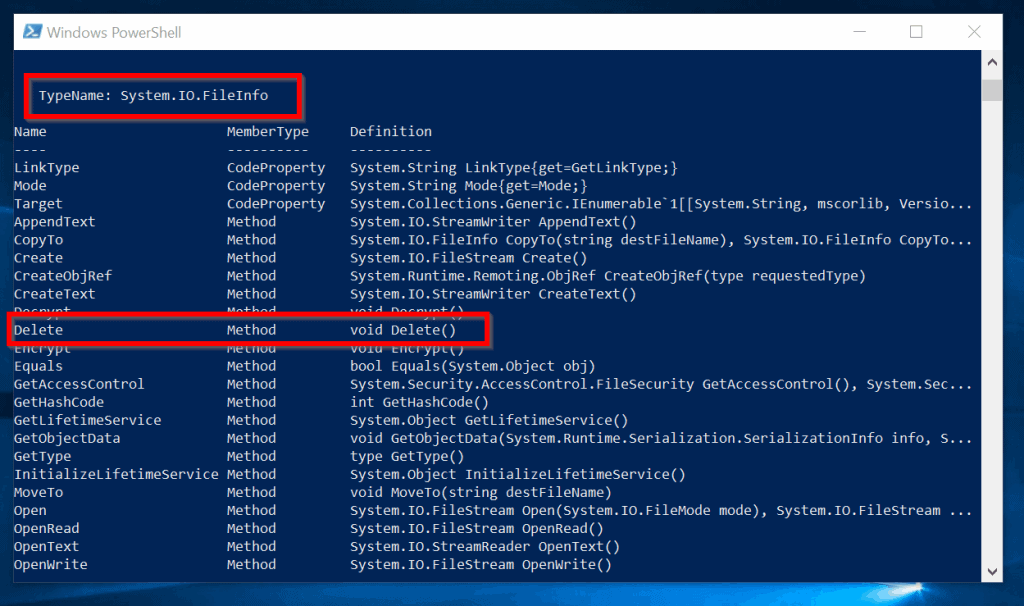
Powershell Delete Folder Or File How To Delete Folders Files In PS
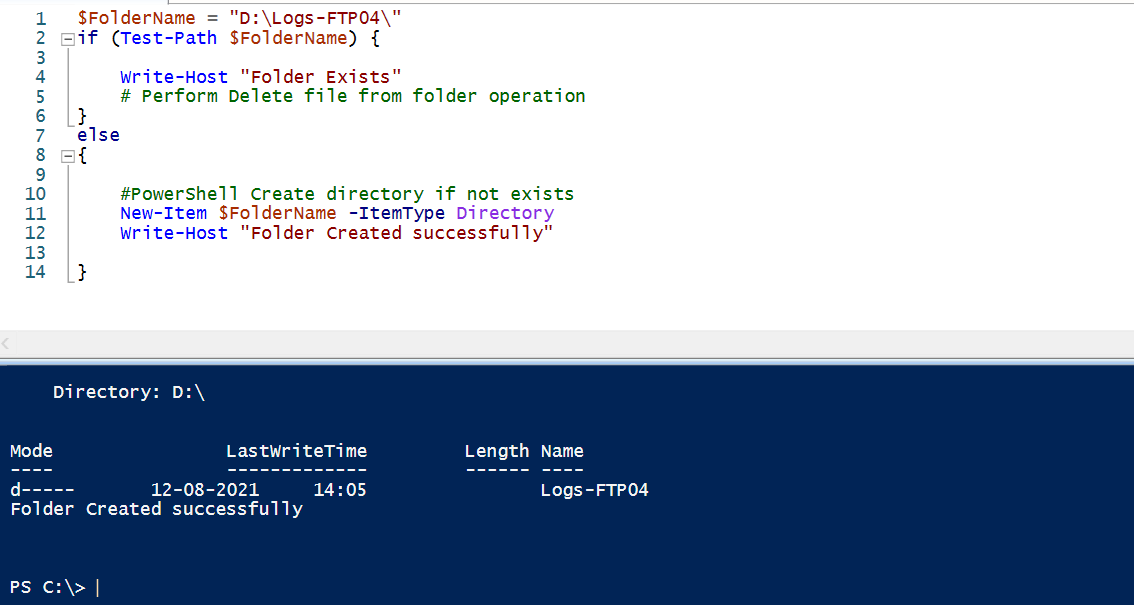
PowerShell Remove Item is used to delete folder if exists on the specified path given by the FolderName variable Using Force parameter to forcefully delete folder or delete file if exists which have read only permission Above PowerShell script remove Logs FTP01 folder as it exists on the specified directory

122 I want to remove all files from a folder structure so I m left with an empty folder structure Can this be achieved in either batch or VBScript scripting I have tried a very basic batch command but this required the user to allow the deletion of each file

66 In my PowerShell script I m trying to delete a folder but only if it exists if Test Path folder Remove Item folder Recurse I find myself repeating this combination of cmdlets quite a few times and wished I had something like this Pseudo code Remove Item folder Recurse IgnoreNonExistentPaths

Method 1 Use native cmdlets To delete folders I like to use the Remove Item cmdlet There is an alias for the Remove Item cmdlet called rd Unlike the md function rd is simply an alias for Remove Item The following command reveals this information PS C Get Alias rd CommandType Name Definition Alias rd Remove Item

Because I am new to powershell I have the following situation I have a path d folder with a lot of subfolder with subfolders en files In this folder structure I want to remove all folders with the name Temp History Thumbnails and all the folders en files under that specific folder name
Check 1373 thumb up 3180 Oct 13th 2020 at 2 49 PM still not sure what exactly you are trying to delete Are you trying to delete all folders and it s content that have the dollar sign 09 Inventory pdf MUTUAL BK 0507 csv etc Powershell Q Is there any way to determine whether or not a specific folder exists on a computer A There are loads of ways you can do this The Test Path Cmdlet The easiest way to do this is to use the Test Path cmdlet It looks for a given path and returns True if it exists otherwise it returns False You could evaluate the result of the Test Path like in the code snippet below
How to Delete Folders and Subfolders in Windows PowerShell The simplest ways of deleting a folder are listed below Select the item and press the Del key on the keyboard Right click on the item and select Delete from the context menu that appears