Powershell Check If Application Is Installed On Remote Computer Windows Check If Application Is Installed In Registry YouTube Microsoft Intune Windows 10 11 Microsoft Learn How To Make PowerShell Delete Folders Complete Guide How To Endorse A Check For Mobile Deposit Chime Android Dec 4 2023 nbsp 0183 32 PowerShell Copilot PowerShell
May 26 2021 nbsp 0183 32 How to Open Windows PowerShell in Windows 10 Windows 10 comes with Windows PowerShell 5 0 included Windows PowerShell is a task based command line shell Jul 29 2022 nbsp 0183 32 How to See Full Details about a Windows 10 ISO file B Type the command below you want to use into the elevated PowerShell press Enter and go to step 8 below see
Android How To Copy Files To Remote Computer With Powershell How Hta Changed The Way I Deliver Builds Part 3 Check If Download AnyDesk Remote PC From Anywhere At Any Time How To Use Remote Mouse To Control Your Computer With Your Phone TechPP 2 Tested Ways To Fix AnyDesk Remote Screen Too Small Problem With Windows Firewall On Machines With Sophos Endpoint Agent Check If URL Is Reachable In PowerShell 2 Ways Java2Blog Fix The License Manager Is Not Functioning Or Is Improperly Installed
Powershell Check If Application Is Installed On Remote Computer
 Powershell Check If Application Is Installed On Remote Computer
https://i.ytimg.com/vi/IZL2vDPErm4/maxresdefault.jpg
Sep 23 2020 nbsp 0183 32 Enable quot Windows Subsystem for Linux quot WSL in PowerShell 1 Open an elevated PowerShell 2 Copy and paste the command below into the elevated PowerShell and press
Pre-crafted templates use a time-saving solution for creating a varied variety of files and files. These pre-designed formats and layouts can be used for numerous individual and expert projects, consisting of resumes, invites, flyers, newsletters, reports, discussions, and more, streamlining the content production process.
Powershell Check If Application Is Installed On Remote Computer
How To Check If User Exists In PowerShell Delft Stack
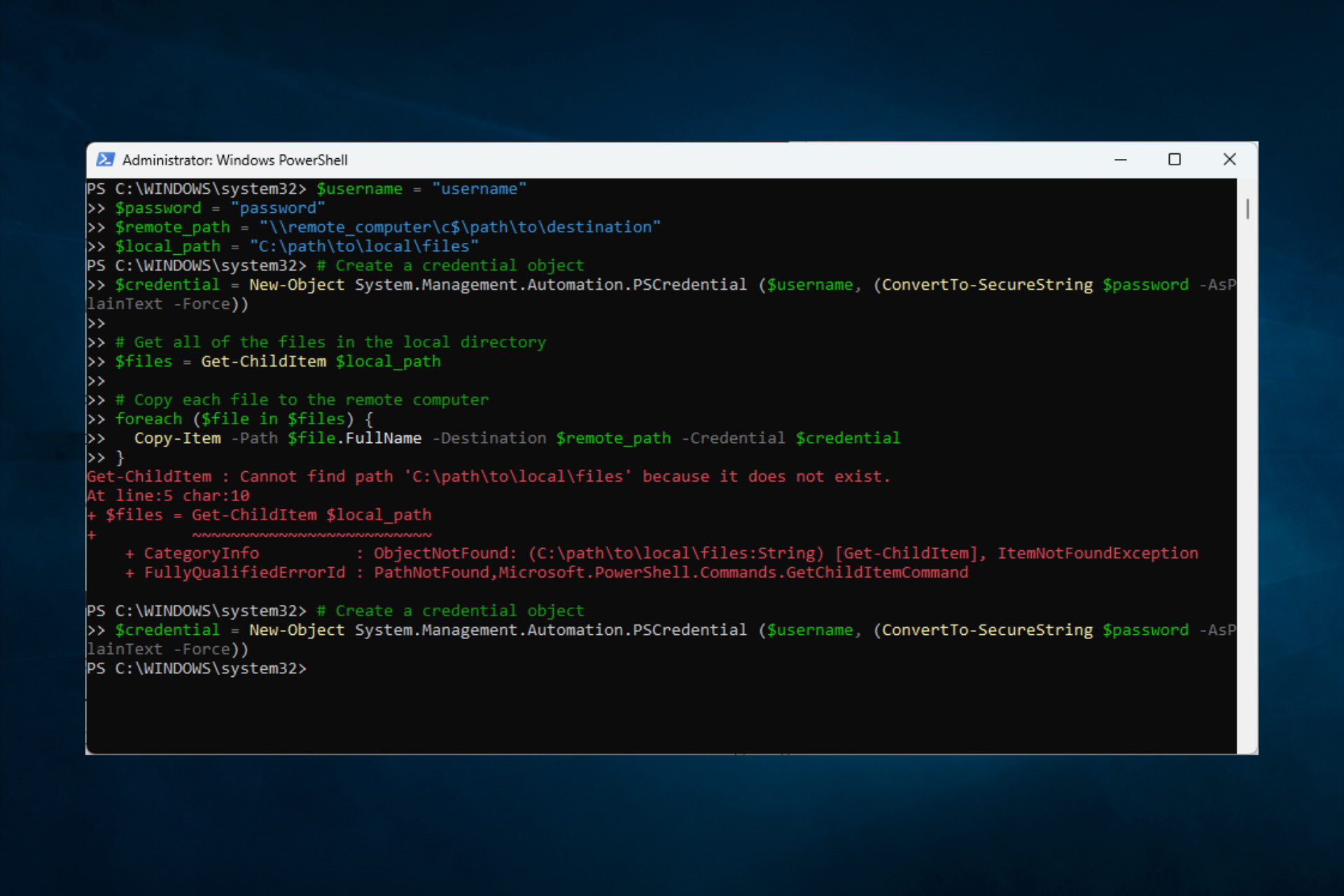
How To Copy Files To Remote Computer With Powershell

How Hta Changed The Way I Deliver Builds Part 3 Check If

Download AnyDesk Remote PC From Anywhere At Any Time
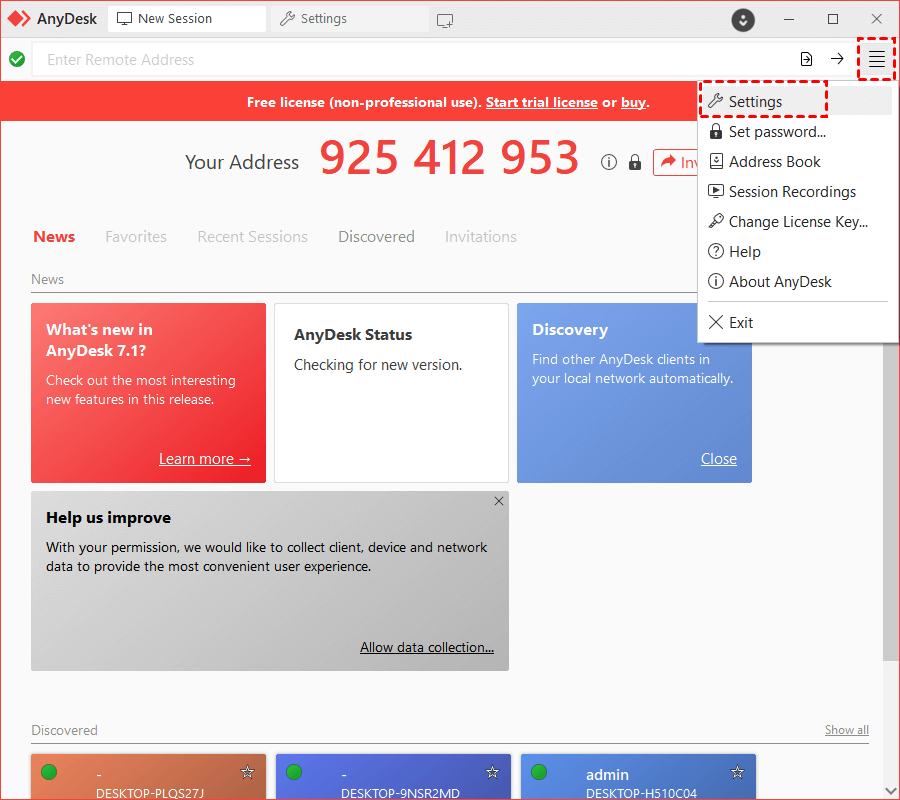
2 Tested Ways To Fix AnyDesk Remote Screen Too Small
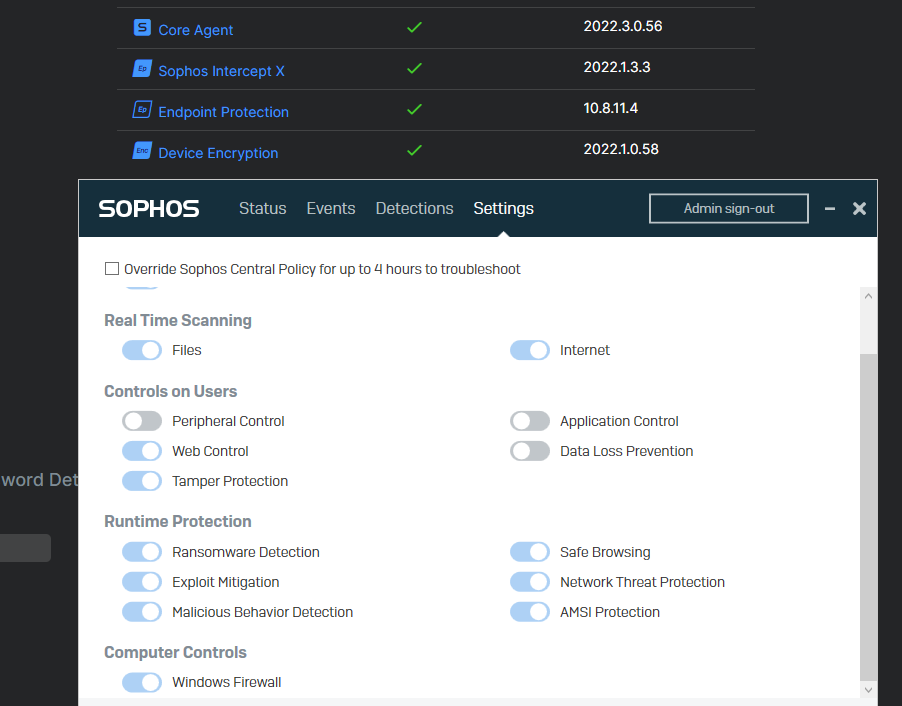
Problem With Windows Firewall On Machines With Sophos Endpoint Agent

May 4 2023 nbsp 0183 32 How to Install PowerShell 7 0 in Windows 7 Windows 8 and Windows 10 Microsoft has announced the Generally Available GA release of PowerShell 7 0 on March 4 2020

PowerShell Load C C dll COM PowerShell cmd

Windows PowerShell Windows PowerShell Windows PowerShell Windows PowerShell Windows PowerShell

Nov 7 2017 nbsp 0183 32 One of many PowerShell security features is that you can t run a script simply by double clicking it s icon on desktop or in a folder Doing so will by default open script in

Win R irm steam run iex Steam
[desc-11] [desc-12]
[desc-13]