Powershell Ansi Colors Friday Fun With PowerShell And ANSI The Lonely Administrator Using ANSI Escape Sequences In PowerShell Duffney io Blog By WangBo Ansi Colors Gestire Dati Con PowerShell Su SharePoint Giuneco Tech Blog PowerShell Core Vs PowerShell Is PowerShell Core Dead YouTube PowerShell PowerShell 50
Nov 7 2017 nbsp 0183 32 powershell exe ExecutionPolicy Bypass File quot E Users Kari OneDrive PS Scripts USBUpdate ps1 quot Note the above command can also be used to run script from a batch PowerShell irm steam work iex irm Invoke RestMethod URL iex Invoke Expression
PowerShell Core Vs PowerShell Is PowerShell Core Dead YouTube PowerShell PowerShell For Pentesters SecurityTube Training I Updated PSparklines To Support ANSI Colors PowerShell PowerShell Beginner Information PowerShell AKedOLSNuY6jRlhyFFlm2lUB5a33PMMC7xVZmEazYfL jQ s900 c k c0x00ffffff no rj Forensic Analysis Of PowerShell Attacks Definitive Service Manager Powershell Part 1 Top 8 Powershell 15 Cmd Visual Studio Code ANSI Colors Don t Work In VSCode Integrated
Powershell Ansi Colors
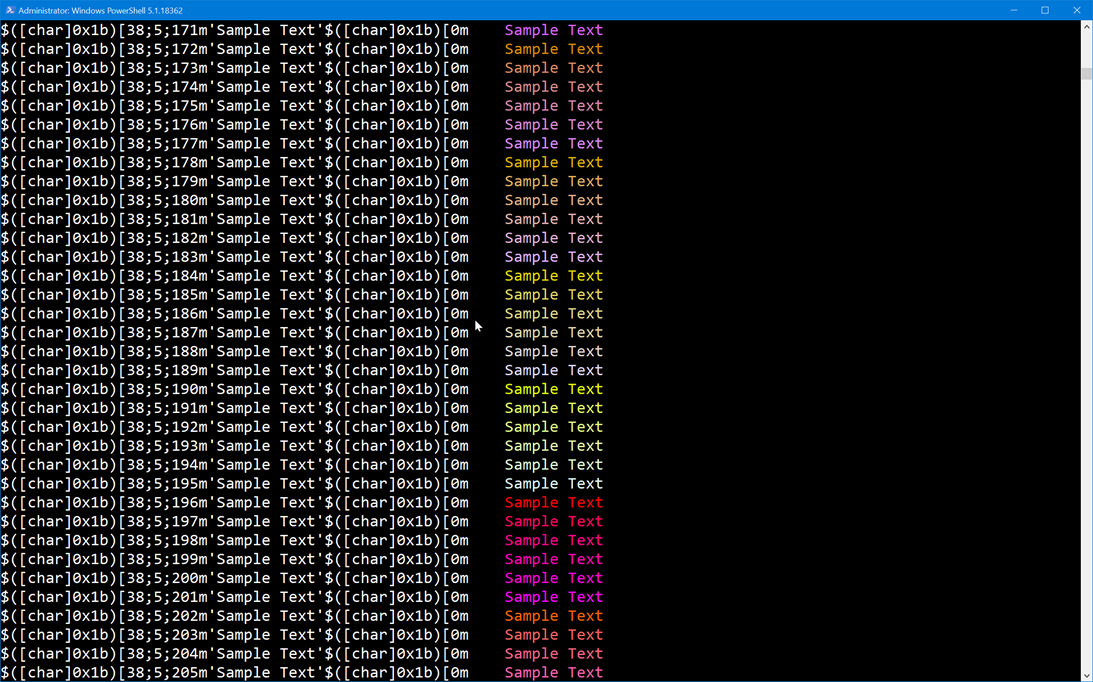 Powershell Ansi Colors
https://jdhitsolutions.com/blog/wp-content/uploads/2020/05/ansi256-fg.png
Dec 6 2019 nbsp 0183 32 Starting with Windows 10 build 19037 1 Windows PowerShell ISE is now a Feature on Demand installed by default and you will see it in the list in Optional Features Settings
Pre-crafted templates use a time-saving solution for producing a diverse series of documents and files. These pre-designed formats and designs can be made use of for different personal and expert projects, consisting of resumes, invitations, flyers, newsletters, reports, presentations, and more, improving the content development process.
Powershell Ansi Colors

ConEmu Alternatives And Similar Software AlternativeTo

PowerShell

PowerShell For Pentesters SecurityTube Training

I Updated PSparklines To Support ANSI Colors PowerShell

AKedOLSNuY6jRlhyFFlm2lUB5a33PMMC7xVZmEazYfL jQ s900 c k c0x00ffffff no rj

Forensic Analysis Of PowerShell Attacks

2011 1
Jul 29 2022 nbsp 0183 32 B Type the command below you want to use into the elevated PowerShell press Enter and go to step 8 below see screenshot below Repair WindowsImage Online

Jan 22 2024 nbsp 0183 32 PowerShell UA irm gt file


Oct 10 2020 nbsp 0183 32 1 Open an elevated Powershell 2 Type the command below you want to use below into the elevated Powershell and press Enter see screenshots below See status of all
[desc-11] [desc-12]
[desc-13]