Power Bi Query Parameter Multiple Values Changing File Location Using A SQL Query Parameter In Power BI Enterprise DNA Power BI Report Builder Parameters Tutorial SQLServerCentral Using An IN Condition For Multiple Values In Power Query Power BI Swift Alamofire Parameter With Multiple Values In One Key Stack Overflow Quick Tips Power Bi Desktop Query Parameters Part 4 Passing Power Query Parameter Values To Web SQL Power BI Parameters Via Query Editor by Sam McKay CFA Power BI In this tutorial we ll discuss how we can create and use Power BI Parameters which is a powerful feature of the Query Editor There are instances when we want to put additional filters on our data within the query editor
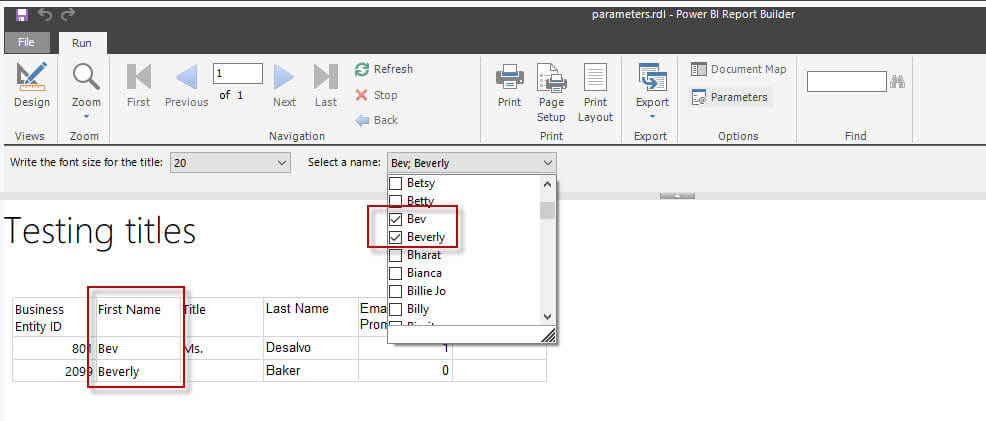
Web Jun 28 2023 nbsp 0183 32 In Power BI Report Builder open the report that you want to add the multi value parameter to Right click the report dataset and then click Dataset Properties Add a variable to the dataset query by either editing the query text in the Query box or by adding a filter by using the query designer Web Jan 14 2022 nbsp 0183 32 Query parameters allow Power Query users to easily parameterize parts of their queries like filter values and easily update those parameter values in a centralized way for example when used across multiple queries Values in a query parameter can be either fixed static such as the value Shoes or dynamic for instance the result of
Quick Tips Power Bi Desktop Query Parameters Part 4 Passing Power Query Parameter Values To Quick Tips Power BI Desktop Query Parameters Part 4 Passing Power Query Parameter Values To QA Parameters In System Configuration Changing File Location Using A SQL Query Parameter In Power BI Enterprise DNA Power BI Sum Group By Multiple Columns Quick Tips Power Bi Desktop Query Parameters Part 4 Passing Power Query Parameter Values To Power BI Dynamic M Query Parameter Support Microsoft Community Hub Quick Tips Power BI Desktop Query Parameters Part 4 Passing Power Query Parameter Values To Download Replace Text With Another Column Value In Power Qu
Power Bi Query Parameter Multiple Values
 Power Bi Query Parameter Multiple Values
https://i0.wp.com/blog.enterprisedna.co/wp-content/uploads/2020/06/1-7.png?resize=977%2C532&ssl=1
Web Parameters can be used in any query step In addition to functioning as a data filter parameters can be used to specify such things as a file path or a server name Parameters don t prompt for input Instead you can quickly change their value using Power Query
Templates are pre-designed files or files that can be used for different functions. They can save time and effort by offering a ready-made format and design for creating various type of material. Templates can be used for personal or professional jobs, such as resumes, invitations, leaflets, newsletters, reports, discussions, and more.
Power Bi Query Parameter Multiple Values

68216 An Advanced Filter With Multiple Values For Numeric Parameters Is Not Listed On The
Quick Tips Power BI Desktop Query Parameters Part 4 Passing Power Query Parameter Values To
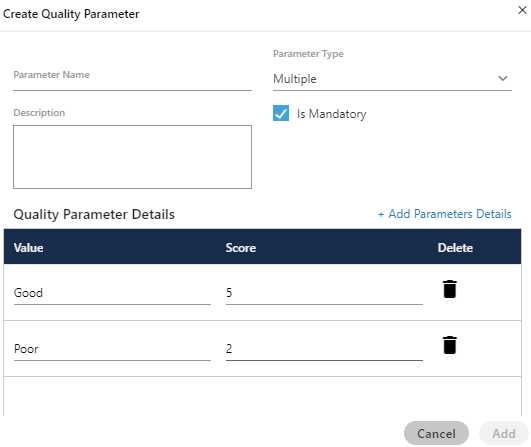
QA Parameters In System Configuration

Changing File Location Using A SQL Query Parameter In Power BI Enterprise DNA

Quick Tips Power Bi Desktop Query Parameters Part 4 Passing Power Query Parameter Values To
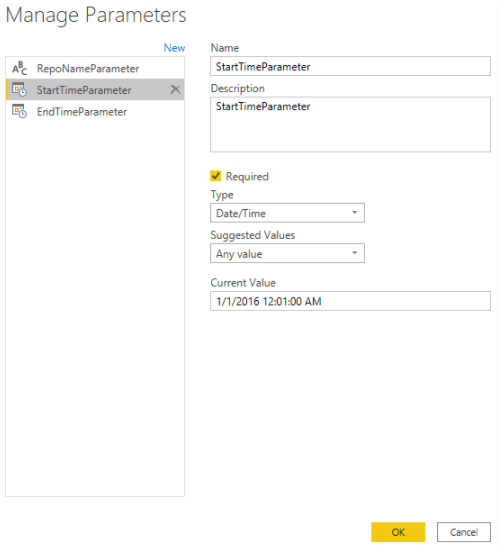
Power BI Dynamic M Query Parameter Support Microsoft Community Hub

Web Dec 17 2022 nbsp 0183 32 A new type of parameter available only in Power Query Online is multi value or list parameters This section describes how to create a new list parameter and how to use it in your queries Following the previous example change the current value for Minimum Margin from 0 3 to 0 1
Web Apr 14 2023 nbsp 0183 32 If your use cases require passing multiple values to a single parameter set the control to Yes and make sure your M query is set up to accept multiple values Here s an example for RepoNameParameter which allows multiple values
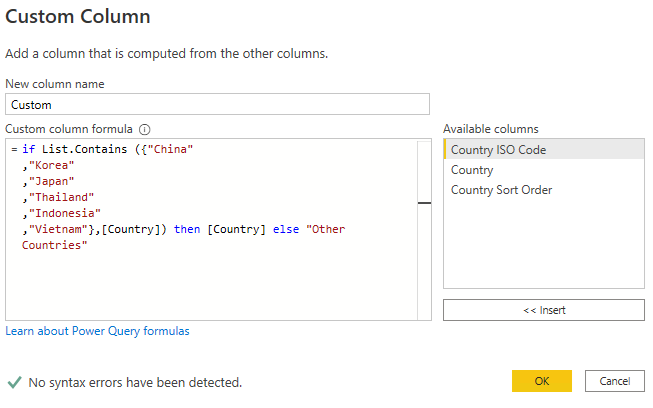
Web November 8 2020 Chris Webb Even though the documentation for dynamic M parameters does mention how to handle multi select in the M code for your Power Query queries I thought it would be useful to provide a detailed example of how to do this and explain what happens behind the scenes when you use multi select

Web Oct 10 2021 nbsp 0183 32 Why is this interesting In the past Power Query parameters were always single values like a date or a string now a parameter can contain mutliple values There s one other new feature in Power Query Online that goes along with this In and Not In filters which can use these new List parameters

Web May 13 2016 nbsp 0183 32 With the new Query Parameters feature users can now easily define one or multiple parameters to be used in their queries Data Model and report layers in Power BI Desktop Users can define new parameters by using the Manage Parameters dialog in the Query Editor window
Web n n n n Select the dropdown under Bind to parameter and select the parameter that you want to bind to the field n n Since this example is for setting the parameter to a single value keep Multi select set to No which is the default n n If you set the mapped column to No for Multi select you must use a single select mode in the slicer or require single Web Oct 10 2023 nbsp 0183 32 Field parameters use a calculated table tagged as a field parameter table The slicer places a filter on the table then Power BI detects the value selected to change the query and returns the value of the desired measure In our example the user can choose between three possible metrics Sales Amount Total Cost and Margin
Web Mar 4 2019 nbsp 0183 32 Greg Deckler 72 Hi All I have a parameter created in Deskotp witht the name quot FYear quot which is a list of values as below FY 2018 FY 2019 FY 2020 FY 2021 FY 2040 I want to pass this list onto a Power Query which import data from SQL server analysis service