Power Bi Delete Single Row Delete A Dashboard Report Workbook Dataset Or Workspace Power BI Microsoft Learn Visual Studio Code Mongodb Bestuup Delete A Dashboard Report Workbook Dataset Or Workspace Power BI Microsoft Learn Delete A Dashboard Report Workbook Dataset Or Workspace Power BI Microsoft Learn Automatically Remove Empty Columns And Rows From A Table In Power BI DataChant 2022 Web Jun 27 2023 nbsp 0183 32 The most common method of removing rows in Power BI is using the filter function Select the table you want to remove rows from Click on the filter icon in the
Web Jun 27 2023 nbsp 0183 32 September 2 2023 How to Remove Rows in Power BI Based on Condition Power BI is a powerful tool for data analysis but sometimes the data you gather may Web May 26 2022 nbsp 0183 32 Import the File into Power Query Editor Open Power BI Click the drop down arrow on the Get Data button located on the Home tab Choose Text CSV from the drop down menu The open dialog box
Automatically Remove Empty Columns And Rows From A Table In Power BI DataChant 2022 Delete A Single Row Or Multiple Rows In Excel Solved Delete Rows Containing Certain Text Microsoft Power BI Community Eliminar Um Dashboard Relat rio Livro Conjunto De Dados Ou rea De Trabalho Power BI Manage Your Published Power BI Template App Power BI Microsoft Learn Powerbi Deleting Rows Based On A Condition Using Power Query M Language In Power BI A How Can We Delete Rows In Power Bi Push Dataset Us Microsoft Power BI Community Solved Removing Rows In Power Bi Microsoft Fabric Community Solved Delete Rows Microsoft Power BI Community
Power Bi Delete Single Row
 Power Bi Delete Single Row
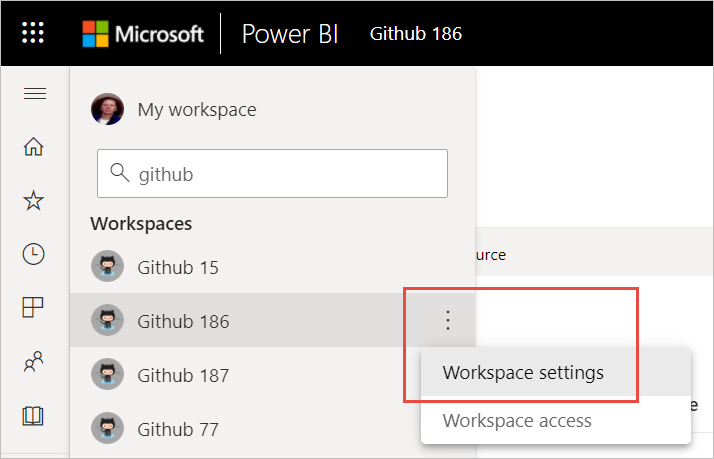
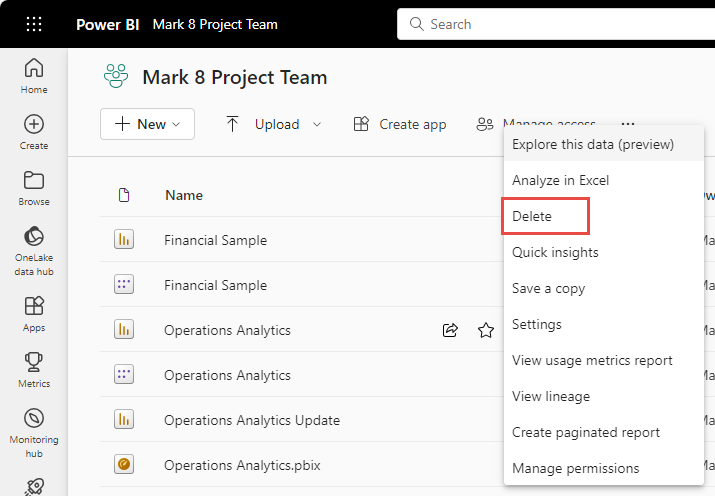
https://learn.microsoft.com/en-us/power-bi/create-reports/media/service-delete/power-bi-delete-workspace.png
Web May 26 2021 nbsp 0183 32 powerquery delete row m or ask your own question I need to delete rows following 2 logics First If the ID is the same and the date is further away then delete the row with the date further away
Templates are pre-designed documents or files that can be utilized for various purposes. They can save time and effort by providing a ready-made format and design for producing different type of content. Templates can be utilized for personal or professional jobs, such as resumes, invites, flyers, newsletters, reports, discussions, and more.
Power Bi Delete Single Row
Delete Blank Rows In Excel Using Python Printable Forms Free Online

Delete A Single Row Or Multiple Rows In Excel

Solved Delete Rows Containing Certain Text Microsoft Power BI Community
Eliminar Um Dashboard Relat rio Livro Conjunto De Dados Ou rea De Trabalho Power BI

Powerbi Deleting Rows Based On A Condition Using Power Query M Language In Power BI A

How Can We Delete Rows In Power Bi Push Dataset Us Microsoft Power BI Community

Web Sep 21 2023 nbsp 0183 32 Delete Rows in Power BI with Native Power BI Tools Deleting rows in Power Query offers an effective means to trim down the volume of data brought into

Web Jun 27 2023 nbsp 0183 32 Here s a step by step guide to removing specific rows in Power BI Open the Power BI Desktop and select the dataset you want to work with Select the Transform
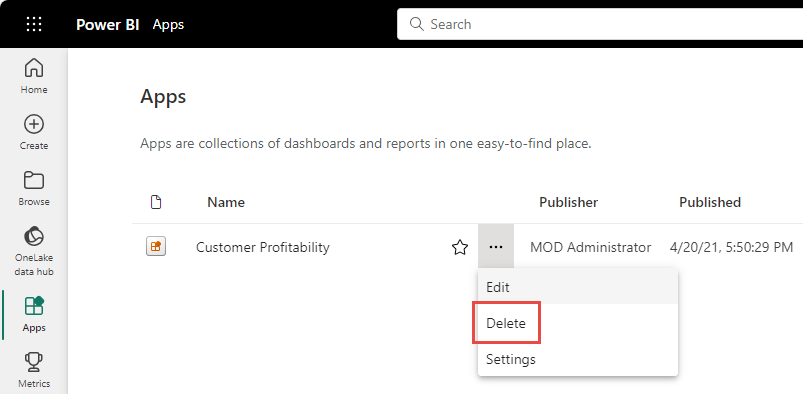
Web Jun 23 2023 nbsp 0183 32 Deleting a single row in Power BI can be done using the context menu Simply right click on the highlighted row and select Delete rows Power BI will
Web Sep 22 2020 nbsp 0183 32 to delete some rows you can use Table SelectRows and filter them out If you need to keep some of this deleted rows you can use a list and add in the

Web Jun 27 2023 nbsp 0183 32 How to Remove a Row in Power BI Guide September 2 2023 How to Remove a Row in Power BI Power BI is a powerful tool for data analysis and
Web Aug 27 2019 nbsp 0183 32 Do you want to delete them in power query or remove them with filters in report view Web Jul 19 2020 nbsp 0183 32 Step 1 Remove from Top In the first step I am showing you how to remove rows from the top Open power query window by click on Transform Data at the home
Web July 27 2022 This Power BI Tutorial explains working with the CSV file in Power Query Editor Here we will learn how to connect the CSV file to the Power Query and transform