Power Automate Run R Script How To Use Power Automate Workflows Tutorial Guide For Beginners Microsoft Power Automate Desktop Free Fadnova Monitor Desktop Flow Runs Power Automate Microsoft Learn Power Automate Run Script Excel Power Platform Community Power Automate Desktop How To Work With Run Powershell Script Microsoft Fabric provides a cloud scale data warehouse to store your analytical data for dashboards and historical reporting In Fabric Data Factory there are a number of ways to query data retrieve data and execute commands from your warehouse using pipeline activities that can then be easily automated for unattended background execution I 8217 ll go left to right from hellip
1 I m basically looking for any way to automatically run R scripts just like it would run as if I was copy and pasting it into console I ve tried the package taskscheduleR however it just seems to output to a log file in the directory which isn t as if I were to just run it inside the Rstudio application We only want to process Excel files i e files with an xlsx file extension Select Add Action at the bottom of the script and select Control from the Choose an Operation panel In the Control panel select the Action labeled Condition Our Condition will be to check to see if the file s name ends with XLSX
Power Automate Desktop How To Work With Run Powershell Script Use Office Scripts With Power Automate Excel Off The Grid Running R Commands In RStudio PowerAutomate Run History How Do You Deal With The Fact That It Only Power Apps Power Automate Power BI Azure Architecture Microsoft Power Automate Templates What Is Retry Policy In Power Automate Step By Step Guide CRM Crate Power Automate Colleague Software Recruitment Software Run Script With Excel In Power Automate
Power Automate Run R Script
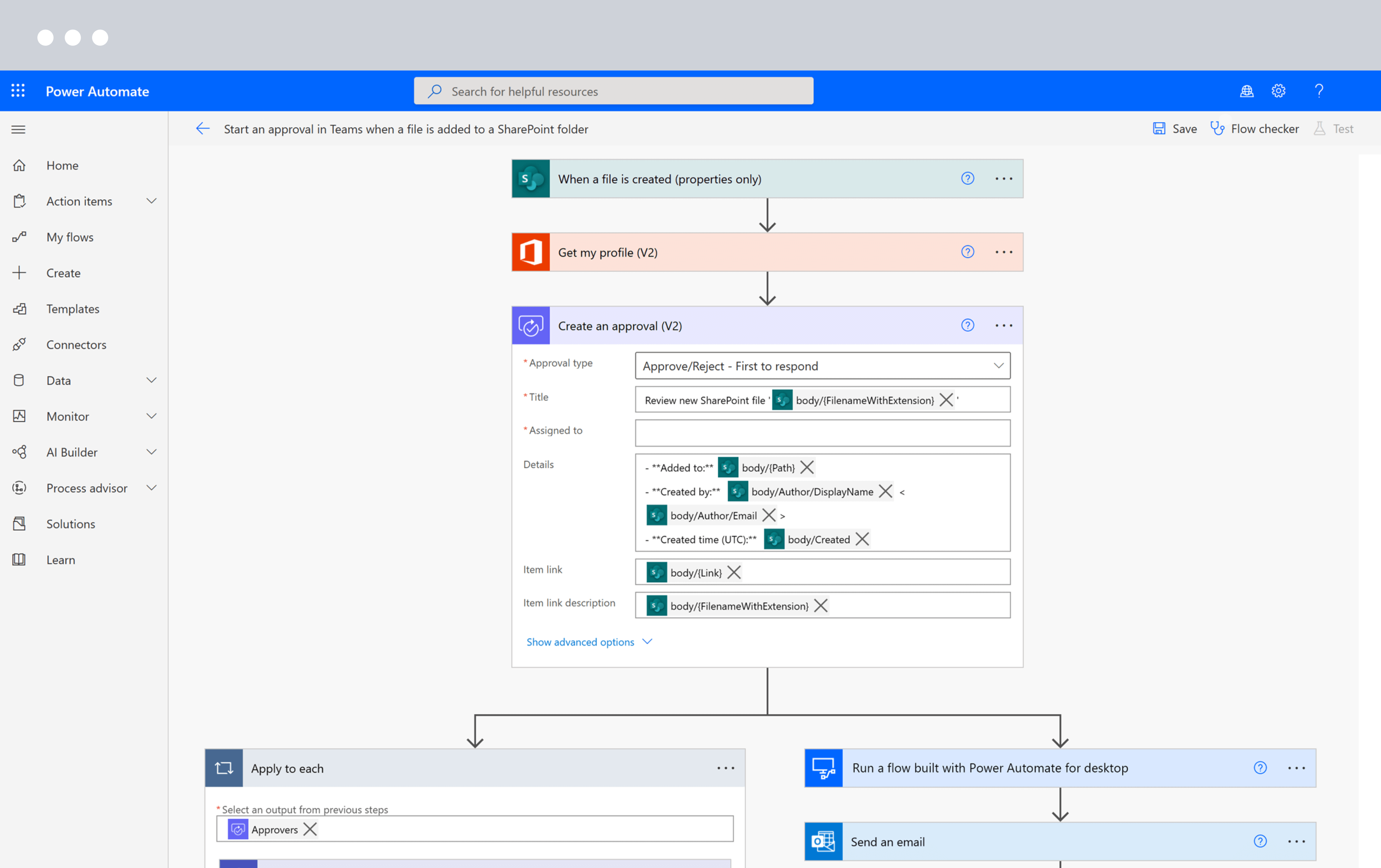 Power Automate Run R Script
https://www.brightwork.com/wp-content/uploads/Save-time-with-Power-Automate.png
Step 2 Add the Execute a script Action By adding the Execute a script action in Power Automate you can easily run PowerShell scripts within your flow To do so follow these steps Create a new flow in Power Automate Add the Execute a script action Enter the PowerShell script you want to run
Templates are pre-designed documents or files that can be used for various functions. They can save time and effort by offering a ready-made format and layout for developing different sort of material. Templates can be utilized for personal or expert jobs, such as resumes, invites, flyers, newsletters, reports, presentations, and more.
Power Automate Run R Script

Solved Running A Script Is Hit And Miss Power Platform Community
Use Office Scripts With Power Automate Excel Off The Grid
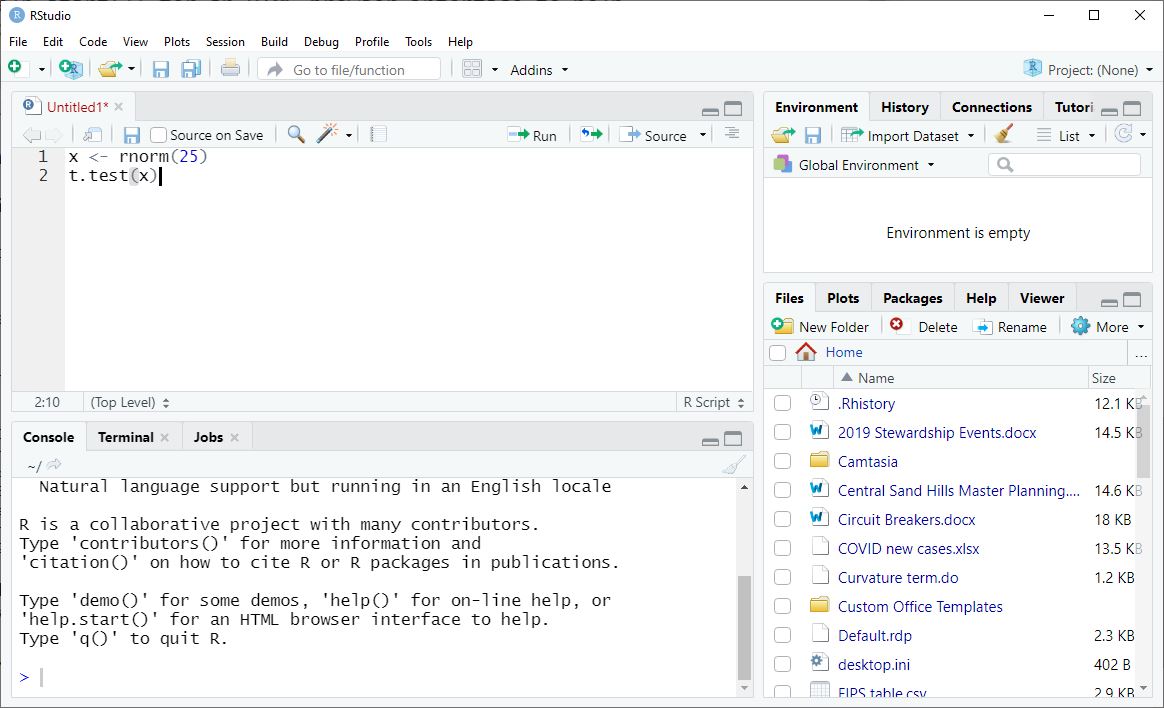
Running R Commands In RStudio

PowerAutomate Run History How Do You Deal With The Fact That It Only
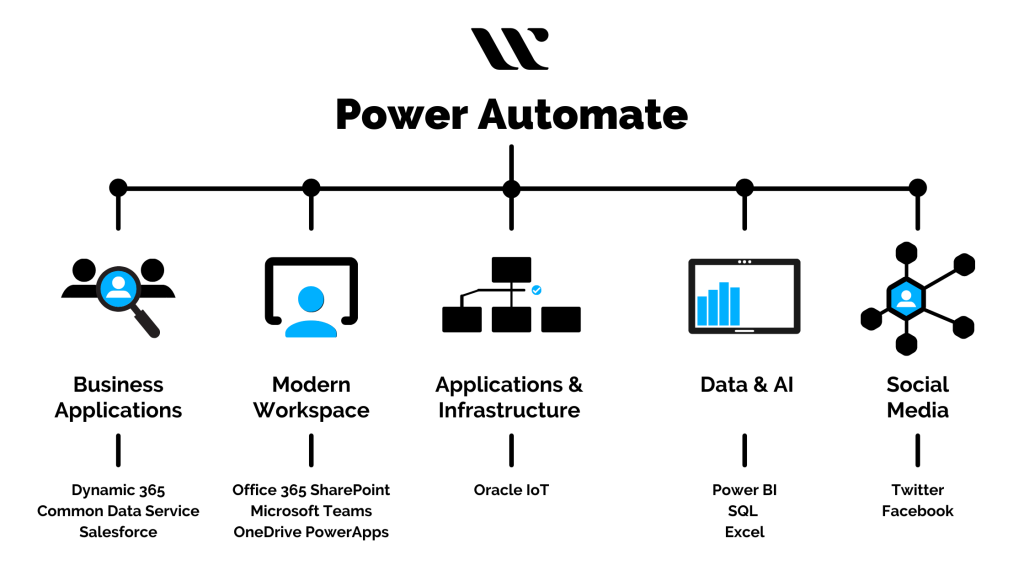
Microsoft Power Automate Templates

What Is Retry Policy In Power Automate Step By Step Guide CRM Crate
Choose your RScript you should choose the R script that you want to automate Rscript repo this is the folder where the automation logs will be saved Schedule how often do you want that Script to be executed once a month a week a day every hour every minute every time a user accesses the computer etc

To pass the data back we use the return function let response responseType the object to send back using responseType structure return sortArray return sortArray object to Power Automate This will then create a response from the Run Script action with the same structure as the object passed

How to Schedule Automate R Scripts Windows YouTube 0 00 8 03 How to Schedule Automate R Scripts Windows quantRoom 2 34K subscribers Subscribe 280 12K views 2 years ago

Integrating PowerBI PowerApps and PowerAutomate to run R script 12 14 2023 07 47 AM Hi everyone Together with my team we came up with an idea of a dashboard where the user could see results of the R script that is calculated on the fly with parameter specified in the dashboard

The complete Power Automate flow for this process has 5 steps On a manual trigger Copy the file to create a version for the North region Run the script on the new file Get the content of the new file Send the new file as an attachment to an e mail Here are the 5 steps in detail
Click on the Test button located at the top right corner of the Flow editor Enter the required input data for your Python script if any Click on the Test button again to run the flow and execute the Python script action Monitor the flow run results and verify if the Python script executed successfully Create an automated workflow with Power Automate Show 3 more This tutorial teaches you how to use an Office Script for Excel with an automated Power Automate workflow Your script will automatically run each time you receive an email recording information from the email in an Excel workbook
To create a container you need a folder containing the following files catalog docker R is the R code you want to run in the Cloud It could be one or multiple script files catalog